ToolMage
Sign in

Best 1 Sales Automation AI tools for Automation

Popular Sales Automation AI tools in Automation include uptik, helping you work more efficiently.

uptik
Paid

uptik

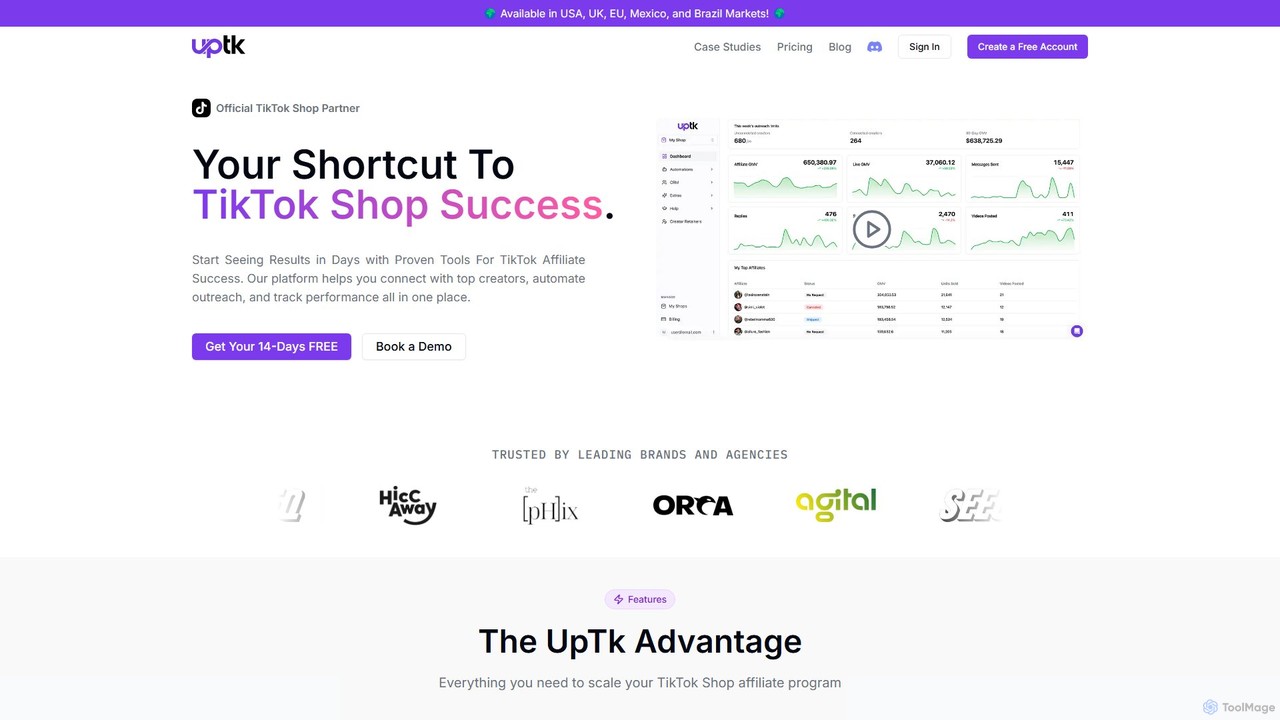
uptik is an official TikTok Shop Partner and affiliate outreach tool designed to help brands scale their sales. It automates finding, connecting with, and managing over 2 million TikTok creators, streamlining campaign management, performance tracking, and spark code requests all in one platform.

Sales Automation
Visits 7.1KFavorites 138Likes 166

About Sales Automation

Sales Automation tools are a specialized category of software designed to streamline and automate repetitive tasks within the sales cycle. As a key part of the broader Automation landscape, these platforms leverage AI and rule-based logic to manage lead engagement, data entry, and communication, freeing up sales professionals to focus on high-value activities like building relationships and closing deals. By automating workflows such as email follow-ups, meeting scheduling, and CRM updates, these tools help sales teams increase efficiency, improve lead conversion rates, and ensure consistent customer engagement.

Core Features

  • Automated Sequences/Cadences: Create and deploy multi-touch campaigns via email, SMS, and social media based on prospect behavior or time intervals.
  • CRM Data Synchronization: Automatically log activities, update contact records, and sync communication history with your CRM, eliminating manual data entry.
  • Intelligent Lead Routing: Assign incoming leads to the most appropriate sales representative based on predefined rules like territory, industry, or lead score.
  • AI-Powered Scheduling: Allow prospects to book meetings directly on a salesperson's calendar through a shareable link, avoiding back-and-forth coordination.
  • Sales Analytics & Forecasting: Generate detailed reports on team performance, pipeline health, conversion rates, and forecast sales revenue with greater accuracy.

Use Cases

Sales Automation is critical for B2B and high-value B2C companies with structured sales processes. It is widely used by Sales Development Representatives (SDRs) for prospecting, Account Executives for managing their pipeline, and Sales Managers for monitoring team performance. Common applications include automating outbound prospecting campaigns, nurturing inbound leads from marketing, and streamlining the post-sale handoff process.

How to Choose

When selecting a Sales Automation tool, prioritize its integration capabilities with your existing CRM (e.g., Salesforce, HubSpot) and other sales stack software. Evaluate the level of customization available for workflows and sequences to ensure it aligns with your unique sales process. Also, consider the user interface's ease of use for your sales team and the robustness of its analytics and reporting features to measure ROI effectively.

Sales Automation use cases

1

Automating Outbound Prospecting Sequences

A Sales Development Representative (SDR) at a B2B SaaS company is tasked with contacting 100 new prospects each week. Manually sending personalized emails, tracking opens, and scheduling follow-ups is time-consuming and prone to error. By using a Sales Automation tool, the SDR builds a multi-step sequence that includes an initial email, a LinkedIn connection request, and a series of follow-up messages spaced over two weeks. The tool automatically executes these steps for each prospect, pausing the sequence if a prospect replies. This allows the SDR to focus their time on engaging with interested leads, resulting in a 40% increase in meetings booked while reducing manual administrative work by over 10 hours per week.

2

Intelligent Routing of Inbound Website Leads

A global technology firm receives hundreds of demo requests through its website daily. Manually assigning these leads to the correct regional sales teams is inefficient. A sales operations manager implements a sales automation platform to create routing rules. When a new lead submits a form, the system automatically analyzes their location, company size, and industry. Based on these criteria, it instantly assigns the lead to the appropriate account executive and adds them to a specific CRM pipeline. This ensures a response time of under 5 minutes, significantly increasing the likelihood of engaging the lead while they are still highly interested.

3

Streamlining Meeting Scheduling with Prospects

An Account Executive often spends significant time in back-and-forth emails trying to find a suitable time for a product demo with a prospect. This process can delay the sales cycle and lead to frustration. By integrating a sales automation tool with their calendar, the executive includes a personal scheduling link in their email signature. Prospects can click the link, view the executive's real-time availability, and book a meeting slot that works for them. The tool automatically sends a calendar invitation to both parties and logs the scheduled meeting in the CRM. This eliminates administrative overhead, accelerates the sales process, and provides a professional, seamless experience for the prospect.

4

Automated Post-Demo Follow-ups and Nurturing

After conducting a product demonstration, a sales representative needs to ensure timely and relevant follow-up to maintain momentum. A sales automation tool can be configured to trigger a sequence automatically after a meeting is marked as 'completed' in the CRM. The sequence could start with a thank-you email summarizing key discussion points, followed by an email a few days later with a relevant case study, and a final check-in email a week later. This ensures every prospect receives consistent, value-added communication without manual effort, increasing the chances of moving the deal to the next stage and preventing promising leads from going cold.

5

Automating CRM Data Entry and Activity Logging

Sales teams often struggle with keeping their CRM up-to-date, as manual data entry is tedious and takes time away from selling. A sales operations manager connects their team's email inboxes and calendars to a sales automation platform. Now, every email sent, reply received, and meeting booked with a prospect is automatically logged as an activity on the contact's record in the CRM. The system can also enrich contact data by automatically finding and adding information like job titles and company details. This ensures the CRM is always an accurate source of truth, improves sales forecasting, and saves each sales rep several hours of administrative work per week.

6

Managing Sales Pipeline with Automated Task Reminders

A sales manager notices that deals are stalling because reps sometimes forget to follow up at critical moments. To solve this, they use a sales automation tool to create automated task reminders based on deal stages in their CRM. For example, when a deal moves to the 'Proposal Sent' stage, a task is automatically created for the account executive to follow up in three days. If a deal has been inactive in a stage for more than ten days, a notification is sent to both the rep and the manager. This proactive system ensures no opportunity falls through the cracks, improves pipeline velocity, and helps the manager coach their team more effectively based on real-time data.

Sales Automation FAQ

What is Sales Automation?

Sales Automation refers to software and tools designed to automate manual, time-consuming tasks within the sales process. As a specific application within the broader field of Automation, its primary goal is to free up salespeople to focus on more strategic activities like building client relationships and closing deals. Key functions include automating email follow-ups, scheduling meetings, logging sales activities in a CRM, and routing leads to the correct representative. By handling these repetitive tasks, sales automation platforms help increase efficiency, ensure consistent follow-up, and provide valuable data insights into the sales pipeline.

What's the difference between Sales Automation and Marketing Automation?

The primary difference lies in their focus within the customer journey. Marketing Automation tools are designed for one-to-many communication at the top and middle of the funnel, focusing on lead generation, nurturing broad audiences, and lead scoring. In contrast, Sales Automation tools focus on one-to-one interactions at the bottom of the funnel. They are built for individual sales reps to manage their pipeline, automate personalized follow-ups, and streamline tasks directly related to closing deals. While they can be integrated, Marketing Automation nurtures leads until they are 'sales-ready,' at which point Sales Automation takes over to manage the direct sales engagement.

How do I choose the right Sales Automation tool?

Choosing the right tool depends on your specific needs. Consider these key factors:

  • CRM Integration: Ensure the tool seamlessly integrates with your existing CRM (e.g., Salesforce, HubSpot) to allow for two-way data synchronization.
  • Ease of Use: The platform should be intuitive for your sales reps to adopt without extensive training. A complex tool can hinder adoption and reduce ROI.
  • Customization and Scalability: Look for a tool that allows you to customize workflows, email sequences, and reporting to match your unique sales process. It should also be able to scale as your team grows.
  • Feature Set: Evaluate if the core features—like email sequencing, call logging, scheduling, and analytics—meet your team's daily requirements. Don't pay for features you won't use.
Can Sales Automation replace human salespeople?

No, Sales Automation is designed to augment, not replace, human salespeople. It excels at handling repetitive, administrative tasks that can bog down a sales rep's day, such as data entry, sending follow-up emails, and scheduling meetings. This automation frees up valuable time, allowing salespeople to focus on what they do best: building relationships, understanding complex customer needs, negotiating, and strategic selling. The most effective sales teams use automation as a powerful assistant that enhances their productivity and allows them to provide a more personalized and timely experience for their clients.

Who benefits most from using Sales Automation tools?

Various roles within a sales organization benefit significantly from sales automation:

  • Sales Development Representatives (SDRs): They use it to automate top-of-funnel prospecting activities like sending cold email sequences and tracking engagement, allowing them to contact more leads efficiently.
  • Account Executives (AEs): They leverage it to automate follow-ups, schedule demos, and keep their CRM updated, giving them more time for active selling and relationship building.
  • Sales Managers: They use the analytics and reporting features to track team performance, monitor pipeline health, and identify coaching opportunities without manual report creation.
  • Sales Operations: This team uses automation to enforce sales processes, manage lead routing, and ensure data hygiene in the CRM, improving overall efficiency.