ToolMage
Sign in

Best 1 Invoicing AI tools for Billing

Popular Invoicing AI tools in Billing include Partially Payment Plans, helping you work more efficiently.

Partially Payment Plans
Free

Partially Payment Plans

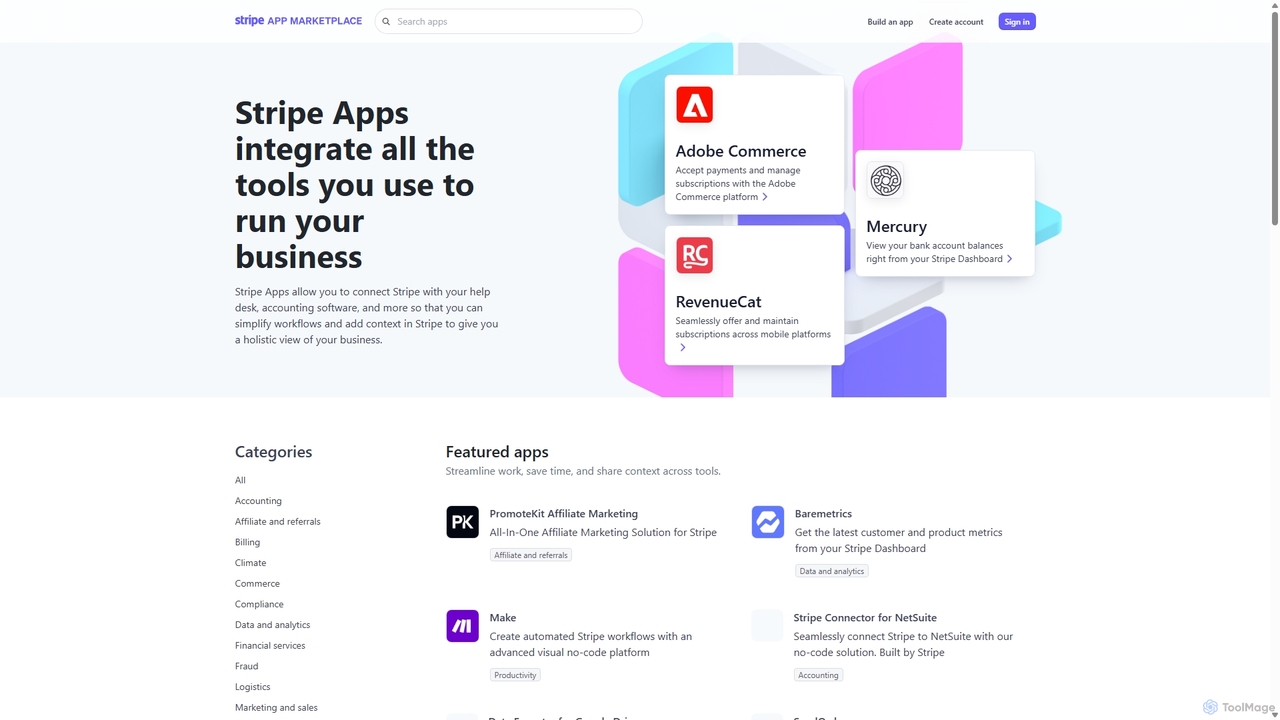
Partially Payment Plans is a Stripe app that allows businesses to create and manage flexible payment plans for invoices and customers directly from the Stripe Dashboard. It helps increase revenue and improve cash flow by making purchases more manageable for customers, offering custom terms that suit both the business and the client.

Invoicing
Visits 149.4KFavorites 134Likes 122

About Invoicing

AI Invoicing tools are a specialized category of billing software that automates the creation, sending, and management of invoices using artificial intelligence. These platforms leverage technologies like Optical Character Recognition (OCR) to extract data from documents and machine learning to predict payment dates and personalize follow-ups. This significantly reduces manual data entry, minimizes errors, and accelerates the cash flow cycle for businesses. Unlike traditional invoicing systems, these tools provide intelligent insights into payment behaviors and automate complex collection workflows.

Core Features

  • Intelligent Data Extraction: Automatically scans and pulls data from purchase orders, receipts, and contracts to pre-fill invoices accurately.
  • Automated Invoice Generation: Creates and customizes professional invoices based on project data, time tracking, or subscription models.
  • Predictive Payment Reminders: Uses AI to determine the optimal time and tone for sending payment reminders to specific clients, increasing on-time payments.
  • Expense Categorization: Automatically classifies business expenses from linked accounts for accurate project billing and financial reporting.
  • Multi-Currency & Tax Compliance: Handles international transactions by automatically applying correct exchange rates and tax rules based on client location.

Use Cases

These tools are ideal for freelancers, consultants, agencies, and small to medium-sized businesses that manage multiple clients. They are particularly valuable in service-based industries where billing is tied to tracked hours, project milestones, or recurring retainers, helping to streamline the entire accounts receivable process.

How to Choose

When selecting an AI Invoicing tool, evaluate its integration capabilities with your existing accounting, CRM, and project management software. Assess the depth of automation, from simple recurring invoices to AI-driven reminder sequences. Also, consider the level of template customization and whether the pricing model scales effectively with your business volume.

Invoicing use cases

1

Automating Project Billing for Freelancers

A freelance web developer uses an AI invoicing tool to connect directly to their time-tracking software. At the end of each project milestone, the tool automatically pulls all billable hours, applies the agreed-upon hourly rate, and generates a detailed, professional invoice. It even attaches a timesheet report for transparency. This process eliminates manual calculations and spreadsheet management, reducing the time spent on administrative tasks from hours to minutes and ensuring billing accuracy.

2

Managing Subscription-Based Service Invoicing

A SaaS company with a growing user base leverages an AI invoicing platform to manage its monthly and annual subscriptions. The system automatically generates and sends thousands of recurring invoices on the correct billing date. It also handles complexities like prorated charges for plan upgrades or downgrades and applies regional sales taxes correctly. This automation ensures consistent cash flow and a seamless billing experience for customers without requiring a large finance team.

3

Streamlining Agency Client Retainer Billing

A digital marketing agency manages multiple clients on monthly retainers. The AI invoicing tool is configured to automatically generate and send invoices for each retainer at the start of the month. It also allows the agency to easily add one-off charges for out-of-scope work or pass-through costs, such as ad spend. The system sends automated reminders for overdue payments, freeing up account managers to focus on client strategy instead of chasing payments.

4

Intelligent Late Payment Follow-ups

A small consulting firm struggles with inconsistent client payment times, impacting cash flow. They implement an AI invoicing tool that analyzes each client's payment history to create personalized reminder schedules. The system automatically sends a series of polite but firm follow-up emails that escalate in tone over time. This AI-driven approach has increased their on-time payment rate by 30% and significantly reduced the average number of days an invoice is outstanding.

5

Simplifying International Client Invoicing

An independent consultant provides services to clients in Europe and North America. Their AI invoicing tool simplifies cross-border transactions by allowing them to create invoices in the client's local currency, such as Euros or US Dollars. The platform automatically fetches the current exchange rate and calculates the correct VAT or sales tax based on the client's country. This ensures compliance and professionalism, making it easier for international clients to pay promptly.

6

Creating an Expense-to-Invoice Workflow

A general contractor needs to bill clients for both labor and materials purchased for a job. Using the mobile app of their AI invoicing tool, they can take photos of receipts for materials. The tool's OCR technology instantly extracts the vendor, date, and amount, categorizes the expense, and assigns it to the specific client project. When it's time to bill, these reimbursable expenses are automatically added to the client's invoice as line items, ensuring no costs are forgotten.

Invoicing FAQ

What are AI Invoicing tools?

AI Invoicing tools are software applications that use artificial intelligence to automate and optimize the entire invoicing lifecycle. Beyond simply creating invoices, they employ technologies like OCR to capture data from documents, machine learning to predict client payment behavior, and automation to send intelligent reminders. Their primary goal is to reduce manual work, prevent errors, improve cash flow, and provide data-driven insights into a company's accounts receivable process.

How do AI Invoicing tools differ from standard accounting software?

Standard accounting software is a comprehensive system for managing a company's overall finances, including the general ledger, payroll, and financial reporting. AI Invoicing tools are more specialized. They focus specifically on enhancing the accounts receivable process. While accounting software may have basic invoicing features, AI tools offer advanced automation, such as:

  • Intelligent data extraction from receipts and purchase orders.
  • Predictive analytics for payment times.
  • Automated, personalized dunning (collections) sequences.
They are designed to integrate with and complement accounting software, not replace it entirely.

How do I choose the right AI Invoicing tool?

To choose the right tool, consider these four key factors:

  • Integrations: Ensure it connects seamlessly with your existing software stack, such as accounting platforms (e.g., QuickBooks, Xero), CRM systems, and project management tools.
  • Automation Depth: Evaluate how much of the process it can automate. Look for features beyond recurring invoices, like smart reminders and automated expense tracking.
  • Customization: Check if you can customize invoice templates with your branding, set custom payment terms, and create flexible billing workflows.
  • Scalability: Select a tool with a pricing plan that aligns with your business growth and transaction volume.

Who can benefit most from using AI Invoicing tools?

AI Invoicing tools are particularly beneficial for service-based businesses, freelancers, consultants, and small to medium-sized agencies. Any organization that regularly sends invoices and wants to reduce administrative overhead can benefit. They are especially valuable for businesses that deal with complex billing scenarios, such as hourly rates, project-based fees, recurring subscriptions, or reimbursable expenses, as the automation significantly streamlines these processes and improves payment speed.

What are the key features of an AI Invoicing platform?

Most high-quality AI Invoicing platforms share a set of core features designed for efficiency. These typically include automated invoice creation from timesheets or project data, intelligent data capture using OCR for expenses, customizable templates, and support for multiple currencies and taxes. Crucially, they also feature automated payment reminders and follow-up sequences, online payment gateway integrations (like Stripe or PayPal), and reporting dashboards that provide insights into cash flow and client payment trends.