smartinvoices
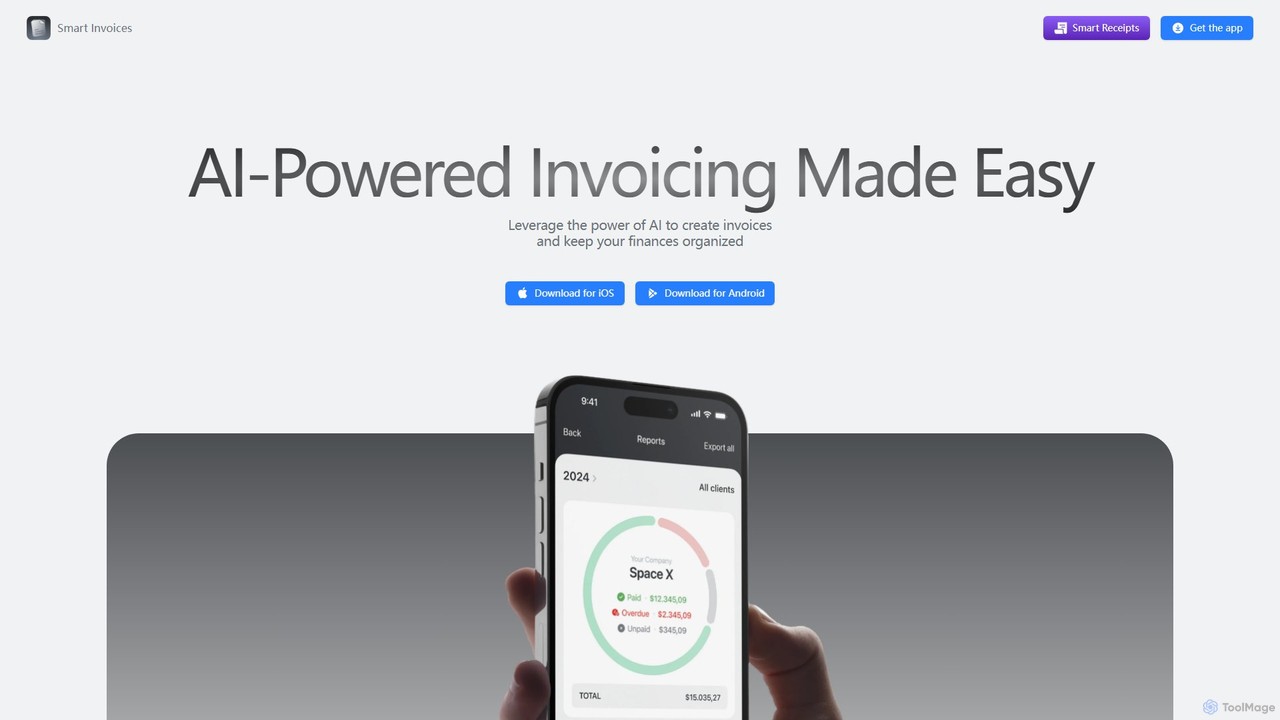
smartinvoices is an AI-powered mobile app designed for effortless invoice management. Tailored for freelancers and small business owners, …
smartinvoices is an AI-powered mobile app designed for effortless invoice management. Tailored for freelancers and small business owners, it simplifies creating, sending, and tracking professional invoices. Leverage AI to generate invoices with simple commands, automate tax and discount calculations, and manage your finances on the go. With features like client database integration, cloud sync, and automated payment reminders, smartinvoices streamlines your entire billing workflow, saving you time and ensuring accuracy.
Taim
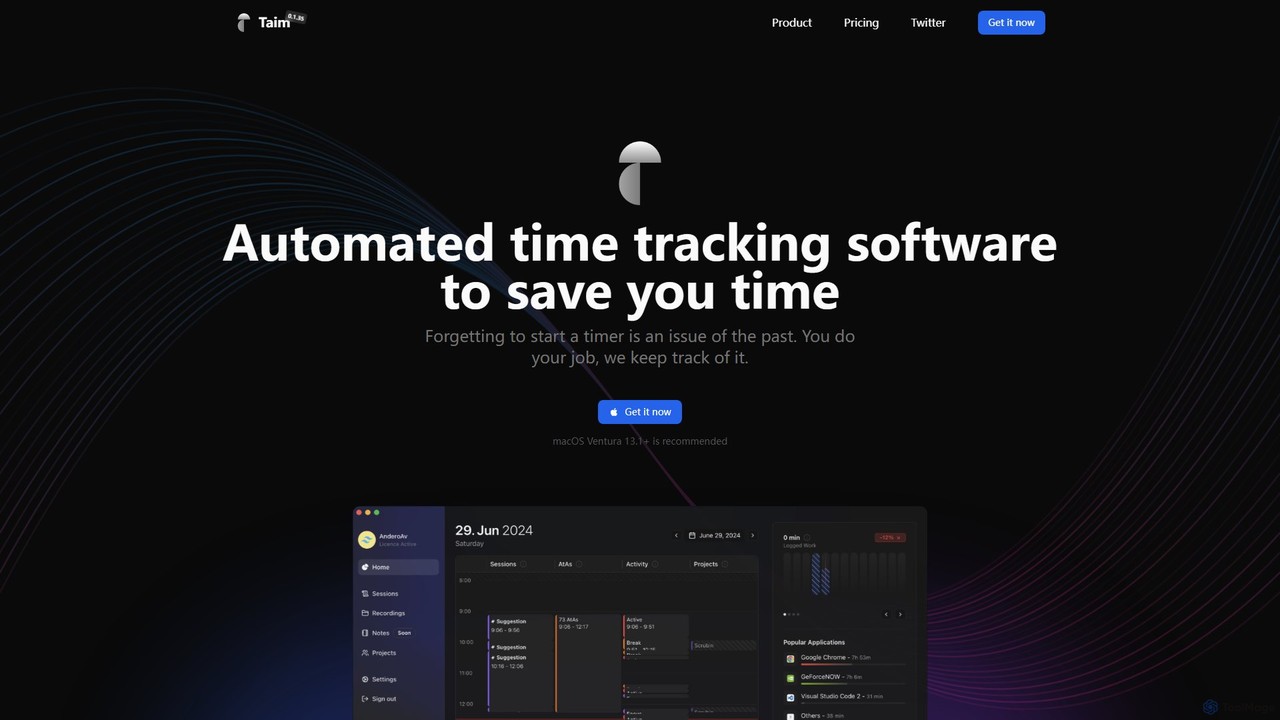
Taim is an intelligent, automated time tracking software for macOS and Windows designed for freelancers, consultants, and teams. …
Taim is an intelligent, automated time tracking software for macOS and Windows designed for freelancers, consultants, and teams. It automatically records your activity across apps and windows, providing accurate data for billing and productivity analysis. With both manual and automatic modes, Pomodoro timer, and detailed analytics, Taim helps you work smarter, not harder, while ensuring your data remains private and on your device.
About Freelancer Tools
AI Freelancer Tools are specialized platforms designed to automate and streamline the administrative, financial, and client management tasks for independent professionals. These tools leverage AI to handle functions like proposal generation, automated invoicing, and project tracking. Their primary value lies in minimizing non-billable work, allowing freelancers to focus on their core skills, deliver better client results, and manage their business more efficiently. Many platforms offer an all-in-one solution, integrating multiple business functions into a single dashboard.
Core Features
- AI Proposal Generation: Automatically creates customized, professional proposals and contracts based on client requirements and project templates.
- Automated Time Tracking: Intelligently tracks billable hours across different projects and clients, ensuring accurate invoicing.
- Smart Invoicing & Payment Processing: Generates and sends invoices automatically, sends payment reminders, and integrates with payment gateways.
- Project & Client Management: Provides a centralized dashboard to manage project timelines, tasks, and client communications.
- Financial Analytics: Analyzes income, expenses, and profitability, offering insights for better financial planning and tax preparation.
Use Cases
These tools are ideal for a wide range of independent professionals, including freelance writers, graphic designers, web developers, consultants, and virtual assistants. They are particularly useful for managing multiple clients simultaneously, ensuring consistent cash flow through timely invoicing, and presenting a professional image through polished proposals and communication. They help transform a creative skill into a sustainable business operation.
How to Choose
When selecting an AI Freelancer Tool, consider the scope of features—do you need an all-in-one suite or a specialized tool for invoicing? Evaluate its integration capabilities with other software you use, such as accounting software or payment gateways. Assess the pricing model (monthly subscription vs. per-transaction fees) to ensure it aligns with your income flow. Finally, prioritize a user-friendly interface that minimizes the learning curve and saves you time.
Freelancer ToolsUse Cases
Automating Proposal Creation for a Graphic Designer
A freelance graphic designer needs to respond to multiple project inquiries daily, a time-consuming process. By using an AI freelancer tool, they can create a professional, customized proposal in minutes. The designer inputs key project details like scope, deliverables, and client information. The AI then generates a complete document, including a project timeline, pricing tiers, and standard terms of service from a pre-approved template. This not only saves several hours per week but also increases their proposal acceptance rate due to the speed and professionalism of the response, allowing them to secure more high-value projects.
Streamlining Time Tracking and Invoicing for a Consultant
A freelance business consultant works with multiple clients on an hourly basis. Manually tracking hours and creating invoices is prone to errors and delays payments. An AI freelancer tool with an integrated time tracker automatically logs billable hours for each client project. At the end of the month, the system uses this data to auto-generate accurate invoices and sends them to the respective clients with a payment link. The AI can also send automated reminders for overdue payments, significantly improving cash flow and reducing the administrative burden of financial management.
Managing Multiple Projects for a Freelance Web Developer
A freelance web developer juggles several client projects simultaneously, each with different deadlines and milestones. Keeping track of tasks in spreadsheets or generic to-do lists is inefficient. An AI-powered project management tool for freelancers provides a central dashboard to visualize all projects. The AI can analyze task dependencies and suggest an optimal daily schedule. It sends automated status updates to clients and flags potential bottlenecks before they become critical issues. This allows the developer to maintain a clear overview, meet all deadlines, and communicate proactively with clients, enhancing their reputation for reliability.
Simplifying Expense Tracking for Tax Season
For a freelance writer, keeping track of business-related expenses like software subscriptions, office supplies, and professional development courses is crucial for tax deductions but often tedious. An AI freelancer tool can automate this process. The writer connects their business bank account or credit card, and the AI automatically scans transactions, categorizes them as business expenses (e.g., 'Software', 'Marketing'), and stores the digital receipts. At the end of the year, the tool generates a comprehensive expense report ready for tax filing, saving significant time and ensuring no deductible expense is missed.
Building a Professional Portfolio for a Photographer
A freelance photographer wants to showcase their work to attract high-end clients but struggles with writing compelling project descriptions. An AI tool designed for freelancers can help build a portfolio. The photographer uploads their images and provides basic context for each project. The AI then generates engaging narratives, highlights the creative process, and suggests relevant keywords for SEO. Some tools can even create a simple, elegant portfolio website from this content. This enables the photographer to present their work professionally without needing advanced writing or web design skills, ultimately attracting better client opportunities.
Managing Client Communications for a Virtual Assistant
A freelance Virtual Assistant (VA) manages communications for several clients, leading to a cluttered inbox and the risk of missing important messages. An AI-powered tool can centralize all client communications from email, messaging apps, and project platforms into one unified inbox. The AI helps by drafting replies based on context, scheduling meetings automatically by checking calendar availability, and prioritizing messages that require urgent attention. This system allows the VA to respond faster and more consistently, manage their workload effectively, and provide a higher level of service to all their clients without feeling overwhelmed.