ToolMage
Sign in

Best 1 Children AI tools

Popular Children AI tools include Synthesis, helping you work more efficiently.

Synthesis
Freemium

Synthesis

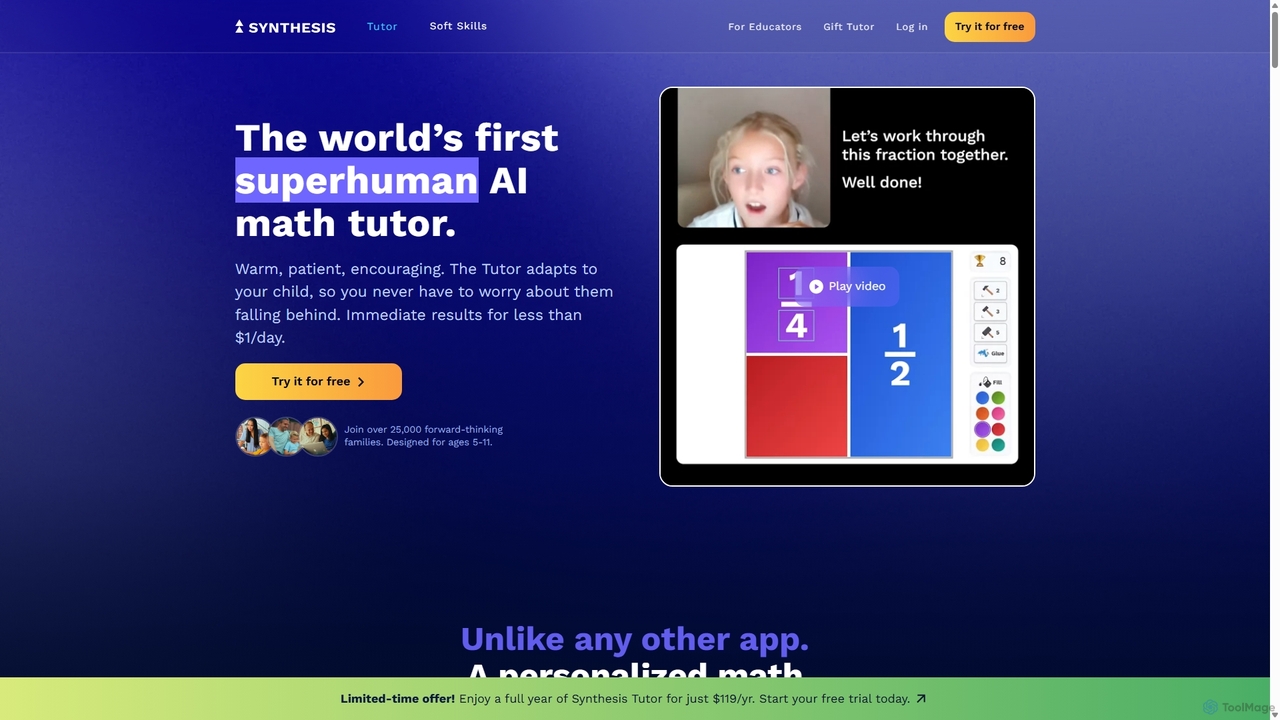
Synthesis is an advanced educational platform, born at SpaceX, designed to develop future problem-solvers. It offers two main products: Synthesis Tutor, an AI-powered math companion for ages 5-11 that makes learning fun and adaptive, and Synthesis Teams, a collaborative game-based program for ages 8-14 that teaches critical thinking, leadership, and teamwork through complex simulations.

Parenting
Visits 6.5KFavorites 130Likes 124

About Children

AI tools for Children are a category of applications and platforms that use artificial intelligence to create educational, entertaining, and developmental experiences for young users. These tools leverage technologies like adaptive learning algorithms, natural language processing, and computer vision to offer personalized and interactive content. Their primary value lies in making learning more engaging, providing creative outlets, and offering safe digital environments tailored to a child's age and skill level. Many are designed to supplement formal education by offering practice in subjects like math, language, and coding in a gamified way.

Core Features

  • Adaptive Learning Paths: The AI adjusts the difficulty and content of lessons or games in real-time based on the child's performance and learning pace.
  • Interactive Content Generation: Tools can co-create stories, generate art from descriptions, or create unique game levels, fostering creativity.
  • Personalized Feedback: Provides instant, constructive feedback on tasks such as math problems, pronunciation, or drawing.
  • Safety and Content Filtering: Employs AI to monitor, flag, and block inappropriate content or interactions, ensuring a safe online space.
  • Natural Language Interaction: Allows children to communicate with AI tutors or characters using voice or text for a more natural learning experience.

Use Cases

These tools are widely used by parents seeking supplemental educational resources at home, and by educators in classrooms to provide differentiated instruction. They are particularly effective for subjects requiring practice and personalization, such as language learning and mathematics. They also serve as powerful platforms for children to explore creative interests like coding, digital art, and music composition in a structured and supportive environment.

How to Choose

When selecting an AI tool for a child, prioritize age-appropriateness and ensure the content aligns with developmental stages. Scrutinize the privacy policy and safety features, looking for compliance with regulations like COPPA. Evaluate the educational methodology—it should be based on sound pedagogical principles, not just addictive game mechanics. Finally, consider the level of parental control offered, such as screen time limits and progress monitoring.

Featured tool rankings

Children use cases

1

Personalized Math Tutoring

A parent of a 3rd-grade student notices their child is struggling with fractions. They use an AI-powered math tutoring app. The app first assesses the child's knowledge through a series of interactive questions. Based on the results, the AI identifies specific misconceptions, such as difficulty with equivalent fractions. It then generates a personalized learning path with animated video lessons, gamified exercises, and real-time feedback. When the child makes a mistake, the AI provides visual hints rather than just the correct answer, helping them understand the concept. The parent can track progress through a dashboard, seeing exactly which areas have improved and where more practice is needed.

2

Interactive Story Creation for Bedtime

A child who is reluctant to go to bed uses an AI storytelling app with their parent. They start by choosing a main character (e.g., a brave knight) and a setting (e.g., an enchanted forest). At key points in the narrative, the AI presents choices, such as 'Do you explore the dark cave or follow the sparkling river?'. The child's choices dynamically shape the plot, making each story unique. The AI generates age-appropriate text and can even create accompanying illustrations in real-time. This process not only makes bedtime more enjoyable but also develops the child's decision-making skills and imagination. The parent can set a story length or a timer to ensure the activity concludes on time.

3

Language Learning with an AI Companion

A family preparing to move to Spain wants their 8-year-old child to learn basic Spanish. They subscribe to an AI language app designed for kids. The child interacts with a friendly AI avatar who guides them through lessons. The core feature is the conversation practice, where the child speaks into the device's microphone. The AI uses speech recognition to analyze their pronunciation, providing instant, encouraging feedback like 'Great job! Try saying 'hola' a little slower.' The app includes vocabulary games, cultural stories, and songs, all adapted to the child's progress. The AI ensures the content remains challenging but not frustrating, maintaining the child's motivation to learn.

4

AI-Assisted Drawing for Creative Expression

A young child interested in art uses an AI drawing app on a tablet. They can start with a simple doodle, and the AI can suggest improvements or auto-complete shapes, helping them learn basic forms. A key feature allows the child to type or say a simple description like 'a blue cat flying in space,' and the AI generates a coloring book-style outline based on the prompt. The child can then color and customize the image. This tool acts as a creative partner, removing the frustration of not being able to draw something perfectly and instead encouraging experimentation. It helps build confidence and introduces them to the concepts of digital art creation in an accessible way.

5

Introduction to Coding through Gamified Puzzles

An educator wants to introduce basic coding concepts to their 10-year-old students. They use an AI-powered coding platform where students solve puzzles by dragging and dropping code blocks to guide a character through a maze. When a student gets stuck, they can ask for a hint. The AI doesn't give the solution directly but instead asks guiding questions like, 'What happens if you use a 'repeat' block here?' or highlights the problematic part of their code. The platform's AI also adapts the difficulty of the puzzles based on the class's overall performance, ensuring that no student is left behind or bored. This approach makes learning to code feel like playing a game, reducing intimidation and fostering logical thinking skills.

6

Safe Social Environment Simulation

A pre-teen is eager to use social media, but their parents are concerned about online safety. They use a 'training wheels' app that simulates a social media feed using AI-generated posts and AI-powered user profiles. The child can practice posting updates, commenting, and messaging in a closed, safe environment. The AI is programmed to occasionally introduce scenarios like a 'friend' asking for personal information or a post containing misinformation. The app then provides guided lessons on how to identify these risks and respond appropriately (e.g., by blocking the user or reporting the post). This allows the child to build digital literacy and resilience before engaging with real social media platforms.

Children FAQ

What are AI tools for children?

AI tools for children are software applications and platforms specifically designed for kids that use artificial intelligence to power their features. Unlike standard apps, they can adapt to a child's individual learning pace, create unique content like stories or art, and provide interactive feedback. Key features often include adaptive learning, natural language processing for conversation, and AI-powered safety filters. They are commonly used for supplemental education, creative exploration, and language learning in a safe, engaging digital environment.

How to choose a safe AI tool for my child?

Choosing a safe AI tool requires careful consideration of several factors. First, review the privacy policy to understand what data is collected and how it's used; look for tools compliant with child privacy laws like COPPA. Second, check for robust parental controls that allow you to set time limits, monitor activity, and restrict features. Third, evaluate the content moderation system—does the tool use AI and/or human moderators to prevent exposure to inappropriate content? Finally, read reviews from other parents and trusted educational sources to gauge the tool's reputation for safety and effectiveness.

What are the benefits of using AI in children's education?

AI offers several significant benefits for children's education. The primary advantage is personalization; AI can tailor lessons and activities to a student's unique learning style and pace, providing extra help where needed or offering advanced challenges to gifted learners. Another key benefit is engagement. By using gamification, interactive storytelling, and instant feedback, AI tools can make learning more fun and motivating. They also provide a safe space for trial and error, allowing children to make mistakes and learn from them without fear of judgment. Finally, AI can offer immediate, 24/7 support for homework and practice, supplementing classroom instruction.

Are AI tools a replacement for teachers and parents?

No, AI tools for children are designed to be supplements, not replacements, for teachers and parents. They excel at providing personalized practice, instant feedback, and engaging content at scale, tasks that can be time-consuming for a single adult. However, they cannot replace the emotional support, nuanced guidance, and real-world context that parents and teachers provide. The most effective use of these tools is as a collaborative resource, where adults guide the child's interaction with the technology, discuss what they are learning, and help connect digital experiences to the real world.

At what age is it appropriate to introduce children to AI tools?

There is no single correct answer, as it depends on the specific tool and the child's development. Simple, interactive AI toys or apps with basic cause-and-effect can be introduced to toddlers and preschoolers with parental supervision. For elementary school children, AI-powered educational games and creative tools are highly appropriate. For pre-teens and older, more complex tools for coding, research, or safe social simulation can be introduced. The key principles are to always choose age-appropriate content, prioritize active engagement over passive screen time, and maintain a healthy balance with non-digital activities.