ToolMage
Sign in

Best 1 Website Builders AI tools for Cms

Popular Website Builders AI tools in Cms include Starbase, helping you work more efficiently.

Starbase

Starbase

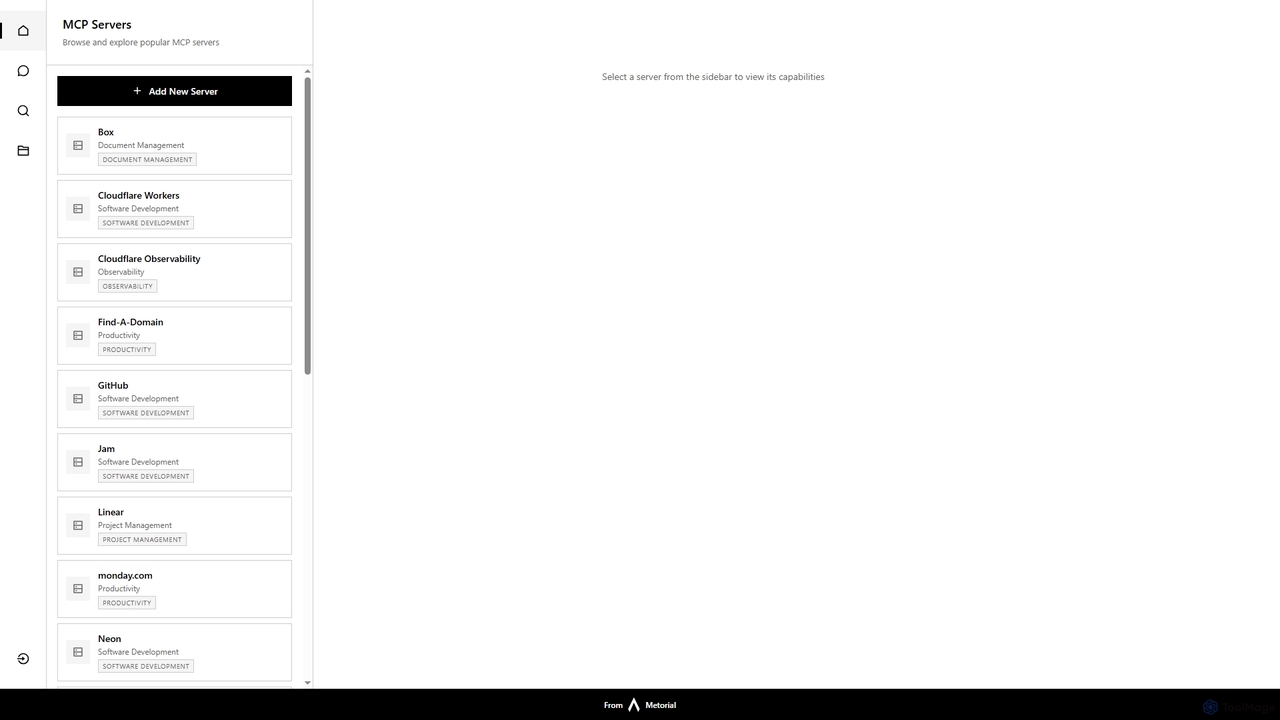
Starbase by Metorial is a comprehensive platform designed to centralize the browsing, exploration, and management of various popular software services. It integrates a wide array of tools across software development, project management, productivity, and infrastructure, offering a unified dashboard to view and interact with their capabilities.

Security
Visits 4.1KFavorites 121Likes 123

About Website Builders

AI Website Builders are tools that use artificial intelligence to automate and simplify the creation of websites. They interpret user prompts, such as business type and style preferences, to automatically generate complete layouts, write initial text content, and select relevant images. This significantly accelerates the design process, allowing users to launch a functional website in minutes without needing technical skills. Unlike traditional Content Management Systems (CMS), AI builders focus on initial generation and rapid deployment, making them ideal for users seeking speed and ease of use.

Core Features

  • AI-Powered Site Generation: Creates a full website structure, including pages and sections, based on a simple text description.
  • Automated Content Creation: Generates headlines, paragraphs, and call-to-action text tailored to the specified industry.
  • Intelligent Image and Style Selection: Automatically suggests color palettes, font pairings, and royalty-free images that match the brand identity.
  • No-Code Visual Editor: Provides an intuitive drag-and-drop interface to refine and customize the AI-generated design.
  • Built-in SEO Assistance: Offers AI-driven suggestions for meta tags, alt text, and content structure to improve search engine visibility.

Use Cases

AI Website Builders are particularly useful for small business owners, freelancers, and entrepreneurs who need to establish an online presence quickly and affordably. They are also ideal for marketing teams creating campaign-specific landing pages or individuals building personal portfolios, event sites, or simple blogs without wanting to delve into the complexities of traditional platforms like WordPress.

How to Choose

When selecting an AI Website Builder, consider the level of design customization available after the initial generation. Evaluate the quality of the AI-generated content and the flexibility to edit it. Also, check for essential features like e-commerce capabilities, custom domain support, hosting performance, and the platform's scalability as your needs grow. Finally, compare pricing models to ensure they align with your budget and long-term goals.

Featured tool rankings

Website Builders use cases

1

Launch a Small Business Website in Minutes

A small business owner, such as a local baker or consultant, needs a professional online presence quickly without a large budget. Using an AI Website Builder, they simply input their business name, industry ('bakery'), and desired style ('modern and clean'). The AI instantly generates a multi-page site with a homepage, an 'About Us' section with pre-written text, a gallery for photos, and a contact form. The owner can then use the visual editor to upload their own product images and tweak the text, launching a complete, mobile-responsive website in under an hour.

2

Create a Professional Portfolio for Freelancers

A freelance graphic designer needs a visually appealing portfolio to showcase their work to potential clients. They use an AI Website Builder and specify 'graphic design portfolio' with a 'minimalist' aesthetic. The AI generates a site focused on visuals, creating a project gallery with placeholders for images and descriptions. It also adds a 'Services' page outlining design packages and a prominent 'Contact Me' call-to-action. The designer can quickly populate the gallery with their best work, adjust the color scheme to match their personal brand, and have a professional portfolio live in a single afternoon.

3

Rapidly Build Campaign Landing Pages

A marketing team needs to create a unique landing page for a new product launch in just a few hours. Instead of waiting for developers, a marketer uses an AI Website Builder. They input the product name, key features, and target audience ('tech enthusiasts'). The AI generates a single-page layout with a compelling hero section, a feature benefits list, a pricing table, and a lead capture form. The marketer can then quickly integrate their email marketing service, customize the branding, and publish the page in time for the campaign launch, enabling faster time-to-market and A/B testing.

4

Set Up a Simple E-commerce Store

An artist wants to sell prints online but lacks the technical expertise to build a complex online store. They choose an AI Website Builder with e-commerce functionality. By providing the prompt 'online art print store', the AI creates a homepage, a product listing page, and individual product page templates. It also sets up a basic shopping cart and checkout flow. The artist only needs to upload images of their prints, set prices, and connect a payment gateway like Stripe or PayPal. This allows them to start selling their art online within a day, bypassing the steep learning curve of dedicated e-commerce platforms.

5

Create a Website for a Local Event

An organizer for a local community festival needs a simple website to provide information and sell tickets. They use an AI Website Builder, describing the event as a 'summer music festival for families'. The AI generates a site with a countdown timer to the event date, a schedule of performers, a photo gallery from previous years, an FAQ section, and an integration point for a ticketing service. The AI-written content is tailored to a fun, family-friendly tone. The organizer can update the schedule and add sponsor logos easily, managing all event information in one central, professionally designed place.

6

Start a Personal Blog with SEO Assistance

An aspiring writer wants to start a personal blog but is intimidated by the technical setup and SEO. They use an AI Website Builder and ask it to create a 'personal blog about minimalist living'. The AI sets up a clean, readable blog layout with a homepage featuring latest posts, an 'About Me' page, and a contact form. Crucially, as the writer drafts new posts, the built-in AI assistant suggests SEO improvements, such as better keywords, meta descriptions, and optimal headline structures. This helps the writer focus on creating quality content while the AI handles the foundational technical and SEO aspects, improving the blog's chances of being discovered.

Website Builders FAQ

What is an AI Website Builder?

An AI Website Builder is a tool that uses artificial intelligence to automatically generate a website based on user input. Instead of manually designing layouts and writing content, you provide prompts about your business or project, and the AI creates a complete, functional website draft in seconds. Key features include automated design, content generation, and image selection, making it significantly faster and more accessible for users without technical or design skills.

How do AI Website Builders differ from traditional CMS like WordPress?

The main difference lies in the starting point and workflow. Traditional CMS like WordPress provide a powerful but blank canvas, requiring you to choose themes, install plugins, and build pages manually. AI Website Builders automate the initial creation process. You provide a prompt, and it generates a near-complete site for you to refine. In essence:

  • AI Builders: Focus on speed and automated generation. Best for users who want a website quickly with minimal effort.
  • Traditional CMS: Focus on flexibility and ultimate control. Best for users who need deep customization and have the time or technical skill to build from the ground up.

Do I need coding skills to use an AI Website Builder?

No, absolutely not. AI Website Builders are specifically designed for non-technical users. The entire process, from initial generation based on a text prompt to final customization via a drag-and-drop editor, requires no knowledge of HTML, CSS, or any other programming language. Their primary goal is to democratize web creation, making it accessible to anyone with an idea.

What are the key features to look for when choosing an AI Website Builder?

When evaluating AI Website Builders, focus on these key aspects:

  • Quality of Generation: Does the AI create modern, logical, and visually appealing layouts, or does it just populate a basic template?
  • Customization Flexibility: How much can you change the AI-generated design? Look for a robust visual editor that allows you to adjust colors, fonts, spacing, and layouts.
  • Content Editing: How easy is it to edit the AI-written text and replace stock images with your own?
  • Feature Set: Does it support essential functions you need, such as contact forms, e-commerce, blogging, and SEO tools?
  • Hosting and Performance: Check if hosting is included and what kind of performance and uptime you can expect.

Can I customize the website after the AI generates it?

Yes, customization is a key part of the process. The AI's role is to create a strong first draft, saving you hours of setup time. After the initial generation, all AI Website Builders provide a visual, no-code editor (often drag-and-drop) that allows you to take full control. You can change text, swap images, adjust colors, add or remove sections, and fine-tune the layout to perfectly match your vision. The AI gives you a starting point, but the final design is entirely up to you.