ToolMage
Sign in

Best 1 Text To Audio AI tools for Content Summarization

Popular Text To Audio AI tools in Content Summarization include Abook, helping you work more efficiently.

Abook
Freemium

Abook

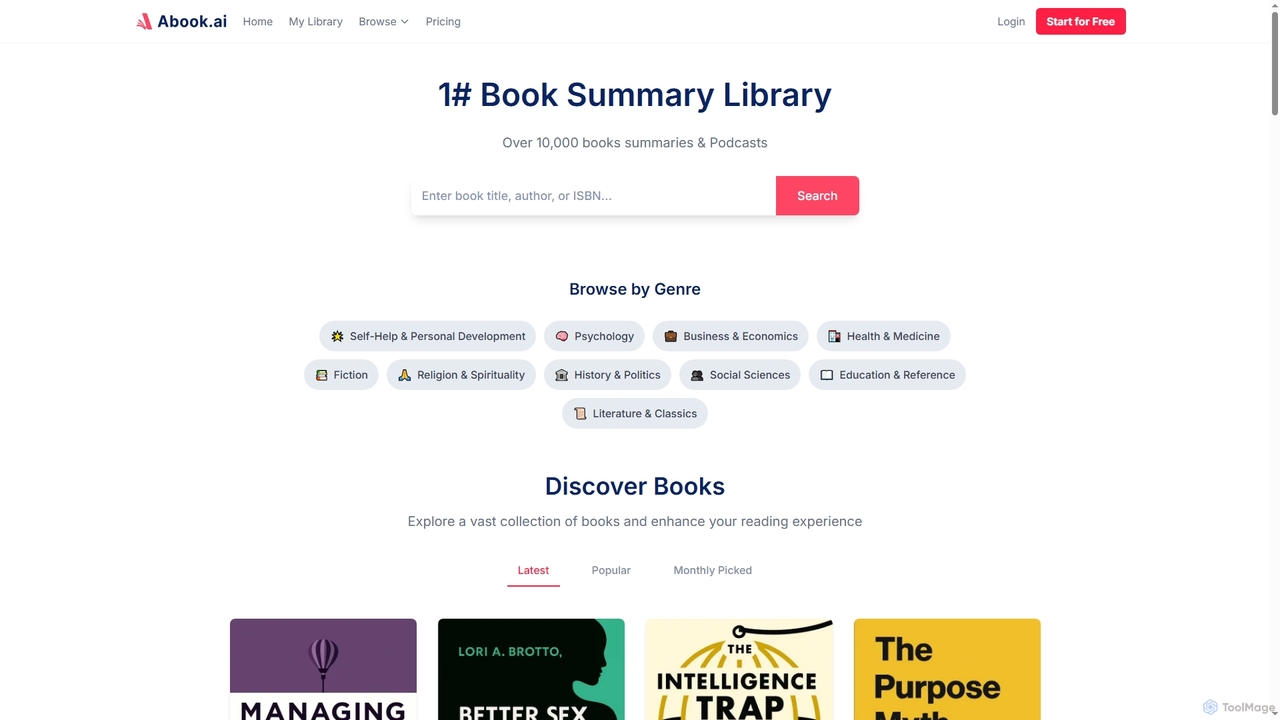
Abook is an AI-powered platform offering concise summaries, podcasts, and downloadable PDFs of over 10,000 non-fiction books. It helps users maximize learning and personal growth in just 15 minutes, combining AI models with expert curation for actionable insights and efficient knowledge acquisition.

Text To Audio
Visits 6.4KFavorites 99Likes 125

About Text To Audio

Text To Audio tools are a category of AI-powered applications designed to convert written text into natural-sounding spoken language. Leveraging advanced natural language processing (NLP) and sophisticated speech synthesis technologies, these tools transform digital text into high-quality audio files. They are invaluable for expanding content reach, enhancing accessibility, and automating voiceovers across various media. While the parent category, Content Summarization, focuses on condensing information, Text To Audio takes that (or any) text and gives it a voice, making information consumable in an auditory format.

Core Features

  • Natural Voice Generation: Produces human-like speech with nuanced intonation and rhythm.
  • Multi-Language & Accent Support: Offers a wide array of languages and regional accents for global reach.
  • Voice Customization: Allows adjustment of pitch, speed, volume, and emotional tone to match content needs.
  • SSML Integration: Supports Speech Synthesis Markup Language for fine-grained control over pronunciation and pauses.
  • Batch Processing: Efficiently converts large volumes of text into audio, saving significant time.

Applicable Scenarios

Text To Audio tools are widely adopted by content creators, educators, and businesses. They are used for generating narrations for e-learning courses, creating audio versions of articles and blogs to boost accessibility, and producing engaging voiceovers for marketing videos and podcasts. These tools also play a crucial role in developing interactive voice response (IVR) systems and making digital content accessible to visually impaired individuals.

How to Choose

When selecting a Text To Audio tool, consider the quality and naturalness of the generated voices, the breadth of language and accent support, and the level of voice customization offered. Evaluate its integration capabilities with existing workflows and platforms, as well as its pricing model based on usage volume. User-friendliness and the availability of advanced features like SSML support are also important for achieving desired audio output.

Text To Audio use cases

1

Creating Engaging Podcast Narrations

Podcasters and content creators use Text To Audio tools to convert scripts into professional-sounding voiceovers, saving time and cost associated with human voice actors. This allows for rapid content production and experimentation with different voice styles, ensuring consistent quality across episodes without the need for re-recording.

2

Developing Accessible E-learning Modules

Educational institutions and trainers employ these tools to generate audio narrations for online courses, making learning materials accessible to students with diverse learning preferences or visual impairments. It ensures consistent voice quality across all modules, providing a standardized and inclusive learning experience for a wider audience.

3

Producing Audio Versions of Articles and Blogs

Publishers and bloggers utilize Text To Audio to transform written content into audio articles, expanding their audience reach to commuters, multitaskers, and those who prefer listening over reading. This enhances content consumption flexibility, allowing users to engage with information while on the go or performing other tasks, thereby increasing overall engagement.

4

Automating Customer Service Announcements

Businesses integrate Text To Audio into their interactive voice response (IVR) systems or public announcement systems to generate clear, consistent, and multilingual messages for callers or visitors. This ensures brand consistency, reduces manual recording efforts, and allows for quick updates to announcements without needing professional voice talent.

5

Prototyping Voice User Interfaces (VUIs)

Developers leverage Text To Audio to quickly generate speech for testing and iterating on voice-enabled applications, smart assistants, and conversational AI interfaces. This accelerates the development cycle without needing temporary voice talent, allowing for rapid experimentation with different prompts and responses to refine the user experience effectively.

6

Generating Marketing Video Voiceovers

Marketers use Text To Audio to create compelling voiceovers for promotional videos, advertisements, and social media content. It enables quick iteration of scripts and voices to optimize for different campaigns and target demographics, often at a lower cost and with greater consistency than traditional voice acting, enhancing brand messaging.

Text To Audio FAQ

What are Text To Audio tools?

Text To Audio tools are AI-powered applications that convert written text into spoken language. They leverage advanced speech synthesis technology to generate natural-sounding voices, often with customizable parameters like pitch, speed, and emotional tone. These tools are primarily used for creating audio content, enhancing accessibility, and automating voice narration across various digital platforms.

How do Text To Audio tools work?

Text To Audio tools typically work by first processing the input text using natural language processing (NLP) to understand its linguistic structure and context. Then, a speech synthesis engine, often powered by deep learning models like neural networks, converts the processed text into an audio waveform. These models are trained on vast datasets of human speech to produce highly realistic and expressive voices, mimicking human intonation and rhythm.

What are the key factors to consider when choosing a Text To Audio tool?

When selecting a Text To Audio tool, prioritize voice quality and naturalness, ensuring the output sounds human-like and engaging. Evaluate the range of supported languages and accents for your target audience. Look for customization options such as pitch, speed, volume, and emotional expression. Consider integration capabilities with your existing software, the pricing model (often based on character count or audio duration), and the availability of advanced features like SSML support for fine-tuning.

What are the main applications of Text To Audio technology?

Text To Audio technology has diverse applications, including content creation (e.g., podcasts, audiobooks, video voiceovers), education (e-learning narrations, accessible materials), marketing (promotional videos, automated announcements), and accessibility (converting text for visually impaired users). It's also crucial for developing interactive voice response (IVR) systems, voice assistants, and prototyping voice user interfaces.

What is the difference between Text To Audio and traditional voice recording?

Text To Audio offers significant advantages in efficiency, consistency, and scalability compared to traditional human voice recording. It allows for rapid generation of audio from text, easy script revisions without re-recording, and access to a wide range of voices and languages without hiring multiple voice actors. While traditional recording provides unique human nuance and emotion, Text To Audio excels in cost-effectiveness, speed, and maintaining a consistent voice across large volumes of content, making it ideal for automated and high-volume audio production.