Revscale
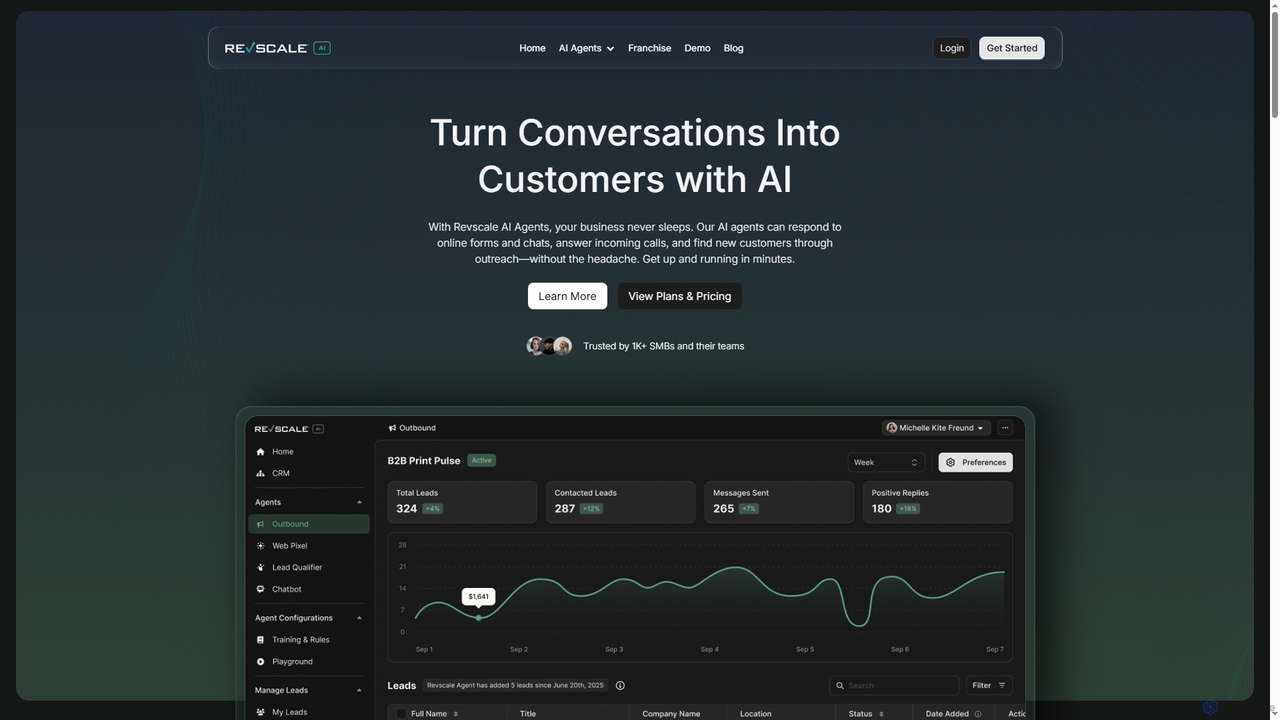
Revscale offers AI-powered business agents designed to automate inbound and outbound operations across sales, marketing, and customer support. …
Revscale offers AI-powered business agents designed to automate inbound and outbound operations across sales, marketing, and customer support. It provides 24/7 lead qualification, customer engagement, and process automation, helping businesses streamline workflows and accelerate growth.
About Automation
Automation tools are AI-powered solutions designed to streamline and optimize repetitive tasks within customer service operations. Leveraging technologies like natural language processing (NLP), machine learning, and robotic process automation (RPA), these tools automate interactions, data processing, and workflow management. They enhance efficiency, reduce response times, and free up human agents for more complex issues, ultimately improving customer satisfaction. By minimizing manual effort, customer service automation ensures consistent service quality and scalability.
Core Features
- AI Chatbots & Virtual Assistants: Provide instant, 24/7 support by handling routine inquiries and guiding users through self-service options.
- Workflow Automation: Automate ticket routing, data entry, follow-up tasks, and internal processes based on predefined rules or AI analysis.
- Sentiment Analysis & Prioritization: Automatically analyze customer mood and urgency from interactions to prioritize critical cases for human intervention.
- Knowledge Base Integration: Instantly retrieve and deliver relevant information from extensive knowledge bases to both customers and agents.
- Proactive Outreach & Personalization: Automate sending tailored communications, such as onboarding tips or renewal reminders, based on customer behavior.
Applicable Scenarios
Customer service automation is invaluable for organizations facing high volumes of repetitive inquiries, seeking to provide 24/7 support, or aiming to reduce operational costs. It's widely adopted in e-commerce for order status updates, in SaaS for technical FAQs, and in banking for account inquiries. Businesses use these tools to ensure consistent service quality across all channels and to empower agents with real-time assistance.
How to Choose
When selecting an AI automation tool for customer service, consider its integration capabilities with your existing CRM and communication platforms. Evaluate the sophistication of its AI (e.g., NLP accuracy, machine learning adaptability) and its scalability to handle future growth. Assess the ease of customization for specific business rules and workflows, and look for robust analytics and reporting features to measure performance and identify areas for improvement.
AutomationUse Cases
Automating First-Level Customer Inquiries
E-commerce businesses often face a high volume of repetitive questions regarding order status, shipping, and returns. AI automation tools deploy chatbots that instantly answer these common queries, reducing the need for human intervention. This allows customers to get immediate information, improving satisfaction, while human agents can focus on more complex issues like product defects or personalized recommendations.
Automating Routine Customer Inquiries
A customer service manager deploys an AI chatbot to handle frequently asked questions (FAQs) and common requests, such as order status, product information, or basic troubleshooting. The chatbot provides instant, accurate responses 24/7, guiding customers to relevant resources or self-service options. This significantly reduces the volume of repetitive tickets reaching human agents, allowing them to focus on more complex and high-value customer interactions, thereby improving overall service efficiency and customer satisfaction.
Intelligent Ticket Prioritization and Routing
Large enterprises with diverse customer service needs can use automation to efficiently manage incoming support tickets. AI-powered systems analyze ticket content, customer history, and urgency to automatically categorize and route them to the most qualified agent or department. This ensures critical issues are addressed promptly and agents receive tickets aligned with their expertise, significantly cutting resolution times.
Streamlining Ticket Triage and Routing
A support team lead utilizes AI automation to analyze incoming customer support tickets. The AI automatically extracts keywords, identifies the issue type, and assesses the customer's sentiment or urgency. Based on this analysis, the system intelligently routes the ticket to the most appropriate department or agent with the relevant expertise, bypassing manual sorting. This ensures faster initial response times, reduces misrouting, and optimizes agent workload, leading to quicker resolutions and a smoother customer journey.
Enhancing Agent Productivity with AI Assistance
Customer service teams can leverage automation to boost agent efficiency during live interactions. AI tools provide real-time suggestions, access to relevant knowledge base articles, or even draft responses based on the ongoing conversation. This reduces the time agents spend searching for information or typing, enabling them to handle more inquiries and provide more consistent, accurate support.
Personalized Proactive Customer Outreach
A customer success specialist leverages automation tools to proactively engage customers based on their usage patterns or lifecycle stage. For instance, the system automatically sends personalized onboarding emails to new users, usage tips to those struggling with a feature, or renewal reminders to expiring accounts. This targeted, automated communication helps prevent churn, encourages product adoption, and builds stronger customer relationships without requiring constant manual monitoring and outreach from the success team.
Personalized Proactive Customer Outreach
Subscription-based services can utilize automation to proactively engage customers based on their usage patterns or potential issues. AI systems can identify users at risk of churn or those who might benefit from a new feature, then automatically send personalized messages or offers. This helps in retaining customers, driving upsells, and improving overall customer lifetime value without manual effort.
Automating Post-Service Feedback Collection
A quality assurance analyst implements automation to efficiently gather customer feedback after service interactions. Once a support ticket is closed, the system automatically sends a satisfaction survey (e.g., CSAT or NPS) via email or SMS. The AI can then analyze the survey responses, identify common themes, and flag critical feedback for immediate review, eliminating the need for manual follow-ups and providing continuous, real-time insights into service performance and areas for improvement.
Streamlining Self-Service Support Portals
Software companies and tech support departments can implement AI automation to power their self-service knowledge bases and FAQ sections. Customers can use natural language to ask questions, and the AI intelligently searches and presents the most relevant articles or guides. This empowers users to find solutions independently, reducing inbound call volumes and improving the overall customer experience.
Real-time Agent Assist and Knowledge Retrieval
A live chat agent benefits from AI automation that provides real-time assistance during customer interactions. As the agent chats with a customer, an AI assistant monitors the conversation, suggests relevant knowledge base articles, pre-written responses, or product specifications directly within the agent's interface. This immediate access to accurate information reduces the time agents spend searching, improves response quality, and helps new agents quickly get up to speed, leading to more efficient and effective customer support.
Automating Post-Service Feedback Collection
Any business focused on continuous improvement can automate the process of collecting customer feedback after a service interaction. AI tools can automatically send follow-up surveys, analyze sentiment from open-ended responses, and flag critical feedback for human review. This ensures timely feedback collection, provides actionable insights, and helps in quickly identifying areas for service enhancement.
Automating Data Entry and CRM Updates
A sales support administrator uses automation to reduce manual data entry after customer interactions. AI tools can extract key information from customer conversations (e.g., contact details, issue summaries, product interests) and automatically update CRM records, create follow-up tasks, or generate reports. This eliminates tedious administrative work, improves data accuracy, ensures that customer profiles are always up-to-date, and allows the support team to focus more on direct customer engagement rather than data management.