ToolMage
Sign in

Best 1 Social Crm AI tools for Customer Support

Popular Social Crm AI tools in Customer Support include Hootsuite, helping you work more efficiently.

Hootsuite
Freemium

Hootsuite

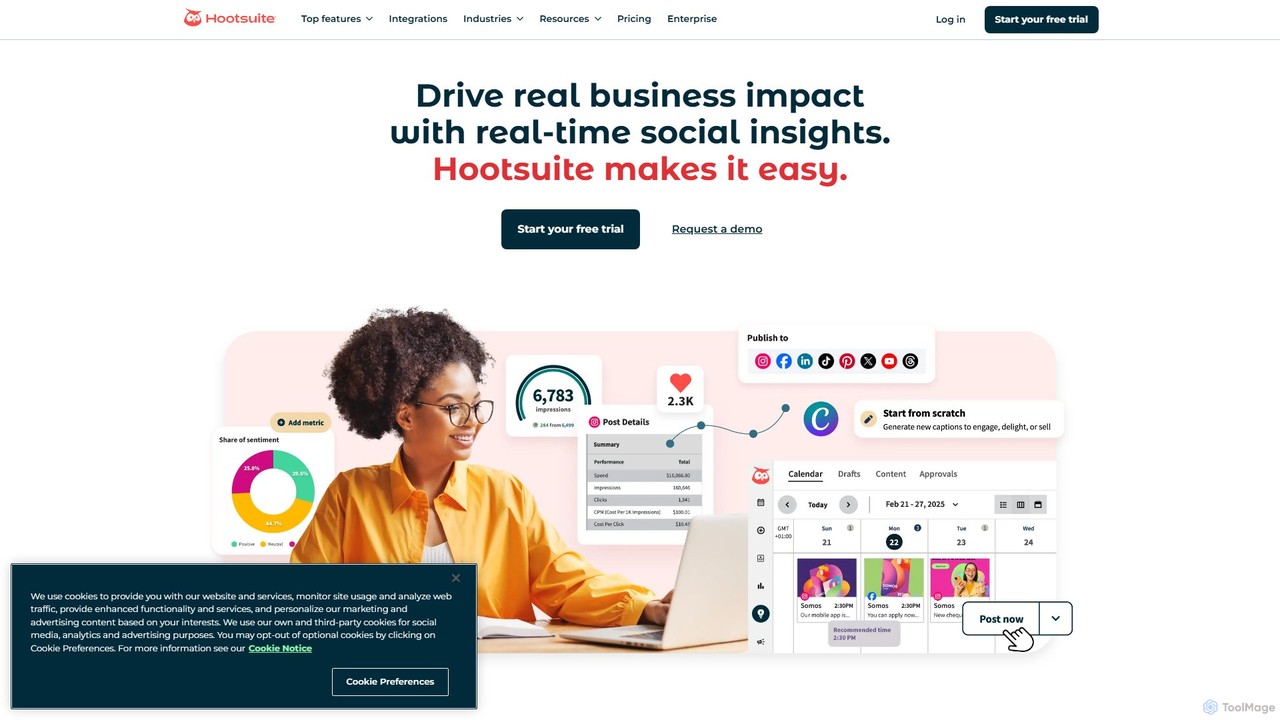
Hootsuite is an all-in-one social media management platform that empowers businesses to schedule posts, manage engagement, and analyze performance across multiple networks. Featuring OwlyGPT, its proprietary AI, it helps create trend-informed content, automate responses, and gain deep insights through social listening and competitive benchmarking. It's designed for teams of all sizes to save time, streamline workflows, and drive real business impact from social media.

Writing Assistant
Visits 1.8MFavorites 147Likes 153

About Social Crm

Social CRM is a class of tools that integrates social media channels directly into customer relationship management strategies. These platforms utilize AI to monitor social media conversations, track brand mentions, and analyze customer sentiment in real-time. The primary value of Social CRM lies in enabling businesses to engage with customers on their preferred platforms, providing faster support and gathering valuable insights for a complete 360-degree customer view. This approach transforms social media from a simple marketing channel into a vital hub for customer service, sales, and product feedback.

Core Features

  • Social Listening: Automatically tracks mentions, keywords, and hashtags across multiple social networks to identify relevant conversations.
  • Unified Social Inbox: Consolidates all messages, comments, and mentions from different platforms into a single, manageable stream for support teams.
  • Customer Profile Enrichment: Links social media profiles to existing CRM contacts, adding rich contextual data to customer records.
  • AI-Powered Sentiment Analysis: Gauges the emotional tone of social posts to prioritize urgent issues and measure brand perception.
  • Automated Workflows: Routes social interactions to the appropriate team or agent and suggests replies based on conversation context.

Use Cases

Social CRM tools are widely used by B2C companies, especially in retail, e-commerce, and hospitality, where public customer interaction is frequent. Marketing, customer support, and community management teams use them to manage brand reputation, resolve issues proactively, and identify sales opportunities. They are essential for any organization aiming to build a strong online community and leverage social data for business decisions.

How to Choose

When selecting a Social CRM tool, first evaluate its supported social media channels to ensure it covers your target audience's platforms. Assess the depth of its integration with your existing CRM system for seamless data synchronization. Also, consider the sophistication of its AI features, such as the accuracy of sentiment analysis and the flexibility of its automation rules. Finally, review its analytics capabilities to ensure it can provide clear, actionable reports on team performance and customer engagement.

Social Crm use cases

1

Proactive Customer Support on Social Media

A customer support team for a global electronics brand uses a Social CRM tool to monitor mentions of their product names alongside keywords like 'issue' or 'broken'. When a user posts on X (formerly Twitter) about a problem with their new headphones, the tool instantly creates a ticket in the unified inbox. An agent can then reply directly to the post, offering assistance and guiding the user to a private message to resolve the issue. This proactive approach resolves problems before they escalate, turning a negative experience into a positive public interaction and demonstrating excellent customer care.

2

Managing Brand Reputation During a Crisis

A fast-food chain faces online backlash after a negative video goes viral. The marketing team uses their Social CRM's sentiment analysis to track the spread of negative comments in real-time across all platforms. The unified inbox allows them to quickly identify and respond to key influencers and media outlets with official statements. They can also tag conversations by theme (e.g., 'customer complaint,' 'media inquiry') to organize their response effort. This centralized management helps the brand control the narrative, mitigate damage, and monitor the recovery of public sentiment over time.

3

Identifying Sales Leads from Social Conversations

A sales representative at a SaaS company sets up social listening for keywords like 'looking for CRM software' or 'recommend a project management tool'. When a potential lead posts such a query on LinkedIn, the Social CRM tool alerts the rep. The rep can then view the user's public profile to qualify them as a lead and engage in the conversation by offering helpful advice, not just a sales pitch. This interaction is logged in the CRM, linking the social profile to a new lead record, allowing for personalized follow-up and tracking the lead's journey from social media to conversion.

4

Gathering Product Feedback for R&D

A product manager for a mobile app uses a Social CRM to track conversations about their app on Reddit and developer forums. They set up listeners for feature requests (e.g., 'wish the app had...') and bug reports. All relevant posts are automatically tagged and funneled into a specific folder. The product team can then analyze this qualitative data to identify common themes and prioritize the development roadmap. By linking these social users to their CRM profiles, the team can even reach out directly to ask for more detailed feedback or invite them to beta testing programs.

5

Identifying and Engaging Brand Advocates

A community manager for a cosmetics brand uses their Social CRM to identify users who frequently post positive content about their products. The tool can score users based on engagement rates and positive sentiment. The manager creates a list of these 'brand advocates' within the CRM. They then engage with this group by sending them exclusive content, early access to new products, or personalized thank-you messages. This nurtures a loyal community, encourages user-generated content, and amplifies positive word-of-mouth marketing organically.

6

Competitive Analysis through Social Listening

A marketing analyst at a travel agency uses a Social CRM to monitor the social media activities of its main competitors. They track competitors' campaign announcements, customer complaints, and overall brand sentiment. For instance, by analyzing negative comments on a competitor's Facebook page about poor customer service, the analyst identifies a key weakness. This insight is used to inform their own marketing campaigns, highlighting their agency's award-winning 24/7 support. The tool provides reports comparing share of voice and sentiment trends, offering a clear view of the competitive landscape.

Social Crm FAQ

What is Social CRM?

Social CRM is a type of software that integrates social media platforms with traditional Customer Relationship Management (CRM) systems. Its primary function is to enable businesses to monitor, engage with, and analyze social media conversations related to their brand. Unlike standard CRMs that focus on transactional data like emails and calls, Social CRM captures unstructured data from social networks to create a more holistic view of the customer. This allows for proactive customer service, social selling, and real-time brand reputation management.

How is Social CRM different from a standard CRM?

The key difference lies in the data source and focus. A standard CRM primarily manages structured data from direct interactions like emails, phone calls, and purchases. Its focus is on managing the sales pipeline and service history. In contrast, a Social CRM specializes in unstructured, public data from social media. It focuses on listening to public conversations, managing brand reputation, and engaging with customers in a public forum. While a standard CRM is reactive (logging past interactions), a Social CRM is often proactive (finding and engaging in real-time conversations).

What are the key benefits of using a Social CRM tool?

Using a Social CRM tool offers several key benefits:

  • Enhanced Customer Service: It allows for faster, more public responses to customer queries and complaints, improving satisfaction.
  • 360-Degree Customer View: By enriching CRM profiles with social data, you gain deeper insights into customer interests and behaviors.
  • Proactive Engagement: Social listening helps identify sales opportunities and customer service issues before they are directly reported.
  • Improved Brand Reputation: Real-time monitoring and sentiment analysis enable quick responses to negative feedback, helping to manage public perception.
  • Data-Driven Insights: It provides valuable data on market trends, competitor activity, and customer feedback to inform business strategy.
Which businesses should use a Social CRM?

Social CRM is particularly valuable for B2C (Business-to-Consumer) companies where public brand perception and direct customer interaction are critical. Industries such as retail, e-commerce, hospitality, travel, and consumer electronics benefit greatly. However, B2B (Business-to-Business) companies can also use it to monitor industry trends, track competitors, and engage with key decision-makers on professional networks like LinkedIn. Any organization that wants to leverage social media as a channel for customer service, sales, and market research should consider a Social CRM tool.

How to choose the right Social CRM tool?

When selecting a Social CRM tool, consider these key factors:

  • Channel Coverage: Ensure the tool supports all the social media platforms where your audience is most active, including major networks like Facebook, X, Instagram, and LinkedIn, as well as niche platforms if relevant.
  • Integration Capabilities: Check how well it integrates with your existing CRM, helpdesk, and marketing automation software. Seamless data flow is crucial for creating a unified customer view.
  • AI and Automation Features: Evaluate the sophistication of its AI for tasks like sentiment analysis, automated tagging, and routing conversations. The quality of these features directly impacts team efficiency.
  • Analytics and Reporting: The tool should provide clear, customizable dashboards and reports that offer actionable insights into engagement metrics, sentiment trends, and team performance.