ToolMage
Sign in

Best 1 Workflow Management AI tools for Data Entry

Popular Workflow Management AI tools in Data Entry include fillaform.ai, helping you work more efficiently.

fillaform.ai
Freemium

fillaform.ai

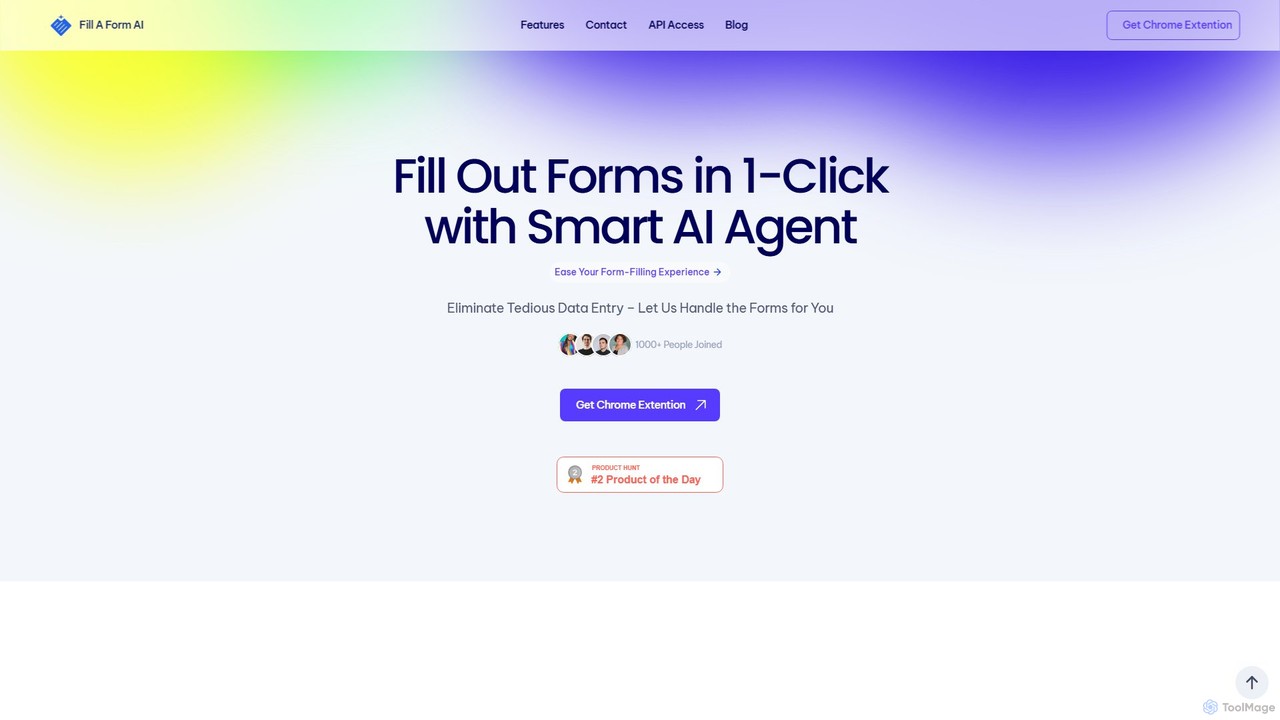
fillaform.ai is an AI-powered Chrome extension that automates form filling with a single click. It intelligently learns from your past entries and data libraries to accurately populate web forms, saving you time and eliminating tedious data entry. Ideal for online shoppers, business professionals, and HR managers, it streamlines workflows and boosts productivity by making online forms effortless.

Form Filler
Visits 9.7KFavorites 126Likes 133

About Workflow Management

AI Workflow Management tools are platforms designed to automate, manage, and optimize multi-step business processes by connecting various applications. They utilize visual builders, API integrations, and conditional logic to orchestrate the flow of data and tasks without requiring extensive code. Unlike simple data entry tools that focus on a single input task, these platforms manage entire sequences of operations, from data capture and processing to notifications and final reporting. This enables businesses to build robust, automated systems that reduce manual intervention and improve operational efficiency.

Core Features

  • Visual Workflow Builder: Design complex, multi-step processes using a drag-and-drop interface.
  • Extensive App Integration: Connect to hundreds of SaaS applications like CRMs, databases, and communication tools.
  • Conditional Logic & Triggers: Create dynamic workflows that execute actions based on specific conditions and events.
  • AI-Powered Steps: Incorporate AI models for tasks like data extraction (OCR), text analysis (NLP), or image recognition within a workflow.
  • Monitoring & Error Handling: Track workflow execution in real-time, receive alerts for failures, and analyze performance.

Use Cases

These tools are widely used by operations managers, marketing teams, and IT departments. Common applications include automating lead nurturing processes from web forms to CRM entry, streamlining invoice approval from email parsing to accounting system updates, and managing customer support ticket routing based on ticket content and priority.

How to Choose

When selecting a tool, evaluate the breadth of its application integration library to ensure it supports your existing software stack. Assess its ability to handle complex logic, including branching and loops. Consider the pricing model based on task volume and workflow complexity, and evaluate the user interface for its ease of use, especially for non-technical team members.

Featured tool rankings

Workflow Management use cases

1

Automate Lead Nurturing and Sales Handoff

A marketing manager needs to ensure new leads from a website contact form are processed quickly and efficiently. Using a workflow management tool, they create an automation that triggers whenever a new form is submitted. The workflow automatically adds the lead's information to the company CRM, sends a personalized welcome email, waits 24 hours, and then assigns a follow-up task to a sales representative in the project management tool. This eliminates manual data entry and ensures no lead is missed, shortening the response time significantly.

2

Streamline Invoice and Expense Processing

An accounts payable specialist is tasked with processing dozens of invoices daily. They set up a workflow where any email with an attached invoice is automatically detected. An AI step uses OCR to extract key data like vendor name, invoice number, and amount. The workflow then creates a draft bill in the accounting software and sends a notification to the department head via a messaging app for approval. Once approved, the bill is marked as ready for payment. This multi-app process automates data entry, reduces errors, and accelerates the entire payment cycle.

3

Automate Customer Support Ticket Routing

A customer support manager wants to improve ticket resolution times. They implement a workflow that triggers for every new support ticket created via email or a web portal. The workflow uses Natural Language Processing (NLP) to analyze the ticket's content, identify keywords, and determine its category (e.g., 'Billing', 'Technical Issue'). Based on the category and urgency, the ticket is automatically assigned to the appropriate support agent or team in their helpdesk software, and a confirmation is sent to the customer. This ensures tickets reach the right expert faster, bypassing manual triage.

4

Manage Social Media Content Approval Pipeline

A social media manager oversees a team of content creators. To streamline approvals, they build a workflow. When a creator submits a new post draft to a shared folder, the workflow triggers. It sends a notification with a preview link to the manager in their team chat app. The manager can approve or reject it with one click. If approved, the workflow automatically schedules the post using a social media management tool and moves the draft to an 'Approved' folder. If rejected, it notifies the creator with the manager's feedback. This creates a clear, auditable, and efficient content pipeline.

5

Automate New Employee Onboarding

An HR specialist aims to provide a consistent and welcoming experience for new hires. They design an onboarding workflow that starts when a candidate is marked as 'Hired' in the applicant tracking system. The workflow automatically sends a welcome email with necessary forms, creates user accounts in essential tools (email, team chat, project management), and schedules a series of introductory meetings with key team members. It also assigns the new hire their first set of training tasks in the learning management system. This ensures a smooth, organized, and repeatable onboarding process for every new employee.

6

Orchestrate E-commerce Order Fulfillment

An e-commerce store owner needs to manage the entire process after a customer places an order. They build a workflow that triggers on a 'New Order' event from their e-commerce platform. The workflow first updates the inventory levels in their database. Next, it generates a shipping label via a shipping service API and sends a confirmation email to the customer, including the tracking number. Finally, it creates a task in the warehouse team's management board to pick and pack the order. This end-to-end automation connects sales, inventory, shipping, and logistics, ensuring fast and accurate fulfillment.

Workflow Management FAQ

What are AI Workflow Management tools?

AI Workflow Management tools are platforms that automate multi-step processes by connecting different software applications and services. They allow users to design a sequence of actions (a workflow) using a visual interface. These tools go beyond simple automation by incorporating AI capabilities like Natural Language Processing (NLP) for text analysis or Optical Character Recognition (OCR) for data extraction, enabling more intelligent and dynamic process automation without needing to write code.

How do Workflow Management tools differ from simple Data Entry automation?

The key difference is scope. Data Entry automation tools typically focus on a single, specific task, like extracting text from a PDF (OCR) or transcribing audio. Workflow Management tools are orchestrators; they connect multiple single-task tools and applications into a cohesive, multi-step process. For example, a data entry tool might extract invoice data, but a workflow management tool would automate the entire process: detecting the invoice in an email, running the data entry tool, creating a bill in accounting software, and notifying a manager for approval.

What are the key features to look for in a Workflow Management platform?

When choosing a platform, consider these key features:

  • Integration Library: A vast library of pre-built connectors to the apps you already use (CRM, email, cloud storage, etc.) is essential.
  • Visual Builder: An intuitive, drag-and-drop interface that makes it easy for non-developers to build and modify workflows.
  • Conditional Logic: The ability to create complex rules, branches, and loops (e.g., 'if this, then that') to handle different scenarios.
  • Error Handling and Monitoring: Tools to track workflow history, identify failures, and automatically retry failed steps or send alerts.
  • Scalability: The capacity to handle a growing volume of tasks and workflow complexity as your business needs expand.
Who can benefit from using Workflow Management tools?

A wide range of users can benefit. Operations teams use them to streamline internal processes like approvals and reporting. Marketing and sales teams automate lead management and customer communication. HR departments automate onboarding and offboarding procedures. Even developers use these platforms as a low-code way to build internal tools and connect different services without managing complex infrastructure. Essentially, anyone looking to eliminate repetitive, multi-step tasks that span across different applications can find significant value.

Can these tools handle complex business logic?

Yes, modern workflow management platforms are designed to handle significant complexity. They go beyond simple linear sequences of tasks. Using features like conditional branching (if/then/else logic), loops (to process lists of items), and variables (to store and pass data between steps), users can model sophisticated business rules. They can also include steps that pause a workflow to wait for human input, such as an approval, before continuing. This allows for the automation of nuanced processes that require both machine execution and human judgment.