Bjoernkarmann
An inspirational portfolio by interaction designer Bjørn Karmann, showcasing groundbreaking projects that merge AI, art, and technology. Discover …
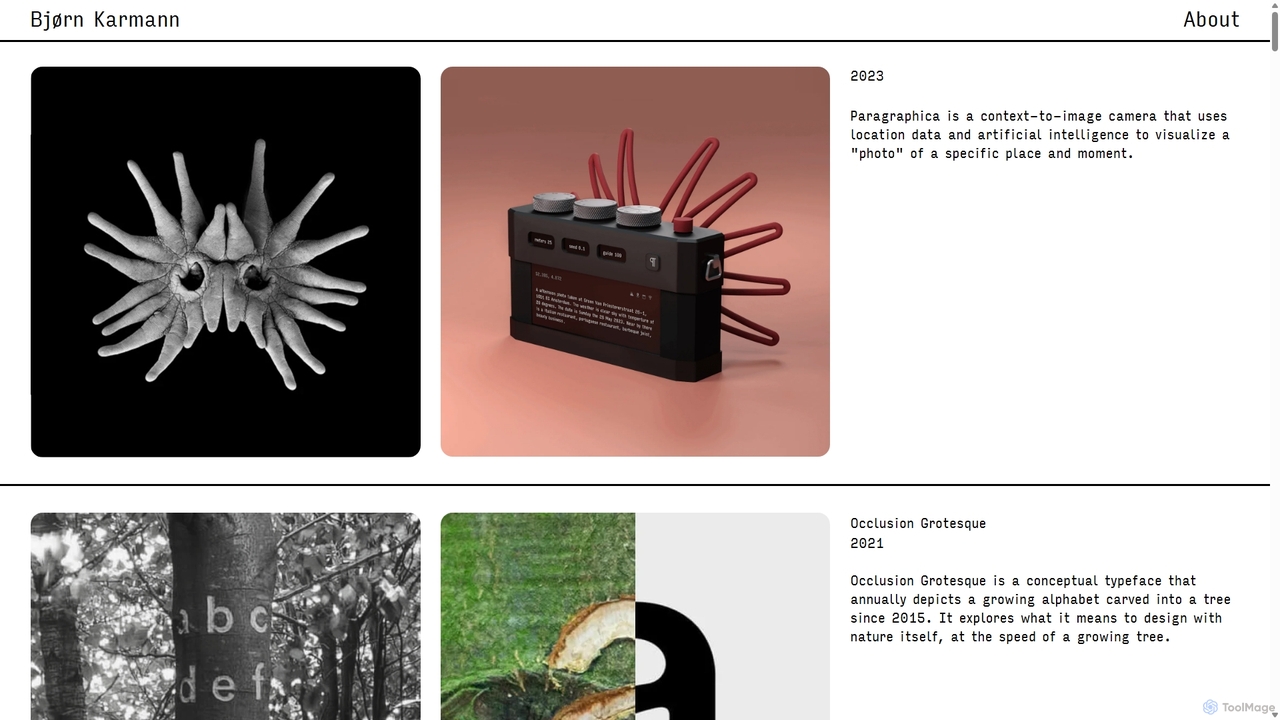
An inspirational portfolio by interaction designer Bjørn Karmann, showcasing groundbreaking projects that merge AI, art, and technology. Discover speculative designs and tangible prototypes like the Paragraphica context-to-image camera and the Project Alias privacy parasite, exploring the future of human-AI interaction.
About Interaction Design
AI Interaction Design tools are a specialized class of software that leverages artificial intelligence to generate, analyze, and refine the user experience of digital products. These tools can transform simple text prompts, diagrams, or user data into detailed user flows, wireframes, and interactive prototypes. Their primary value lies in dramatically accelerating the early stages of design, allowing teams to visualize and test complex user journeys with unprecedented speed. By automating repetitive tasks, they free up designers to focus on strategic problem-solving and creating more intuitive, user-centered interfaces.
Core Features
- User Flow Generation: Automatically creates comprehensive user journey maps and flowcharts from text descriptions or requirements.
- AI-Powered Wireframing: Instantly generates low-fidelity screen layouts and structures based on specified content and user goals.
- Interactive Prototyping: Converts static designs or wireframes into clickable, testable prototypes to simulate user interactions.
- Usability Pattern Recognition: Analyzes user behavior data to identify common friction points, drop-offs, and areas for improvement.
- Component Logic Creation: Defines the behavior and states of UI components, such as how a button responds to a click or a form handles errors.
Use Cases
These tools are primarily used by UX/UI designers, product managers, and front-end developers in agile environments. They are invaluable for rapidly iterating on new feature ideas for mobile apps, optimizing complex workflows in enterprise software, and mapping out customer journeys for e-commerce websites. Startups also use them to quickly create functional prototypes for investor pitches and user validation.
How to Choose
When selecting an AI Interaction Design tool, consider its integration capabilities with your existing design stack (e.g., Figma, Sketch). Evaluate the fidelity of the generated prototypes—can it produce simple wireframes or high-fidelity, interactive mockups? Also, assess its collaboration features for team-based projects and its ability to incorporate real user data for analysis and optimization.

Interaction DesignUse Cases
Rapidly Visualize a New App's User Flow
A product manager at a tech startup needs to present a new mobile app concept to stakeholders. Instead of spending days creating manual flowcharts, they input a brief description of the app's core features and target user actions. The AI Interaction Design tool instantly generates a complete user flow diagram, mapping out every screen from onboarding to checkout. This visual map helps the team identify potential dead ends and streamline the user journey before any visual design work begins, reducing development risks and clarifying the product vision.
Generate Interactive Prototypes from Wireframes
A UX design team has finalized a set of static wireframes for a new web application. To conduct usability testing, they need a clickable prototype. They upload their wireframes to an AI tool, which automatically identifies interactive elements like buttons, links, and forms. The tool then links the screens together, creating a fully interactive prototype in minutes. This allows the team to gather realistic user feedback on the application's flow and navigation much earlier in the design process, saving significant time compared to manual prototyping.
Optimize an E-commerce Checkout Process
An e-commerce company wants to reduce cart abandonment rates. A UX researcher uploads analytics data and user session recordings of their current checkout process into an AI tool. The AI analyzes the data to pinpoint where users struggle or drop off. It then suggests alternative, optimized checkout flows, generating interactive prototypes for each variation. The team can then A/B test these AI-generated flows with real users to identify the most effective design, leading to a measurable increase in conversion rates.
Map All Edge Cases for a Complex Feature
A software development team is building a complex booking system with multiple user types and conditions. A product owner uses an AI Interaction Design tool to define the primary success path. The AI then automatically explores and maps out dozens of alternative paths, error states, and edge cases, such as what happens if a payment fails or a selected time slot becomes unavailable. This ensures the development team has a comprehensive blueprint, preventing critical user experience gaps and reducing bugs in the final product.
Create Consistent Micro-interactions Across a System
A UI designer is working on a large design system and wants to ensure all interactive components behave consistently. They use an AI tool to define the logic for a base component, like a dropdown menu. The AI then applies this interaction logic across all variations of the component in the system. It can also generate code snippets for these micro-interactions (e.g., hover effects, transitions), ensuring consistency and saving developers significant implementation time while enhancing the product's overall polish.
Convert User Research into Actionable Design Flows
After conducting user interviews, a UX researcher has a collection of notes, transcripts, and user stories. They feed this qualitative data into an AI Interaction Design tool. The AI uses natural language processing to extract key tasks, pain points, and user goals. It then synthesizes this information into a structured user journey map and initial wireframes that directly address the research findings. This bridges the gap between research and design, ensuring the final product is truly user-centered.