Unfetch
Unfetch is an AI-powered automation platform that allows you to create and run smart tasks 24/7. Save hours …
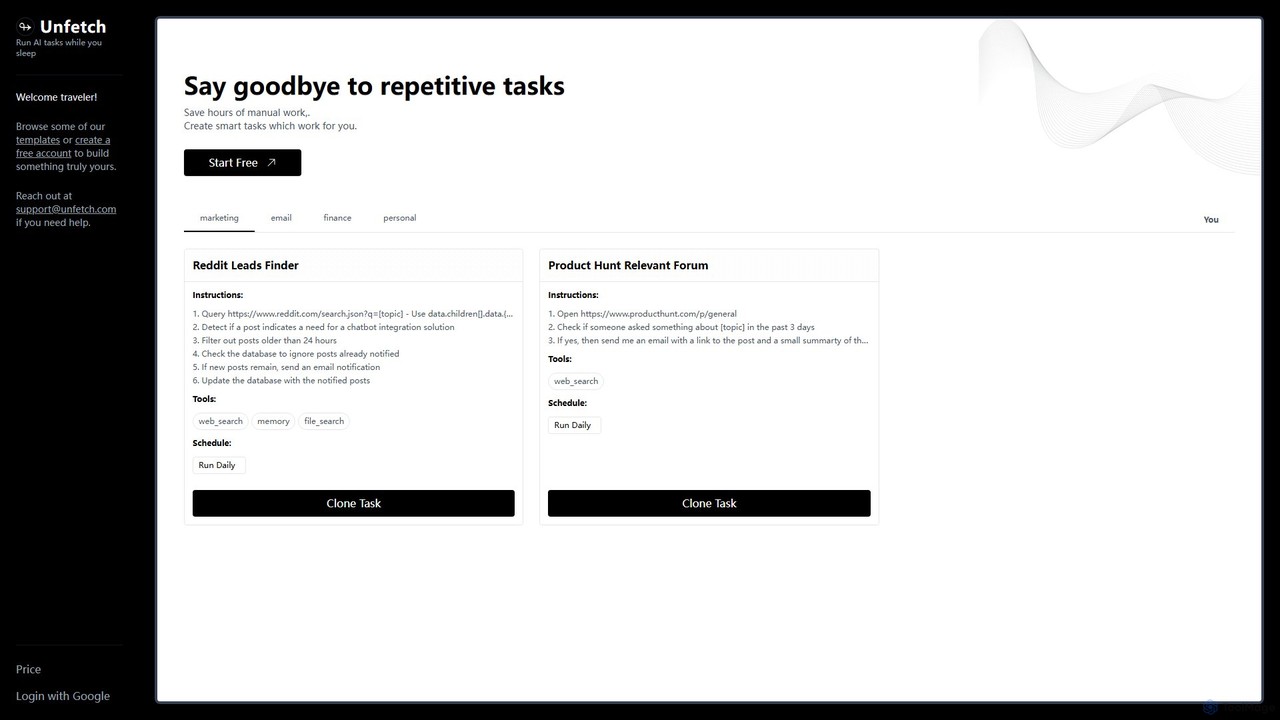
Unfetch is an AI-powered automation platform that allows you to create and run smart tasks 24/7. Save hours of manual work by automating repetitive processes like lead generation from social media, market research on forums, and data monitoring. Build custom workflows from templates or from scratch, schedule them to run at any interval, and let Unfetch handle the rest while you sleep.
About Api Automation
API Automation tools are designed to streamline and automate the process of interacting with Application Programming Interfaces (APIs). These tools leverage scripts, frameworks, and sometimes AI to send requests, receive responses, and process data programmatically, significantly reducing manual effort and potential errors. They enable seamless integration between different software systems, facilitating efficient data exchange and workflow orchestration across various applications. This capability is crucial for modern software development and operational efficiency within the broader developer tools ecosystem.
Core Features
- Automated API Testing: Automatically sends requests to APIs, validates responses against expected outcomes, and reports discrepancies.
- Workflow Orchestration: Connects multiple APIs and services to create complex, multi-step automated workflows.
- Data Transformation & Mapping: Converts data formats between different APIs to ensure compatibility and smooth integration.
- Scheduled Execution: Allows API calls and automation sequences to run at predefined intervals or in response to specific triggers.
- Error Handling & Logging: Provides mechanisms to detect and manage API errors, along with detailed logs for debugging and monitoring.
Use Cases
API Automation is widely used by developers for continuous integration/continuous deployment (CI/CD) pipelines, ensuring API functionality and performance before deployment. It's also essential for quality assurance teams to conduct comprehensive regression testing and load testing on APIs. Furthermore, businesses leverage these tools to integrate disparate systems, automate data synchronization, and build custom applications that rely on multiple external services.
How to Choose
When selecting an API automation tool, consider its support for various API protocols (REST, SOAP, GraphQL), ease of integration with existing development environments, and the robustness of its testing and monitoring capabilities. Evaluate the tool's ability to handle complex authentication methods, its scalability for high-volume API interactions, and the availability of pre-built connectors or templates for common services. User-friendliness, reporting features, and community support are also important factors.
Api AutomationUse Cases
Automate API Regression Testing in CI/CD Pipelines
For software development teams, manually testing every API endpoint after code changes is time-consuming and prone to human error. API automation tools integrate directly into CI/CD pipelines, automatically executing a suite of regression tests against APIs whenever new code is committed. This ensures that new changes haven't introduced bugs or broken existing functionality, providing immediate feedback to developers and accelerating the release cycle. It significantly reduces the effort required for quality assurance.
Seamlessly Integrate Disparate Business Systems
Enterprises often use various software systems (CRM, ERP, marketing platforms) that need to share data. API automation enables these systems to communicate without manual intervention. For example, when a new customer is added to the CRM, an automated workflow can use APIs to create a corresponding entry in the ERP system and subscribe them to a marketing email list. This eliminates data silos, ensures data consistency, and streamlines cross-departmental operations.
Building Custom Data Synchronization Workflows
Data analysts or IT professionals frequently need to synchronize data between different databases or cloud services. API automation tools allow for the creation of custom scripts or visual workflows that pull data from one API, transform it as needed, and push it to another API. This can be used for tasks like nightly data backups, migrating data between platforms, or ensuring real-time consistency across distributed data sources, saving countless hours of manual data manipulation.
Proactively Monitor API Performance and Uptime
For service providers or applications heavily reliant on third-party APIs, continuous monitoring is critical. API automation tools can be configured to periodically send requests to key APIs and measure response times, status codes, and data integrity. If performance degrades or an API becomes unavailable, the tool can trigger alerts to operations teams. This proactive monitoring helps identify and resolve issues before they impact end-users, ensuring service reliability.
Automate Interactions with Third-Party Services
Many modern applications integrate with external services like payment gateways, SMS providers, or cloud storage. API automation simplifies these interactions. For instance, an e-commerce platform can use automation to process payments via a payment API, send order confirmations via an SMS API, and store invoice PDFs in cloud storage via a file storage API, all as part of a single, automated checkout process. This reduces development complexity and ensures consistent service delivery.
Generate Dynamic Reports and Dashboards Automatically
Business intelligence teams often need to compile data from various sources to create reports. API automation can fetch data from different internal and external APIs (e.g., sales data from CRM, website analytics from a marketing API, financial data from an accounting API). This data can then be aggregated, transformed, and fed into a reporting tool or dashboard, providing up-to-date insights without manual data extraction, enabling faster and more informed decision-making.