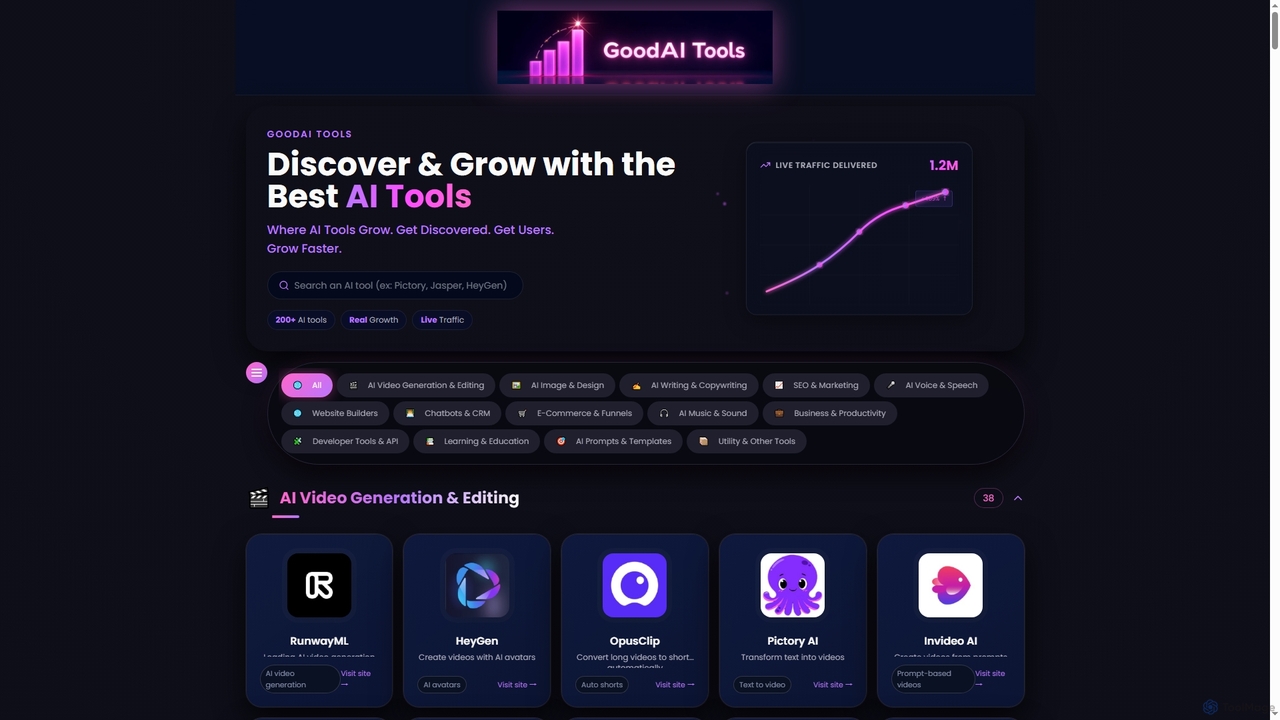
Goodaitools
A comprehensive directory featuring over 280 AI tools across 14 distinct categories. It helps users discover, compare, and …
A comprehensive directory featuring over 280 AI tools across 14 distinct categories. It helps users discover, compare, and access the best AI software for video generation, marketing, writing, design, and more.
About Directory
Directory tools are specialized AI-powered platforms within the developer ecosystem designed to centralize, organize, and manage various development resources. These tools leverage advanced indexing and search capabilities to create discoverable repositories for APIs, libraries, code components, documentation, and services. Their primary value lies in streamlining development workflows, enhancing resource discoverability, and fostering consistency across projects and teams, ultimately accelerating innovation and reducing redundancy.
Core Features
- Resource Indexing & Cataloging: Automatically or manually adds and categorizes diverse development assets, from APIs to code snippets.
- Advanced Search & Filtering: Enables developers to quickly locate specific resources using keywords, tags, metadata, and custom filters.
- Metadata Management: Allows for the attachment and management of rich descriptive information, versions, and usage guidelines for each resource.
- Access Control & Permissions: Manages who can view, edit, or contribute to directory entries, ensuring secure and controlled access.
- Dependency Tracking: Identifies and visualizes relationships between different resources, helping manage complex project dependencies.
Use Cases
Directory tools are invaluable for organizations seeking to standardize and optimize their development processes. They are widely adopted in large enterprises managing extensive internal API ecosystems, enabling developers to easily find and integrate necessary services. Additionally, they serve as central hubs for open-source projects to catalog contributions, documentation, and community guidelines, ensuring all contributors have access to up-to-date information.
How to Choose
When selecting a Directory tool, consider its scalability to accommodate future growth in resources and users. Evaluate its integration capabilities with your existing CI/CD pipelines, version control systems, and development environments. Assess the robustness of its search and filtering functionalities, as well as its flexibility for custom metadata and resource types. Finally, review its security features and access control mechanisms to ensure data integrity and compliance.
DirectoryUse Cases
Efficient API Discovery for New Features
A backend developer is tasked with integrating a new payment gateway into an existing application. Using an AI-powered directory tool, they can quickly search for available payment APIs, filter by language, security standards, and performance metrics. The tool provides comprehensive documentation, code examples, and compatibility information, allowing the developer to select and integrate the most suitable API in a fraction of the time it would take with manual research.
Centralizing Internal API Documentation
For large enterprises, a Directory tool serves as a single source of truth for all internal APIs. Development teams can publish their APIs with detailed documentation, versioning, and usage examples. This enables other teams to quickly discover, understand, and integrate existing services, reducing redundant API development and accelerating cross-team collaboration on complex projects.
Promoting Internal Component Reuse in Large Teams
In a large enterprise with multiple development teams, ensuring consistent UI/UX and avoiding redundant code is a challenge. A directory tool acts as a central repository for approved internal UI components, microservices, and utility functions. Developers can browse, search, and understand the usage of existing components, complete with version history and ownership details. This fosters a culture of reuse, significantly reducing development time and improving code quality across projects.
Managing Reusable UI Component Libraries
Frontend development teams utilize Directory tools to catalog and manage a library of reusable UI components (e.g., buttons, forms, navigation elements). Each component entry includes code snippets, design guidelines, and usage instructions. This ensures design consistency across applications, speeds up development cycles, and allows new team members to quickly onboard and leverage existing assets without recreating them.
Managing and Sharing Code Snippets Across Projects
A front-end developer frequently uses common CSS patterns, JavaScript utility functions, and HTML templates. Instead of manually searching through old projects or personal notes, an AI-powered directory allows them to store, categorize, and quickly retrieve these code snippets. The AI can even suggest relevant snippets based on the current project context or file type, ensuring best practices are followed and accelerating the coding process for repetitive tasks.
Streamlining Microservices Discovery
In a microservices architecture, identifying and understanding numerous independent services can be challenging. A Directory tool acts as a service catalog, listing all microservices, their endpoints, dependencies, and ownership. Developers can search for specific services, view their status, and access relevant documentation, simplifying service integration, troubleshooting, and overall system management.
Automated Dependency Tracking and Updates
A DevOps engineer manages multiple microservices, each with its own set of libraries and dependencies. Manually tracking versions and potential vulnerabilities is time-consuming and error-prone. An AI-powered directory tool can automatically scan project dependencies, identify outdated libraries, flag known security vulnerabilities, and even suggest compatible updates. This ensures the software supply chain remains secure and up-to-date, reducing operational overhead and mitigating risks.
Organizing Open-Source Project Resources
Open-source project maintainers use Directory tools to create a comprehensive hub for contributors. This includes indexing documentation, code contribution guidelines, issue templates, community communication channels, and project roadmaps. By centralizing these resources, new contributors can easily find necessary information, understand project structure, and effectively participate, fostering a more organized and productive community.
Streamlining Developer Onboarding with Centralized Resources
When a new developer joins a team, they often spend significant time understanding the existing codebase, internal tools, and standard operating procedures. An AI-powered directory provides a centralized, searchable hub for all these resources. New hires can quickly find relevant documentation, project templates, and team-specific libraries, guided by AI recommendations. This drastically reduces onboarding time, allowing new team members to become productive much faster.
Cataloging Data Science Models and Datasets
Data science teams leverage Directory tools to catalog machine learning models, datasets, and experiment results. Each entry can include model performance metrics, training data sources, version history, and deployment status. This enables data scientists to track model lineage, share validated models, and ensure reproducibility of experiments, facilitating collaboration and governance in AI/ML development.
Facilitating Cross-Team Knowledge Sharing
In large organizations, knowledge silos often form between different development teams. An AI-powered directory can break down these barriers by making all shared resources, best practices, and technical solutions discoverable across the entire organization. Developers can search for solutions to common problems, discover how other teams have tackled similar challenges, and contribute their own insights, fostering a collaborative environment and preventing the reinvention of the wheel.
Curating Third-Party Integration Marketplace
Platform providers or SaaS companies use Directory tools to build an internal or external marketplace of third-party integrations, plugins, and SDKs. Each listing provides detailed descriptions, integration guides, compatibility information, and user reviews. This helps users and developers discover valuable extensions, expand the platform's capabilities, and foster an ecosystem of complementary tools.