
Teletyped
Teletyped offers a unified chat interface, Teletyped Chat, allowing users to interact with multiple advanced AI models like …
Teletyped offers a unified chat interface, Teletyped Chat, allowing users to interact with multiple advanced AI models like ChatGPT and Claude from a single, refined platform. It's designed to augment human capability by streamlining workflows, enabling model comparison, and providing a clean, efficient user experience for developers, writers, and researchers.

Llama2.ai
A web-based chat interface for developers and AI enthusiasts to directly interact with Meta's advanced Llama language models, …
A web-based chat interface for developers and AI enthusiasts to directly interact with Meta's advanced Llama language models, such as Llama 3.1. It operates on the Replicate platform, requiring users to provide their own Replicate API key for a hands-on testing and prototyping experience.

Blend AI
Blend AI is a versatile AI chat platform that provides access to a variety of leading large language …
Blend AI is a versatile AI chat platform that provides access to a variety of leading large language models (LLMs) through a single, unified interface. It allows users to switch between models, manage files, and track conversation history, all within a credit-based freemium system.
Chatbot AI
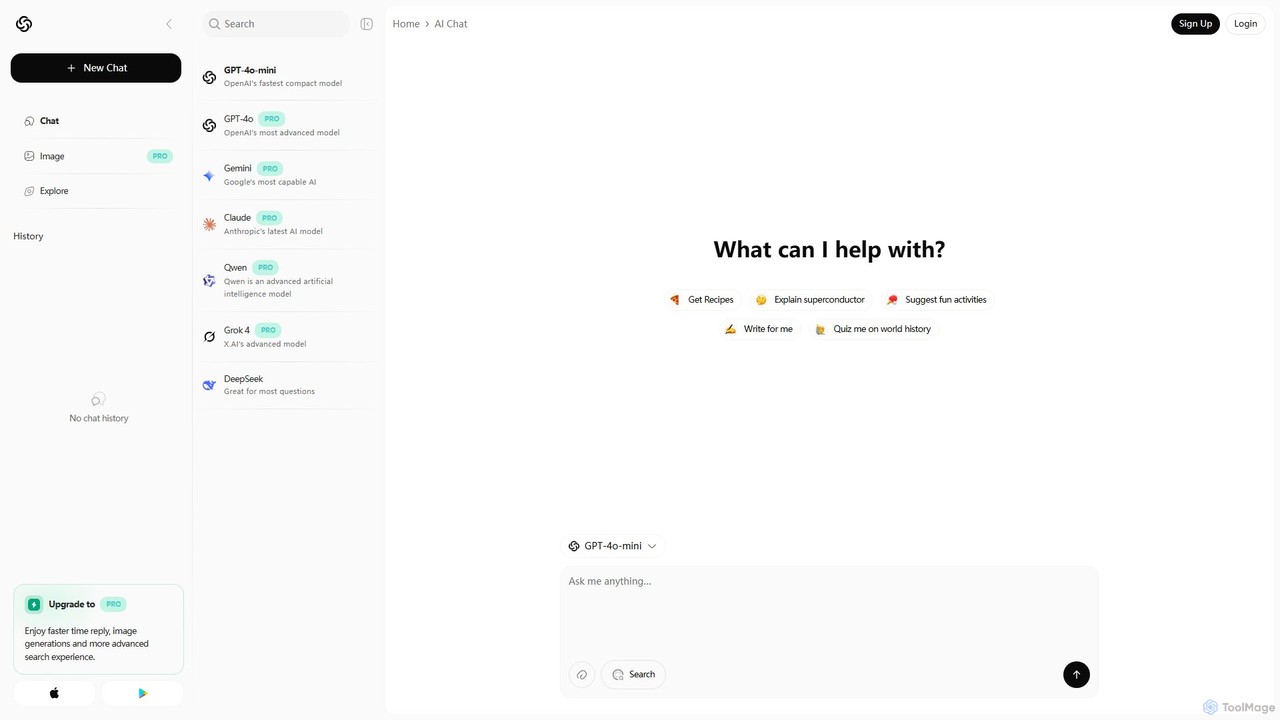
Chatbot AI is a versatile platform providing unified access to a suite of leading AI models, including GPT-4o, …
Chatbot AI is a versatile platform providing unified access to a suite of leading AI models, including GPT-4o, Gemini, Claude, and Grok. Users can seamlessly switch between models to compare outputs and find the best tool for tasks like writing, coding, research, and creative brainstorming. It offers a free tier and a PRO plan with advanced features like image generation and faster responses, making it a powerful AI aggregator for both casual and professional users.
AnyModel
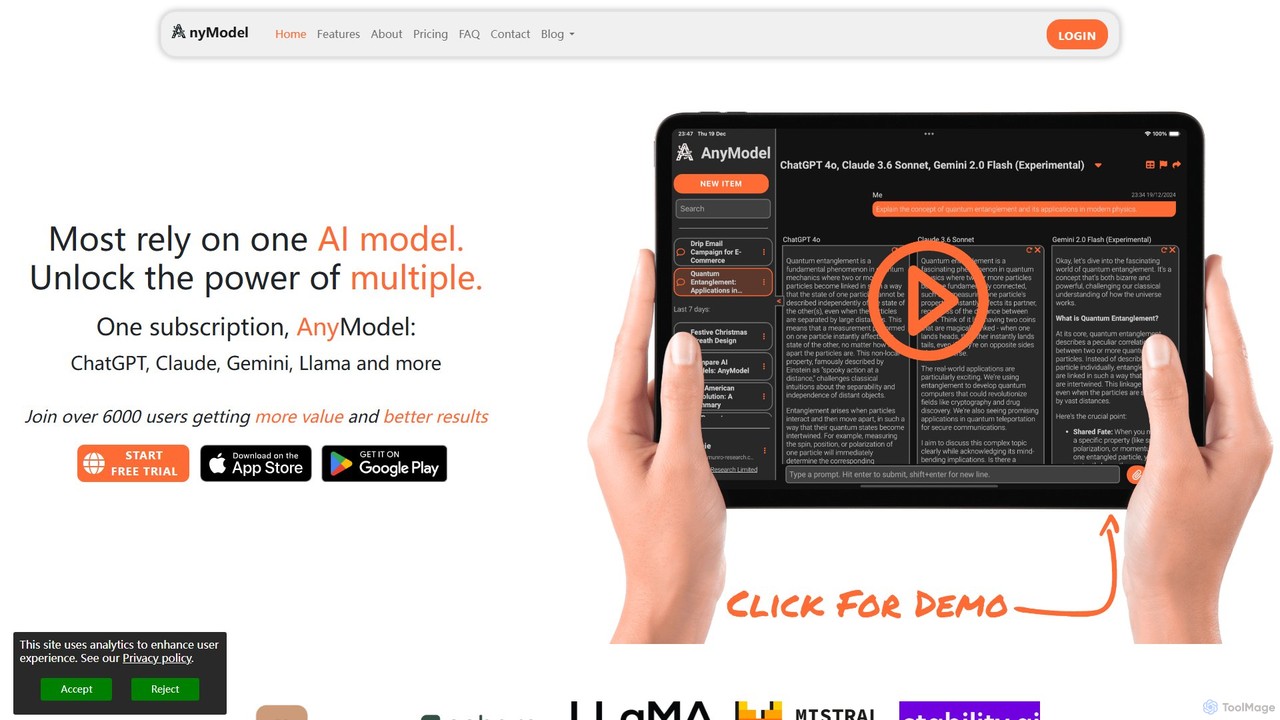
AnyModel is an all-in-one platform that allows you to access, compare, and utilize over 50 of the world's …
AnyModel is an all-in-one platform that allows you to access, compare, and utilize over 50 of the world's leading AI models with a single account. Send prompts to multiple text and image models simultaneously, view results side-by-side, and gain AI-powered insights to enhance accuracy and creativity. Eliminate the need for multiple subscriptions and API keys, saving time and money while achieving superior results.
About Model Playground
Model Playgrounds are interactive web-based environments for experimenting with and testing AI models without writing complex code. As a specialized category within Developer Tools, they allow users to directly input prompts, adjust model parameters like temperature and token limits, and instantly observe the output. This immediate feedback loop is invaluable for prompt engineering, rapid prototyping of AI features, and comparing the capabilities of different models. They effectively bridge the gap between conceptualizing an AI application and implementing it via an API.
Core Features
- Interactive Prompting: Directly input text or other media to get real-time model responses and iterate quickly.
- Parameter Tuning: Adjust controls like temperature, top-p, and max tokens to fine-tune model behavior and output style.
- Model Selection: Easily switch between different AI models or versions to compare their performance on the same task.
- Code Snippet Generation: Automatically create API request code in various programming languages based on your current settings.
- Session History: Save and review past interactions and configurations for easy reference and consistent testing.
Applicable Scenarios
These tools are essential for developers, prompt engineers, and AI researchers who need to quickly iterate on model interactions. Product managers use them to validate AI feature ideas before committing development resources. Content creators and marketers also leverage them for brainstorming, testing tones, and generating initial drafts for campaigns.
Selection Criteria
When selecting a Model Playground, consider the range of available models and their versions. Evaluate the granularity of parameter controls and whether it supports multi-modal inputs if needed. Also, assess its code generation capabilities, collaboration features for teams, and the overall clarity and usability of its user interface.
Model PlaygroundUse Cases
Prompt Engineering and Optimization
A prompt engineer is tasked with creating a reliable prompt for a customer service chatbot. Using a Model Playground, they can test dozens of variations of a prompt in minutes. They adjust phrasing, add specific instructions, and experiment with few-shot examples directly in the interface. By tuning parameters like temperature, they can control the creativity of the responses, ensuring the bot provides consistent yet natural-sounding answers. This iterative process allows them to finalize an optimal prompt before deploying it to production, significantly reducing development time.
Rapid Prototyping of AI Features
A product manager wants to explore adding an AI-powered text summarization feature to their application. Instead of waiting for a full development cycle, they use a Model Playground. They paste various long articles into the interface and test different models and prompt instructions like 'Summarize this for a busy executive'. This allows them to quickly assess the quality and feasibility of the feature, gather example outputs for stakeholder demos, and even generate the initial API code snippet for the development team, all within a single afternoon.
Model Evaluation and Comparison
A development team needs to choose the best large language model (LLM) for their new application. They compile a list of 20 challenging, domain-specific prompts. In a Model Playground that supports multiple providers, they can systematically run each prompt through different models like GPT-4, Claude 3, and Llama 3. They compare the outputs side-by-side for accuracy, tone, and relevance. This direct, hands-on comparison provides much richer insights than relying solely on benchmark scores, enabling the team to make an informed, evidence-based decision on which model to integrate.
Educational Tool for Learning AI Concepts
A student new to AI is learning about the inner workings of language models. A Model Playground serves as an excellent educational tool. By using the parameter sliders, they can visually and interactively learn the effect of 'temperature'—seeing how a low value produces deterministic output while a high value leads to more creative, random text. They can experiment with system prompts to understand how to guide a model's persona. This hands-on experience solidifies theoretical concepts far more effectively than reading textbooks alone, accelerating their learning curve.
Content Ideation and Tone Testing
A marketing team is brainstorming ideas for a new ad campaign. They use a Model Playground to quickly generate creative concepts. They input their product description and ask the model to generate slogans in different tones: 'professional', 'humorous', 'youthful'. By adjusting parameters and iterating on the prompts, they can produce a wide variety of ideas in a short amount of time. This allows them to explore creative avenues they might not have considered, and provides concrete examples to discuss in team meetings, making the ideation process more efficient and productive.
Validating Data for Model Fine-Tuning
A machine learning engineer plans to fine-tune a base model on a custom dataset. Before investing in the costly fine-tuning process, they use a Model Playground for validation. They craft prompts that mimic the structure of their training data (e.g., 'prompt-completion' pairs) and test them against the base model. This helps them identify the model's inherent weaknesses and biases. Based on the playground results, they can refine their dataset, adding more examples to address the identified gaps, ensuring a more successful and efficient fine-tuning outcome.