GetWebsite.Report
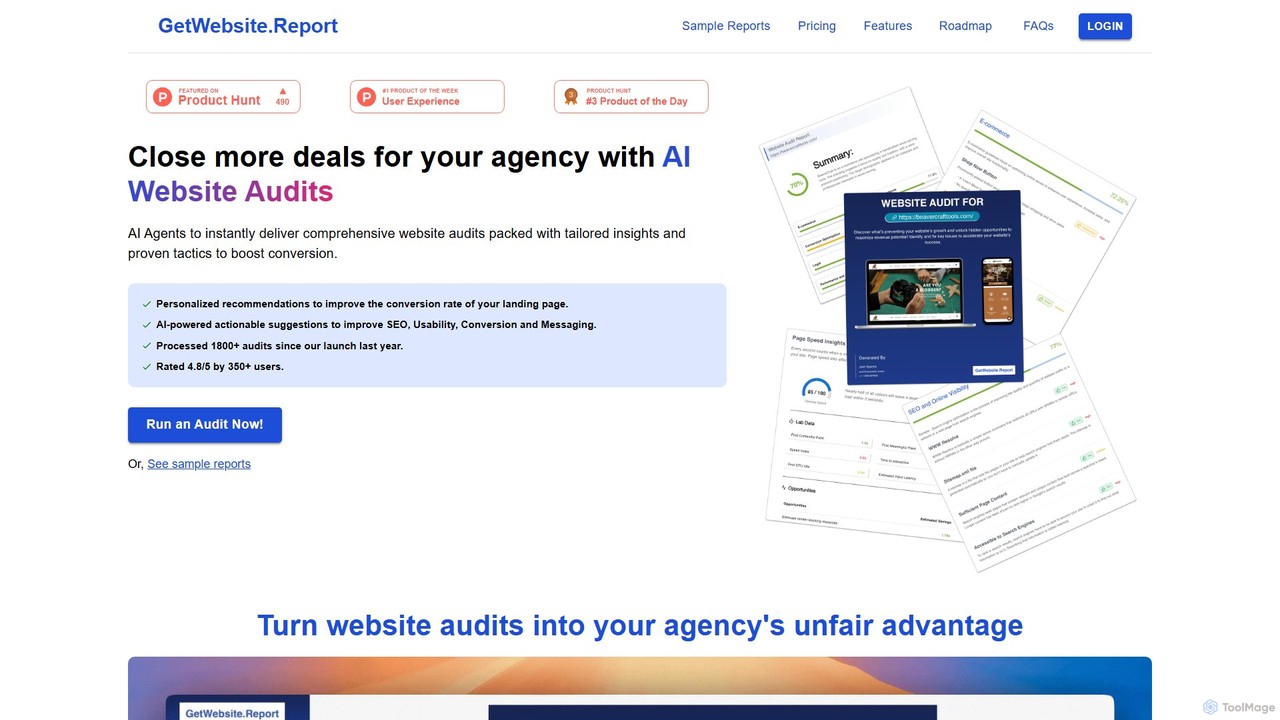
GetWebsite.Report is an AI-powered tool for digital agencies to instantly generate comprehensive website audits. It analyzes landing pages …
GetWebsite.Report is an AI-powered tool for digital agencies to instantly generate comprehensive website audits. It analyzes landing pages for SEO, performance, usability, and conversion opportunities, providing actionable, white-labeled reports to help agencies win more clients, close larger deals, and streamline their lead generation process.
About Website Analysis
Website Analysis tools are a specialized category of developer utilities that use AI to automatically diagnose a site's technical health, SEO performance, and user experience. These tools go beyond traditional analytics by processing vast amounts of data to identify complex issues, predict potential problems, and provide actionable recommendations. They are essential for improving search engine rankings, enhancing user engagement, and ensuring a website is fast, accessible, and error-free. The core value lies in automating the time-consuming process of manual audits and providing data-driven insights for optimization.
Core Features
- Automated SEO Audits: Scans for on-page, off-page, and technical SEO issues like broken links, meta tag errors, and crawlability problems.
- Performance Monitoring: Analyzes page load speed, Core Web Vitals, and server response times to identify performance bottlenecks.
- User Experience (UX) Analysis: Utilizes AI-powered heatmaps and session replays to understand user behavior and identify friction points.
- Accessibility Compliance Checking: Automatically detects violations of accessibility standards (like WCAG) and suggests code-level fixes.
- Competitor Analysis: Tracks competitors' keyword strategies, backlink profiles, and on-site changes to reveal strategic opportunities.
Use Cases
These tools are widely used by SEO specialists for conducting comprehensive technical audits, web developers for pre-launch performance testing, and digital marketers for competitive intelligence. For instance, an e-commerce manager can use UX analysis features to optimize the checkout funnel, while a content strategist can identify content gaps by analyzing top-ranking competitor pages.
How to Choose
When selecting a Website Analysis tool, consider the depth of its features—whether you need a focus on SEO, performance, or UX. Evaluate its integration capabilities with platforms like Google Analytics and Search Console. Assess the quality and clarity of its reports and actionable recommendations. Finally, consider the pricing model and whether it aligns with the scale of your website and analysis frequency.
Website AnalysisUse Cases
Automating Technical SEO Audits
An SEO specialist for a digital agency needs to audit a new client's website. Instead of manually checking hundreds of pages for issues like broken links, missing alt text, and slow page speeds, they use an AI Website Analysis tool. The tool crawls the entire site within minutes, generating a prioritized report of all technical SEO errors. This allows the specialist to immediately focus on the most critical issues impacting search rankings, saving dozens of hours of manual labor and providing instant value to the client.
Pre-Launch Website Performance Testing
A web development team is about to launch a new e-commerce site. Before going live, they use a website analysis tool to simulate user traffic and test performance under load. The tool analyzes the Core Web Vitals for key pages, identifies heavy JavaScript files that slow down rendering, and checks for mobile responsiveness issues. Based on the report, the developers optimize images and scripts, ensuring the site launches with a high performance score, which is crucial for user retention and SEO from day one.
Analyzing Competitor SEO Strategies
A digital marketer for a SaaS company wants to understand why a competitor consistently outranks them for key terms. They use an AI analysis tool to perform a deep dive into the competitor's website. The tool reveals the competitor's top-performing keywords, their backlink profile, and the structure of their highest-ranking content. The marketer discovers the competitor has a strong internal linking strategy and several high-authority backlinks they were unaware of. This intelligence allows them to build a data-informed SEO strategy to close the gap.
Optimizing E-commerce Conversion Funnels
An e-commerce manager notices a high drop-off rate during the checkout process. Using a website analysis tool with UX features, they analyze AI-generated heatmaps and session replays of anonymous users. The heatmaps show that users are repeatedly clicking on a non-clickable element, indicating confusing UI design. Session replays reveal that many users struggle to find the shipping cost information. With these specific insights, the manager redesigns the checkout page, making the UI more intuitive and the shipping costs transparent, leading to a measurable increase in completed purchases.
Ensuring Web Accessibility Compliance
A government agency is required to make its website compliant with WCAG 2.1 AA standards. Manually auditing thousands of pages is impractical. They deploy an AI website analysis tool that specializes in accessibility. The tool automatically scans the entire site, flagging issues such as insufficient color contrast, missing ARIA labels for screen readers, and non-navigable keyboard elements. It provides code snippets for remediation, allowing developers to efficiently fix violations and generate a compliance report to meet legal requirements.
Identifying Content Gaps and Opportunities
A content manager for a blog wants to plan their editorial calendar. They use a website analysis tool to compare their domain against three main competitors. The tool performs a content gap analysis, identifying keywords and topics that competitors rank for, but their own site does not. It highlights questions users are asking related to their niche. This provides a data-backed list of high-opportunity article ideas, ensuring that new content is created to meet existing user demand and capture valuable search traffic.