
AppScreenMagic
AppScreenMagic is an AI-powered tool that generates professional App Store and Google Play screenshots in under 30 seconds. …
AppScreenMagic is an AI-powered tool that generates professional App Store and Google Play screenshots in under 30 seconds. It analyzes styles from over 1,000 top-charting apps and applies them to your screenshots, eliminating the need for design skills or expensive freelancers. It supports localization in 40+ languages and all required device formats.
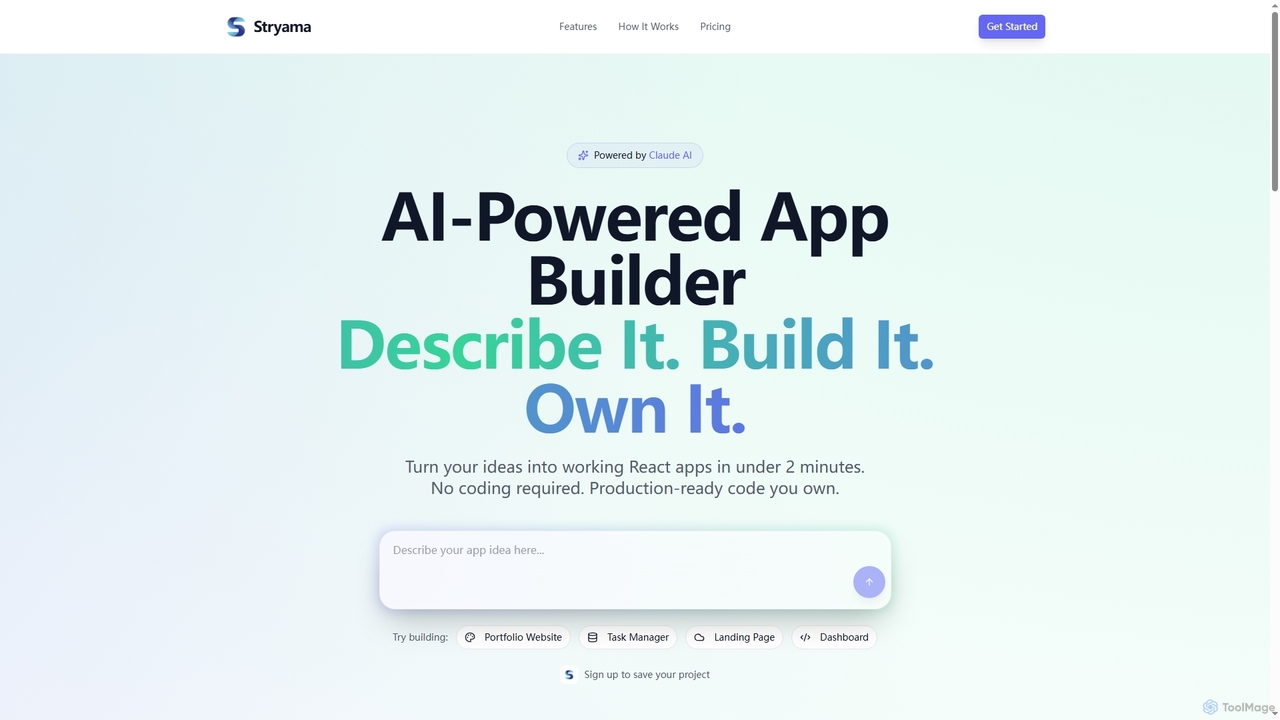
Stryama
Stryama is an AI-powered app builder that transforms your ideas into functional React applications in minutes, requiring no …
Stryama is an AI-powered app builder that transforms your ideas into functional React applications in minutes, requiring no coding. It generates production-ready code that you fully own, enabling rapid development and deployment for various web projects.
BlueGiraffeLabs
BlueGiraffeLabs is a women-led, independent research lab specializing in the design and development of innovative mobile applications with …
BlueGiraffeLabs is a women-led, independent research lab specializing in the design and development of innovative mobile applications with seamless AI integration. They offer full-stack development services, from app architecture and backend APIs to AI prompt engineering and frontend Flutter creation, focusing on delivering exceptional and fun user experiences.
About App Development
AI App Development tools are a specialized class of software that uses artificial intelligence to automate and accelerate the application creation process. These tools leverage large language models (LLMs) and machine learning to generate code, design user interfaces, and create test cases from natural language prompts or visual inputs. Their primary value lies in significantly reducing development time, lowering the technical barrier for non-programmers, and enabling rapid prototyping for developers and product teams. This approach streamlines the entire development lifecycle, from initial idea to a functional application.
Core Features
- Code Generation: Automatically writes functional code snippets or entire application modules in languages like Swift, Kotlin, or JavaScript from plain text descriptions.
- UI/UX Design from Prompts: Creates user interface layouts, components, and visual assets based on simple descriptions, sketches, or wireframes.
- Automated Testing: Generates unit tests, integration tests, and end-to-end test scripts to ensure code quality and functionality.
- Intelligent Bug Detection & Fixing: Scans codebases to identify potential errors, vulnerabilities, and performance issues, often suggesting or applying fixes automatically.
- Natural Language to Logic: Translates business requirements or user stories written in natural language into executable application logic and workflows.
Applicable Scenarios
These tools are utilized by a wide range of users, from solo entrepreneurs and startups building their first Minimum Viable Product (MVP) to large enterprise teams developing complex internal tools. They are particularly effective for product managers and designers who need to create functional prototypes without deep coding expertise, and for professional developers aiming to automate repetitive tasks like setting up boilerplate code or writing tests.
Selection Criteria
When choosing an AI App Development tool, evaluate its support for your target platforms (iOS, Android, Web) and programming languages. Assess the quality, readability, and customizability of the generated code. Consider its integration capabilities with existing development environments (IDEs) and version control systems like Git. Finally, analyze the tool's learning curve and whether it aligns with your team's technical skill level, from no-code to professional-grade development.
App DevelopmentUse Cases
Rapid MVP Prototyping for Startups
A startup founder with a clear product vision but limited coding resources needs to create a functional Minimum Viable Product (MVP) for an investor pitch. Using an AI app development tool, they describe the core features, user flows, and data models in plain English. The AI generates the initial codebase for both the mobile front-end and the backend API. This allows the founder to have a clickable, data-driven prototype in days instead of months, enabling them to gather early feedback and demonstrate a tangible product to potential investors, significantly accelerating their funding timeline.
Automating UI Component Generation
A front-end developer is tasked with building a complex user profile screen that includes an avatar, user details, a bio, and a list of posts. Instead of manually writing the HTML/CSS or Swift UI/XML code, they provide a prompt to an AI tool: "Create a user profile screen with a circular avatar at the top, followed by the user's name in bold, their handle in gray, and a scrollable grid of their posts below." The AI generates the complete, responsive UI component code, which the developer can then integrate and customize. This saves several hours of tedious layout and styling work.
Generating Backend API Endpoints
A backend developer needs to create a set of REST API endpoints for a new feature. They use an AI tool and specify the requirements, such as: "Generate a Node.js Express API endpoint for 'POST /products'. It should accept a JSON body with 'name' (string), 'price' (number), and 'description' (string), validate the inputs, and save the new product to a MongoDB database." The AI generates the full route handler, including input validation, database connection logic, and success/error responses. This accelerates the development of CRUD (Create, Read, Update, Delete) operations, allowing the developer to focus on more complex business logic.
Automated Unit Test Writing
A Quality Assurance (QA) engineer needs to ensure a new user authentication function works correctly, covering various edge cases. They provide the function's code to an AI app development tool and instruct it to "write comprehensive unit tests for this login function, including tests for valid credentials, invalid passwords, non-existent users, and empty inputs." The AI analyzes the code and generates a complete test suite using a framework like Jest or XCTest. This automates a time-consuming but critical part of the development process, improving code coverage and reliability with minimal manual effort.
Refactoring and Optimizing Legacy Code
A development team inherits an old application with a complex and poorly documented codebase. To improve maintainability, they use an AI tool to analyze a specific module. They ask the AI to "refactor this legacy Java code to use modern design patterns, improve performance, and add explanatory comments." The AI rewrites the code, breaking down large functions, replacing outdated libraries, and adding comments to clarify the logic. This process significantly reduces technical debt and makes the code easier for new developers to understand and maintain, without requiring weeks of manual analysis.
Building Internal Tools for Business Operations
A marketing manager needs a simple web app to track campaign performance by pulling data from multiple sources. Instead of waiting for the IT department, they use a low-code AI app builder. They describe the desired interface: "a dashboard with a date picker and a table showing campaign name, spend, and conversions." They also specify the logic: "Fetch data from Google Ads API and Facebook Ads API, then display it in the table." The AI platform generates the application, including API integrations and a user interface, allowing the manager to have a functional internal tool within hours.