ToolMage
Sign in

Best 1 Monitoring AI tools for Development

Popular Monitoring AI tools in Development include Kubiks, helping you work more efficiently.

Kubiks
Freemium

Kubiks

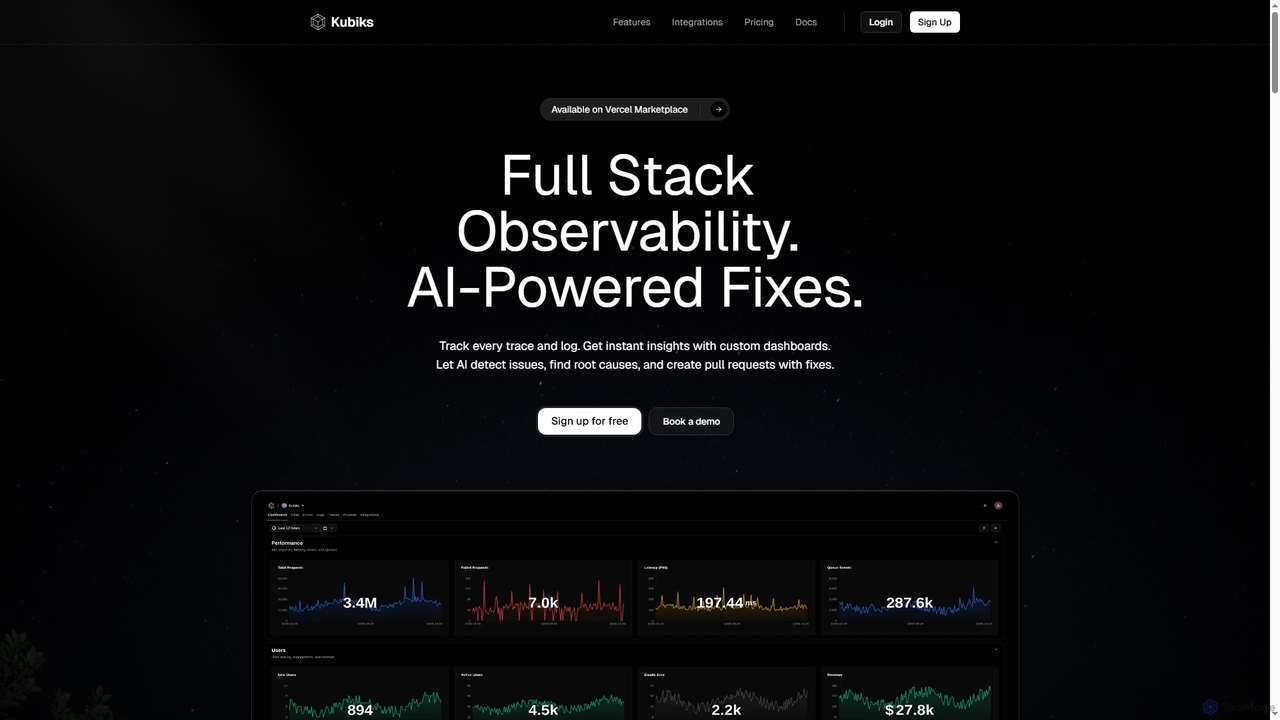
Kubiks is an AI-powered full-stack observability platform providing distributed tracing, logging, and custom dashboards. It automatically detects issues, identifies root causes, and generates pull requests with fixes, helping engineering teams debug faster and proactively resolve problems.

Debugging
Visits 5.7KFavorites 120Likes 121

About Monitoring

Monitoring tools are AI-powered solutions designed to observe, track, and analyze the performance, health, and behavior of software systems, applications, and infrastructure. These tools leverage machine learning to process vast amounts of data, identify anomalies, and provide real-time insights. They are crucial for ensuring the reliability, efficiency, and security of developed systems, acting as a vital feedback mechanism within the broader development lifecycle.

Core Features

  • Real-time Performance Tracking: Continuously collects and displays key metrics like CPU usage, memory, network traffic, and application response times.
  • Anomaly Detection: Utilizes AI to automatically identify unusual patterns or deviations from normal behavior, signaling potential issues before they escalate.
  • Log Management & Analysis: Aggregates, indexes, and analyzes logs from various sources to pinpoint errors, security threats, and performance bottlenecks.
  • Automated Alerting: Configures intelligent alerts based on predefined thresholds or detected anomalies, notifying relevant teams via multiple channels.
  • Predictive Analytics: Forecasts future system behavior and potential failures by analyzing historical data, enabling proactive maintenance and resource planning.

Use Cases

These tools are indispensable for DevOps teams managing complex microservices architectures, site reliability engineers (SREs) ensuring high availability, and security analysts detecting unusual activity. They provide the visibility needed to maintain system health, optimize resource utilization, and ensure the smooth operation of critical services.

How to Choose

When selecting an AI monitoring tool, consider its integration capabilities with your existing tech stack, the breadth of metrics it collects, its anomaly detection accuracy, and the flexibility of its alerting system. Scalability, data retention policies, and compliance certifications are also critical factors for enterprise-level deployments, ensuring the solution meets long-term operational needs.

Monitoring use cases

1

Proactive Issue Resolution in Production

DevOps teams utilize AI monitoring to detect subtle performance degradations or unusual error rates in live applications. By receiving automated alerts based on AI-identified anomalies, they can investigate and resolve potential issues proactively, often before users are significantly impacted, thereby minimizing downtime and maintaining service quality.

2

Optimizing Cloud Resource Utilization

Cloud engineers leverage AI monitoring tools to track resource consumption (CPU, memory, network I/O) across their dynamic cloud infrastructure. AI-driven insights help identify underutilized or over-provisioned resources, enabling precise adjustments to cloud spending and improving operational efficiency by ensuring resources are allocated optimally.

3

Detecting Security Threats and Anomalies

Security operations centers (SOCs) employ AI monitoring to analyze vast amounts of network traffic, user behavior, and system logs for suspicious activities. The AI identifies patterns indicative of cyberattacks, unauthorized access, or data breaches that might go unnoticed by traditional rule-based systems, significantly enhancing threat detection capabilities.

4

Performance Tuning for Web Applications

Web developers and performance engineers use AI monitoring tools to pinpoint bottlenecks in web application response times. Detailed metrics on database queries, API calls, and front-end rendering, analyzed by AI, help them optimize code and infrastructure for a smoother, faster user experience, directly impacting user satisfaction and engagement.

5

Ensuring SLA Compliance for Critical Services

Service providers and IT departments utilize AI monitoring to continuously verify that their critical services meet agreed-upon Service Level Agreements (SLAs). Automated reports and alerts, triggered by AI-detected deviations from performance baselines, highlight any non-compliance, enabling prompt action to maintain service quality and avoid contractual penalties.

6

Capacity Planning for Growing Systems

Infrastructure architects and system administrators use historical performance data and AI-driven predictive analytics from monitoring tools to forecast future resource needs. This allows them to plan for scaling infrastructure proactively, ensuring systems can handle increased load from user growth or new features without performance degradation or service interruptions.

Monitoring FAQ

What are AI Monitoring tools?

AI monitoring tools are software solutions that use artificial intelligence, particularly machine learning, to automatically observe, collect, and analyze data from IT systems, applications, and infrastructure. They go beyond traditional monitoring by identifying complex patterns, predicting potential issues, and detecting anomalies that human operators or simple rule-based systems might miss, providing deeper insights into system health and performance.

How do AI Monitoring tools differ from traditional monitoring?

Traditional monitoring relies on predefined rules and static thresholds, alerting only when these are breached. AI monitoring, conversely, learns normal system behavior over time, enabling it to detect subtle anomalies and "unknown unknowns." It can correlate events across disparate systems, reduce alert fatigue through intelligent grouping, and offer predictive insights, whereas traditional methods are largely reactive and require extensive manual configuration.

What key metrics do AI Monitoring tools track?

AI monitoring tools track a wide array of metrics, including:

  • Performance Metrics: CPU utilization, memory usage, disk I/O, network latency, application response times, error rates.
  • Log Data: System logs, application logs, security logs, event logs for error detection and root cause analysis.
  • User Experience Metrics: Page load times, transaction success rates, user journey analysis.
  • Resource Utilization: Cloud resource consumption, database connection pools, queue lengths.
These metrics are then analyzed by AI for patterns and anomalies to provide actionable insights.

Who benefits most from using AI Monitoring tools?

AI monitoring tools primarily benefit DevOps teams, Site Reliability Engineers (SREs), IT operations, security analysts, and cloud engineers. They enable these roles to proactively identify and resolve issues, optimize resource allocation and reduce costs, enhance system security by detecting threats, improve application performance and user experience, and ensure compliance with service level agreements. Essentially, anyone responsible for the health, performance, and security of digital systems gains significant value.

What should I consider when choosing an AI Monitoring solution?

When selecting an AI monitoring solution, evaluate its:

  • Integration Capabilities: Ensure it connects seamlessly with your existing infrastructure, cloud providers, and development tools.
  • Anomaly Detection Accuracy: Look for robust machine learning models that minimize false positives and negatives.
  • Scalability: The tool should handle your current and future data volumes without performance degradation.
  • Visualization & Reporting: Intuitive dashboards and customizable reports are crucial for actionable insights.
  • Alerting & Automation: Flexible, intelligent alerting and options for automated remediation.
  • Cost-effectiveness: Consider pricing models, data retention, and the total cost of ownership.