The Fable Studio
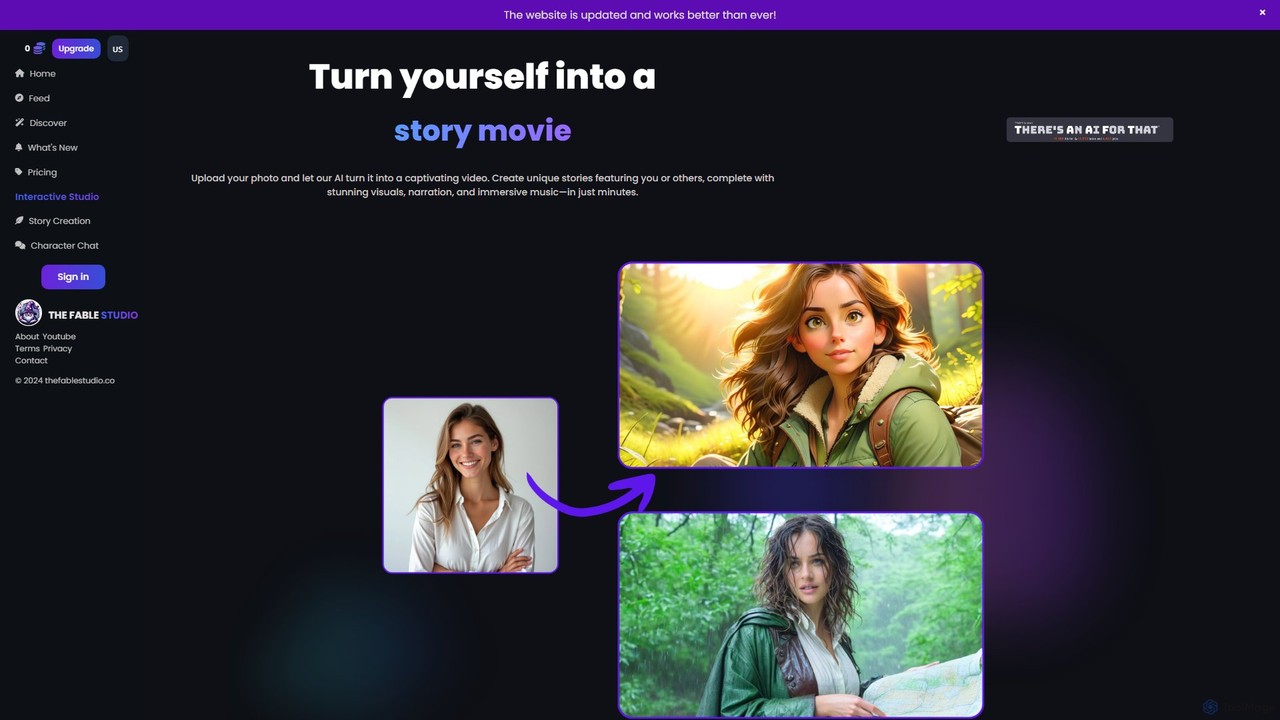
The Fable Studio is an AI-powered platform that transforms text-based stories into captivating animated videos. It automatically generates …
The Fable Studio is an AI-powered platform that transforms text-based stories into captivating animated videos. It automatically generates visuals, voiceovers, music, and customizable subtitles, enabling creators to produce magical and engaging narrative content effortlessly for social media, education, or entertainment.
About Instructional Video
AI Instructional Video tools are a specialized class of software designed to automate the creation of educational and training content. They utilize technologies like text-to-video synthesis, AI avatars, and automated screen recording editing to transform scripts or documents into engaging video lessons. This process significantly reduces the production time and technical expertise needed to create professional tutorials, corporate training modules, and online courses. Many of these tools also integrate interactive elements like quizzes to enhance learner engagement and knowledge retention.
Core Features
- AI Avatar Presenters: Generate videos featuring realistic virtual instructors who narrate content from a text script.
- Text-to-Video Conversion: Automatically create video scenes, visuals, and voiceovers directly from documents, presentations, or plain text.
- Automated Screen Recording Editing: Intelligently trim silences, remove errors, and add dynamic zooms or highlights to screen captures.
- Interactive Content Integration: Embed quizzes, polls, and clickable elements directly into the video to create an active learning experience.
- Multi-Language Voice Generation: Produce accurate, natural-sounding voiceovers in numerous languages and accents using advanced text-to-speech technology.
Use Cases
These tools are widely used by corporate training departments for employee onboarding, software companies for creating product demos, educators for developing digital learning materials, and online course creators for scaling content production. They are ideal for any scenario requiring standardized, clear, and easily updatable instructional content.
How to Choose
When selecting an AI Instructional Video tool, evaluate the quality and diversity of AI avatars and voices. Assess the sophistication of the text-to-video engine and its ability to interpret your content. Consider its integration capabilities with Learning Management Systems (LMS) and the range of available interactive features. Finally, review the pricing model to ensure it aligns with your content production volume.
Instructional VideoUse Cases
Automate Corporate Employee Onboarding
An HR manager is tasked with training dozens of new hires each quarter. Instead of conducting repetitive live sessions, they use an AI instructional video tool. They upload existing training manuals and policy documents. The AI converts this text into a series of short, engaging videos featuring a professional AI avatar. New employees can watch these modules at their own pace, and embedded quizzes track their comprehension. This standardizes the training process, saves hundreds of hours for the HR team, and ensures all new hires receive consistent, high-quality information.
Create Scalable Software Product Demos
A software-as-a-service (SaaS) company needs to create demonstration videos for each new feature they release. Their product marketing manager uses an AI tool to streamline this. They perform a screen recording of the new feature in action. The AI tool automatically edits the recording by cutting out pauses, highlighting key clicks, and adding professional zoom effects. The manager then simply types in the narration, and the tool generates a clear voiceover. This allows them to produce polished demo videos in under an hour, a fraction of the time it would take with traditional video editing software.
Develop Multilingual Online Courses Rapidly
An independent educator wants to launch an online course on digital marketing but wants to reach a global audience. They write the entire course script in a document. Using an AI instructional video tool, they generate the full course in English with an AI avatar. Then, with a few clicks, they translate the script and regenerate the entire video course in Spanish, French, and German. The AI handles both the text translation and the creation of new, language-specific voiceovers, allowing the educator to launch a multilingual course in days instead of months.
Generate Video FAQs for Customer Support
A customer support team identifies the top 10 most frequently asked questions from users. To reduce ticket volume, the team lead decides to create video answers. They write a short script for each question. Using an AI instructional video tool, they paste each script and the tool instantly generates a clear, concise video with an AI presenter and relevant stock footage. These videos are then embedded in their knowledge base. This provides customers with immediate, easy-to-follow visual answers, improving customer satisfaction and freeing up support agents to handle more complex issues.
Create Standardized Compliance Training Modules
A compliance officer in a financial firm needs to ensure all employees complete their annual security training. They use an AI tool to convert dense, text-heavy compliance documents into a series of micro-learning videos. The AI avatar presents the key points in a clear and authoritative manner. Crucially, interactive quizzes are embedded after each module to test understanding and certify completion. The platform tracks who has completed the training, providing an automated audit trail for regulatory purposes. This approach makes mandatory training more engaging and simplifies the tracking and reporting process.
Enhance Educational Content for Flipped Classrooms
A high school teacher adopts a 'flipped classroom' model, where students watch instructional videos at home and do practical work in class. The teacher uses an AI tool to quickly create video lessons from their existing presentation slides. They record their voice once, and the AI syncs it with the slides, automatically adding captions and highlighting key terms. This allows the teacher to produce a week's worth of high-quality video content in a single afternoon, freeing up valuable class time for more interactive, hands-on activities and personalized student support.