Storyleo
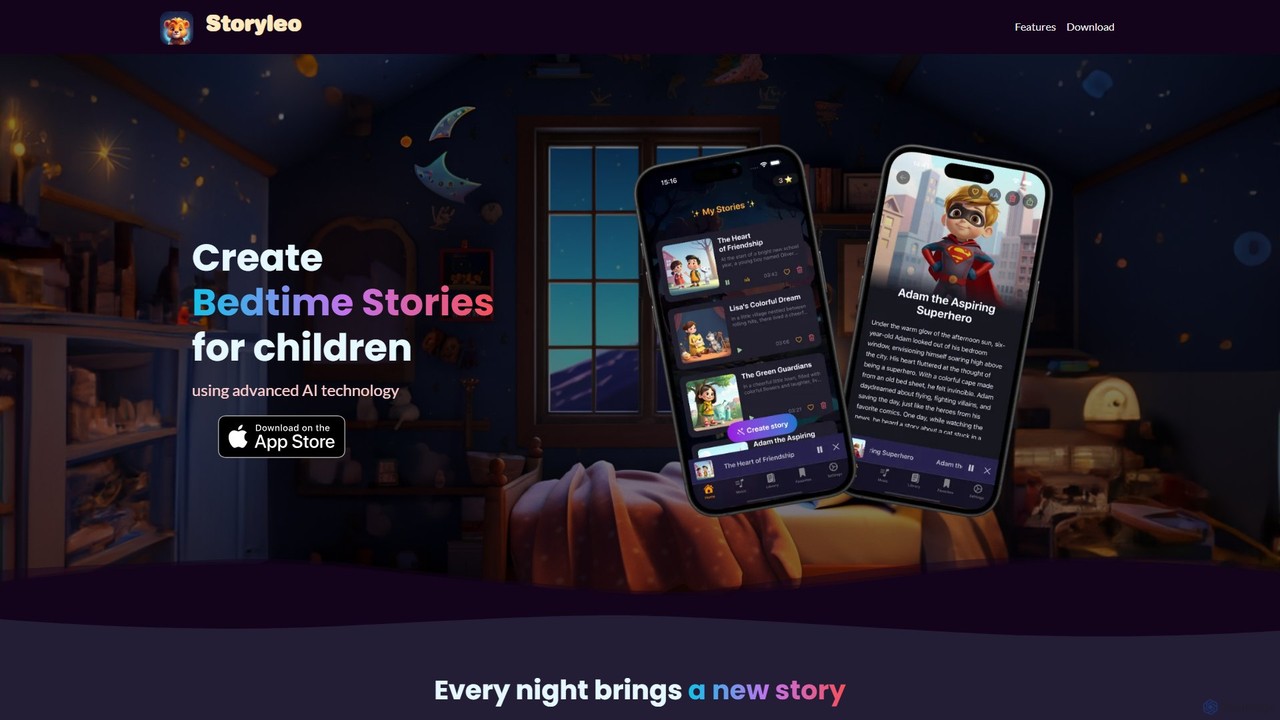
Storyleo is an AI-powered mobile app designed for parents to create unique and personalized bedtime stories for their …
Storyleo is an AI-powered mobile app designed for parents to create unique and personalized bedtime stories for their children. It allows for custom characters and themes, transforms stories into audiobooks, and includes a library of sleep sounds, lullabies, and global fables to make bedtime a magical and relaxing experience.
About Kids
AI Kids tools are a category of applications designed to provide educational and entertaining experiences for children through artificial intelligence. These tools leverage technologies like adaptive learning, natural language processing, and computer vision to create interactive, personalized content. Their primary value lies in making learning engaging, fostering creativity, and offering a safe, age-appropriate digital environment. By adapting to a child's individual pace and interests, these tools can support development in areas like logic, language, and art.
Core Features
- Adaptive Learning Paths: The AI adjusts the difficulty and content of activities based on the child's performance and progress.
- Interactive Storytelling: AI generates dynamic narratives or characters that respond to a child's choices and input.
- Safety and Content Filtering: Utilizes AI to monitor, flag, and block inappropriate content, ensuring a child-safe experience.
- Creative Assistance: Provides AI-powered guidance for drawing, music composition, or basic coding, turning ideas into creations.
- Gamified Education: Employs AI-driven game mechanics to teach subjects like math, science, and languages in a fun way.
Use Cases
These tools are widely used by parents seeking supplementary educational resources for home learning and skill development. Educators also integrate them into classrooms to provide personalized instruction and support diverse learning needs. Additionally, developers of children's content use these AI platforms to build more engaging and interactive games and educational applications.
How to Choose
When selecting an AI Kids tool, prioritize age-appropriateness to ensure the content and interface match the child's developmental stage. Evaluate its educational value by checking if it aligns with learning objectives. Crucially, examine the safety features, including robust parental controls and a clear data privacy policy (e.g., COPPA compliance). Finally, consider the level of engagement and interactivity to ensure the tool can hold a child's attention effectively.
KidsUse Cases
Personalized Math Tutoring at Home
A parent wants to help their 8-year-old child improve their math skills. They use an AI-powered learning app that first assesses the child's current level. Based on the results, the AI creates a personalized learning path with interactive games and puzzles focused on areas needing improvement, such as fractions or multiplication. The app provides instant feedback and adjusts the difficulty in real-time, keeping the child engaged and preventing frustration. This approach turns practice into a fun activity rather than a chore.
Creating Interactive Bedtime Stories
A child uses an AI storytelling tool to create a unique bedtime story each night. They can choose a main character (e.g., a brave knight), a setting (a magical forest), and a goal (find a hidden treasure). The AI then generates a narrative, allowing the child to make choices at key points that alter the story's direction. The tool might also use text-to-speech to read the story aloud with different character voices, making the experience highly immersive and fostering a love for reading and creativity.
Safe Introduction to Coding Concepts
An educator in a primary school uses an AI-powered platform to introduce coding to young students. The platform uses a visual, block-based interface where children can drag and drop commands to create simple animations or games. The AI acts as a helpful guide, providing real-time hints if a student gets stuck and offering positive reinforcement for successful code. It also generates age-appropriate challenges that gradually increase in complexity, building a solid foundation in logical thinking and problem-solving in a secure, monitored environment.
Language Learning with an AI Conversation Partner
A family preparing to move to another country uses an AI language app for their child. The app features an animated AI character that engages the child in simple, everyday conversations in the new language. Using speech recognition, the AI understands the child's responses, provides gentle pronunciation corrections, and introduces new vocabulary through interactive games. This makes language practice less intimidating and more like playing with a friend, accelerating the child's confidence and conversational skills before the move.
AI-Assisted Art and Drawing Creation
A young, aspiring artist uses an AI drawing tool to bring their imagination to life. They can start with a simple sketch or doodle, and the AI can help refine the lines, suggest color palettes, or even transform the sketch into a different artistic style (e.g., cartoon or watercolor). The child can also provide text prompts like 'add a friendly robot in the background,' and the AI generates the element to fit the existing drawing. This collaborative process empowers children to create more complex artwork than they could on their own, boosting their confidence and encouraging artistic exploration.
Developing Social-Emotional Skills through Scenarios
A therapist or parent uses an AI tool designed to help children with social-emotional learning (SEL). The tool presents animated scenarios where characters face common social challenges, like sharing a toy or feeling left out. The child is prompted to choose how the character should react. The AI then provides feedback on the choice, explaining the potential feelings of others and suggesting constructive ways to handle the situation. This provides a safe, repeatable space for children to practice empathy, problem-solving, and emotional regulation skills.