Film Production Best in category 1 results Pre Production AI Tool

Popular AI tools in the Pre Production field of Film Production include Storiara, etc., helping you quickly improve efficiency.

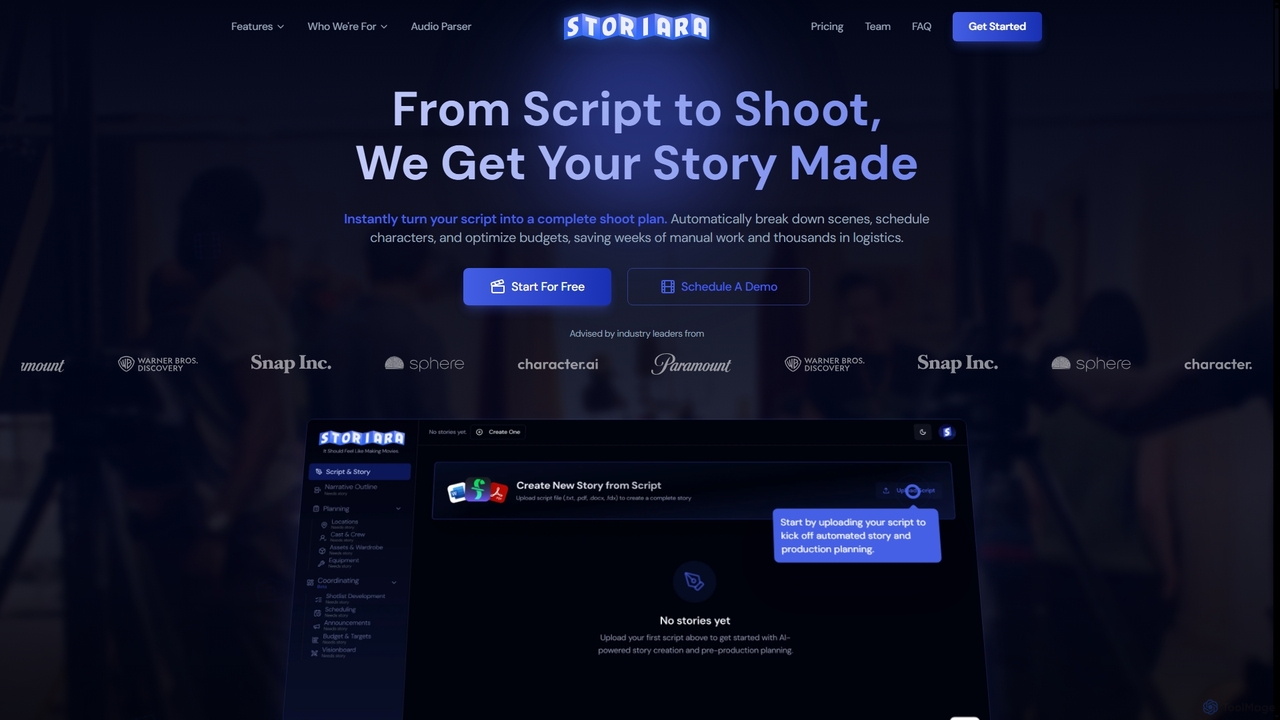
Storiara

Storiara

Storiara is an AI-powered production platform that transforms scripts into complete shoot plans, automating pre-production tasks like scheduling, …

4.5K

About Pre Production

Pre Production AI tools are specialized software solutions designed to streamline and enhance the initial planning and creative development phases of film, video, and media projects. These tools leverage artificial intelligence to automate tasks like script analysis, character design, storyboarding, and virtual location scouting. By accelerating these crucial preliminary stages, they empower filmmakers and content creators to visualize concepts more rapidly, optimize resource allocation, and make informed creative decisions before principal photography begins.

Core Features

  • AI Script Analysis: Automatically analyzes scripts for character arcs, emotional beats, pacing, and potential issues, providing insights for refinement.
  • Automated Storyboarding: Generates visual storyboards from script text or scene descriptions, including camera angles and character poses.
  • Virtual Location Scouting: Uses AI to analyze geographical data and existing imagery to suggest and visualize potential filming locations, complete with lighting simulations.
  • Character & Asset Design: Assists in generating concept art for characters, props, and environments based on textual descriptions or reference images.
  • Intelligent Scheduling & Budgeting: Optimizes production schedules and budgets by predicting resource needs and potential delays, integrating with script breakdowns.

Use Cases

Filmmakers, animators, and content creators utilize Pre Production AI tools across various stages of project development. For instance, independent filmmakers can rapidly prototype visual concepts and refine scripts without extensive manual effort. Large studios employ these tools to accelerate complex visual development, optimize resource allocation across multiple projects, and conduct virtual rehearsals. Additionally, advertising agencies leverage AI for quick concept visualization and client presentations, ensuring alignment before costly production.

How to Choose

When selecting Pre Production AI tools, consider their specific functionalities, such as script analysis depth or storyboarding capabilities, to match your project needs. Evaluate integration with existing production software (e.g., screenwriting tools, 3D modeling platforms) for a seamless workflow. Assess the AI's customization options for generating unique visual styles or adapting to specific narrative requirements. Finally, review the user interface for ease of use and the pricing model to ensure it aligns with your budget and project scale.

Pre ProductionUse Cases

1

Script Breakdown for Production Planning

A production coordinator uses an AI script breakdown tool to automatically identify all characters, locations, props, and special effects mentioned in a screenplay. This generates a comprehensive list that significantly accelerates the creation of shooting schedules, call sheets, and equipment lists, saving days of manual work.

2

Automated Script Breakdown & Analysis

Screenwriters and producers utilize AI Pre Production tools to perform rapid, in-depth analysis of scripts. The AI can identify key themes, character arcs, dialogue patterns, and even potential logistical challenges or budget implications, providing insights that would take human analysts days to compile. This accelerates script refinement and informs early production decisions, ensuring a cohesive narrative and efficient planning.

3

Rapid Visual Concept Prototyping

A film director uses AI storyboarding tools to quickly generate multiple visual interpretations of a script scene. By inputting script dialogue and action descriptions, the AI produces various camera angles, character expressions, and shot compositions, allowing the director to iterate on visual concepts rapidly and present them to the cinematographer and production designer for early feedback, significantly reducing the time spent on manual sketching and revisions.

4

Visualizing Scene Concepts

A director inputs textual descriptions of a complex action sequence into an AI visualization tool. The AI generates multiple storyboard panels and animatics, allowing the director to quickly explore different camera angles, character movements, and pacing options before committing to a shooting plan.

5

AI-Powered Storyboard Generation

Directors and storyboard artists leverage AI to transform script scenes or textual descriptions into detailed visual storyboards. By inputting scene parameters, the AI generates various shot compositions, camera angles, and character placements, allowing for quick iteration and visualization of the entire film's flow. This significantly speeds up the pre-visualization process, enabling creative teams to explore multiple visual approaches efficiently.

6

Automated Script Breakdown and Analysis

A production manager feeds a screenplay into an AI script analysis tool. The AI automatically identifies and categorizes all characters, props, locations, special effects, and costume requirements. It then generates a detailed breakdown report, estimates shooting days per scene, and highlights potential budget implications, enabling the production team to create a more accurate schedule and budget plan in a fraction of the time.

7

Optimizing Shooting Schedules

A line producer utilizes AI scheduling software to create an optimal shooting schedule for a feature film. The tool considers actor availability, location permits, crew working hours, and equipment needs, minimizing travel time between locations and reducing potential overtime costs by identifying the most efficient sequence of scenes.

8

Concept Art & Character Design

Art directors and concept artists use generative AI within pre-production suites to create diverse character designs, environment concepts, and mood boards. Based on textual prompts or reference images, the AI can produce numerous stylistic variations, helping teams quickly explore and refine the visual identity of a project. This accelerates the creative ideation phase, providing a rich pool of visual assets for development.

9

Virtual Location Scouting and Visualization

A location scout utilizes AI-powered virtual scouting software to explore potential filming sites globally. By inputting desired environmental characteristics (e.g., 'ancient ruins, desert, sunset lighting'), the AI suggests real-world locations and generates photorealistic visualizations of how scenes would look under different lighting conditions and weather effects. This saves significant travel time and costs, allowing the team to narrow down options efficiently.

10

Generating Concept Art for Set Design

A production designer employs an AI art generator to create various concept art pieces for a futuristic city set. By inputting keywords and style references, the designer rapidly explores diverse architectural styles and atmospheric elements, providing a rich visual foundation for the art department.

11

Optimized Production Scheduling

Production managers employ AI Pre Production tools to generate highly optimized shooting schedules. The AI analyzes complex variables such as cast and crew availability, location permits, equipment requirements, and scene dependencies. It then proposes schedules that minimize conflicts, reduce travel time, and prevent costly overtime, ensuring a smoother and more cost-effective principal photography phase.

12

AI-Assisted Character and Creature Design

A concept artist for an animation studio uses AI to generate initial character and creature designs. By providing textual prompts like 'futuristic warrior, cybernetic enhancements, agile, dark armor' or uploading reference images, the AI produces a range of unique visual concepts. This accelerates the ideation phase, offering diverse starting points for the artist to refine and develop, fostering creativity and reducing design iteration cycles.

13

Casting Recommendations for Specific Roles

A casting director uses an AI-powered platform to find actors for a supporting role. The AI analyzes the character's traits, dialogue, and emotional arc, then suggests actors from a database, cross-referencing their past performances and availability, thereby broadening the talent pool and speeding up the selection process.

14

Virtual Location Scouting & Analysis

Filmmakers and location scouts utilize AI-powered tools to explore and analyze potential filming locations virtually. These tools can process vast amounts of geographical data, satellite imagery, and even 3D models to assess factors like lighting conditions at different times of day, accessibility, and potential environmental challenges. This reduces the need for extensive physical scouting, saving time and resources.

15

Optimized Production Scheduling and Resource Allocation

A studio executive employs AI scheduling tools to manage multiple film projects simultaneously. The AI analyzes script breakdowns, crew availability, equipment inventory, and location constraints across all projects. It then proposes an optimized master schedule that minimizes conflicts, reduces idle time for resources, and predicts potential overruns, ensuring efficient use of budget and personnel across the entire slate.

16

Pre-visualizing Complex VFX Shots

A visual effects supervisor employs AI pre-visualization tools to create rough animated versions of intricate VFX sequences. This allows the team to test different approaches to digital effects, camera movements, and character interactions early in pre-production, ensuring technical feasibility and creative alignment before costly production begins.

17

Casting Recommendations & Talent Matching

Casting directors use AI Pre Production platforms to streamline the talent selection process. By inputting character descriptions and script requirements, the AI can analyze extensive databases of actor profiles, past performances, and even social media presence to recommend suitable candidates. This helps identify diverse talent pools and matches actors to roles more efficiently, enhancing the overall casting process.

18

Pre-visualization for Complex VFX Sequences

A visual effects supervisor uses AI pre-visualization tools to plan intricate CGI sequences. The AI can simulate physics, particle effects, and character interactions based on basic scene layouts and action descriptions. This allows the VFX team to test complex shots, identify technical challenges early, and refine the sequence's timing and composition before committing to costly high-fidelity rendering, ensuring a smoother post-production workflow.

Pre ProductionFrequently Asked Questions