ToolMage
Sign in

Best 1 Time Tracking AI tools for Freelancer Tools

Popular Time Tracking AI tools in Freelancer Tools include Ultra Attention, helping you work more efficiently.

Ultra Attention
Paid

Ultra Attention

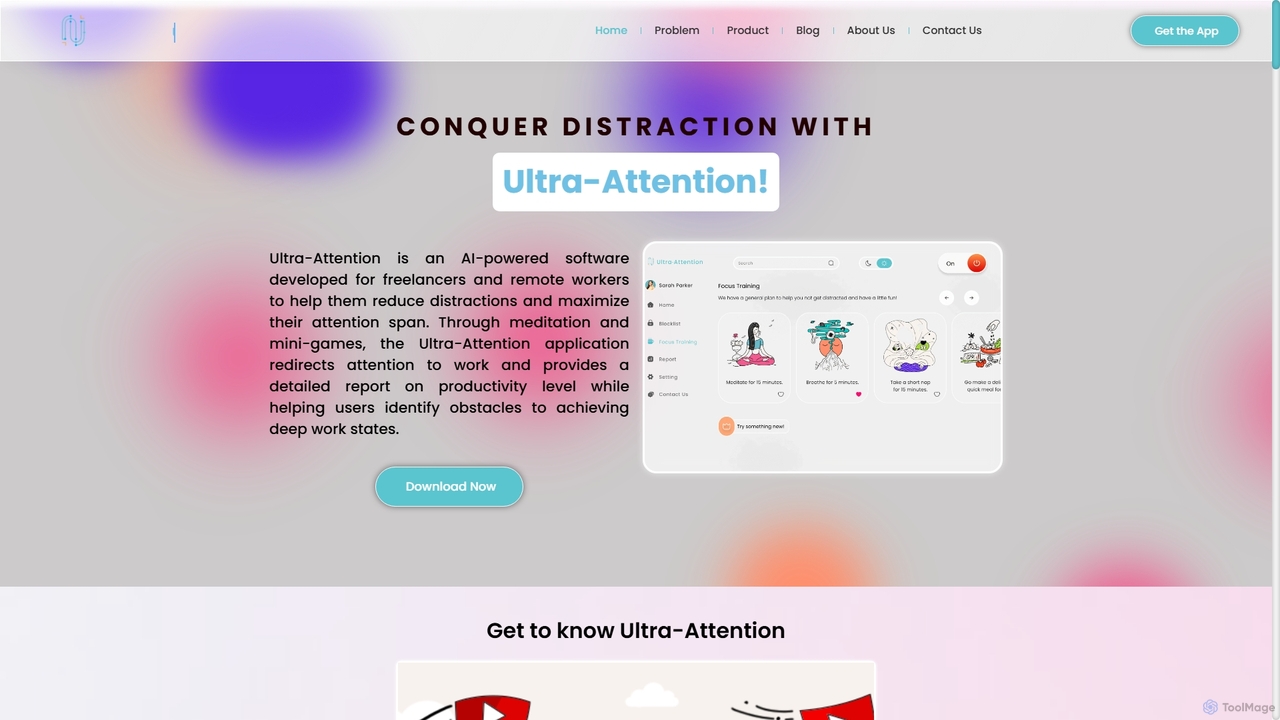
Ultra-Attention is an AI-powered desktop application designed for freelancers and remote workers to combat distractions. It uses webcam-based eye tracking and machine learning to detect loss of focus, providing real-time alerts, app blocking, and focus-training exercises to help users achieve deep work states and boost productivity.

Time Tracking
Visits 7.5KFavorites 149Likes 130

About Time Tracking

Time Tracking tools are AI-powered solutions designed to accurately monitor and record the duration of tasks, projects, and work activities. As a vital component of freelancer tools, they leverage intelligent algorithms to automate time logging, providing precise data for billing, payroll, and productivity analysis. These tools are essential for individuals and teams seeking to optimize work efficiency and ensure fair compensation.

Core Features

  • Automated Time Logging: Automatically records work sessions, often integrating with applications or detecting activity.
  • Project & Task Allocation: Assigns recorded time to specific projects, clients, or tasks for detailed breakdown.
  • Reporting & Analytics: Generates comprehensive reports on time usage, productivity, and billable hours.
  • Invoice Generation: Facilitates the creation of accurate invoices based on tracked time and predefined rates.
  • Integrations: Connects with project management, accounting, and payroll software for seamless workflows.

Applicable Scenarios

Freelancers, consultants, and agencies utilize time tracking tools to meticulously log billable hours for clients, ensuring transparency and accurate invoicing. Remote teams employ these tools to monitor project progress and team productivity across distributed workforces. Businesses also use them for internal cost allocation and performance management, optimizing resource utilization.

How to Choose

When selecting a time tracking tool, consider its automation capabilities, ease of integration with existing workflows (e.g., project management, accounting), and the granularity of its reporting. Evaluate whether it supports specific needs like offline tracking, screenshot monitoring, or customizable billing rules. User interface, mobile app availability, and pricing model are also crucial for adoption and long-term use.

Time Tracking use cases

1

Accurate Client Billing for Freelancers

Freelancers and consultants use time tracking tools to meticulously log every minute spent on client projects, categorizing time by task and client. This ensures transparent, accurate billing, prevents undercharging for services, and provides detailed reports for client invoices, fostering trust and clear communication.

2

Optimizing Team Productivity in Agencies

Marketing or design agencies deploy time tracking to understand how much time is allocated to different client projects and internal tasks. This data helps identify bottlenecks, optimize resource allocation, and improve project profitability by ensuring that team efforts are aligned with project goals and budget constraints.

3

Monitoring Remote Employee Work Hours

Companies with remote or hybrid teams use time tracking software to verify work hours, track attendance, and ensure compliance with labor laws. It provides insights into active work time versus idle time, helping managers understand engagement and productivity across distributed workforces without micromanagement.

4

Project Costing and Budget Management

Project managers utilize time tracking data to calculate the actual labor cost of projects, compare it against budgets, and make informed decisions for future project planning and pricing strategies. This granular insight into resource expenditure helps in maintaining financial control and improving project profitability.

5

Personal Productivity Improvement

Individuals use time tracking to analyze their daily work habits, identify time sinks, and understand where their time is truly spent. This self-analysis aids in developing better time management skills, improving focus, and prioritizing tasks more effectively, ultimately leading to enhanced personal productivity and work-life balance.

6

Compliance for Grant-Funded Projects

Organizations working on grant-funded projects often need to meticulously track and report time spent by employees on specific grant activities to meet compliance requirements. Time tracking tools provide the necessary audit trails, detailed reports, and verifiable data to ensure accountability and successful grant management.

Time Tracking FAQ

What are Time Tracking tools?

Time Tracking tools are software applications designed to record the duration of work activities, tasks, and projects. They help individuals and teams monitor how time is spent, often automating the logging process and providing data for productivity analysis, billing, and payroll. These tools are crucial for managing billable hours and optimizing work efficiency, especially for freelancers and service-based businesses.

How do Time Tracking tools benefit freelancers?

Freelancers benefit significantly from Time Tracking tools by ensuring accurate billing for clients, preventing scope creep, and maintaining transparency. They can easily generate detailed reports for invoices, understand project profitability, and identify areas for personal productivity improvement, ultimately leading to better financial management and stronger client relationships. It helps them value their time accurately.

What is the difference between Time Tracking and Project Management software?

While both can involve time, Time Tracking tools primarily focus on recording and analyzing the duration of work activities. Project Management software, on the other hand, is broader, encompassing task assignment, scheduling, resource allocation, and communication, with time tracking often being one integrated feature. Time tracking provides granular data on effort, while project management orchestrates the entire workflow and project lifecycle.

What features should I look for in a Time Tracking tool?

Key features to look for include automated time logging (e.g., desktop apps, browser extensions), the ability to categorize time by project/client/task, robust reporting and analytics, and integration capabilities with other business tools (e.g., accounting, project management). Additionally, consider mobile app support, offline tracking, screenshot monitoring (if needed for compliance), and customizable billing rates to match your specific workflow.

Can Time Tracking tools improve productivity?

Yes, Time Tracking tools can significantly improve productivity by providing clear insights into how time is spent. By identifying time sinks, understanding task durations, and analyzing work patterns, users can make informed decisions to optimize their schedules, prioritize tasks more effectively, and reduce distractions, leading to more focused and efficient work habits. This data-driven approach fosters continuous improvement.