ToolMage
Sign in

Best 1 Audio Generation AI tools for Generative Art

Popular Audio Generation AI tools in Generative Art include Co-Producer, helping you work more efficiently.

Co-Producer
Paid

Co-Producer

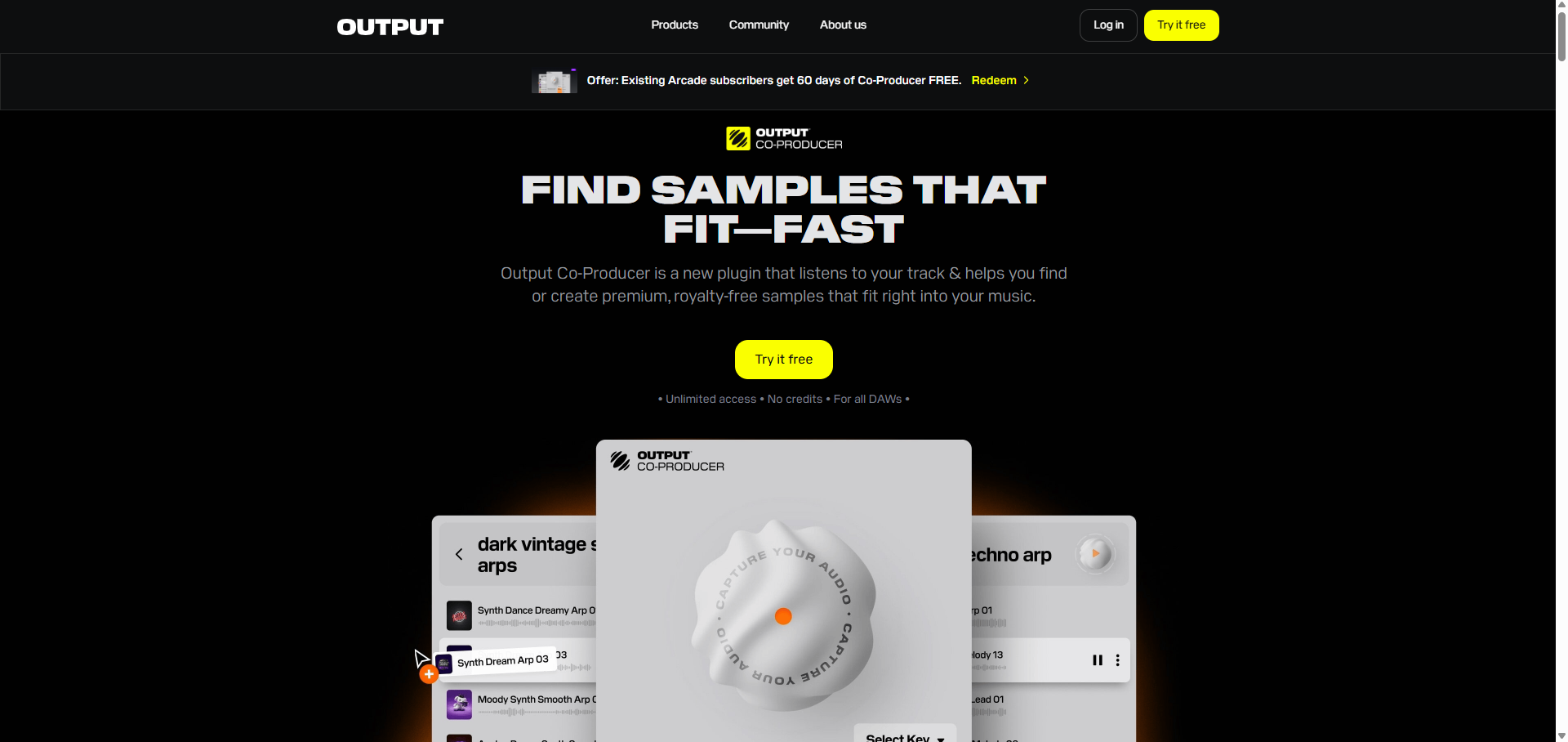
Co-Producer by Output is an AI-powered music creation assistant designed to accelerate the production workflow. It helps producers find the perfect samples that fit their track instantly, generate unique, royalty-free sample packs from text prompts, and overcome creative blocks with intelligent sound suggestions. It's the fastest way to turn your musical ideas into reality.

Music Production
Visits 4.9KFavorites 155Likes 156

About Audio Generation

Audio Generation tools are a class of AI applications that create new sound content, including music, speech, and sound effects, from user inputs like text. They leverage deep learning models to synthesize complex audio waveforms and musical structures based on descriptive prompts. This technology enables creators to produce royalty-free background music, generate realistic voiceovers, or design unique soundscapes for games and films without traditional recording. As a key part of Generative Art, these tools democratize audio production, offering a powerful alternative to stock audio libraries.

Core Features

  • Text-to-Music Generation: Create original musical pieces in various genres and moods from simple text descriptions.
  • Sound Effect Synthesis: Generate custom sound effects (SFX) based on prompts, such as "a spaceship door opening" or "footsteps on gravel."
  • AI Voice & Speech Synthesis: Produce realistic human-like speech from text, with options for different voices, accents, and emotional tones.
  • Style & Parameter Control: Specify musical styles, instruments, tempo, and other parameters to guide the audio creation process.

Use Cases

Audio Generation tools are widely used by content creators for YouTube videos and podcasts to generate unique, copyright-free background music. Game developers and filmmakers employ them for rapid prototyping of soundscapes and creating specific audio assets. Musicians also use them as a source of inspiration, generating new melodies or rhythmic patterns to build upon.

How to Choose

When selecting an Audio Generation tool, evaluate the audio quality and realism by listening to samples. Assess the level of customization and control over parameters like genre, mood, and voice. Also, check the supported output formats (e.g., MP3, WAV) and carefully review the licensing terms to ensure they permit your intended commercial use.

Audio Generation use cases

1

Creating Royalty-Free Music for Video Content

A content creator or social media manager needs unique background music for a new video but lacks a budget for licensing tracks. They use a text-to-music generator, inputting prompts like "upbeat, lo-fi hip hop for a study vlog" or "dramatic, cinematic score for a product reveal." The AI generates several high-quality, copyright-clear tracks in minutes. This allows them to find the perfect fit and publish their content without worrying about copyright strikes, saving both time and money.

2

Designing Custom Sound Effects for Games

An indie game developer is creating a sci-fi game and needs a wide range of unique sound effects for actions and environments. Instead of searching stock libraries, they use an AI sound effect generator. By inputting prompts like "laser pistol firing with a slight echo" or "holographic interface activation," they can generate specific audio assets instantly. This process allows for rapid iteration and helps build a cohesive and original soundscape for the game, significantly speeding up the audio design workflow.

3

Generating Realistic Voiceovers for E-Learning

An instructional designer is creating an online training module that requires clear and consistent narration. Instead of hiring voice actors, which can be costly and time-consuming for revisions, they use an AI voice generator. They input the script, select a professional-sounding voice, and adjust pacing. If the script changes, they can regenerate only the updated sentences in seconds. This results in a high-quality, consistent voiceover for the entire course, making updates easy and highly cost-effective.

4

Prototyping Melodies for Music Production

A music producer is experiencing writer's block and needs inspiration for a new track. They use an AI music generator to quickly prototype ideas. By providing prompts like "sad piano melody in C minor" or "funky bassline at 120 BPM," the tool generates several short musical loops. The producer can listen to these variations, select the most promising ones, and export them as MIDI or audio files. This serves as a powerful creative starting point, allowing them to build upon the AI-generated ideas in their Digital Audio Workstation (DAW).

5

Creating Audio Ads for Digital Marketing

A digital marketer for a small business needs to produce a short audio ad for a podcast sponsorship. With no audio production experience, they turn to AI tools. First, they use an AI voice generator to create a clear and engaging narration of their ad copy. Then, they use a text-to-music tool to generate a suitable jingle or background track with a prompt like "catchy, upbeat corporate jingle." They can easily combine these elements to assemble a professional-sounding audio ad in under an hour, enabling rapid A/B testing of different scripts and music styles.

6

Generating Immersive Soundscapes for Podcasts

A producer of a narrative fiction podcast needs to create immersive background audio to set the scene for listeners. Instead of layering multiple individual sound effect tracks, which is time-consuming, they use an AI audio generator. With a single, detailed prompt like "a bustling medieval market with distant blacksmith sounds and chatter," the tool generates a complete, layered ambient track. This method provides a unique audio identity for the production and allows the producer to quickly create rich soundscapes that enhance storytelling and listener immersion.

Audio Generation FAQ

What is AI Audio Generation?

AI Audio Generation refers to tools that use artificial intelligence to create new audio content from scratch. Unlike audio editors that modify existing sound, these tools synthesize completely new audio based on user inputs, most commonly text prompts. They can produce a wide range of content, including original music, realistic voiceovers, and custom sound effects, making them a powerful resource for creators who need unique audio without traditional recording or licensing.

How do I choose the right AI Audio Generation tool?

To choose the right tool, consider these key factors:

  • Primary Use Case: Determine if you need music, voiceovers, or sound effects. Many tools specialize in one area.
  • Audio Quality & Realism: Listen to samples provided by the service. The output should be high-fidelity and free of noticeable digital artifacts or robotic tones.
  • Customization Options: Check the level of control offered. Can you specify genre, mood, tempo, instruments, or voice characteristics like accent and emotion?
  • Licensing Terms: Carefully review the terms of use, especially for commercial projects. Ensure the license grants you the necessary rights to use the generated audio.
What's the difference between AI Audio Generation and audio editing software?

The core difference is creation versus manipulation. AI Audio Generation tools create entirely new audio content from a prompt, synthesizing sound that didn't exist before. Audio editing software, like a Digital Audio Workstation (DAW), is used to manipulate, mix, and enhance existing audio recordings. You use an AI generator to create the raw material (a melody, a voiceover), and you might use an audio editor to refine it and integrate it into a larger project.

Can AI-generated audio be used commercially?

This depends entirely on the service provider's terms of use. Many AI audio generation platforms offer specific subscription tiers that grant commercial licenses for the content you create, making it royalty-free for use in videos, games, or advertisements. However, free or personal plans often have restrictions. It is crucial to always read and understand the licensing agreement of the specific tool you are using before incorporating its output into a commercial project to avoid copyright issues.

Who can benefit from using AI Audio Generation tools?

A wide range of users can benefit from these tools. This includes:

  • Content Creators: YouTubers and podcasters who need royalty-free background music and sound effects.
  • Game Developers & Filmmakers: For rapidly prototyping soundscapes and creating custom audio assets.
  • Musicians & Producers: As a source of inspiration for new melodies, chord progressions, or rhythmic patterns.
  • Marketers: To quickly produce audio for ads and promotional content without hiring a production studio.
  • Educators & Trainers: For creating clear, consistent voiceovers for e-learning materials and presentations.