Onoco
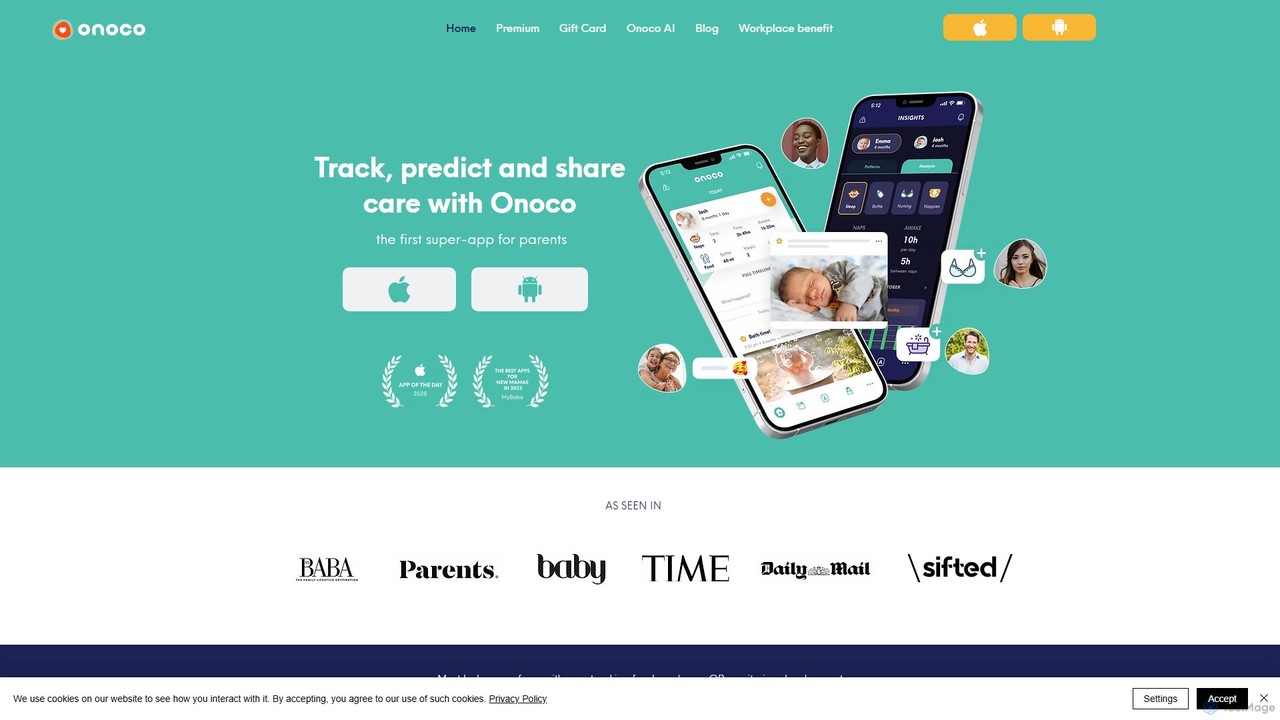
Onoco is an all-in-one parenting super-app that combines baby tracking, developmental milestone monitoring, and secure care sharing. It …
Onoco is an all-in-one parenting super-app that combines baby tracking, developmental milestone monitoring, and secure care sharing. It helps parents track feeds, naps, and growth, monitor development from birth to 5 years using the EYFS framework, and seamlessly share routines and updates with family and caregivers. Powered by smart insights, it simplifies parenting by providing everything in one place.
About Childcare
AI Childcare tools are applications and devices that leverage artificial intelligence to assist in monitoring, educating, and managing children's activities. These tools utilize machine learning for pattern recognition, such as analyzing sleep cycles or learning progress, and natural language processing for interactive education. They provide parents and caregivers with data-driven insights to support a child's development, enhance safety, and streamline daily routines. From smart monitors that interpret a baby's cries to adaptive learning platforms, these tools offer a new layer of support in modern parenting.
Core Features
- Smart Monitoring & Alerts: Analyzes audio and video feeds to detect crying, movement, or potential safety risks, sending real-time notifications.
- Personalized Learning Paths: Adapts educational content, games, and quizzes to a child's individual learning pace and style.
- Developmental Tracking: Logs and analyzes milestones, offering insights and comparisons against standard developmental benchmarks.
- Automated Scheduling: Helps create and manage routines for feeding, sleeping, and activities based on the child's data and needs.
- AI-Powered Content Creation: Generates personalized stories, songs, or educational materials based on user-defined parameters.
Use Cases
These tools are primarily used by parents, guardians, and professional caregivers (like nannies and daycare staff). They are applicable across various stages, from monitoring newborns and infants to providing supplementary education for toddlers and school-aged children. For instance, a parent might use an AI monitor for a newborn's safety, while an educator could use an adaptive app to support a child's reading skills.
How to Choose
When selecting an AI Childcare tool, prioritize data privacy and security, ensuring the provider has clear policies. Verify the age-appropriateness of the content and features. Look for tools developed with input from child development experts or pediatricians. Finally, consider the user interface's simplicity and its integration capabilities with other devices or platforms you use.
ChildcareUse Cases
Smart Monitoring of a Newborn's Sleep
New parents often worry about their baby's sleep quality and safety. An AI-powered baby monitor can provide peace of mind. A parent sets up the smart camera, which uses computer vision to monitor the baby's breathing patterns and movements. The AI analyzes audio to differentiate between a normal fuss and a cry of distress. If it detects an unusual pattern, like a long pause in breathing or the baby rolling into an unsafe position, it sends an immediate alert to the parents' smartphones. It also generates daily reports on sleep duration and quality, helping parents establish a healthy sleep routine.
Adaptive Learning for Preschoolers
An educator in a preschool wants to provide personalized learning for each child. They use an AI-powered educational app on tablets. The app starts with a simple diagnostic game to assess each child's current knowledge of letters and numbers. Based on the results, the AI creates a unique learning path for every student. For a child struggling with the letter 'B', the app provides more tracing games and phonetic exercises for that specific letter. For an advanced child, it introduces simple words and counting up to 20. The educator receives a dashboard view of each child's progress, allowing them to provide targeted real-world support where it's needed most.
Generating Personalized Bedtime Stories
A parent wants to make bedtime more engaging and special. Instead of reading the same books, they use an AI story generator. The parent inputs key details: the child's name ('Alex'), their favorite animal ('a brave lion'), and a moral for the story ('the importance of sharing'). Within seconds, the AI generates a unique, age-appropriate story about Alex and a brave lion who learn to share a magical toy with other jungle animals. The parent can even specify the story length to fit the bedtime routine. This not only creates a new and exciting experience each night but also helps reinforce positive values in a personalized way.
Automating and Optimizing Family Schedules
A busy family with two school-aged children struggles to manage conflicting schedules for school, sports, and appointments. They use an AI-powered family assistant app. Each family member's commitments are entered into the app. The AI then automatically creates a centralized calendar, identifies potential conflicts, and suggests optimal driving routes for pickups and drop-offs. It can also suggest meal plans based on the family's schedule and dietary preferences, and generate a corresponding grocery list. When a soccer practice is canceled, the AI notifies everyone and suggests alternative family activities for the newly freed-up time slot.
Tracking and Analyzing Developmental Milestones
A caregiver at a daycare center is responsible for tracking the development of several toddlers. They use an AI-powered app to log observations. For example, when a child successfully stacks three blocks, the caregiver records it in the app with a quick note. The AI categorizes this as a fine motor skill milestone. Over time, the system collects data points across various domains (motor, cognitive, social). It then generates visual progress reports for each child, highlighting strengths and areas that may need more attention. The AI can also compare a child's progress to standard developmental timelines, providing the caregiver with objective data to share during parent-teacher conferences.
AI-Powered Homework and Tutoring Assistance
A 10-year-old is struggling with their math homework on fractions. Instead of just getting the answer from a parent, they use an AI tutoring app. The child takes a photo of the math problem. The AI's optical character recognition (OCR) reads the problem and, instead of solving it, asks a guiding question: 'What is the first step to adding fractions with different denominators?' It provides hints and step-by-step guidance as the child works through the problem. If the child makes a mistake, the AI explains the concept behind the error and offers a similar practice problem. This fosters independent problem-solving skills and a deeper understanding of the subject matter.