ToolMage
Sign in

Best 1 Video Transcoding AI tools for Media Processing

Popular Video Transcoding AI tools in Media Processing include Bsub, helping you work more efficiently.

Bsub
Paid

Bsub

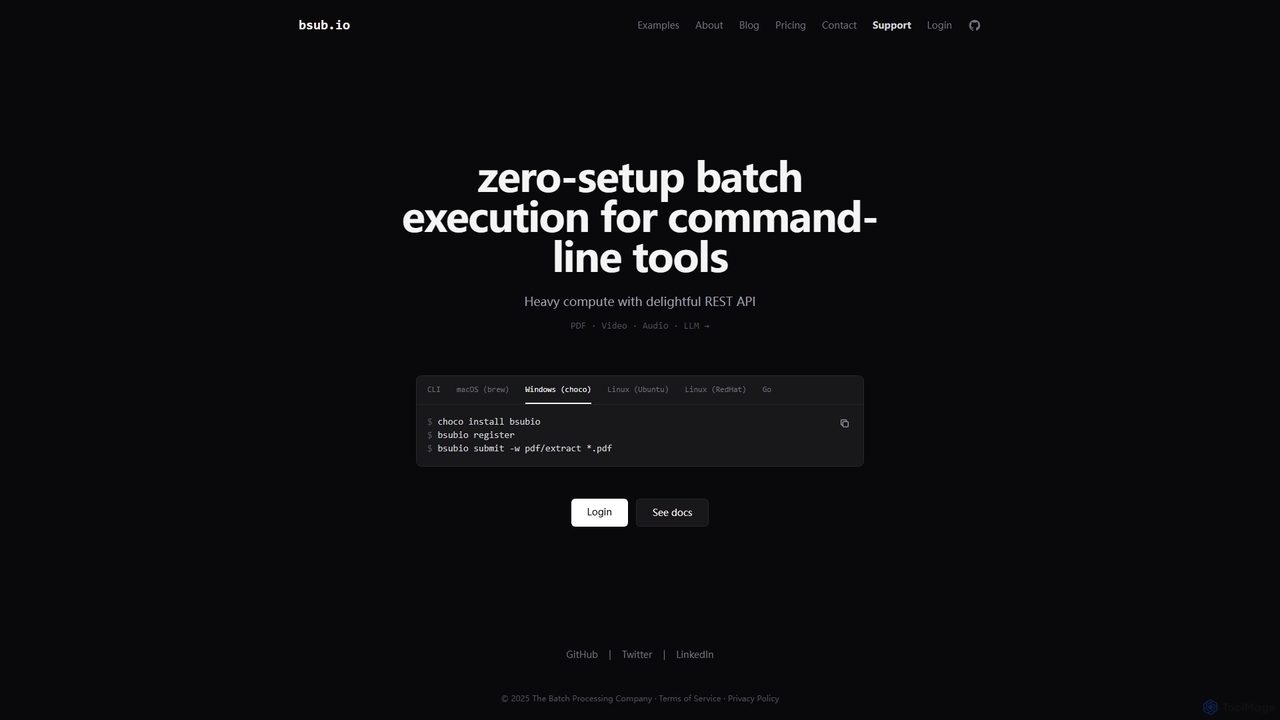
Bsub is a zero-setup batch processing platform designed for developers to execute command-line tools at scale. It simplifies heavy computational tasks like PDF extraction, video transcoding, audio transcription, and large language model (LLM) batch inference through a simple REST API, eliminating infrastructure management and scaling concerns.

Transcription
Visits 8.6KFavorites 123Likes 138

About Video Transcoding

Video Transcoding tools are AI-powered solutions designed to convert video files from one format, codec, resolution, or bitrate to another. As a specialized form of media processing, these tools leverage advanced AI algorithms to optimize video properties for various platforms and devices, ensuring broad compatibility and efficient delivery. They are crucial for content creators, broadcasters, and streaming services aiming to deliver high-quality video experiences across diverse viewing environments while managing storage and bandwidth effectively.

Core Features

  • Format & Codec Conversion: Seamlessly convert between different video formats (e.g., MP4, WebM, MOV) and codecs (e.g., H.264, H.265, AV1) for universal playback.
  • Resolution & Bitrate Scaling: Dynamically adjust video resolution (e.g., 4K to 1080p) and bitrate to suit target devices, network conditions, and streaming quality requirements.
  • Adaptive Bitrate (ABR) Preparation: Generate multiple video renditions at varying resolutions and bitrates, enabling smooth adaptive streaming experiences.
  • Quality Enhancement: Utilize AI to intelligently upscale lower-resolution videos or improve visual fidelity during the transcoding process, minimizing artifacts.

Use Cases

Video transcoding is essential for preparing content for multi-platform distribution, optimizing videos for web streaming, and archiving media efficiently. It allows media companies to reach wider audiences, ensures smooth playback on mobile devices, and helps reduce storage costs by creating optimized versions of large video files.

How to Choose

When selecting a video transcoding tool, consider its support for various input/output formats and codecs, scalability for handling large volumes, integration capabilities with existing workflows, and the quality of its AI-driven optimization features. Evaluate pricing models based on usage and ensure it meets your specific quality, performance, and security requirements.

Video Transcoding use cases

1

Optimizing Videos for Multi-Platform Streaming

Streaming platforms and broadcasters utilize video transcoding to prepare content for delivery across a multitude of devices, from smart TVs to mobile phones. AI-powered tools automatically generate multiple adaptive bitrate (ABR) renditions, ensuring viewers receive the best possible quality based on their network conditions, minimizing buffering and maximizing reach.

2

Archiving and Storage Optimization

Media archives and production houses use transcoding to convert large, high-resolution master files into more storage-efficient formats without significant loss of quality. AI algorithms can identify redundant frames or optimize compression settings, drastically reducing storage costs and making historical footage more accessible for future use.

3

Ensuring Compatibility for User-Generated Content (UGC)

Social media platforms and video sharing sites face a deluge of user-generated content in diverse formats. Transcoding tools automatically convert uploaded videos into standardized, web-friendly formats, ensuring consistent playback across all devices and browsers, simplifying content moderation and delivery pipelines.

4

Preparing Content for International Distribution

Film studios and content distributors use transcoding to adapt videos for different regional standards and broadcast requirements, including frame rates, aspect ratios, and audio tracks. AI can assist in detecting and correcting discrepancies, streamlining the localization process for global audiences.

5

Enhancing Legacy Video Quality for Modern Displays

Organizations with extensive libraries of older, lower-resolution video content employ AI video transcoding to upscale and enhance these assets for modern high-definition displays. AI-driven super-resolution and noise reduction techniques can breathe new life into archival footage, making it suitable for contemporary viewing experiences.

6

Real-time Live Stream Adaptation

Live event broadcasters and online gaming platforms use real-time video transcoding to adapt live streams on-the-fly. This allows a single high-quality input stream to be simultaneously converted into multiple lower-resolution, lower-bitrate versions, ensuring a smooth, low-latency viewing experience for all audience members regardless of their internet speed.

Video Transcoding FAQ

What is Video Transcoding?

Video Transcoding is the process of converting a digital video file from one format, codec, resolution, or bitrate to another. As a key component of media processing, AI-powered transcoding tools automate and optimize this conversion, ensuring videos are compatible with various devices and platforms while maintaining or enhancing quality. It's essential for efficient storage, streaming, and multi-platform distribution.

How does AI enhance Video Transcoding?

AI significantly enhances video transcoding by automating complex parameter selection, optimizing compression settings, and improving visual quality. AI algorithms can intelligently analyze video content to determine optimal bitrates, perform smart resolution scaling, reduce artifacts, and even upscale lower-resolution footage, leading to more efficient file sizes and superior viewing experiences compared to traditional methods.

What is the difference between Video Transcoding and Video Editing?

Video Transcoding focuses solely on converting a video's technical specifications (format, codec, resolution, bitrate) without altering its content. Video Editing, on the other hand, involves modifying the actual content, such as cutting, merging, adding effects, or adjusting audio. While both are part of media processing, transcoding is about technical adaptation, and editing is about creative content manipulation.

Why is Adaptive Bitrate (ABR) Streaming important for Video Transcoding?

Adaptive Bitrate (ABR) streaming is crucial because it allows video players to dynamically switch between different quality versions of a video based on the viewer's network conditions. Video transcoding tools prepare these multiple renditions (e.g., 1080p, 720p, 480p) from a single source, ensuring a seamless and buffer-free viewing experience by adapting to available bandwidth in real-time.

What factors should I consider when choosing an AI Video Transcoding solution?

When selecting an AI video transcoding solution, prioritize its support for a wide range of input/output formats and codecs, its scalability to handle your expected volume of content, and the quality of its AI-driven optimization features. Also, consider integration capabilities with your existing media workflows, security features for content protection, and the pricing model, which often varies by usage or processing time.