ToolMage
Sign in

Best 1 Collaboration AI tools for Meetings

Popular Collaboration AI tools in Meetings include Vocol.ai, helping you work more efficiently.

Vocol.ai
Freemium

Vocol.ai

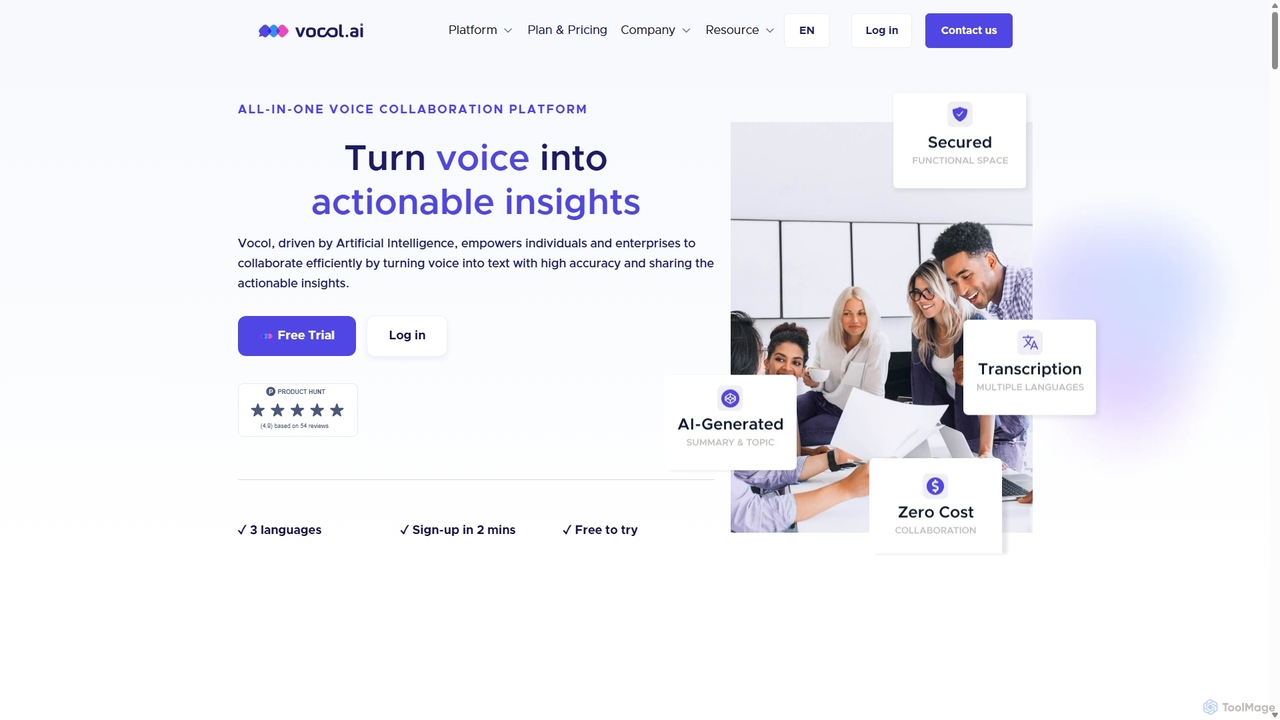
Vocol.ai is an all-in-one AI voice collaboration platform that transforms spoken conversations into actionable insights. It provides high-accuracy, multilingual transcription (English, Chinese, Japanese), AI-generated summaries, key topics, and action items. Designed for teams, it streamlines workflows, enhances collaboration, and boosts productivity by automating the manual work of note-taking and analysis for meetings, interviews, and lectures.

Speech To Text
Visits 25.9KFavorites 132Likes 131

About Collaboration

AI Collaboration tools are designed to enhance team productivity and communication by leveraging artificial intelligence. These tools often integrate advanced natural language processing, machine learning, and automation to streamline workflows and facilitate seamless interaction. They empower teams to work more efficiently, especially in remote or hybrid settings, by automating routine tasks and providing intelligent insights. Within the broader context of meetings, they transform passive participation into active engagement, ensuring every interaction is productive.

Core Features

  • Intelligent Note-taking & Summarization: Automatically transcribes discussions, identifies key decisions, and generates concise summaries.
  • Real-time Translation & Transcription: Breaks down language barriers in global teams with instant voice and text translation.
  • Smart Task Assignment & Follow-up: Identifies action items from conversations and assigns them to team members with deadlines.
  • Sentiment Analysis & Engagement Monitoring: Provides insights into team mood and participation levels during discussions.
  • Automated Agenda Generation: Suggests relevant topics and structures for meetings based on past discussions and project goals.

Applicable Scenarios

These tools are invaluable for distributed teams, cross-functional projects, and international organizations. They facilitate more effective brainstorming sessions by capturing every idea, ensure project alignment by tracking decisions, and improve cross-cultural communication in global virtual meetings.

How to Choose

When selecting AI collaboration tools, consider their integration capabilities with your existing platforms (e.g., calendars, project management software), the accuracy and language support of their AI models, data security protocols, and the extent of real-time features. Evaluate the user interface for ease of adoption and scalability to fit your team's growth.

Collaboration use cases

1

Streamlining Cross-Continental Project Meetings

For global project managers, AI collaboration tools automatically transcribe multi-language discussions, translate in real-time, and summarize key decisions. This ensures all team members, regardless of location or native language, are fully aligned, reducing misunderstandings and accelerating project timelines by eliminating manual translation and note-taking efforts.

2

Enhancing Brainstorming Sessions with AI Insights

Marketing teams use AI collaboration platforms to capture every idea during brainstorming. The AI can then analyze these ideas, identify emerging themes, and even suggest related concepts or potential pitfalls based on historical data. This transforms raw ideas into structured insights, fostering more innovative solutions and saving hours of manual synthesis.

3

Automating Meeting Minutes and Action Item Tracking

Team leads leverage AI tools to automatically generate detailed meeting minutes, including speaker identification, discussion points, and identified action items. The AI then assigns these tasks to relevant team members and sets reminders, ensuring accountability and follow-through. This frees up significant administrative time, allowing leaders to focus on strategic discussions.

4

Facilitating Onboarding for Remote New Hires

HR departments utilize AI collaboration tools to create interactive onboarding experiences for remote employees. The AI can guide new hires through company policies, answer common questions instantly, and connect them with relevant team members or resources. This personalized, always-available support accelerates integration and ensures new hires feel connected and informed from day one.

5

Improving Client Communication and Feedback Loops

Consulting firms employ AI collaboration platforms to manage client interactions. The AI can analyze client feedback from various channels, summarize sentiment, and highlight critical issues or requests. This enables consultants to respond proactively and tailor their services, strengthening client relationships and ensuring all feedback is systematically addressed.

6

Optimizing Distributed Team Stand-ups and Updates

Software development teams with members across different time zones use AI collaboration tools for asynchronous stand-ups. Team members record their updates, and the AI transcribes, summarizes, and flags any blockers or dependencies. This ensures everyone stays informed without needing to coordinate complex meeting schedules, maintaining project velocity and transparency.

Collaboration FAQ

What are AI Collaboration tools?

AI Collaboration tools are software solutions that integrate artificial intelligence to streamline and enhance team communication, project management, and overall productivity. They leverage technologies like natural language processing (NLP), machine learning, and automation to perform tasks such as intelligent note-taking, real-time translation, smart task assignment, and sentiment analysis. These tools aim to make teamwork more efficient, especially for remote or hybrid teams, by automating routine administrative tasks and providing actionable insights from team interactions.

How do AI Collaboration tools differ from traditional collaboration software?

Traditional collaboration software provides platforms for communication (chat, video calls) and document sharing, but largely relies on manual input and organization. AI Collaboration tools go a step further by actively processing and interpreting the content of interactions. For instance, while a traditional tool records a meeting, an AI tool can automatically summarize it, identify action items, and even translate it. The key difference lies in the AI's ability to understand, analyze, and automate tasks that would otherwise require significant human effort, transforming raw data into actionable intelligence.

What are the key benefits of using AI Collaboration tools for teams?

The primary benefits include significant time savings by automating administrative tasks like note-taking and scheduling. They enhance communication by breaking down language barriers with real-time translation and ensuring clarity through intelligent summarization. Improved decision-making is another advantage, as AI can analyze discussions to highlight key points and sentiment. Furthermore, these tools boost accountability by automatically tracking action items and foster greater engagement by providing insights into team dynamics, ultimately leading to more productive and efficient teamwork.

What features should I look for when choosing an AI Collaboration tool?

When selecting an AI collaboration tool, prioritize features that align with your team's specific needs. Look for robust intelligent note-taking and summarization capabilities, accurate real-time translation for diverse teams, and efficient smart task management that integrates with your workflow. Strong integration with existing communication and project management platforms (e.g., Slack, Microsoft Teams, Asana) is crucial. Also, consider data security and privacy protocols, the tool's scalability, and the accuracy and customizability of its AI models to ensure it meets your organizational requirements.

Can AI Collaboration tools help with remote team engagement?

Yes, AI Collaboration tools can significantly boost remote team engagement. By automating mundane tasks, they free up time for more meaningful interactions. Features like sentiment analysis can help team leaders gauge morale and address issues proactively. Real-time translation fosters inclusivity in diverse teams, ensuring all voices are heard. Automated summaries keep everyone informed, reducing information overload. Moreover, by ensuring clear communication and efficient task management, these tools reduce frustration and build a more connected, productive remote work environment where team members feel valued and aligned.