Chipp
Chipp is a no-code platform that empowers teams and individuals to build, share, and monetize custom AI agents. …
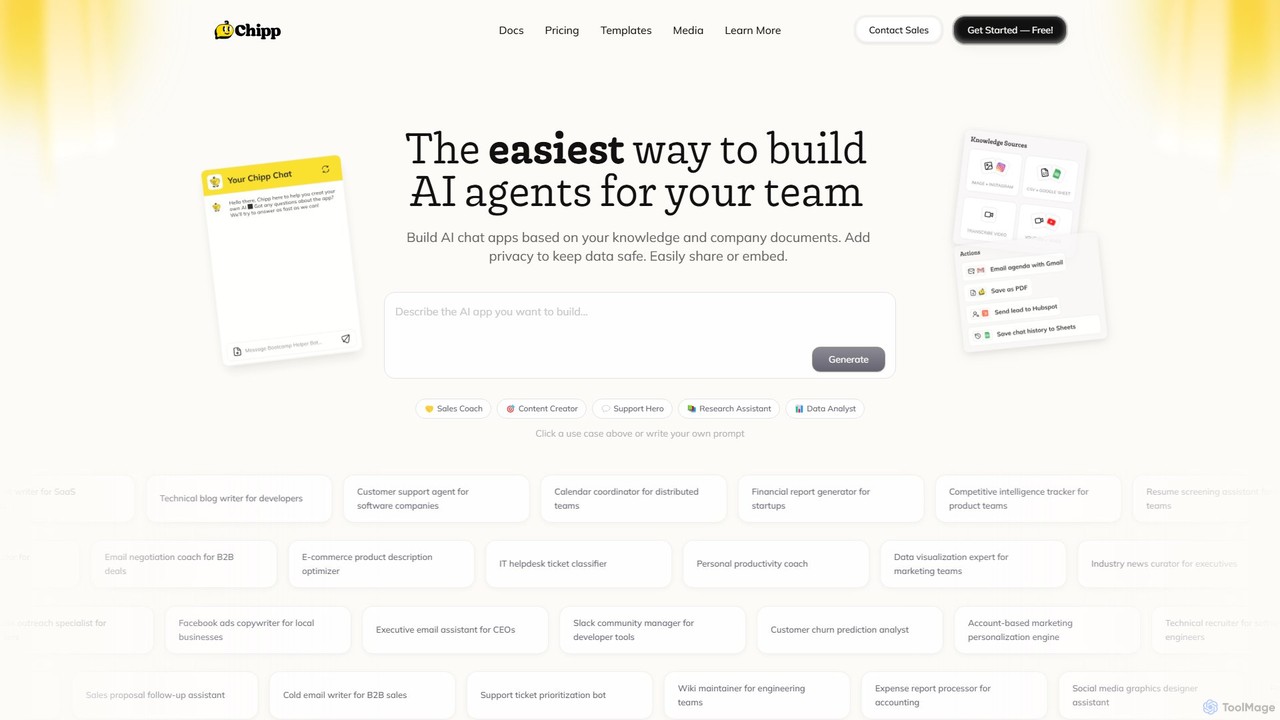
Chipp is a no-code platform that empowers teams and individuals to build, share, and monetize custom AI agents. Based on your own knowledge bases and company documents, you can create specialized chatbots for sales, customer support, data analysis, and more, with a strong focus on privacy and ease of use.
About Chatbot Builder
Chatbot Builders are specialized no-code platforms for creating, deploying, and managing conversational AI agents without extensive programming. These tools utilize visual drag-and-drop interfaces, pre-built templates, and integrations with Natural Language Processing (NLP) engines to simplify development. They enable businesses to automate customer support, qualify leads, and enhance user engagement across various digital channels. The primary advantage lies in rapidly launching functional chatbots at a fraction of the cost and time required for custom development.
Core Features
- Visual Flow Builder: Design complex conversation logic and user journeys using an intuitive drag-and-drop canvas.
- NLP Integration: Understand user intent, extract key information (entities), and analyze sentiment to provide intelligent responses.
- Multi-channel Deployment: Publish and manage your chatbot on websites, mobile apps, Facebook Messenger, WhatsApp, and other platforms from a single hub.
- Third-Party Integrations: Connect seamlessly with CRMs, helpdesks, payment gateways, and other business systems to automate workflows.
- Analytics and Reporting: Monitor performance with dashboards tracking conversation volume, user satisfaction, and common query patterns.
Applicable Scenarios
Chatbot Builders are widely used across industries like e-commerce for 24/7 customer service, SaaS for user onboarding, and real estate for lead generation. Marketing teams use them for interactive campaigns, while HR departments deploy them for internal FAQs and employee support, streamlining communication and information access.
Selection Criteria
When choosing a Chatbot Builder, evaluate its supported deployment channels (e.g., web, social media), the sophistication of its NLP capabilities, and its library of pre-built integrations. Also consider the platform's analytics features, scalability for future growth, and the balance between ease of use and advanced customization options.
Chatbot BuilderUse Cases
Automate E-commerce Customer Support
An e-commerce store manager uses a chatbot builder to create a 24/7 virtual assistant for their website. By using a visual flow editor, they design conversation paths for common queries like 'Where is my order?', 'What is your return policy?', and product-specific questions. The chatbot integrates with their Shopify store to pull real-time order status and with their helpdesk software to create a ticket for complex issues. This automation handles over 60% of incoming support requests, freeing up human agents to focus on high-value customer interactions and significantly reducing response times.
Qualify Leads for a SaaS Business
A marketing manager at a SaaS company deploys a chatbot on their pricing page to engage visitors proactively. The chatbot asks qualifying questions about company size, user roles, and specific needs. Based on the answers, it recommends the most suitable subscription plan and offers to book a demo with a sales representative by integrating with Calendly. This process automates the initial lead qualification, ensuring that the sales team receives only high-intent, well-qualified leads, which increases the demo booking rate by 30%.
Internal IT Helpdesk Automation
An IT department in a large corporation uses a chatbot builder to create an internal helpdesk bot for their Slack workspace. Employees can interact with the bot to reset passwords, request software access, or troubleshoot common network issues. The bot guides them through step-by-step solutions and, if the issue persists, automatically creates a Jira ticket with all the necessary information. This reduces the number of repetitive tickets for the IT team by 40% and provides employees with instant support for common problems, improving overall productivity.
Restaurant Booking and Ordering Bot
A local restaurant owner, with no coding skills, uses a chatbot builder to create a bot for their Facebook Messenger and website. Customers can browse the menu, ask about ingredients, make a reservation, and even place a takeout order directly within the chat. The bot integrates with the restaurant's reservation system and sends order details directly to the kitchen's printer. This provides a convenient channel for customers and automates tasks that previously required phone calls, allowing staff to focus more on in-person service.
Event Registration and Information Bot
An event organizer for a tech conference builds a chatbot for the event's website. The bot answers frequently asked questions about the schedule, speakers, venue location, and ticket prices. It also features a registration flow where attendees can sign up and pay for their tickets directly through an integration with a payment gateway like Stripe. After registration, the bot sends a confirmation and can provide event updates. This streamlines the registration process and reduces the support workload for the organizing team, improving the attendee experience from the start.
Conducting User Surveys and Feedback Collection
A product manager wants to gather user feedback for a new feature. Instead of using a static form, they build a conversational survey using a chatbot builder. The chatbot is embedded on a specific page within their app and engages users in a more natural, interactive way. It asks open-ended questions, uses conditional logic to ask relevant follow-up questions, and can even show images or GIFs to make the experience more engaging. This approach leads to a 50% higher completion rate compared to traditional email surveys and provides richer, more detailed qualitative feedback.