No Code & Low Code Best in category 1 results Workflow Builder AI Tool

Popular AI tools in the Workflow Builder field of No Code & Low Code include GenFuse AI, etc., helping you quickly improve efficiency.

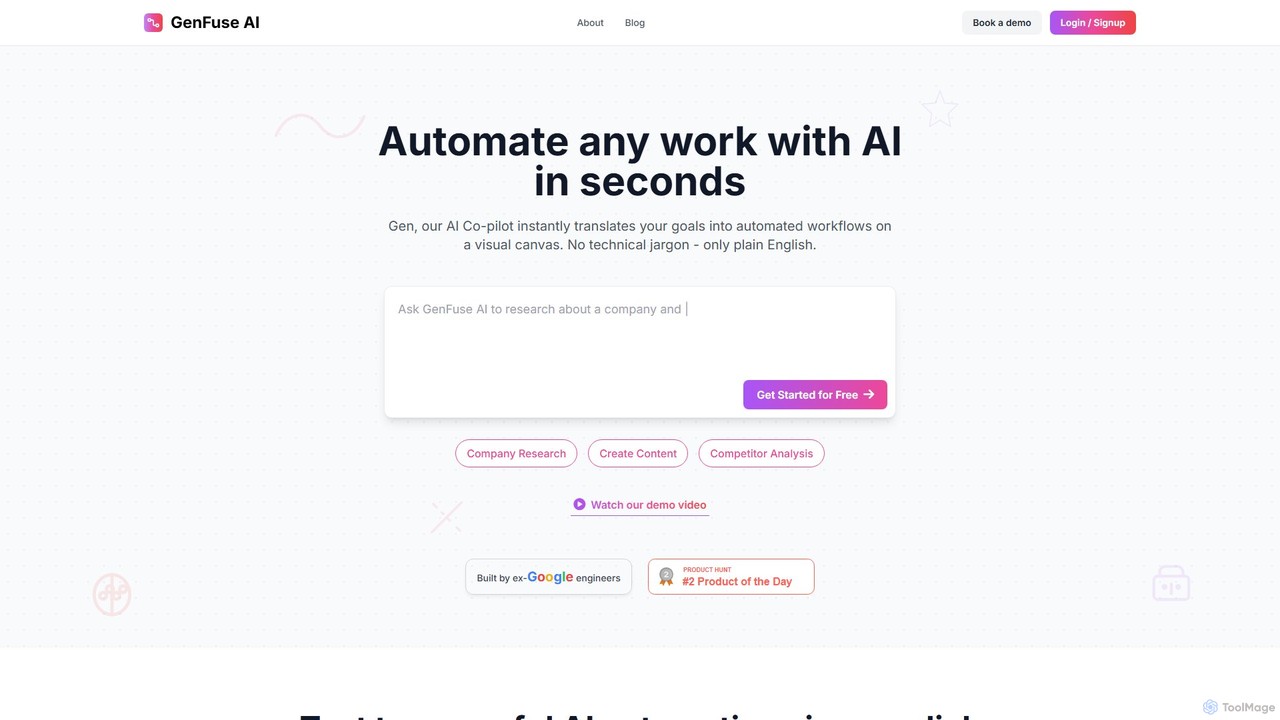
GenFuse AI

GenFuse AI

GenFuse AI is an AI-native platform that transforms your goals into automated workflows using plain English. Built by …

12.8K

About Workflow Builder

Workflow Builders are visual tools designed to connect different applications and services to automate multi-step tasks without writing code. They operate on a trigger-and-action basis, where an event in one app initiates a sequence of automated actions in others. This enables the creation of powerful, customized automations for marketing, sales, operations, and personal productivity. As a key component of the No Code & Low Code ecosystem, they empower non-technical users to build complex integrations that were once the exclusive domain of developers.

Core Features

  • Visual Canvas: A drag-and-drop interface for designing and visualizing automation sequences.
  • App Connectors: A vast library of pre-built integrations for popular SaaS applications like Google Sheets, Slack, Salesforce, and more.
  • Trigger & Action Logic: The ability to define specific events (triggers) that start a workflow and the subsequent steps (actions) to be executed.
  • Conditional Logic: Tools to create complex workflows with 'if/then' branches and filters to handle various scenarios differently.
  • Data Mapping: Functionality to visually connect and transfer data fields from one application's output to another's input.

Use Cases

Workflow Builders are widely used by marketing operations teams to automate lead nurturing, sales teams to streamline CRM updates, and HR departments to manage employee onboarding. For instance, a new form submission can automatically create a contact in a CRM, send a personalized email, and add a task for a sales representative in a project management tool.

How to Choose

When selecting a Workflow Builder, first evaluate its library of app integrations to ensure your essential tools are supported. Consider the complexity of logic it allows, such as multi-step paths and conditional branching. Also, assess the pricing model, which is often based on the number of tasks or operations per month, and the platform's reliability and execution speed.

Workflow BuilderUse Cases

1

Automating Lead Management for Sales Teams

A sales operations manager needs to ensure that new leads from the company website are processed instantly and assigned correctly. Using a Workflow Builder, they create an automation that triggers whenever a new lead submits a form (e.g., on HubSpot). The workflow automatically performs these actions: 1. Creates a new contact and deal in their CRM (e.g., Salesforce). 2. Enriches the lead data using a service like Clearbit. 3. Assigns the lead to a sales representative based on territory rules. 4. Sends a notification to the assigned rep in a dedicated Slack channel. This process eliminates manual data entry, reduces response time from hours to seconds, and ensures no lead is missed.

2

Streamlining Content Marketing Workflows

A content creator manages multiple platforms and wants to streamline their publishing process. They set up a workflow that starts when a new article is published on their blog (e.g., WordPress). The workflow then automatically: 1. Generates a short summary of the article using an AI tool. 2. Creates social media posts for Twitter, LinkedIn, and Facebook using the summary and featured image. 3. Schedules these posts to be published at optimal times using a social media management tool. 4. Adds a task to their project management board (e.g., Trello) to 'Track engagement for new post' one week later. This automation saves hours of repetitive work for each article published and ensures a consistent promotion strategy.

3

Automating Customer Support Ticket Triage

A customer support manager for an e-commerce store is overwhelmed with incoming tickets. They use a Workflow Builder to connect their help desk software (e.g., Zendesk) with an AI sentiment analysis tool. When a new ticket arrives, the workflow analyzes the text to determine if the customer's tone is positive, neutral, or negative. If the sentiment is negative, the ticket is automatically flagged as 'Urgent', assigned to a senior support agent, and a notification is sent to the support lead's phone via SMS. This ensures that the most critical customer issues are addressed first, improving customer satisfaction and preventing churn without manual monitoring.

4

Simplifying HR Employee Onboarding

An HR specialist aims to create a consistent and efficient onboarding experience for new hires. They build a workflow that triggers when a candidate's status is changed to 'Hired' in their Applicant Tracking System (ATS). The automation then: 1. Creates user accounts for the new employee in Google Workspace and Slack. 2. Sends a welcome email to the employee with their start date, first-day schedule, and links to company policies. 3. Adds the new hire to the company's HR Information System (HRIS). 4. Creates a series of tasks in Asana for IT (prepare hardware), their new manager (schedule intro meeting), and HR (complete paperwork). This automated process ensures a smooth day-one experience and reduces the administrative burden on the HR team.

5

Automating E-commerce Order Fulfillment

An online store owner using Shopify wants to automate the post-purchase process. They use a Workflow Builder to create a sequence that triggers with every new paid order. The workflow: 1. Copies the order details into a Google Sheet for financial tracking. 2. Sends a personalized 'Thank You' SMS to the customer via Twilio, including their order number. 3. Creates a shipping task in a logistics application like ShipStation. 4. Adds the customer's email to a specific 'Post-Purchase' mailing list in Mailchimp for future marketing. This automation improves customer communication, reduces the risk of manual errors in order processing, and builds a foundation for targeted marketing campaigns.

6

Managing Financial Data and Reporting

A small business owner needs to consolidate financial data from multiple sources for monthly reporting. They set up a workflow that runs on a schedule (e.g., daily). The workflow connects to their payment processor (e.g., Stripe), accounting software (e.g., QuickBooks), and bank account. It automatically: 1. Fetches daily sales data from Stripe. 2. Retrieves expense records from QuickBooks. 3. Appends both sets of data as new rows in a master Google Sheet. 4. At the end of the month, another workflow triggers, calculating key metrics (revenue, expenses, profit) in the sheet and emailing a summary report to the business owner. This eliminates hours of manual data compilation and ensures accurate, timely financial oversight.

Workflow BuilderFrequently Asked Questions