TwinMind
TwinMind is an AI-powered second brain that acts as a memory vault and life copilot. It captures, transcribes, …
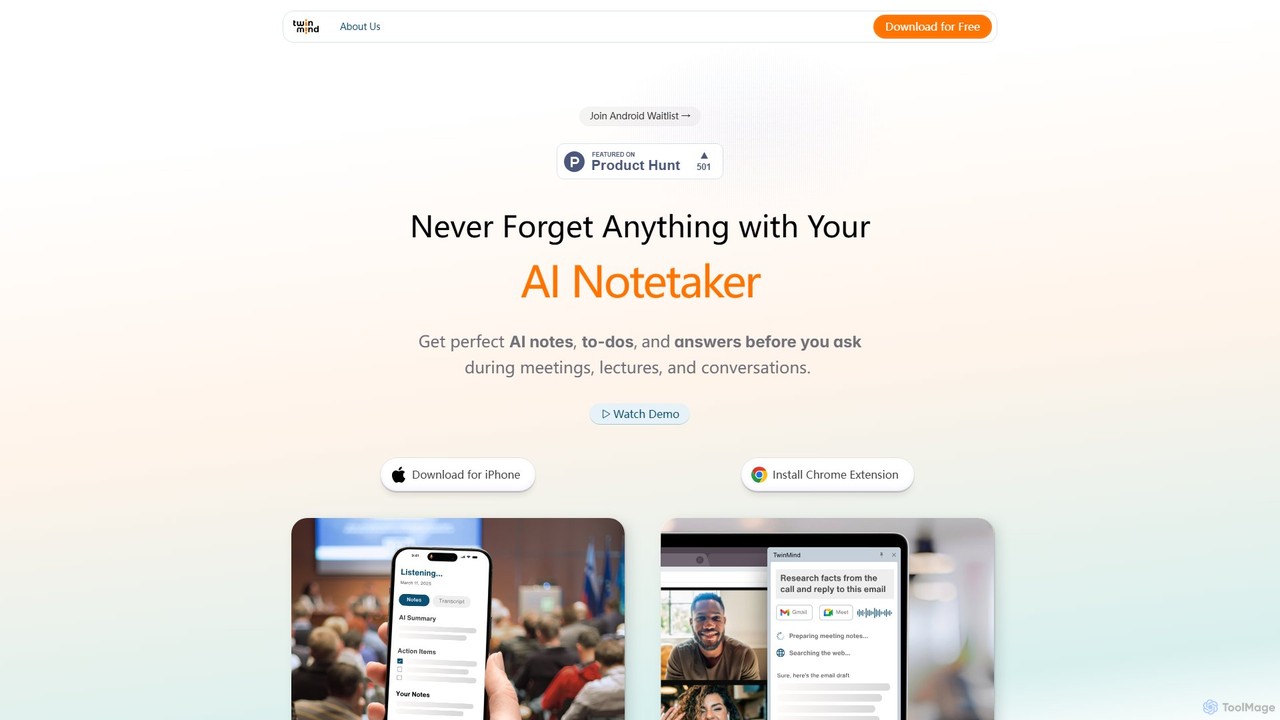
TwinMind is an AI-powered second brain that acts as a memory vault and life copilot. It captures, transcribes, and summarizes your meetings, lectures, and conversations in real-time. With a strong focus on privacy, it provides proactive insights, automates tasks, and helps you remember everything, available on iPhone and as a Chrome extension.
About Knowledge Management
AI Knowledge Management tools are applications that use artificial intelligence to help you capture, organize, and retrieve information. These tools go beyond simple storage by employing technologies like Natural Language Processing (NLP) to understand the context and meaning of your data. This allows for the creation of a dynamic, interconnected personal knowledge base, often called a 'second brain,' where information is not just stored but actively understood. They enable powerful semantic search, automated content linking, and intelligent summarization to surface relevant insights effortlessly.
Core Features
- Semantic Search: Find information based on conceptual meaning and context, not just exact keyword matches.
- Automated Linking & Tagging: The AI automatically identifies relationships between notes and suggests relevant connections or tags.
- AI-Powered Summarization: Generate concise summaries of long articles, documents, or collections of notes instantly.
- Conversational Q&A: Ask questions in natural language and receive synthesized answers drawn directly from your knowledge base.
- Multi-Modal Ingestion: Capture information from various sources, including web pages, PDFs, images, and text notes.
Use Cases
These tools are particularly valuable for researchers, students, writers, consultants, and lifelong learners who deal with a high volume of information. For instance, a researcher can import dozens of academic papers and ask, 'What are the main counterarguments to this theory?' to get a synthesized response. A content creator can use it to connect disparate ideas and uncover new angles for their work.
How to Choose
When selecting an AI Knowledge Management tool, consider the following: First, evaluate the quality of its AI features, particularly semantic search and content analysis. Second, check its integration capabilities—how easily can it import data from your existing sources like web browsers or PDF readers? Third, review the privacy policy and data ownership terms to ensure your information is secure. Finally, consider the user interface and whether its organizational philosophy (e.g., graphs vs. folders) aligns with your personal workflow.

Knowledge ManagementUse Cases
Accelerating Academic Research and Literature Reviews
A postgraduate researcher is compiling information for their thesis from hundreds of PDF articles and web sources. They use an AI Knowledge Management tool to centralize all their research materials. Instead of manually searching for keywords, they can ask complex questions like, 'Summarize the methodologies used to study protein folding since 2020.' The AI scans all documents, understands the context, and provides a synthesized summary with direct links to the source paragraphs. This process reduces the time spent on literature review by over 50% and helps uncover connections between papers that might have been missed manually.
Building a Personal 'Second Brain' for Lifelong Learning
A professional in the tech industry aims to stay current with emerging trends. They use an AI knowledge tool to clip articles, save podcast transcripts, and jot down thoughts from webinars. Over time, the AI automatically links a note about a new programming language with an article about market demand for AI skills and a podcast discussing the future of software development. When preparing for a presentation, they can simply ask, 'What are the key connections between AI and cloud computing I've saved?' The tool presents an interconnected map of their own thoughts and saved resources, fostering deeper understanding and generating novel insights.
Managing Client Projects and Meeting Intelligence
A management consultant handles multiple client projects simultaneously. After each client call, they upload the audio recording or transcript to their AI knowledge base. The tool automatically generates a concise summary, identifies key decisions, and extracts action items. They can then ask, 'What were the main concerns raised by Client X in our last three meetings?' The AI synthesizes information across multiple transcripts to provide a clear answer. This ensures no detail is lost, improves follow-up communication, and allows the consultant to maintain a deep, contextual understanding of each client's needs without spending hours re-reading notes.
Organizing Technical Knowledge for Developers
A software developer maintains a personal knowledge base of code snippets, API documentation, error solutions, and architectural patterns. When encountering a bug, instead of searching through scattered notes or public forums, they ask their AI tool: 'How did I solve that authentication timeout issue in the Python project last year?' The tool uses semantic search to locate the relevant note, even if the developer used different phrasing. It can also automatically tag code snippets with the programming language and libraries used, making it a highly efficient and personalized reference for complex technical work.
Streamlining Content Creation and Idea Generation
A content creator specializing in environmental science saves articles, research papers, and interesting statistics into their AI knowledge base. When planning a new blog post, they can query their system with a broad topic, such as 'the impact of microplastics.' The AI tool surfaces not only saved articles on that topic but also related concepts they've captured, like notes on ocean currents or chemical pollutants. This helps them build a more comprehensive narrative, discover unique angles, and quickly pull verified data points and sources, significantly speeding up the research and outlining phase of their writing process.
Planning Complex Personal Projects
An individual planning a multi-country trip uses an AI knowledge tool as a central hub. They save flight confirmations, hotel bookings, articles about attractions, and notes on visa requirements. They can then ask their knowledge base questions like, 'What are the entry requirements for Japan and South Korea?' or 'Show me all my saved notes related to transportation in Tokyo.' The AI organizes the information contextually, creating a smart itinerary. This is more effective than using separate apps for documents, notes, and web links, as it provides a single, searchable, and intelligent source for all trip-related information.