
ToolMage
Sign in

Best 1 Ai Retouching AI tools for Photo Enhancement

Popular Ai Retouching AI tools in Photo Enhancement include Banana Editor, helping you work more efficiently.

Banana Editor
Freemium

Banana Editor

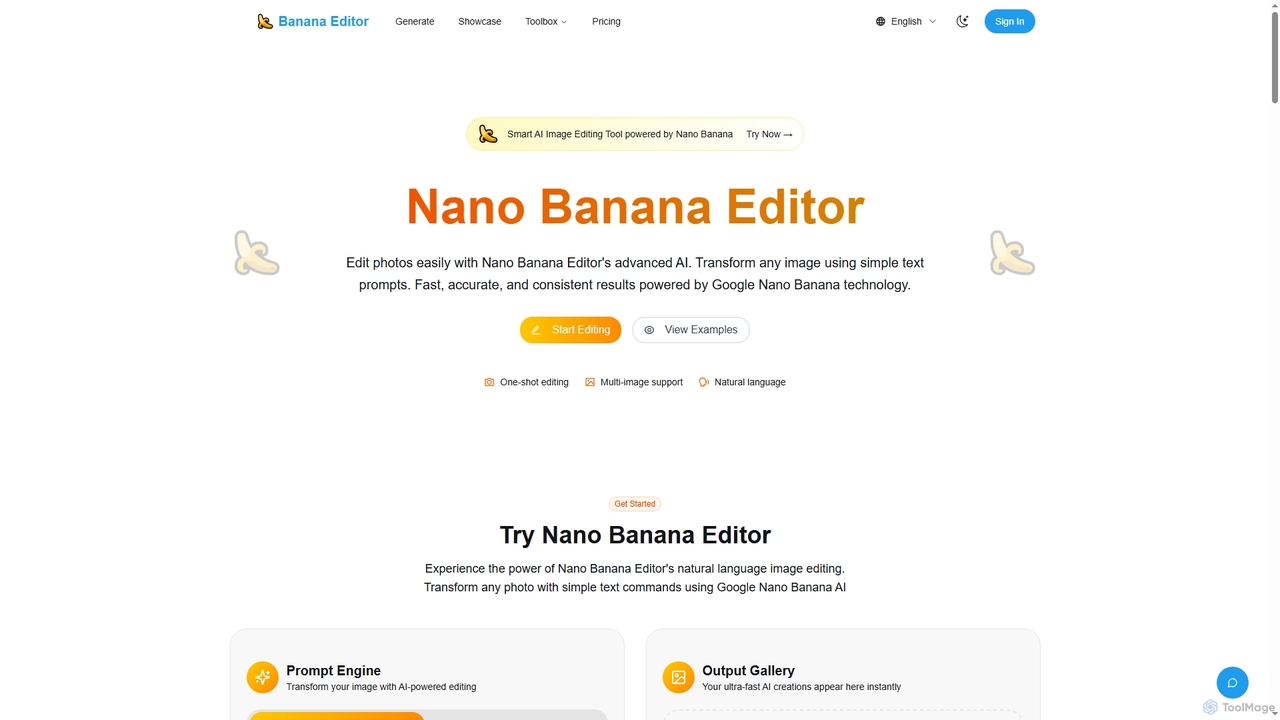
Banana Editor is an advanced AI image editing tool powered by Google Nano Banana technology. It allows users to transform and enhance photos using simple natural language text prompts, ensuring fast, accurate, and consistent results for various creative and commercial applications.

Visual Storytelling
Visits 5.8KFavorites 142Likes 115

About Ai Retouching

AI Retouching tools are a specialized category of photo enhancement software that uses artificial intelligence for precise, pixel-level edits. These tools leverage advanced algorithms like generative filling and object segmentation to automatically remove unwanted elements, repair imperfections, or replace specific parts of an image. They are designed to automate complex and time-consuming manual tasks, allowing users to achieve professional-quality results with minimal effort. This focus on specific, localized adjustments distinguishes them from general photo enhancers that modify global attributes like color or brightness.

Core Features

  • Object Removal: Intelligently erases unwanted people, text, or distracting objects from photos, seamlessly filling in the background.
  • Blemish & Skin Smoothing: Automatically detects and corrects skin imperfections, such as acne, wrinkles, and spots, for flawless portraits.
  • Background Manipulation: Allows for the clean removal, replacement, or extension of an image's background without complex masking.
  • Photo Restoration: Repairs old or damaged photographs by automatically removing scratches, creases, and color fading.
  • Sky Replacement: Detects the sky in an image and replaces it with a different, more dynamic option from a library or a custom image.

Use Cases

AI Retouching is widely used in e-commerce for cleaning up product photos, by portrait photographers to speed up their editing workflow, and in real estate to remove clutter from property images. Content creators and marketers also use these tools to perfect images for social media campaigns and advertisements, ensuring a polished and professional appearance.

How to Choose

When selecting an AI Retouching tool, consider the quality and realism of its generative fill when removing objects. Evaluate its precision in detecting specific elements like skin blemishes or skies. Also, assess factors like processing speed, batch processing capabilities for handling multiple images, and whether it operates as a standalone application or a plugin for existing software like Photoshop.

Ai Retouching use cases

1

E-commerce Product Photo Cleanup

An e-commerce manager needs to prepare hundreds of product photos for a new collection launch. Using an AI Retouching tool, they can perform batch processing to automatically remove minor dust, scratches, and unwanted reflections from all images simultaneously. The tool's object removal feature is also used to erase props or stands used during the photoshoot, resulting in clean, consistent product images on a uniform background. This process reduces manual editing time by over 80%, ensuring a faster time-to-market.

2

Automated Portrait Retouching for Photographers

A professional portrait photographer handles a high volume of client photos weekly. To streamline their workflow, they use an AI Retouching tool that specializes in skin correction. The software automatically identifies faces in a batch of photos and applies subtle skin smoothing, removes blemishes, and reduces wrinkles while preserving natural skin texture. This allows the photographer to deliver beautifully retouched portraits faster, significantly reducing post-production hours and increasing client satisfaction without making the subjects look artificial.

3

Restoring Old and Damaged Family Photos

An individual is digitizing their family's collection of old printed photographs, many of which are faded, scratched, or torn. Using an AI Retouching tool with photo restoration capabilities, they can upload the scanned images and let the AI automatically detect and repair the damage. The tool removes creases and scratches, corrects color fading, and can even sharpen blurry details. This allows them to preserve precious family memories in a high-quality digital format for future generations without needing professional restoration skills.

4

Perfecting Social Media and Marketing Images

A social media manager is preparing a set of images for an upcoming campaign. One key photo has a distracting sign in the background and another has a photobomber. Instead of reshooting, they use an AI Retouching tool to quickly paint over and remove these unwanted elements. The AI seamlessly reconstructs the background, making the edit undetectable. They also use the sky replacement feature on an outdoor shot to change a dull, overcast sky into a bright, sunny one, making the entire image more vibrant and engaging for the audience.

5

Enhancing Real Estate Photography Listings

A real estate agent needs to make property photos look as appealing as possible. Using an AI Retouching tool, they can remove distracting elements like trash cans from a curb, power lines from the sky, or clutter from inside a room. For exterior shots, the sky replacement feature can instantly create a more inviting atmosphere. The tool can also be used to extend the background of an image, for example, making a lawn look larger, helping to create more compelling and attractive property listings that capture potential buyers' interest.

6

Creative Background Extension for Ad Creatives

A graphic designer is tasked with adapting a single horizontal photograph for multiple ad formats, including vertical social media stories and wide web banners. Manually extending the background would be time-consuming and difficult. They use an AI Retouching tool with a generative extend or 'outpainting' feature. By defining the new canvas size, the AI analyzes the existing image content and intelligently generates new background pixels that match the style, lighting, and texture, creating a larger, cohesive image that fits all required dimensions perfectly.

Ai Retouching FAQ

What is AI Retouching?

AI Retouching refers to a class of software tools that use artificial intelligence to perform specific, complex edits on photographs automatically. Unlike general photo enhancers that adjust overall brightness or color, AI retouching tools focus on localized tasks like removing unwanted objects, smoothing skin, repairing damaged areas, or replacing backgrounds. They use advanced algorithms like computer vision and generative AI to understand the content of an image and make precise changes that would typically require significant manual skill and time in traditional editing software.

How does AI Retouching differ from traditional photo editing?

The main difference lies in automation and skill level. Traditional photo editing, using tools like Photoshop's Clone Stamp or Healing Brush, requires significant manual work, precision, and artistic skill to achieve seamless results. AI Retouching automates these processes. Instead of manually cloning pixels, a user can simply select an object, and the AI will remove it and generate a realistic background. This makes complex edits accessible to users without professional editing experience and drastically reduces the time required for tasks like skin smoothing or object removal for professionals.

What are the key features to look for in an AI Retouching tool?

When evaluating AI Retouching tools, focus on these key features:

  • Quality of Generative Fill: How realistically does the tool fill in the space after an object is removed? Look for results that are seamless and context-aware.
  • Precision and Control: Does the tool offer adjustable brush sizes or masking options for precise selections?
  • Specialized Functions: Check for specific features you need, such as dedicated modes for skin smoothing, sky replacement, or old photo restoration.
  • Batch Processing: The ability to apply the same edits to multiple photos at once is crucial for efficient workflows.
  • Performance: Consider the processing speed, as some AI operations can be resource-intensive.
Who can benefit from using AI Retouching tools?

A wide range of users can benefit from AI Retouching tools. Photographers can drastically speed up their post-production workflow for portraits and events. E-commerce businesses can create clean and consistent product images efficiently. Marketers and content creators can quickly perfect images for campaigns without needing advanced editing skills. Real estate agents can enhance property photos to attract more buyers. Finally, casual users can easily fix imperfections in personal photos, restore old family pictures, or remove unwanted elements to create the perfect shot.

How to choose the right AI Retouching tool?

Choosing the right tool depends on your specific needs. First, define your primary use case: are you mainly removing objects, retouching portraits, or restoring old photos? Look for a tool that excels in that specific area. Second, consider your workflow. Do you need a standalone application for quick edits, or a plugin that integrates with software you already use, like Adobe Photoshop or Lightroom? Finally, evaluate the balance between ease of use and control. Some tools offer one-click solutions, while others provide more advanced settings for finer adjustments. Trying out free trials is an effective way to determine which tool best fits your requirements.