
Post Production Best in category 1 results Accessibility AI Tool

Popular AI tools in the Accessibility field of Post Production include SubGetPro, etc., helping you quickly improve efficiency.

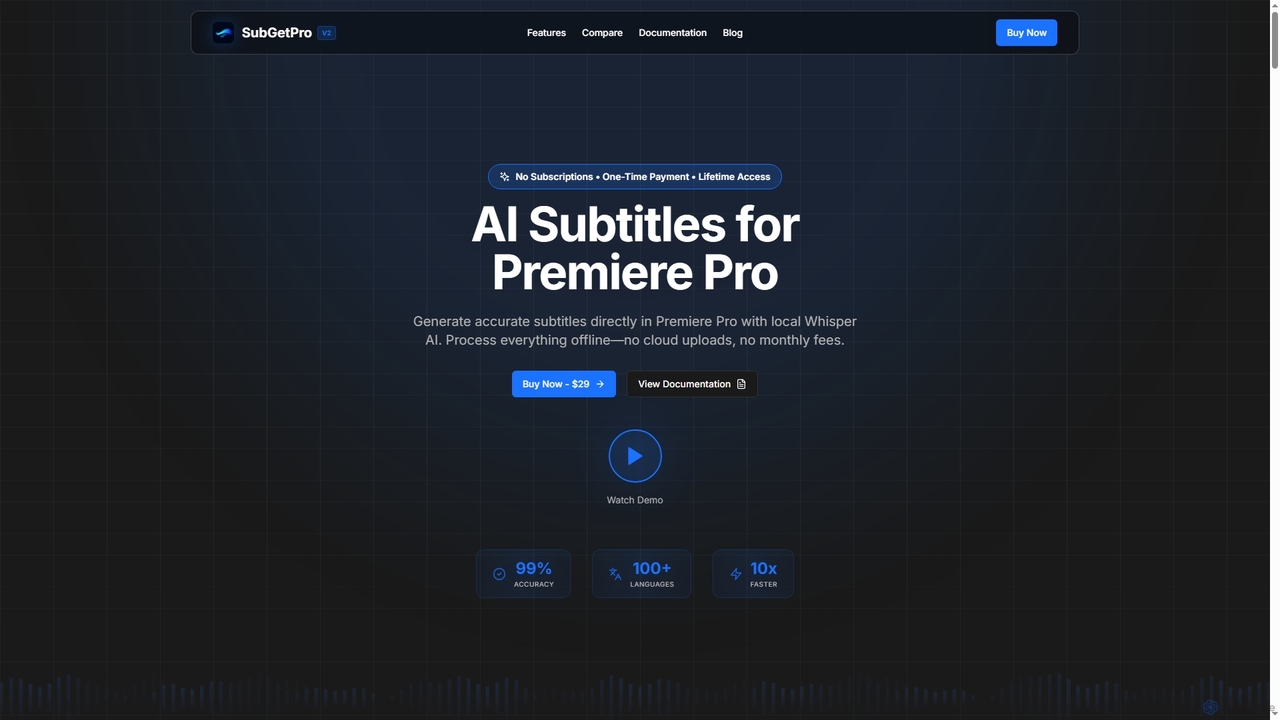
SubGetPro

SubGetPro

SubGetPro is an AI subtitle generator designed for Adobe Premiere Pro, offering accurate, offline transcription with a one-time …

3.7K

About Accessibility

Accessibility AI tools are a category of AI-powered solutions designed to make digital content, especially in post-production, consumable by individuals with diverse abilities. These tools leverage artificial intelligence to automate the creation of features like accurate captions, audio descriptions, and content simplification. Their core value lies in ensuring inclusivity, meeting compliance standards, and significantly expanding the reach of media to a broader audience.

Core Features

  • Automated Captioning & Subtitling: AI transcribes spoken audio into text, synchronizes it with video, and formats it for captions or subtitles.
  • Audio Description Generation: AI analyzes visual content and generates spoken descriptions for visually impaired users during natural pauses.
  • Content Simplification: AI rephrases complex text or dialogue into simpler language, enhancing cognitive accessibility.
  • Sign Language Interpretation (AI-driven): AI can convert spoken or written content into animated sign language avatars for visual interpretation.
  • Color Contrast Analysis & Correction: AI identifies and suggests corrections for poor color contrast in visuals to aid users with visual impairments.

Applicable Scenarios

These tools are vital for media production houses creating accessible films and TV shows, e-learning platforms ensuring inclusive educational content, and corporate communications departments making internal and external messages accessible for all employees and stakeholders.

How to Choose

When selecting an AI accessibility tool, consider its accuracy in transcription and description, the range of languages supported, and its ability to integrate with your existing post-production workflows. Evaluate its compliance with accessibility standards like WCAG and ADA, and the flexibility it offers for reviewing and editing AI-generated content.

AccessibilityUse Cases

1

Automating Video Captioning for Broadcasters

A broadcast editor or accessibility specialist needs to quickly generate accurate captions for news segments and TV shows. Using an AI accessibility tool, they can automatically transcribe live or pre-recorded audio, synchronize the text with the video, and export it in broadcast-ready formats like SRT or VTT. This process significantly reduces manual captioning time by up to 70%, ensures compliance with accessibility laws, and expands the audience reach for television content.

2

Creating Audio Descriptions for Streaming Services

A content provider or accessibility coordinator needs to add descriptive audio tracks to movies and series for visually impaired viewers. An AI accessibility tool analyzes video scenes, identifies key visual elements (actions, settings, characters), and generates concise audio descriptions during natural pauses in dialogue. This streamlines the creation of audio descriptions, making content accessible without extensive manual narration, thereby enhancing the viewing experience for a wider audience.

3

Enhancing E-learning Material Accessibility

An instructional designer or educator aims to make online course videos and documents accessible for students with diverse learning needs. An AI accessibility tool can generate accurate captions for video lectures, simplify complex text in readings, and provide alternative text for images. This significantly improves inclusivity in education, allowing all students, including those with hearing impairments, cognitive disabilities, or visual impairments, to engage with learning materials effectively and achieve better academic outcomes.

4

Generating Sign Language Interpretations for Public Service Announcements

A government agency or non-profit communicator needs to provide sign language interpretations for critical public information videos. An AI accessibility tool can convert spoken content into animated sign language avatars, which can then be overlaid onto videos. This ensures that vital information reaches the deaf and hard-of-hearing community efficiently and accurately, fulfilling public service obligations and promoting broader civic engagement for all citizens.

5

Post-Production Quality Control for Color Contrast

A video editor or UX designer needs to verify and correct color contrast issues in video graphics and text overlays to meet accessibility standards. An AI accessibility tool analyzes visual elements against guidelines like WCAG 2.1, identifies insufficient contrast, and suggests compliant color alternatives. This proactive quality control prevents accessibility barriers for users with color blindness or low vision, ensuring all on-screen text and graphics are legible and inclusive for diverse audiences.

6

Simplifying Legal Documents for Broader Comprehension

A legal content creator or public information officer needs to rephrase complex legal jargon into plain language for public consumption. An AI accessibility tool processes dense legal texts, identifies complex sentences and terminology, and generates simplified versions while retaining accuracy. This makes legal and policy information understandable to a wider audience, improving public engagement, ensuring better compliance, and fostering greater transparency in official communications.

AccessibilityFrequently Asked Questions