ToolMage
Sign in

Best 1 Slides AI tools for Presentations

Popular Slides AI tools in Presentations include Genspark, helping you work more efficiently.

Genspark
Freemium

Genspark

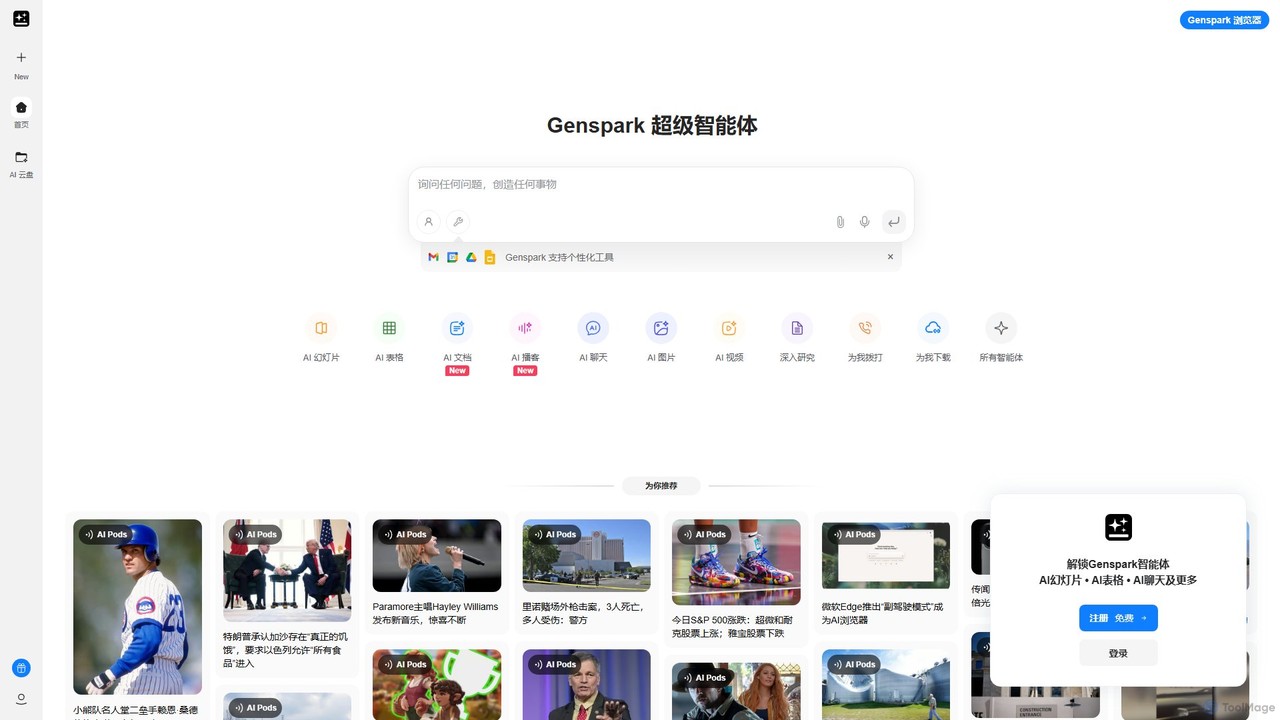
Genspark is an all-in-one AI workspace that integrates a next-generation search engine with a suite of content creation tools. It transforms how you research, learn, and create by generating comprehensive summary pages called "Sparks" and providing integrated AI tools for documents, slides, images, and more.

Slides
Visits 15.4MFavorites 163Likes 155

About Slides

AI Slides tools are applications that use artificial intelligence to automate the creation and design of presentation slides. They analyze text prompts, documents, or outlines to instantly generate complete, well-structured slide decks. This technology streamlines the entire process, from content structuring to visual design, enabling users to produce professional presentations in a fraction of the time. These tools are a specialized subset of presentation software, focusing specifically on generative AI to build content from scratch.

Core Features

  • Prompt-to-Deck Generation: Instantly create a full presentation, including text and layouts, from a simple text description or topic.
  • Smart Layout & Design: Automatically arranges content and suggests visually appealing layouts, color palettes, and fonts based on the topic.
  • Content Summarization: Condenses long documents, articles, or web pages into concise bullet points and summaries for each slide.
  • AI-Generated Visuals: Creates relevant images, icons, and charts directly within the editor to match the slide's content.
  • Brand Kit Integration: Applies a company's branding, including logos, colors, and fonts, consistently across the entire presentation.

Use Cases

These tools are ideal for business professionals, marketers, educators, and students who need to create compelling presentations quickly. They are frequently used for generating initial drafts of sales pitches, marketing reports, academic lectures, and project proposals without requiring extensive design skills or time investment.

How to Choose

When selecting an AI Slides tool, consider its text generation quality and the variety of input sources it accepts (e.g., text, documents, URLs). Evaluate the customizability of design templates, the quality of AI-generated images, and its export options (e.g., PPTX, PDF, Google Slides). Collaboration features and brand management capabilities are also important for team use.

Featured tool rankings

Slides use cases

1

Rapid Sales Pitch Creation

A sales manager needs to create a customized pitch deck for a new client in the renewable energy sector. Instead of spending hours designing slides, they input a prompt like 'Create a 10-slide presentation on our solar panel solutions for commercial real estate'. The AI generates a complete deck with an introduction, problem statement, solution overview, product features, case studies, and a call to action. The manager then spends 20 minutes refining the text and adding client-specific data, reducing preparation time by over 80%.

2

Automating Marketing Report Summaries

A marketing analyst has a detailed 30-page quarterly performance report in a PDF. To present the key findings to the leadership team, they upload the document to an AI Slides tool. The AI automatically extracts key metrics, charts, and trends, then organizes them into a concise 12-slide presentation. It creates slides for channel performance, campaign ROI, and key takeaways. This process transforms a dense document into a visually engaging summary in minutes, saving hours of manual data extraction and slide design.

3

Streamlining Academic Lecture Preparation

A university professor is preparing a lecture on 'The Industrial Revolution'. They provide the AI Slides tool with a detailed outline of the lecture topics, including key dates, inventions, and societal impacts. The AI expands this outline into a 25-slide presentation, automatically finding and suggesting relevant historical images and creating timelines. It structures the content logically, from the causes to the long-term consequences. This allows the professor to focus on refining the narrative and adding deeper insights rather than on basic slide creation and image sourcing.

4

Generating Internal Training Materials

An HR manager needs to create training materials for a new company-wide data privacy policy. They upload the 15-page policy document to an AI Slides tool. The tool parses the document, identifies key sections like 'Data Handling', 'Employee Responsibilities', and 'Reporting Incidents', and creates a slide for each. It simplifies complex legal language into easy-to-understand bullet points and suggests icons to visually represent each concept. The result is a clear, engaging training deck ready for company-wide distribution in under an hour.

5

Visualizing a Business Plan for Investors

An entrepreneur has a detailed business plan written in a text document but lacks the design skills to create a compelling investor deck. They use an AI Slides tool and input key sections of their plan as prompts, such as 'Problem: Inefficient supply chains for small businesses' and 'Solution: An AI-powered logistics platform'. The tool generates a professional-looking deck, complete with slides for market size, competitive advantage, business model, and financial projections. It suggests appropriate charts and diagrams, transforming the text-heavy plan into a persuasive visual narrative.

6

Drafting Conference Presentations from Abstracts

A researcher has had their abstract accepted for a scientific conference and needs to prepare a 15-minute presentation. They paste the 300-word abstract into an AI Slides tool. The AI interprets the structure of the abstract (Introduction, Methods, Results, Conclusion) and generates a corresponding 12-slide deck. It creates title slides for each section, converts key findings into bullet points, and suggests placeholders for charts and data visualizations. This provides a solid first draft, allowing the researcher to focus on populating the slides with their specific data and refining the narrative for the audience.

Slides FAQ

What are AI Slides tools?

AI Slides tools are software applications that use generative artificial intelligence to automatically create presentation slides from user inputs. Unlike traditional software like PowerPoint where you build everything manually, these tools can generate content, structure, design, and imagery based on a simple text prompt, a document, or a URL. Their primary purpose is to drastically reduce the time and effort required to create the first draft of a professional-looking presentation.

How do AI Slides tools differ from PowerPoint or Google Slides?

The core difference is creation versus generation. PowerPoint and Google Slides are manual design tools; you start with a blank canvas and are responsible for writing all text, designing layouts, and finding images. AI Slides tools are generators; you provide a prompt or a source document, and the AI generates the initial 80-90% of the presentation for you. Your role shifts from being a creator to an editor, refining the AI's output rather than starting from scratch.

How should I choose the right AI Slides tool?

To choose the right tool, evaluate these four key areas:

  • Input Flexibility: Does it support your preferred input method? (e.g., simple text prompts, uploading documents like PDF/Word, or pasting a URL).
  • Design Quality & Customization: How good are the default designs? Can you easily customize templates, colors, and fonts to match your brand?
  • AI Feature Set: Beyond basic text-to-slide, does it offer advanced features like AI image generation, content rewriting, or data visualization?
  • Export & Integration: Can you export the presentation to common formats like PPTX or PDF? Does it integrate with other tools you use?

Consider starting with a free trial to test how well the tool's output matches your specific needs and style.

Is the content generated by AI Slides tools accurate and original?

The originality of the design and structure is high, as the AI combines elements in novel ways. However, the factual accuracy of the generated text depends on the AI model's training data. It's crucial to treat the AI-generated text as a first draft. Always review and fact-check any data, statistics, or specific claims. For best results, provide the AI with your own accurate source material (like a report or detailed outline) to summarize, rather than asking it to generate content on a topic from scratch.

Who can benefit most from using AI Slides tools?

AI Slides tools are particularly beneficial for individuals and teams who need to produce presentations frequently but may lack the time or design expertise to do so efficiently. Key user groups include:

  • Business Professionals: For quickly creating sales pitches, project updates, and internal reports.
  • Marketers: To generate content for webinars, campaign reports, and strategy meetings.
  • Consultants: For rapidly developing client presentations and workshop materials.
  • Educators and Students: To streamline the creation of lecture slides and academic presentations.

Essentially, anyone who views presentation design as a time-consuming bottleneck rather than a core part of their job can gain significant productivity benefits.