ToolMage
Sign in

Best 1 Pdf Editor AI tools for Productivity

Popular Pdf Editor AI tools in Productivity include PDFgear, helping you work more efficiently.

PDFgear
Free

PDFgear

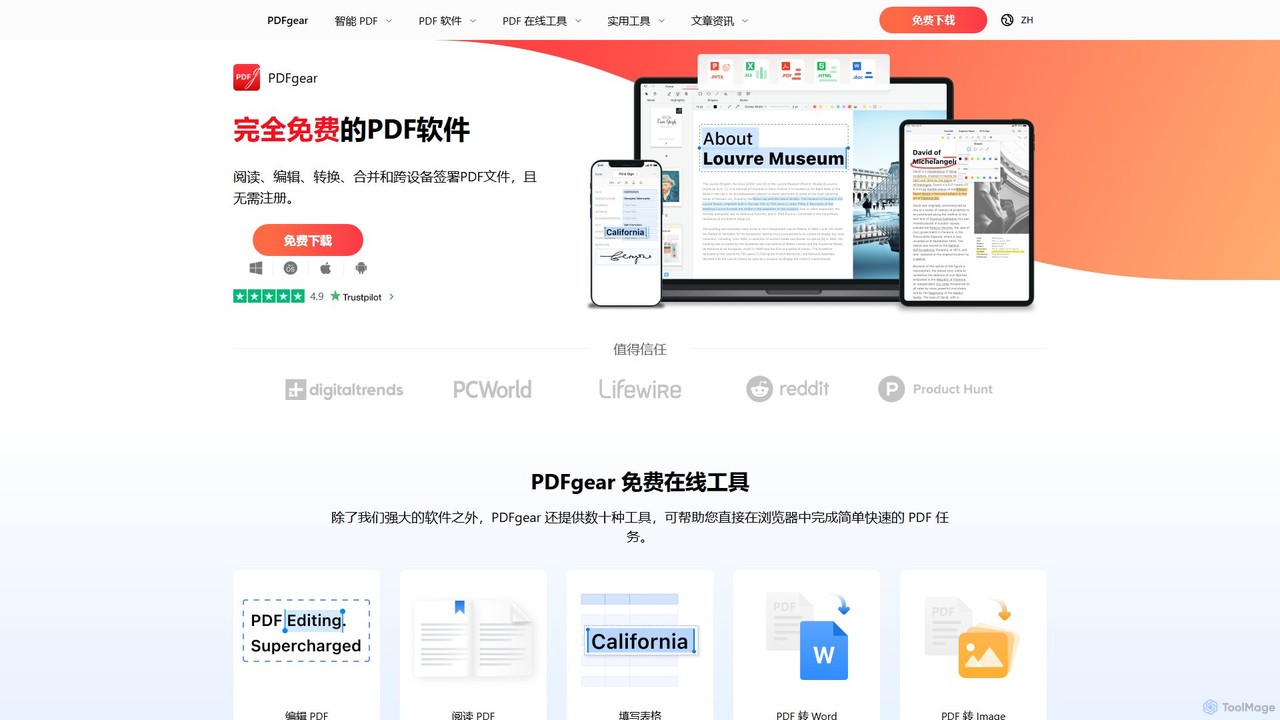
PDFgear is a completely free, AI-powered PDF editor and management suite. It integrates a ChatGPT-based Copilot to chat with, summarize, and analyze your documents. It offers comprehensive features like editing, converting, OCR, and signing across all platforms (Windows, macOS, iOS, Android) and online.

Document Analysis
Visits 3MFavorites 128Likes 138

About Pdf Editor

PDF Editor tools are specialized software designed to modify and manage Portable Document Format (PDF) files directly, offering a robust alternative to converting documents for edits. These powerful tools enable users to seamlessly edit text, images, and pages within a PDF, eliminating the need for cumbersome format conversions. As a crucial component of any modern productivity toolkit, PDF editors streamline document workflows, making it significantly easier to update, annotate, secure, and share important files across various professional and personal contexts.

Core Features

  • Text & Image Editing: Directly modify existing text content, including fonts, sizes, and colors, or effortlessly add, resize, and reposition images within the PDF document.
  • Page Management: Gain full control over document structure by reordering, inserting, deleting, extracting, or rotating individual pages to create a perfectly organized file.
  • Annotation & Markup: Facilitate collaborative review processes by adding comments, highlights, underlines, stamps, and freehand drawings directly onto the PDF.
  • Form Creation & Filling: Design interactive PDF forms from scratch with various field types, or efficiently fill out existing forms digitally, saving time and paper.
  • Security & Redaction: Protect sensitive information by applying password protection, setting specific user permissions, or permanently redacting confidential text and images.

Applicable Scenarios

PDF editors are indispensable for professionals across diverse sectors such as legal, finance, education, and marketing. They are routinely used for updating legal contracts, preparing detailed financial reports, annotating academic research papers, or finalizing high-quality marketing brochures and presentations. Beyond professional use, individuals also leverage these tools for efficient personal document management, including organizing digital archives, managing invoices, and completing various online forms.

How to Choose

When selecting a PDF editor, prioritize its core editing capabilities, such as precise text and image manipulation, alongside advanced features like Optical Character Recognition (OCR) for scanned documents or batch processing for multiple files. Evaluate its integration potential with other productivity tools and cloud storage services, robust security options for sensitive data, and whether a desktop application or a cloud-based solution best aligns with your workflow and budget. A user-friendly interface and intuitive navigation are also critical for maximizing efficiency in document management.

Pdf Editor use cases

1

Updating Legal Contracts and Agreements

Legal professionals frequently use PDF editors to make necessary revisions to contracts, non-disclosure agreements, or legal briefs. Instead of converting documents, they can directly edit clauses, add new sections, or redact sensitive client information, ensuring all changes are tracked and the document integrity is maintained before final signing. This saves significant time and reduces the risk of formatting errors, streamlining the legal review process.

2

Annotating Research Papers and Textbooks

Students and academics utilize PDF editors to actively engage with their study materials. They can highlight key passages, add margin notes, insert comments for clarification, or draw diagrams directly onto research papers, e-textbooks, and lecture slides. This enhances comprehension, facilitates critical analysis, and organizes study notes efficiently for future reference, making learning more interactive and personalized.

3

Creating and Filling Interactive Forms

Human Resources departments or administrative staff often need to create or manage various forms, such as application forms, employee onboarding documents, or surveys. PDF editors allow them to design interactive fields, checkboxes, and dropdown menus, making it easy for recipients to fill out forms digitally. This streamlines data collection, reduces paper-based processes, and improves overall efficiency in administrative tasks.

4

Redacting Sensitive Information in Reports

Businesses and government agencies handle documents containing confidential data, like financial statements, medical records, or personal identifiable information. PDF editors provide redaction tools to permanently black out or remove sensitive text and images, ensuring compliance with privacy regulations (e.g., GDPR, HIPAA) before sharing documents externally. This is crucial for data security and maintaining confidentiality.

5

Modifying Marketing Brochures and Flyers

Marketing teams often need to make quick updates to promotional materials like brochures, flyers, or product sheets without going back to complex design software. A PDF editor enables them to change text, swap images, update contact details, or add new offers directly within the PDF, ensuring brand consistency and rapid deployment of updated marketing collateral for campaigns.

6

Combining and Organizing Travel Documents

Individual travelers can use PDF editors to consolidate all their travel-related documents into a single, organized PDF file. This includes combining flight tickets, hotel reservations, visa documents, and insurance policies. They can also reorder pages, delete unnecessary information, and add bookmarks for easy navigation, creating a convenient digital travel itinerary that is easily accessible on any device.

Pdf Editor FAQ

What is a PDF Editor?

A PDF Editor is a software application designed to directly modify and manage Portable Document Format (PDF) files. Unlike simple PDF readers, these tools allow users to alter text, images, and page structures within a PDF document without needing to convert it to another format. They are essential for tasks such as correcting typos, updating graphics, adding annotations, filling out forms, and securing documents with passwords or redaction, making them a versatile tool for document management and productivity.

How do I choose the right PDF Editor for my needs?

Choosing the right PDF editor involves assessing several key factors. First, consider your primary needs: do you mainly need basic text and image editing, or advanced features like OCR, form creation, or redaction? Second, evaluate the user interface and ease of use, as an intuitive design can significantly boost productivity. Third, check for integration capabilities with cloud storage services (e.g., Dropbox, Google Drive) and other productivity tools. Finally, compare pricing models (one-time purchase vs. subscription) and decide between desktop software for robust features or a cloud-based solution for accessibility across devices.

What are the main functionalities of a PDF Editor?

PDF Editors offer a wide range of functionalities to manipulate PDF documents. Core features include direct text editing (changing content, font, size), image manipulation (adding, resizing, moving, deleting), and page management (inserting, deleting, reordering, rotating, extracting pages). Advanced capabilities often include annotation tools (highlights, comments, stamps), form creation and filling, document security (password protection, permissions), and redaction for sensitive information. Many also feature Optical Character Recognition (OCR) to make scanned PDFs editable and searchable.

What is the difference between a PDF Editor and a Word Processor?

The fundamental difference lies in their primary purpose and document structure. A Word Processor (like Microsoft Word) is designed for creating and editing text-based documents from scratch, where content flows dynamically and is easily reformatted. A PDF Editor, conversely, is built to modify existing Portable Document Format files, which are designed to preserve document layout and formatting across different devices and operating systems. While PDF editors can edit text and images, they primarily work within the fixed layout of a PDF, making them ideal for final document review, annotation, and minor adjustments rather than extensive content creation.

Can PDF Editors be used for secure document handling?

Yes, many PDF Editors are equipped with robust security features designed for handling sensitive documents. They typically offer password protection to restrict opening or editing, and permission settings to control printing, copying, or modifying content. Crucially, advanced PDF editors include redaction tools that permanently remove sensitive text or images, making them unrecoverable. This ensures compliance with privacy regulations and protects confidential information when sharing documents, making them a reliable choice for secure document management.