
ToolMage
Sign in

Best 1 Workflow Automation AI tools for Productivity Suite

Popular Workflow Automation AI tools in Productivity Suite include AI Doc Suite, helping you work more efficiently.

AI Doc Suite
Freemium

AI Doc Suite

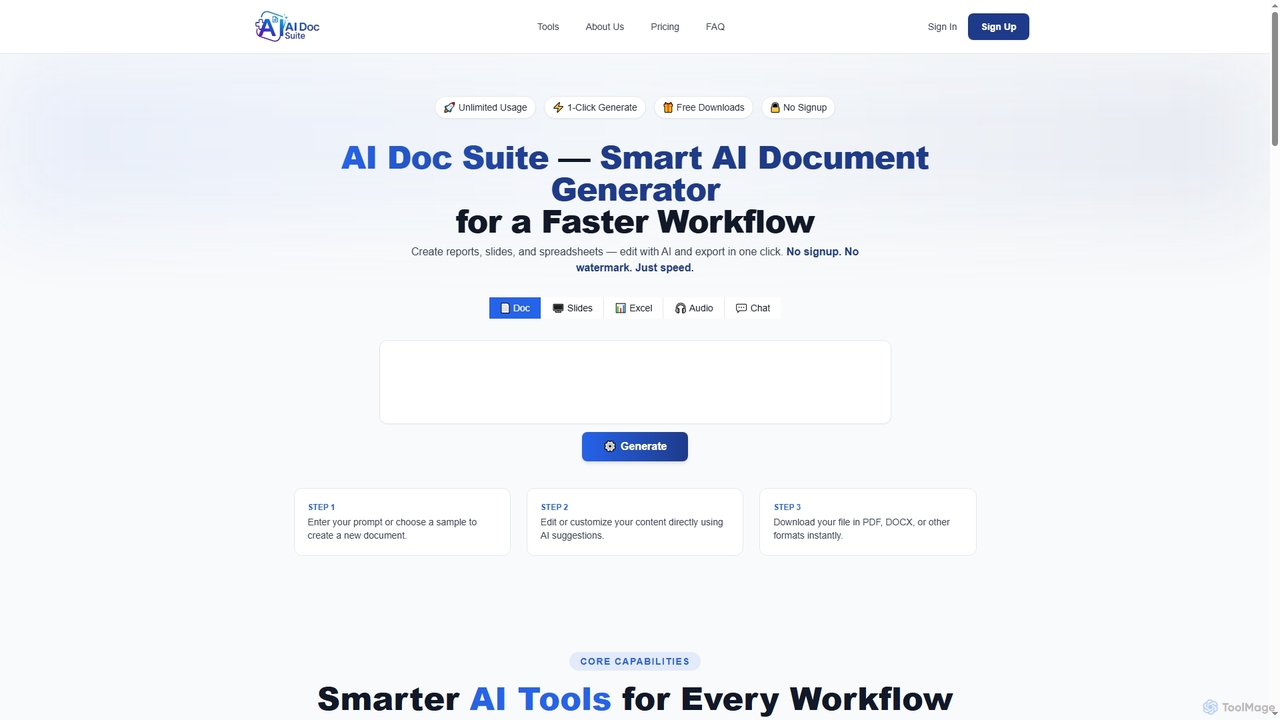
AI Doc Suite is an advanced, browser-based AI workspace for creating, editing, and converting professional documents, slides, spreadsheets, audio, images, and videos. It streamlines content generation with intelligent automation and customizable templates, offering a comprehensive solution for various creative and business needs.

Document Sharing
Visits 14.3KFavorites 111Likes 117

About Workflow Automation

Workflow Automation tools are a class of software that connects different applications and services to automate multi-step tasks and processes. They typically operate on a trigger-and-action basis, where an event in one app automatically initiates a series of predefined actions in other connected apps. This allows users to build complex, customized workflows without writing code, significantly reducing manual data entry and repetitive work. As a key part of a modern productivity suite, these tools act as a central hub for integrating disparate systems and streamlining operations.

Core Features

  • Visual Workflow Builder: A drag-and-drop interface to design, visualize, and manage automation sequences.
  • App Connector Library: An extensive collection of pre-built integrations for thousands of popular SaaS applications and services.
  • Conditional Logic: The ability to add 'if/then' rules, filters, and branching paths to create intelligent and flexible workflows.
  • Data Mapping & Transformation: Tools to format, modify, and pass data between different steps and applications within a workflow.
  • Execution Monitoring: Dashboards and logs to track workflow runs, identify errors, and review automation history.

Use Cases

Workflow Automation is widely used across various departments. Marketing teams use it to automate lead nurturing funnels, sales teams to streamline CRM updates, and HR departments to manage employee onboarding. It is also essential for e-commerce businesses to process orders and for IT teams to manage system alerts and notifications.

How to Choose

When selecting a tool, first verify its app connector library to ensure it supports the services you use. Evaluate the complexity of workflows you need to build and check if the tool's logic capabilities meet your requirements. Also, consider the pricing model, which is often based on the number of tasks or operations per month, and assess the platform's ease of use, whether it's no-code for business users or low-code for developers.

Workflow Automation use cases

1

Automate Marketing Lead Nurturing Funnels

For marketing managers, a key challenge is ensuring timely follow-up with new leads. Using a workflow automation tool, when a new lead is captured from a website form (e.g., Typeform), a workflow can automatically add the contact to a CRM (e.g., HubSpot), subscribe them to a specific email marketing list in Mailchimp, and send a real-time notification to the sales team in Slack. This multi-step process ensures immediate engagement and eliminates manual data transfer, reducing lead response time by over 90% and preventing potential customers from falling through the cracks.

2

Streamline E-commerce Order Processing

E-commerce store owners often handle a high volume of orders, making manual processing prone to errors. A workflow can be set up to trigger when a new order is placed in Shopify. The automation then creates an invoice in QuickBooks, adds a new shipping task in ShipStation with the customer's details, and sends a personalized order confirmation email. This automates the entire post-purchase process, ensuring accuracy, improving customer communication, and freeing up valuable time for store owners to focus on growth and customer service.

3

Automate New Employee Onboarding Process

Human Resources departments can automate the complex process of onboarding new hires. When a candidate is marked as 'Hired' in an HR system like BambooHR, a workflow can trigger a series of actions. This includes creating user accounts in Google Workspace and Slack, assigning a set of onboarding tasks to the new hire and their manager in Asana, and automatically scheduling introductory meetings in the team's calendar. This ensures a consistent, efficient, and welcoming onboarding experience for every new employee, reducing administrative overhead for the HR team.

4

Syndicate Blog Content Across Social Media

Content creators and social media managers can automate content distribution to maximize reach. An automation can be set to monitor a blog's RSS feed. When a new article is published on WordPress, the workflow triggers. It can automatically take the article's title and link, generate a custom message for different platforms, and then post it to Twitter, LinkedIn, and a Facebook Page. This ensures consistent promotion of new content across all channels without any manual intervention, saving hours of repetitive work each week.

5

Triage and Route Customer Support Tickets

For customer support teams, quickly routing tickets to the right agent is crucial for fast resolution times. When a new ticket arrives in a helpdesk system like Zendesk, a workflow can analyze its subject and body for keywords (e.g., 'billing', 'bug', 'feature request'). Based on these keywords, the automation can set the ticket's priority, assign it to the correct department (e.g., Finance, Engineering), and add relevant tags. This automated triage ensures that tickets are handled by the most qualified person promptly, improving team efficiency and customer satisfaction.

6

Aggregate Data for Weekly Financial Reports

Finance analysts often spend hours manually compiling data from various sources for reports. A scheduled workflow can run automatically every Friday. It can pull sales data from Stripe, fetch expense data from Expensify, and retrieve ad spend figures from Google Ads. The automation then aggregates this data into a structured format and appends it as a new row in a Google Sheet. This creates a consolidated report ready for review without any manual data collection, ensuring consistency and freeing up the analyst's time for more strategic tasks like data analysis and forecasting.

Workflow Automation FAQ

What is a Workflow Automation tool?

A Workflow Automation tool is a software platform that connects different applications to automate repetitive tasks and processes. It operates on a trigger-and-action model, where an event in one app (the trigger) initiates a sequence of automated actions in other apps. This allows users to link services like CRMs, email marketing platforms, and project management tools without needing to write any code, effectively acting as the 'glue' between their software stack.

How do I choose the right Workflow Automation tool?

To choose the right tool, consider these key factors:

  • App Connectors: Ensure it integrates with the specific applications you rely on daily. The breadth and depth of the connector library are crucial.
  • Workflow Complexity: Assess if you need simple one-to-one connections or complex multi-step workflows with conditional logic, branching, and loops.
  • Task Volume & Pricing: Check the pricing plans, as they are often based on the number of tasks or operations executed per month. Choose a plan that matches your expected usage.
  • Ease of Use: Decide between a simple no-code interface for business users or a more powerful low-code platform that offers greater flexibility for developers.
What's the difference between Workflow Automation and Robotic Process Automation (RPA)?

Workflow Automation and RPA both automate tasks, but they operate at different levels. Workflow Automation focuses on connecting applications at the API level. It's ideal for integrating cloud-based services (like connecting your CRM to your email marketing tool). RPA, on the other hand, mimics human actions on a user interface. It automates tasks by recording and replaying clicks and keystrokes, making it suitable for automating legacy systems that lack APIs. In short, Workflow Automation integrates systems, while RPA automates user interactions.

Can these tools handle complex, multi-step workflows?

Yes, most modern workflow automation platforms are designed to handle significant complexity. While they are excellent for simple two-step automations (e.g., 'if this, then that'), their true power lies in building multi-step workflows. They allow for features like branching logic (paths that change based on conditions), filters to process only certain data, data transformation to format information correctly for the next step, and even loops to repeat actions. This enables the creation of sophisticated processes that can automate entire business operations from start to finish.

Who can benefit from using Workflow Automation tools?

A wide range of users can benefit, from individuals to large enterprises. Marketing teams use them to automate lead management and social media posting. Sales teams automate CRM updates and follow-ups. HR departments streamline employee onboarding. E-commerce businesses automate order processing. Essentially, anyone who performs repetitive, rule-based tasks that involve moving data between different cloud applications can save significant time and reduce manual errors by using these tools.