ToolMage
Sign in

Best 1 Calendar Management AI tools for Scheduling

Popular Calendar Management AI tools in Scheduling include Nori, helping you work more efficiently.

Nori
Freemium

Nori

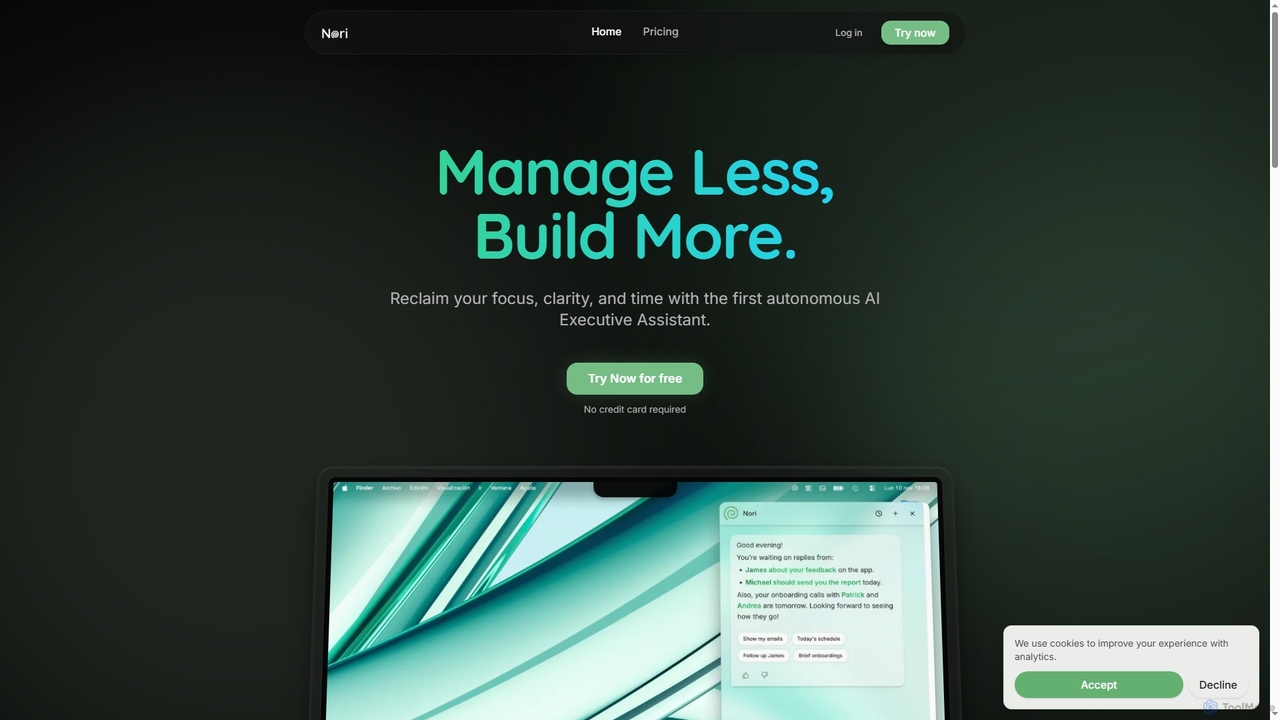
Nori is an autonomous AI Executive Assistant designed to help founders and executives reclaim their time and focus. It intelligently manages your day, prioritizes tasks, handles follow-ups, sets reminders, and coordinates meetings across calendars, integrating seamlessly with Gmail and Google Calendar.

Executive Assistant
Visits 9.1KFavorites 124Likes 132

About Calendar Management

Calendar Management tools are a specialized subset of AI-powered scheduling solutions designed to intelligently organize, optimize, and automate your daily, weekly, and monthly agendas. Leveraging artificial intelligence, these tools go beyond basic event tracking by predicting scheduling conflicts, suggesting optimal meeting times, and automating routine tasks. They empower individuals and teams to maximize productivity, reduce administrative overhead, and ensure timely execution of commitments by proactively managing time and resources.

Core Features

  • Intelligent Time Blocking: Automatically allocates focus time for tasks based on priorities and availability, protecting deep work periods.
  • Automated Conflict Resolution: Identifies and suggests solutions for overlapping appointments or resource clashes, minimizing manual adjustments.
  • Natural Language Event Creation: Allows users to create events and tasks using conversational language, which the AI then interprets and schedules.
  • Smart Meeting Suggestions: Analyzes participants' calendars, time zones, and preferences to propose the most suitable meeting slots.
  • Cross-Platform Synchronization: Seamlessly integrates and syncs with various calendar platforms (e.g., Google Calendar, Outlook) and other productivity tools.

Applicable Scenarios

Project managers can use these tools to coordinate complex team schedules, ensuring all dependencies are met and resources are optimally allocated across multiple projects. Sales professionals benefit from automated client meeting scheduling, allowing them to focus on engagement rather than administrative tasks. Freelancers and consultants can efficiently manage client appointments, personal deadlines, and administrative blocks, optimizing their billable hours and work-life balance.

How to Choose

When selecting an AI Calendar Management tool, consider its integration capabilities with your existing ecosystem (email, CRM, project management software). Evaluate the sophistication of its AI features, such as predictive analytics for conflicts or natural language processing for event creation. Assess its ease of use and customization options to fit your specific workflow, and consider scalability for team collaboration features if you work with others.

Calendar Management use cases

1

Optimizing Cross-Time Zone Team Meetings

For global teams, an AI calendar management tool can analyze team members' availability across different time zones, factoring in public holidays and individual preferences. It automatically suggests the most convenient meeting times, sends invitations, and manages RSVPs, significantly reducing the back-and-forth communication typically involved in scheduling complex international calls.

2

Automated Personal Focus Time Blocking

Individual professionals, especially those in demanding roles, can utilize AI calendar tools to automatically block out "focus time" for deep work based on their task list and peak productivity hours. The AI learns user habits and protects these slots from meeting requests, ensuring dedicated time for critical tasks and reducing interruptions.

3

Intelligent Resource Allocation for Projects

Project managers can leverage these tools to not only schedule tasks but also allocate shared resources (e.g., meeting rooms, equipment, specific team members' specialized skills). The AI identifies resource conflicts in real-time and suggests alternative allocations or schedules, ensuring project milestones are met without bottlenecks.

4

Streamlining Client Appointment Booking

Service providers, consultants, or sales teams can use AI calendar management to offer clients a self-service booking portal that intelligently displays available slots. The AI considers the provider's existing schedule, travel time between appointments, and buffer periods, ensuring efficient booking without manual intervention or double-booking.

5

Predictive Scheduling for Recurring Events

For individuals with complex, recurring schedules (e.g., academic faculty, healthcare professionals), AI tools can learn patterns of recurring meetings, classes, or appointments. They can then proactively suggest optimal times for new events, anticipate potential conflicts with future recurring items, and send smart reminders, minimizing manual entry and oversight.

6

Natural Language Event Creation and Task Prioritization

Busy executives or content creators can quickly add events or tasks by simply typing or speaking commands like "Schedule a marketing review meeting for next Tuesday at 10 AM with John and Sarah." The AI processes this natural language, creates the event, adds participants, and can even suggest a priority level based on keywords, integrating seamlessly into their workflow.

Calendar Management FAQ

What are AI Calendar Management tools?

AI Calendar Management tools are advanced applications that use artificial intelligence to automate, optimize, and simplify the process of organizing schedules and appointments. Unlike traditional calendars, they leverage AI for features like predictive conflict detection, smart meeting suggestions, natural language processing for event creation, and automated time blocking, aiming to enhance productivity and reduce manual scheduling efforts.

How do AI Calendar Management tools differ from traditional calendar apps?

Traditional calendar apps primarily serve as digital diaries for manually entering events. AI Calendar Management tools, a specialized form of scheduling software, go further by actively assisting in decision-making. They use AI to analyze patterns, predict potential conflicts, suggest optimal times based on various factors (like participant availability and time zones), and automate complex scheduling tasks, offering a more proactive and intelligent approach to time organization.

What are the main benefits of using AI for calendar management?

The main benefits include significant time savings by automating scheduling tasks, improved productivity through optimized time blocking and conflict resolution, and enhanced decision-making with smart meeting suggestions. AI tools also reduce human error in scheduling, provide better work-life balance by protecting personal time, and offer seamless integration with other productivity platforms, leading to a more efficient and less stressful workflow.

Who can benefit most from AI Calendar Management tools?

Professionals with complex or dynamic schedules, such as project managers, sales teams, consultants, executives, and freelancers, can benefit immensely. Teams collaborating across different time zones, individuals seeking to optimize their focus time, and anyone looking to reduce the administrative burden of scheduling will find these tools invaluable for improving efficiency and ensuring commitments are met.

How to choose the right AI Calendar Management tool for my needs?

To choose the right tool, consider its core AI capabilities, such as natural language processing, predictive analytics, and automated time blocking, ensuring they align with your specific needs. Evaluate its integration ecosystem with your existing email, CRM, and project management software. Look for user-friendliness, customization options, and scalability for team features. Finally, assess the pricing model and customer support to ensure it fits your budget and provides reliable assistance.