ToolMage
Sign in

Best 1 Voice Assistant for Speech Processing

Popular Voice Assistant in Speech Processing include Locally AI, helping you work more efficiently.

Locally AI

Locally AI

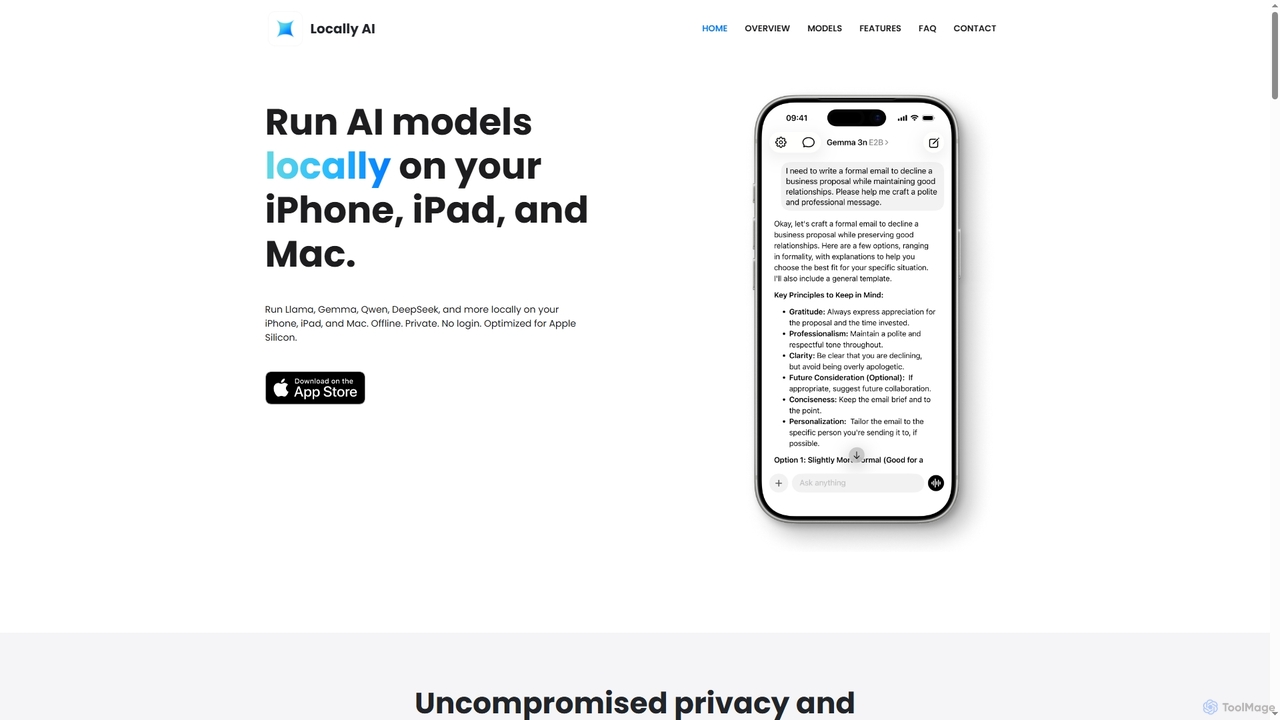
Locally AI enables users to run powerful AI models directly on their iPhone, iPad, and Mac devices. It prioritizes privacy and offers features like offline voice mode, Siri integration, and customizable prompts for text and image processing, all seamlessly integrated within the Apple ecosystem.

On Device Ai
Visits 49.2KFavorites 116Likes 104

About Voice Assistant

Voice Assistants are AI-powered tools that enable users to interact with devices and services using natural spoken language. Leveraging advanced speech recognition and natural language processing (NLP) within the broader field of Speech Processing, these assistants can understand commands, answer questions, and perform tasks hands-free. They offer a convenient and intuitive interface for accessing information, controlling smart devices, and streamlining daily routines across various platforms.

Core Features

  • Natural Language Understanding (NLU): Interprets user intent and context from spoken queries.
  • Speech Recognition (ASR): Converts spoken words into text for processing.
  • Command Execution: Performs actions like setting alarms, playing music, or sending messages.
  • Contextual Awareness: Maintains continuity in multi-turn conversations and remembers past interactions.
  • Integration with Services: Connects with third-party apps and smart home ecosystems for extended functionality.

Use Cases

Voice assistants are widely adopted in smart homes for controlling lighting, thermostats, and entertainment systems. In automotive settings, they provide hands-free navigation, media control, and communication. Businesses utilize them for automating customer service inquiries, directing calls, and providing instant information, enhancing user experience and operational efficiency.

How to Choose

When selecting a voice assistant, consider its accuracy in understanding diverse accents and languages, its integration capabilities with your existing devices and services, and the range of tasks it can perform. Evaluate privacy policies regarding data collection and storage, and assess customization options for wake words or personalized responses to ensure it meets your specific needs and preferences.

Featured tool rankings

Voice Assistant use cases

1

Smart Home Device Control

For homeowners, voice assistants simplify managing smart devices. Users can verbally command their assistant to adjust thermostat settings, turn lights on or off, lock doors, or play specific music tracks across different rooms, all without needing to physically interact with switches or apps. This enhances convenience and creates a more integrated living environment, especially for those with mobility challenges.

2

Hands-Free Navigation in Vehicles

Drivers can utilize voice assistants for safer, hands-free operation while on the road. By simply speaking, they can get real-time navigation directions, make calls, send messages, control in-car entertainment, or check traffic updates without diverting their attention from driving. This significantly improves road safety and reduces distractions, making journeys more efficient and enjoyable.

3

Automated Customer Service & Support

Businesses deploy voice assistants to enhance their customer service operations. These assistants can handle a high volume of routine inquiries, provide instant answers to FAQs, guide users through troubleshooting steps, or direct complex issues to human agents. This reduces call wait times, improves customer satisfaction, and allows human agents to focus on more intricate problems, optimizing resource allocation.

4

Personal Productivity & Scheduling

Individuals leverage voice assistants to manage their daily schedules and boost productivity. Users can verbally set reminders, create calendar events, add items to shopping lists, or dictate notes and emails on the go. This allows for efficient task management and information capture, freeing up hands and mental focus for other activities, whether at home or in a professional setting.

5

Accessibility for Users with Disabilities

Voice assistants play a crucial role in making technology more accessible. For individuals with visual impairments, motor disabilities, or other challenges, voice commands offer an alternative and often primary method of interaction with computers, smartphones, and smart home devices. They can read out screen content, control applications, and perform web searches, fostering greater independence.

6

Information Retrieval & Quick Answers

Users frequently turn to voice assistants for immediate access to information. Whether it's checking the weather forecast, asking for sports scores, converting units, or looking up factual data, these assistants can quickly process queries and provide concise, relevant answers from vast databases. This instant information retrieval saves time and offers a convenient way to satisfy curiosity or get quick facts.

Voice Assistant FAQ

What are Voice Assistants?

Voice Assistants are AI-powered software agents that understand and respond to human voice commands. They are a specialized application within the broader field of Speech Processing, focusing on natural language interaction to perform tasks, answer questions, and control devices. Unlike general speech recognition tools that merely convert speech to text, voice assistants interpret intent and execute actions based on that understanding.

How do Voice Assistants work?

Voice assistants typically work by first using Automatic Speech Recognition (ASR) to convert spoken audio into text. This text is then processed by Natural Language Understanding (NLU) models to interpret the user's intent and extract key information. Based on this understanding, the assistant performs the requested action, such as searching for information, controlling a smart device, or initiating a call, and then generates a spoken response using Text-to-Speech (TTS) technology.

How do Voice Assistants differ from general Speech Recognition tools?

While both rely on speech processing, Voice Assistants go beyond simple speech-to-text conversion. General Speech Recognition tools primarily transcribe spoken words into written text. Voice Assistants, however, integrate NLU and NLG (Natural Language Generation) to understand the meaning and intent behind the words, allowing them to engage in conversational dialogue, perform complex tasks, and interact with various services and devices based on interpreted commands, making them more interactive and functional.

What are the main benefits of using a Voice Assistant?

The primary benefits of using a voice assistant include hands-free convenience, increased productivity, and enhanced accessibility. They allow users to multitask by controlling devices or accessing information without needing to use their hands or eyes. For individuals with disabilities, they provide an intuitive way to interact with technology. Additionally, they can streamline daily routines, automate repetitive tasks, and offer instant access to information, saving time and effort.

Are Voice Assistants secure and private?

The security and privacy of voice assistants are significant concerns. Most voice assistants are designed with security features like encryption for data transmission. However, they typically record and process voice commands in the cloud, which raises privacy questions. Users should review the privacy policies of specific voice assistants, understand how their data is used and stored, and utilize available privacy settings to manage data retention and sharing preferences to protect their personal information.