ToolMage
Sign in

Best 1 On Device Ai AI tools for Artificial Intelligence

Popular On Device Ai AI tools in Artificial Intelligence include Locally AI, helping you work more efficiently.

Locally AI

Locally AI

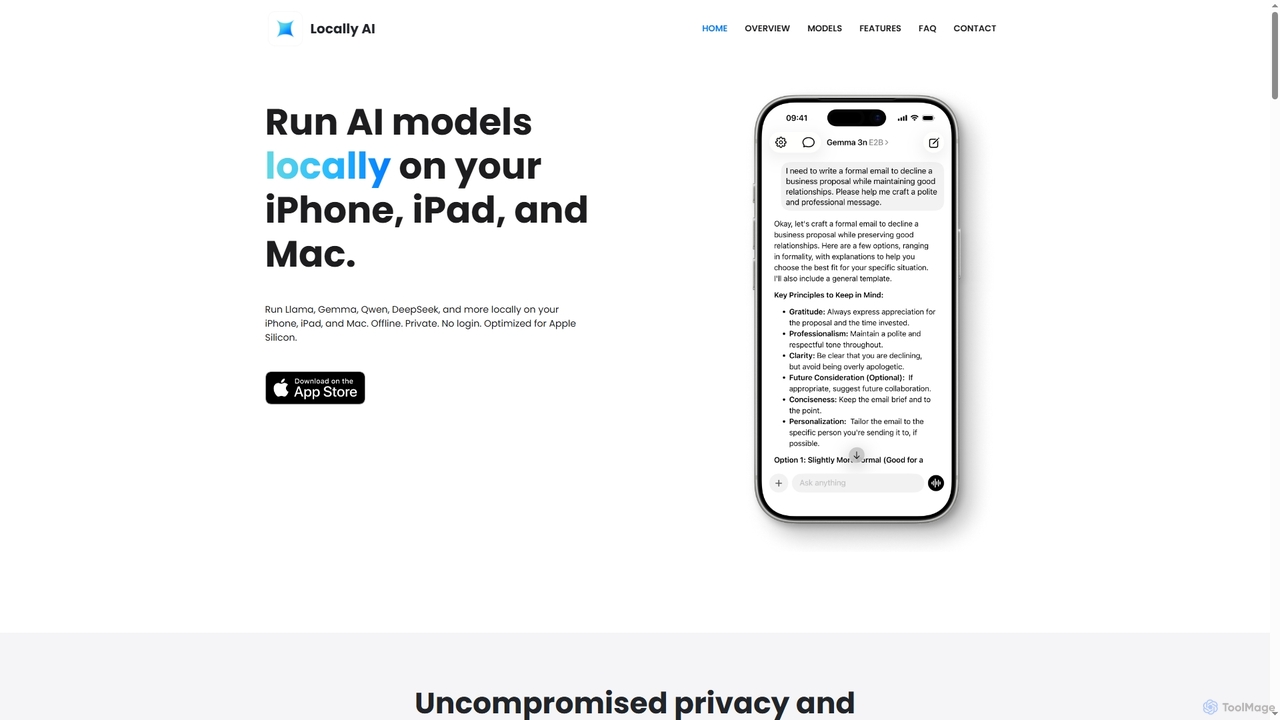
Locally AI enables users to run powerful AI models directly on their iPhone, iPad, and Mac devices. It prioritizes privacy and offers features like offline voice mode, Siri integration, and customizable prompts for text and image processing, all seamlessly integrated within the Apple ecosystem.

On Device Ai
Visits 49.7KFavorites 122Likes 104

About On Device Ai

On Device AI refers to artificial intelligence models designed to run directly on edge devices, such as smartphones, IoT sensors, and embedded systems, rather than relying on cloud servers. These tools leverage optimized algorithms and hardware acceleration to perform inference locally, enabling real-time processing and enhanced data privacy. The primary value lies in delivering immediate AI capabilities, reducing latency, and operating independently of internet connectivity, making AI more accessible and secure in diverse environments.

Core Features

  • Local Inference: AI models execute computations directly on the device, eliminating the need to send data to the cloud.
  • Low Latency: Processing occurs instantly on the device, resulting in faster response times for critical applications.
  • Enhanced Privacy: User data remains on the device, significantly reducing privacy risks associated with cloud data transfer.
  • Offline Capability: AI functionalities can operate without an active internet connection, ensuring continuous service availability.
  • Energy Efficiency: Optimized models and hardware allow for AI processing with minimal power consumption, extending device battery life.

Use Cases

On Device AI is crucial in scenarios where real-time responsiveness, data privacy, or offline operation are paramount. This includes consumer electronics for personalized experiences, industrial IoT for predictive maintenance at the edge, and automotive systems for immediate safety decisions. It empowers applications to deliver intelligent features directly to users without the overhead or security concerns of constant cloud communication.

How to Choose

Selecting an On Device AI solution requires evaluating several factors: the target device's computational resources and memory, the complexity and size of the AI model, and the specific performance and latency requirements. Consider the availability of optimized SDKs and frameworks (e.g., TensorFlow Lite, Core ML), the ease of model deployment and updates, and the level of data privacy needed for your application. Compatibility with existing hardware and development ecosystems is also key.

On Device Ai use cases

1

Real-time Voice Assistant on Smartphones

Smartphone users benefit from instant responses from voice assistants like Siri or Google Assistant, even offline. On Device AI processes voice commands locally, enabling quick execution of tasks such as setting alarms, making calls, or controlling device settings without sending audio data to cloud servers, ensuring privacy and responsiveness.

2

Real-time Smartphone Features

Smartphone manufacturers integrate On Device AI for features like instant facial recognition for unlocking, real-time language translation during calls, or advanced camera processing for portrait mode and scene detection. This allows users to experience seamless, private, and low-latency AI functionalities directly on their device, enhancing user experience without sending personal data to the cloud.

3

Offline Voice Assistants

Users in areas with unreliable internet or those prioritizing privacy can benefit from offline voice assistants powered by On Device AI. These assistants can perform basic commands, set alarms, play music, or control smart home devices without needing a cloud connection, ensuring functionality and data privacy even when off-grid.

4

Facial Recognition for Device Unlocking

Users can securely unlock their smartphones or access restricted areas using facial recognition. On Device AI performs the biometric matching directly on the device, comparing the live camera feed with stored facial data. This ensures that sensitive biometric information never leaves the device, enhancing security and privacy while providing immediate access.

5

Predictive Maintenance in Industrial IoT

In manufacturing plants, IoT sensors equipped with On Device AI monitor machinery for anomalies. The AI models analyze vibration, temperature, and sound data locally to detect potential equipment failures in real-time. This allows for immediate alerts and proactive maintenance, preventing costly downtime without constant data streaming to a central server.

6

Predictive Maintenance in Industrial IoT

In manufacturing or remote industrial sites, On Device AI on edge devices monitors machinery vibrations, temperature, and sound patterns. It analyzes this data locally to detect anomalies and predict potential equipment failures in real-time. This enables proactive maintenance, reduces downtime, and avoids costly cloud data transfer for continuous monitoring.

7

Personalized Recommendations in Offline Retail Apps

Retail applications can offer personalized product recommendations to shoppers even when internet connectivity is poor or unavailable. On Device AI analyzes a user's browsing history and preferences stored locally to suggest relevant items, improving the shopping experience and driving sales without relying on cloud-based recommendation engines.

8

Personalized Health Monitoring on Wearables

Wearable devices like smartwatches use On Device AI to continuously analyze biometric data, such as heart rate, sleep patterns, and activity levels. This local processing enables immediate alerts for health anomalies, provides personalized fitness insights, and maintains the privacy of sensitive health data, all without constant synchronization with cloud servers.

9

Enhanced Security for Smart Home Devices

Smart home cameras and doorbells leverage On Device AI for local object detection and facial recognition. Instead of sending all video feeds to the cloud for analysis, the device can identify known individuals or differentiate between pets and intruders locally, sending alerts only for relevant events. This significantly improves privacy and reduces bandwidth usage.

10

Advanced Driver-Assistance Systems (ADAS)

Modern vehicles utilize On Device AI for critical safety features like lane keeping assist, automatic emergency braking, and pedestrian detection. AI models process sensor data (cameras, radar, lidar) in real-time on the vehicle's embedded systems. This immediate processing is vital for making split-second decisions to prevent accidents, where cloud latency would be unacceptable.

11

Augmented Reality (AR) Applications

Mobile AR applications utilize On Device AI for real-time environment understanding, object tracking, and pose estimation. By processing camera feeds locally, AR apps can overlay virtual content onto the real world with minimal latency, creating immersive and responsive experiences for gaming, navigation, or interactive learning without relying on cloud processing for visual analysis.

12

Smart Home Device Automation

Smart home devices, such as security cameras or smart speakers, use On Device AI for local processing of events. A security camera might detect human presence or a pet locally, triggering an alert or recording only relevant footage, reducing false alarms and bandwidth usage. This ensures faster responses and greater privacy for home monitoring and automation tasks.

On Device Ai FAQ

What is On Device AI?

On Device AI refers to artificial intelligence systems that execute computations and run models directly on a local device, such as a smartphone, tablet, or IoT sensor, rather than relying on remote cloud servers. Its core advantage lies in processing data locally, which significantly enhances user privacy, reduces data transmission costs, and enables real-time functionality even without an internet connection.

What is On Device AI?

On Device AI refers to artificial intelligence models that execute directly on edge devices like smartphones, smart speakers, or IoT sensors, rather than processing data in remote cloud servers. Its core purpose is to enable AI functionalities locally, offering benefits such as real-time performance, enhanced data privacy, and operation without continuous internet connectivity. This approach is crucial for applications requiring immediate responses or handling sensitive user data.

How does On Device AI differ from Cloud AI?

On Device AI processes data locally on the device, while Cloud AI sends data to remote servers for processing. The key differences lie in latency, privacy, and connectivity. On Device AI offers lower latency and better privacy as data doesn't leave the device, and it can function offline. Cloud AI, conversely, provides access to more powerful models and scalable computing resources but requires constant internet access and involves data transfer, which can raise privacy concerns and introduce latency.

How does On Device AI differ from Cloud AI?

On Device AI processes data locally on the user's device, offering superior privacy, lower latency, and offline capabilities. In contrast, Cloud AI performs computations on remote servers, requiring constant internet connectivity and potentially raising data privacy concerns. While Cloud AI can handle larger, more complex models due to vast computing resources, On Device AI prioritizes efficiency, speed, and data security for localized tasks.

What are the main advantages of using On Device AI?

The primary advantages of On Device AI include significantly reduced latency, as processing happens instantly on the device, leading to faster response times. It also offers enhanced data privacy and security because sensitive user data never leaves the device. Furthermore, On Device AI enables offline functionality, allowing applications to work without an internet connection, and can lead to lower operational costs by reducing reliance on cloud computing resources and bandwidth.

What are the main benefits of using On Device AI?

The primary benefits of On Device AI include enhanced data privacy, as sensitive information never leaves the device. It provides ultra-low latency responses, enabling real-time interactions without network delays. Furthermore, it offers robust offline functionality, ensuring AI features work reliably without an internet connection. Other advantages include reduced cloud computing costs and optimized power consumption for mobile devices.

What are the challenges of implementing On Device AI?

Implementing On Device AI presents several challenges, primarily related to resource constraints. Devices have limited processing power, memory, and battery life, requiring highly optimized and smaller AI models. Model compression and quantization techniques are often necessary. Additionally, deploying and updating models on a diverse range of edge devices can be complex, and the performance of on-device models might not match the capabilities of large cloud-based models.

What types of applications commonly use On Device AI?

On Device AI is widely used in applications requiring real-time processing, privacy, or offline capabilities. Common examples include facial recognition and voice assistants on smartphones, predictive text and autocorrection, augmented reality (AR) experiences, health monitoring on wearables, and edge computing for industrial IoT sensors. It's ideal for tasks where immediate local decision-making is crucial.

Which types of applications benefit most from On Device AI?

Applications that benefit most from On Device AI are those requiring real-time responsiveness, strong data privacy, or reliable offline operation. This includes mobile applications with voice assistants, facial recognition, or personalized recommendations; industrial IoT for edge analytics and predictive maintenance; automotive systems for ADAS; and smart home devices for local automation and security. Any scenario where immediate, secure, and independent AI processing is critical is an ideal fit.

How do developers optimize AI models for on-device deployment?

Developers optimize AI models for on-device deployment through several techniques. This includes model quantization, which reduces the precision of numerical representations; pruning, which removes less important connections; and knowledge distillation, where a smaller model learns from a larger one. Additionally, using specialized hardware accelerators like NPUs (Neural Processing Units) and optimizing model architectures for efficiency are crucial for ensuring high performance on resource-constrained devices.