ToolMage
Sign in

Best 1 Developer Tools for Text Processing

Popular Developer Tools in Text Processing include QuickUtils, helping you work more efficiently.

QuickUtils
Free

QuickUtils

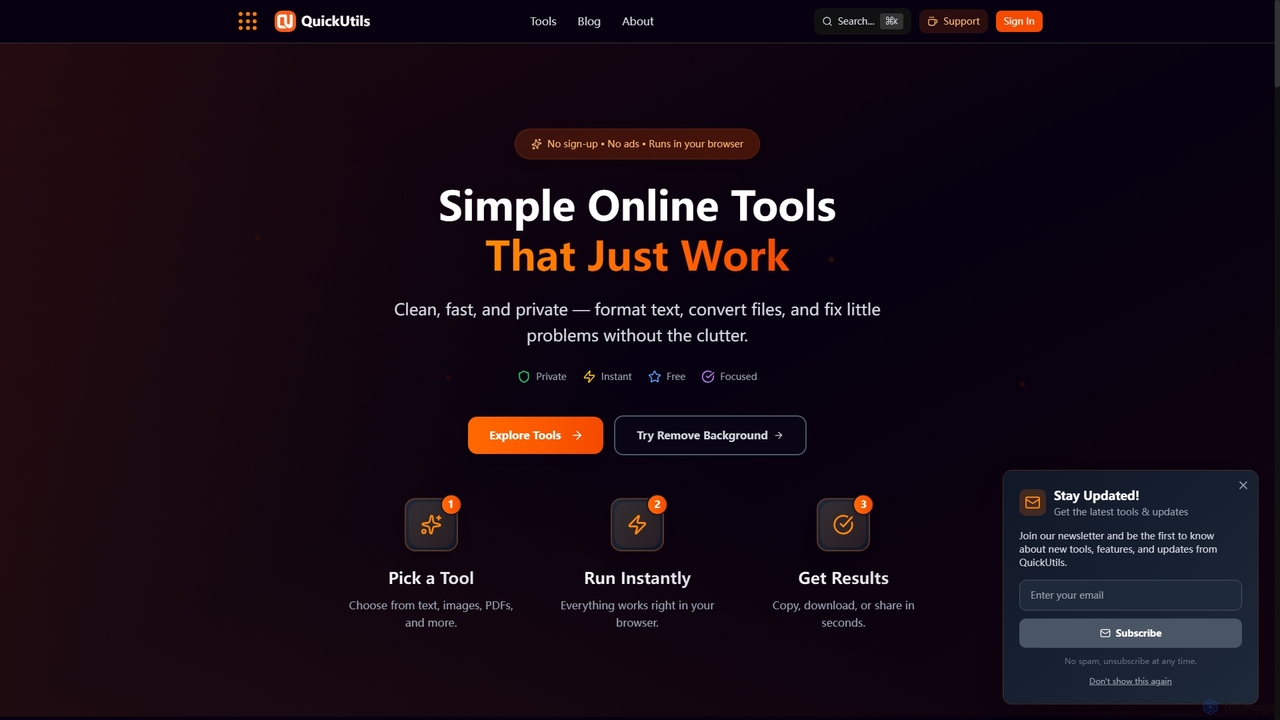
QuickUtils offers a comprehensive suite of free, privacy-focused online tools designed for instant productivity. From AI-powered image background removal and text paraphrasing to QR code generation and JSON formatting, it provides clean, fast, and secure utilities that run directly in your browser without sign-ups or ads.

Conversion
Visits 7.6KFavorites 116Likes 118

About Developer Tools

Developer Tools are AI-powered solutions specifically designed to assist software engineers and data scientists throughout the development lifecycle, particularly in tasks involving text-based operations. These tools leverage advanced natural language processing (NLP) and large language models (LLMs) to understand developer intent, generate code, analyze scripts, and automate documentation. They aim to streamline coding workflows, reduce repetitive tasks, and enhance code quality, thereby accelerating project delivery and fostering innovation. By integrating seamlessly into existing development environments, AI Developer Tools transform how professionals interact with code and data.

Core Features

  • AI Code Generation: Automatically creates code snippets, functions, or entire scripts from natural language prompts or partial code.
  • Intelligent Code Completion: Provides context-aware suggestions and predicts the next lines of code, improving coding speed and accuracy.
  • Automated Documentation: Generates clear, concise explanations and API references directly from source code, reducing manual effort.
  • Code Analysis & Refactoring: Identifies potential bugs, suggests performance optimizations, and recommends best practices for cleaner, more efficient code.
  • Prompt Engineering Assistance: Helps developers craft effective prompts for interacting with large language models, optimizing AI model outputs.

Use Cases

These tools are invaluable for accelerating software development, automating routine coding tasks, and enhancing the quality of text-based outputs. They are widely adopted by individual developers, engineering teams, and data scientists seeking to integrate AI capabilities into their applications or optimize their coding practices.

How to Choose

When selecting AI Developer Tools, consider their integration capabilities with your existing IDEs and version control systems. Evaluate the breadth of programming languages supported and the tool's ability to generate accurate, contextually relevant code. Assess the level of customization offered, especially for fine-tuning AI models to specific project requirements. Finally, review the security protocols for handling proprietary code and data, alongside the pricing model and community support.

Developer Tools use cases

1

Automated Boilerplate Code Generation

A backend developer needs to set up a new microservice with standard authentication and database connection logic. Using an AI Developer Tool, they can input a high-level prompt like 'Generate a Node.js Express API with JWT authentication and MongoDB integration.' The tool quickly produces the foundational code, including routes, middleware, and database schemas, saving hours of manual setup and ensuring consistent project structure.

2

Intelligent Bug Detection and Code Refactoring

An experienced software engineer is reviewing a legacy codebase for performance bottlenecks and potential security vulnerabilities. An AI Developer Tool analyzes the code, identifies inefficient loops, suggests more optimized algorithms, and flags common security pitfalls like SQL injection risks. It provides refactored code suggestions, allowing the engineer to quickly improve code quality and maintainability without extensive manual debugging.

3

Natural Language to SQL Query Generation

A data analyst, with limited SQL expertise, needs to extract specific data from a complex database for a report. Instead of manually writing intricate queries, they use an AI Developer Tool to translate natural language requests like 'Show me the total sales for products in the 'Electronics' category last quarter, grouped by region.' The tool generates the correct SQL query, enabling the analyst to access data efficiently and accurately without deep database knowledge.

4

Automated API Documentation Creation

A development team is launching a new API and requires comprehensive, up-to-date documentation for external partners. An AI Developer Tool integrates with their codebase, automatically parsing function signatures, comments, and data models. It then generates detailed API endpoints, request/response examples, and usage guides in formats like OpenAPI/Swagger, significantly reducing the manual effort and time typically spent on documentation.

5

Prompt Engineering for AI Model Integration

An AI engineer is integrating a large language model into a customer service chatbot and needs to optimize its responses for specific scenarios. Using an AI Developer Tool focused on prompt engineering, they can experiment with different prompt structures, test various input parameters, and analyze the model's output quality. This iterative process helps refine prompts to achieve desired conversational flows and accurate information retrieval, enhancing the chatbot's effectiveness.

6

Cross-Language Code Translation and Migration

A company is migrating a legacy application from Python 2 to Python 3, or from Java to Kotlin. An AI Developer Tool can analyze the existing codebase and automatically suggest or perform translations between different language versions or entirely different programming languages. This capability drastically reduces the manual effort and potential errors associated with large-scale code migrations, accelerating the modernization of software systems.

Developer Tools FAQ

What are AI Developer Tools?

AI Developer Tools are software applications that leverage artificial intelligence, primarily large language models (LLMs) and natural language processing (NLP), to assist developers in various coding and software development tasks. They aim to automate repetitive work, generate code, analyze existing codebases, and provide intelligent suggestions, thereby enhancing productivity and code quality. These tools are particularly valuable for tasks involving text manipulation, code generation, and documentation within the development workflow.

How do AI Developer Tools enhance coding efficiency?

AI Developer Tools enhance coding efficiency by automating several time-consuming processes. They can generate boilerplate code, suggest intelligent code completions, and even write entire functions based on natural language descriptions, significantly reducing manual typing. Furthermore, they assist in identifying and fixing bugs, refactoring code for better performance, and automatically generating documentation, allowing developers to focus on more complex problem-solving and innovative features rather than routine tasks.

What's the difference between AI Code Generation and traditional IDE auto-completion?

Traditional IDE auto-completion primarily relies on syntax rules, predefined libraries, and basic context to suggest variable names, function calls, or class members. In contrast, AI Code Generation, a core feature of AI Developer Tools, uses advanced machine learning models to understand the developer's intent, the project's context, and even natural language prompts. It can generate entirely new, functional code blocks, complex algorithms, or even translate concepts into code, going far beyond simple keyword matching to provide more intelligent and comprehensive suggestions.

Which programming languages do AI Developer Tools typically support?

AI Developer Tools are increasingly designed to support a wide array of popular programming languages. Common languages include Python, JavaScript, TypeScript, Java, C, Go, Ruby, and PHP, among others. The specific language support often depends on the underlying AI model's training data and the tool's focus. Many tools offer multi-language capabilities, allowing developers working in diverse tech stacks to benefit from AI assistance across their projects.

How can developers integrate AI models into their applications using these tools?

AI Developer Tools simplify the integration of AI models into applications through various mechanisms. They often provide SDKs, APIs, and frameworks that abstract away the complexities of interacting with large language models or other AI services. Developers can use these tools to manage API keys, construct and optimize prompts, handle model outputs, and even fine-tune pre-trained models with custom data. This streamlines the process of embedding AI-powered features like natural language understanding, text generation, or code analysis directly into their software.