
ToolMage
Sign in

Best 1 Resolution Enhancement AI tools for Upscaling

Popular Resolution Enhancement AI tools in Upscaling include AIEnhancer, helping you work more efficiently.

AIEnhancer
Freemium

AIEnhancer

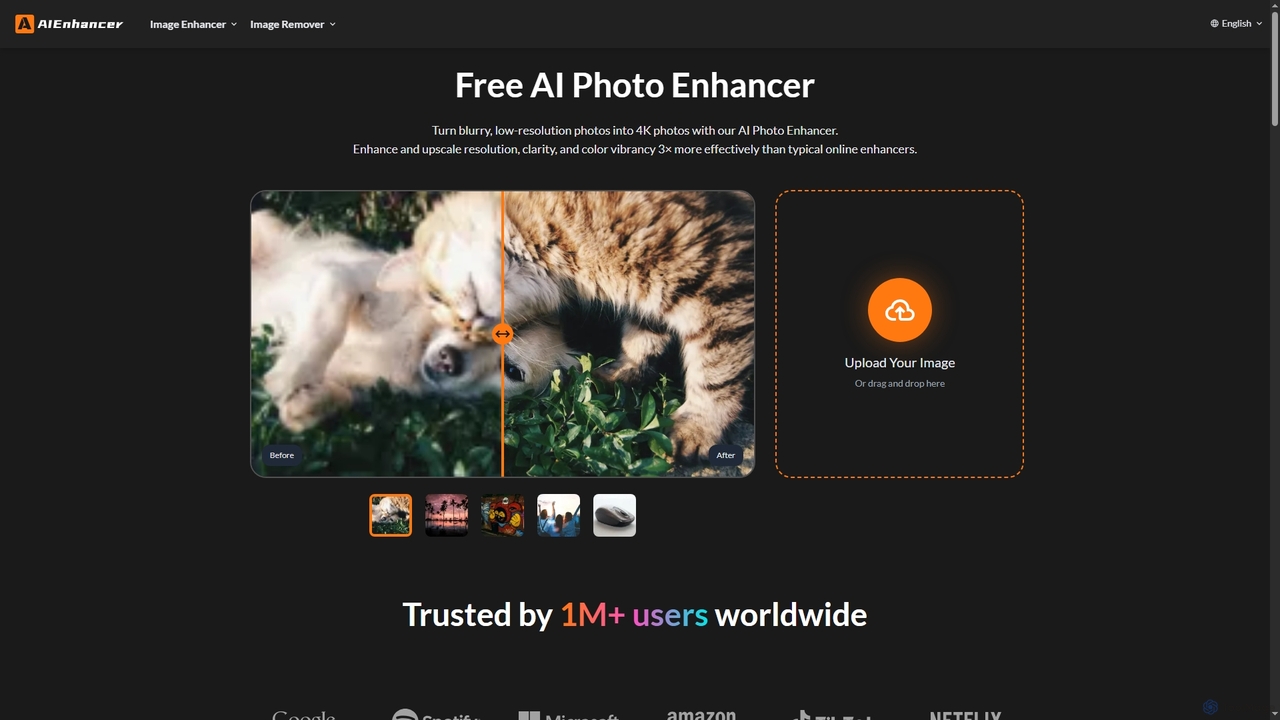
AIEnhancer is a powerful online AI tool that transforms and perfects images. It enhances resolution, restores old photos, removes blur and noise, sharpens details, converts to HD, and precisely removes backgrounds, making professional-grade photo editing accessible and effortless for everyone.

Background Removal
Visits 797.6KFavorites 145Likes 139

About Resolution Enhancement

Resolution Enhancement tools are AI-powered solutions designed to significantly improve the visual quality and detail of images and videos, particularly when increasing their size. These tools leverage advanced algorithms, often based on deep learning, to intelligently reconstruct missing pixels and refine existing ones. Going beyond simple upscaling, they restore clarity, reduce noise, and sharpen edges, transforming low-resolution content into high-fidelity visuals suitable for various professional and creative applications.

Core Features

  • Detail Reconstruction: Intelligently adds fine details and textures that were absent in the original low-resolution input.
  • Noise Reduction: Effectively removes visual noise and artifacts without blurring important image features.
  • Edge Sharpening: Enhances the crispness of lines and edges, making objects appear clearer and more defined.
  • Artifact Removal: Corrects compression artifacts, pixelation, and other imperfections common in low-quality media.
  • Color and Tone Optimization: Optimizes color accuracy and tonal balance for a more vibrant and natural appearance.

Use Cases

Graphic designers and photographers use these tools to prepare low-resolution client assets for print or high-definition digital display. Video editors enhance archival footage or user-generated content to meet broadcast quality standards. E-commerce businesses improve product images for online catalogs, ensuring high-quality visuals that attract customers.

How to Choose

Consider the AI model's sophistication and its ability to handle different content types (photos, illustrations, video). Evaluate the output quality for detail preservation, noise handling, and artifact removal. Check for batch processing capabilities and integration with existing workflows. Assess pricing models (subscription, pay-per-use) and file size/resolution limits.

Resolution Enhancement use cases

1

Enhancing Archival Photos for Digital Display

Historians or personal users digitizing old family photos can use resolution enhancement tools to restore faded, pixelated, or low-resolution scans. The AI intelligently reconstructs details, sharpens features, and removes noise, making these precious memories suitable for high-quality prints or sharing on modern high-resolution screens.

2

Upscaling E-commerce Product Images

E-commerce managers often receive product images in varying or low resolutions from suppliers. Resolution enhancement tools allow them to uniformly upscale and refine these images, ensuring every product photo on their website is crisp, detailed, and professional, which directly impacts customer perception and conversion rates.

3

Improving Video Footage for Broadcast/Streaming

Video production teams working with older footage, user-generated content, or drone captures that are not in 4K or 8K can employ resolution enhancement. These tools upgrade the video quality, reducing blur and pixelation, making it suitable for high-definition broadcasts, cinematic presentations, or modern streaming platforms without reshooting.

4

Preparing Low-Res Graphics for Print Media

Graphic designers frequently encounter logos, illustrations, or design elements that are too small or low-resolution for large-format printing (e.g., posters, banners). Resolution enhancement AI can upscale these graphics while adding necessary detail and sharpness, preventing pixelation and ensuring a professional, high-quality print output.

5

Restoring Details in Forensic or Surveillance Imagery

Law enforcement or security analysts can utilize resolution enhancement to clarify blurry or low-resolution images and video from surveillance cameras or crime scenes. By enhancing facial features, license plates, or other critical details, these tools provide clearer evidence that can be crucial for investigations.

6

Upscaling Game Textures and Assets

Game developers or modders looking to modernize older games or improve asset quality can use resolution enhancement tools. These tools can take low-resolution textures and character models and upscale them with added detail and sharpness, significantly improving the visual fidelity of the game without requiring artists to manually redraw every asset.

Resolution Enhancement FAQ

What are Resolution Enhancement tools?

Resolution Enhancement tools are AI-powered software designed to improve the visual quality of images and videos, especially when increasing their size. They use advanced algorithms to intelligently add missing details, reduce noise, sharpen edges, and correct artifacts, transforming low-resolution content into high-fidelity visuals suitable for professional use.

How do Resolution Enhancement tools differ from standard Upscaling?

Standard upscaling primarily increases the pixel dimensions of an image, often leading to blurriness or pixelation. Resolution Enhancement, a subset of advanced upscaling, goes further by using AI (like deep learning) to intelligently reconstruct details, reduce noise, and sharpen features, making the enlarged image look genuinely better and more detailed, not just bigger.

What are the key benefits of using AI for Resolution Enhancement?

AI-driven resolution enhancement offers superior results compared to traditional methods. It can intelligently infer and reconstruct missing details, effectively reduce various types of noise and artifacts, and produce sharper, more natural-looking images and videos. This saves significant manual editing time and achieves quality often impossible otherwise.

Who can benefit most from Resolution Enhancement tools?

A wide range of users can benefit, including photographers, graphic designers, video editors, e-commerce businesses, content creators, and even forensic analysts. Anyone needing to improve the quality of low-resolution images or videos for professional display, print, or analysis will find these tools invaluable for achieving superior visual fidelity.

What factors should I consider when choosing a Resolution Enhancement tool?

When selecting a tool, consider the quality of its AI model (look for examples), the types of media it supports (images, video), its speed and batch processing capabilities, ease of use, and integration options. Also, evaluate its pricing structure and any limitations on file size or output resolution to ensure it meets your specific needs and budget.