VoiceOS
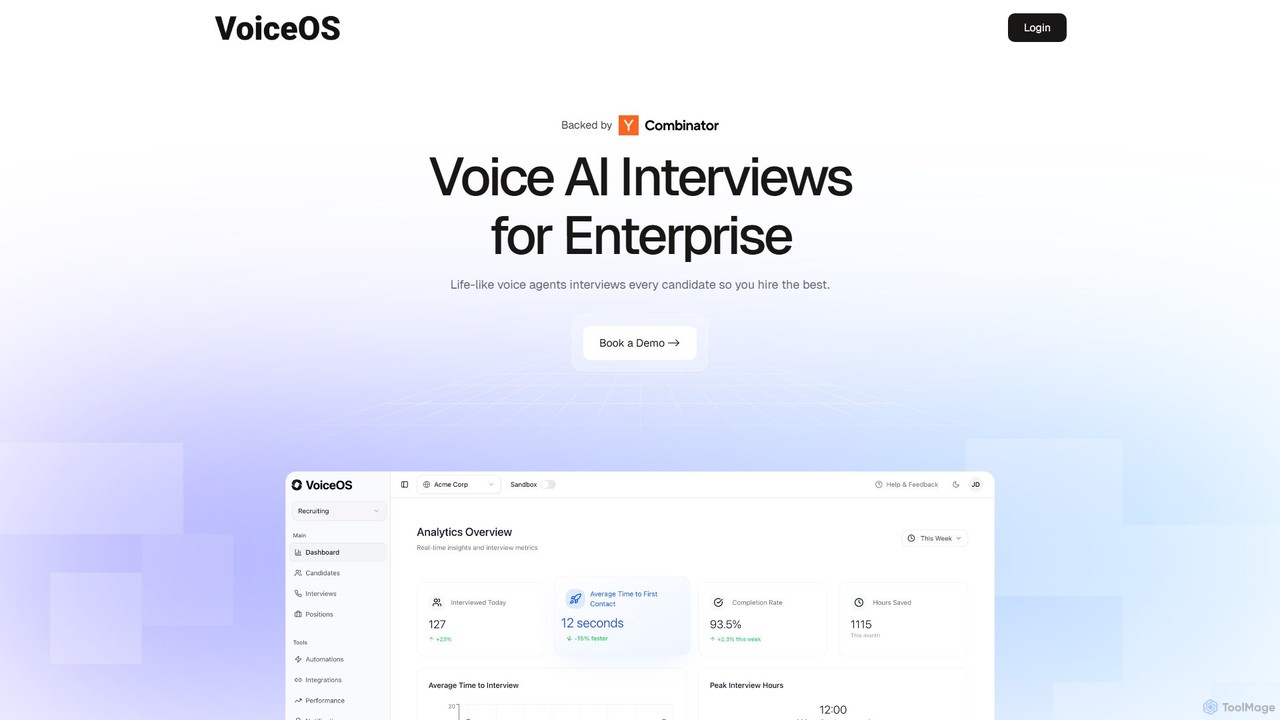
VoiceOS is an AI-powered platform for enterprises that automates initial candidate screening through life-like voice interviews. It integrates …
VoiceOS is an AI-powered platform for enterprises that automates initial candidate screening through life-like voice interviews. It integrates with any ATS, conducts interviews 24/7, and provides advanced analysis on sentiment, culture fit, and experience. This streamlines high-volume recruiting, reduces bias, and allows hiring teams to focus on the most qualified applicants, accelerating the hiring process.
About Voice & Speech
Voice & Speech tools are AI-powered solutions that generate, convert, and analyze human speech. These tools utilize core technologies like Text-to-Speech (TTS) to create audio from text, and Speech-to-Text (STT) to transcribe spoken words into written form. They are widely applied to create realistic voiceovers, automate transcription, develop voice assistants, and enhance accessibility. The ability to process and replicate nuances in tone, accent, and emotion makes them highly effective for communication and content creation.
Core Features
- Text-to-Speech (TTS): Converts written text into natural-sounding, human-like spoken audio in various languages and voices.
- Speech-to-Text (STT) / Transcription: Accurately transcribes spoken language from audio or video files into searchable, editable text.
- Voice Cloning: Creates a digital replica of a specific voice from a short audio sample, allowing for the generation of new speech in that voice.
- Speech Recognition: Identifies and interprets spoken commands or authenticates users based on their unique vocal characteristics.
- Speech Analytics: Analyzes audio conversations to extract insights on sentiment, keywords, tone, and speaker performance.
Use Cases
These tools are essential in industries like media and entertainment for voiceover production, in customer service for building Interactive Voice Response (IVR) systems, and in healthcare for clinical documentation. Content creators, podcasters, marketers, developers, and researchers use them to automate workflows, create accessible content, and analyze spoken data.
How to Choose
When selecting a Voice & Speech tool, evaluate the naturalness and quality of the generated voice or the accuracy of the transcription. Consider the range of supported languages, dialects, and accents. For developers, the availability and documentation of an API are crucial. Also, assess customization options like voice cloning, speed adjustment, and pricing models based on characters, minutes, or subscription tiers.
Voice & SpeechUse Cases
Creating Realistic Voiceovers for Video Content
A video creator or marketer needs to produce a promotional video in multiple languages but lacks the budget for professional voice actors. By using a Text-to-Speech (TTS) tool, they can input their script and generate high-quality, natural-sounding audio for each required language. This process allows them to adjust the tone, speed, and emotion to match the video's context. The result is professionally localized video content, produced quickly and cost-effectively, enabling them to reach a global audience without significant investment in recording studios or talent.
Automating Meeting and Interview Transcription
A journalist, researcher, or project manager who conducts multiple interviews or meetings daily needs accurate written records for analysis. Manually transcribing hours of audio is time-consuming and prone to errors. By uploading audio recordings to a Speech-to-Text (STT) tool, they receive an automated, time-stamped transcript within minutes. Many tools can also distinguish between different speakers. This automation saves hours of manual labor, accelerates the content creation or research process, and provides a searchable text document for easy reference and data extraction.
Developing Interactive Voice Response (IVR) Systems
A customer service manager aims to improve call center efficiency by automating common queries. Using speech recognition and TTS tools, developers can build an Interactive Voice Response (IVR) system. The system uses speech recognition to understand a customer's spoken request (e.g., "check my account balance"). It then processes the request and uses TTS to provide a clear, spoken response. This frees up human agents to handle more complex issues, reduces customer wait times, and provides 24/7 support, ultimately improving overall customer satisfaction and operational efficiency.
Generating Audiobooks and Podcast Content
An author or publisher wants to convert a written book into an audiobook to reach a wider audience. Instead of the high cost and time commitment of hiring a voice actor and booking a studio, they can use a high-fidelity TTS tool. By inputting the book's text, they can generate the entire audio content with an expressive, consistent AI voice. Similarly, a podcaster can use TTS to create segments, introductions, or even full episodes with a synthetic voice, allowing for rapid content production and experimentation with different vocal styles without needing to record their own voice.
Personalizing Brand Voice with Voice Cloning
A marketing director wants to establish a unique and consistent audio identity for their brand across all platforms, from advertisements to in-app assistants. Instead of relying on generic stock voices, they can use a voice cloning tool. By providing a short, high-quality recording from a chosen voice actor, the tool creates a custom AI voice model. This model can then be used to generate any new audio content, ensuring that every brand message is delivered in the same recognizable and proprietary voice. This enhances brand recall and creates a more personal connection with the audience.
Enhancing Accessibility for Visually Impaired Users
A web developer or content creator needs to make their digital content, such as articles and educational materials, accessible to users with visual impairments. By integrating a Text-to-Speech (TTS) API, they can add a "read aloud" feature to their website or application. This allows users to listen to the on-screen text instead of reading it. This not only helps achieve compliance with accessibility standards like WCAG but also provides a more inclusive user experience, ensuring that valuable information is available to everyone, regardless of their visual abilities.