ToolMage
Sign in

Best 1 Smart Glasses AI tools for Wearables

Popular Smart Glasses AI tools in Wearables include Lucyd, helping you work more efficiently.

Lucyd
Paid

Lucyd

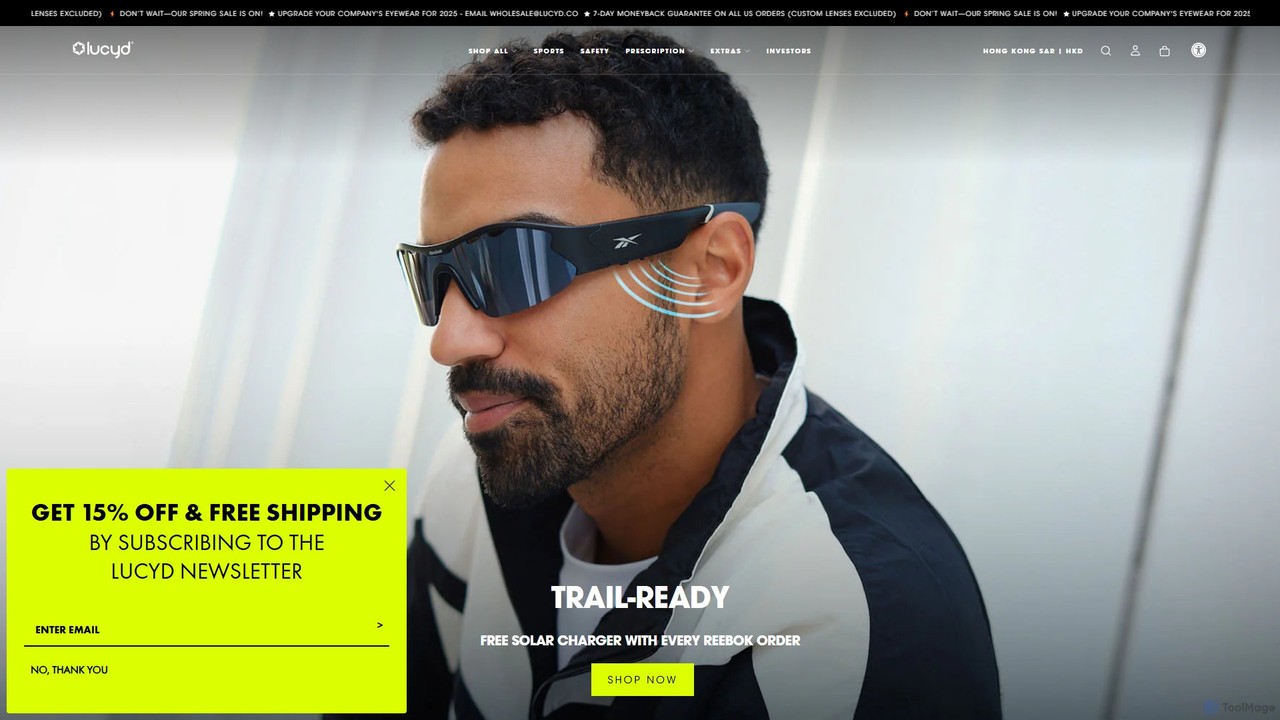
Lucyd offers a line of smart eyewear that integrates ChatGPT, allowing users to access the power of AI hands-free. These bluetooth glasses feature open-ear audio, a built-in microphone, and touch controls, seamlessly blending fashion with function. Available with prescription, sunglass, or other custom lenses, Lucyd provides a discreet and convenient way to make calls, listen to music, and interact with a voice assistant on the go.

Visual Aids
Visits 52.8KFavorites 120Likes 109

About Smart Glasses

Smart Glasses are wearable computer devices, in the form of eyeglasses, that overlay digital information onto the user's real-world view. They integrate technologies such as augmented reality (AR) displays, cameras, and sensors to provide hands-free access to data and applications. This allows users to receive real-time instructions, view notifications, or capture their point-of-view without interrupting their workflow. Unlike smartphones, Smart Glasses offer a heads-up, context-aware interface that enhances situational awareness and operational efficiency, particularly in enterprise environments.

Core Features

  • Heads-Up Display (HUD): Overlays digital information, such as notifications, navigation, or instructions, directly into the user's line of sight.
  • Point-of-View (POV) Capture: Allows for hands-free photo and video recording from the user's perspective for documentation or streaming.
  • Remote Assistance: Enables live video streaming to a remote expert who can provide real-time guidance and on-screen annotations.
  • Voice & Gesture Control: Facilitates hands-free operation through voice commands and simple gestures, ideal for busy environments.
  • Object Recognition: Uses built-in cameras and AI to identify objects, text, or barcodes, providing contextual information instantly.

Use Cases

Smart Glasses are primarily adopted in enterprise sectors. In manufacturing and logistics, they are used for guided workflows, remote expert assistance, and hands-free inventory management. Healthcare professionals utilize them for surgical assistance, remote consultations, and accessing patient data without physical contact. They also find applications in field service, training, and public safety for improved information access and communication.

How to Choose

When selecting Smart Glasses, consider the display type (monocular vs. binocular) and its brightness for your environment. Evaluate battery life to ensure it lasts a full work shift. Assess the software ecosystem and compatibility with your existing enterprise applications. Finally, consider durability, including IP rating for water and dust resistance, and overall comfort for extended wear.

Smart Glasses use cases

1

Remote Assistance for Field Technicians

A field service technician encounters a complex equipment failure at a client's site. Instead of waiting for a senior expert to travel, the technician wears smart glasses and initiates a video call. The remote expert sees exactly what the technician sees in real-time. The expert can then guide the repair process by annotating the technician's field of view with diagrams, instructions, and highlighting specific components. This significantly reduces downtime, saves travel costs, and enables knowledge transfer, allowing junior technicians to solve complex problems with expert oversight.

2

Vision Picking in Warehouse Logistics

A warehouse operator responsible for order fulfillment uses smart glasses integrated with the Warehouse Management System (WMS). The glasses display the picking list and optimal navigation route to the item's location directly in their field of view. Upon arrival, the operator can use the built-in scanner to confirm the correct item by scanning its barcode, updating the inventory in real-time. This hands-free process eliminates the need to carry paper lists or handheld scanners, increasing picking speed and accuracy while reducing errors and improving worker safety.

3

Surgical Assistance and Medical Training

A surgeon performing a complex procedure wears smart glasses to overlay a patient's MRI scans or vital signs directly onto their view of the operating area. This allows for more precise navigation without needing to look away at a separate monitor. For training purposes, a medical student can wear the glasses to view a procedure from the surgeon's exact point-of-view, with key steps and anatomical features highlighted in real-time. This provides an immersive and context-rich learning experience that is superior to traditional observation methods.

4

Real-time Translation for International Travel

A tourist visiting a foreign country uses smart glasses equipped with real-time translation capabilities. When they look at a sign, menu, or document in a foreign language, the glasses' camera captures the text, and the translated version is instantly displayed in their field of view. Similarly, when conversing with a local, the glasses can listen to the spoken language and provide a live text transcription of the translation. This creates a more seamless and immersive travel experience, breaking down language barriers without constantly needing to use a smartphone app.

5

Interactive Guides for Museums and Exhibitions

A visitor at a museum or art gallery wears smart glasses provided by the institution. As they approach an exhibit, the glasses recognize the artwork or artifact and automatically overlay relevant information, such as the artist's biography, historical context, or related pieces. For a dinosaur skeleton, the glasses could display an animated reconstruction of the living creature. This creates a self-guided, interactive, and deeply engaging tour, enriching the visitor's experience beyond what is possible with static plaques or traditional audio guides.

6

Hands-free Navigation for Cyclists and Drivers

A cyclist or motorcyclist wears smart glasses to get turn-by-turn navigation without looking down at a phone or GPS device. The directions are projected as subtle arrows or a map overlay in the corner of their vision, allowing them to keep their eyes on the road. The glasses can also display critical data like speed, distance, and incoming call notifications in a non-intrusive way. This application significantly enhances safety by providing essential information in a heads-up format, minimizing distractions and allowing the user to remain fully aware of their surroundings.

Smart Glasses FAQ

What are Smart Glasses?

Smart Glasses are wearable devices in the form of eyeglasses that integrate a computer and a transparent display to overlay digital information onto the user's real-world view. They are a key type of wearable technology, often utilizing augmented reality (AR). Core features typically include a heads-up display, a camera, microphone, and wireless connectivity. They are designed for hands-free operation, allowing users to access information, receive notifications, and communicate without using their hands, making them particularly useful in enterprise, industrial, and medical fields.

How do Smart Glasses differ from VR headsets?

The primary difference lies in their purpose and how they interact with reality. Smart Glasses use Augmented Reality (AR) to overlay digital information onto the real world, enhancing your view without obscuring it. VR (Virtual Reality) headsets, on the other hand, completely replace your real-world view with a fully immersive, computer-generated environment. Smart Glasses are designed for mobility and staying aware of your surroundings, making them suitable for on-the-go tasks. VR headsets are designed for stationary, fully immersive experiences like gaming or simulations.

Who are Smart Glasses primarily for?

While consumer models exist, the primary market for Smart Glasses is currently in the enterprise and industrial sectors. They provide significant value for roles that require hands-free access to information. Key users include:

  • Field Technicians: For remote assistance and accessing manuals.
  • Logistics Workers: For guided order picking and inventory management.
  • Manufacturing Staff: For assembly instructions and quality control checks.
  • Healthcare Professionals: For surgical assistance, training, and remote consultations.

For consumers, applications often focus on notifications, navigation, and hands-free media capture, but enterprise use cases currently drive most of the market's development.

How to choose the right Smart Glasses?

Selecting the right smart glasses depends heavily on your specific use case. Consider these key factors:

  • Display Type: Do you need a monocular display (one eye) for simple notifications, or a binocular display (both eyes) for more immersive AR experiences?
  • Battery Life: Ensure the device can last through a typical workday or period of use. Look for options with swappable batteries for continuous operation.
  • Software Ecosystem: Check if the glasses support the specific applications you need or if they offer a robust development kit (SDK) for custom solutions.
  • Durability and Safety: For industrial environments, look for rugged designs with IP ratings for dust/water resistance and relevant safety certifications.
  • Comfort and Ergonomics: The device must be comfortable enough for extended wear. Consider weight, fit, and whether it can be worn over prescription glasses.
What are the main challenges for Smart Glasses adoption?

Despite their potential, smart glasses face several challenges. Battery life is a significant constraint, as powerful processing and bright displays consume a lot of power. The form factor is another hurdle; devices need to be lightweight, comfortable, and socially acceptable to wear for long periods. The cost of enterprise-grade smart glasses can also be a barrier to widespread adoption. Finally, developing a robust ecosystem of useful and intuitive applications is crucial for demonstrating clear return on investment and driving user engagement beyond niche applications.