Assistive Technology Best in category 1 results Visual Aids AI Tool

Popular AI tools in the Visual Aids field of Assistive Technology include Lucyd, etc., helping you quickly improve efficiency.

Lucyd

Lucyd

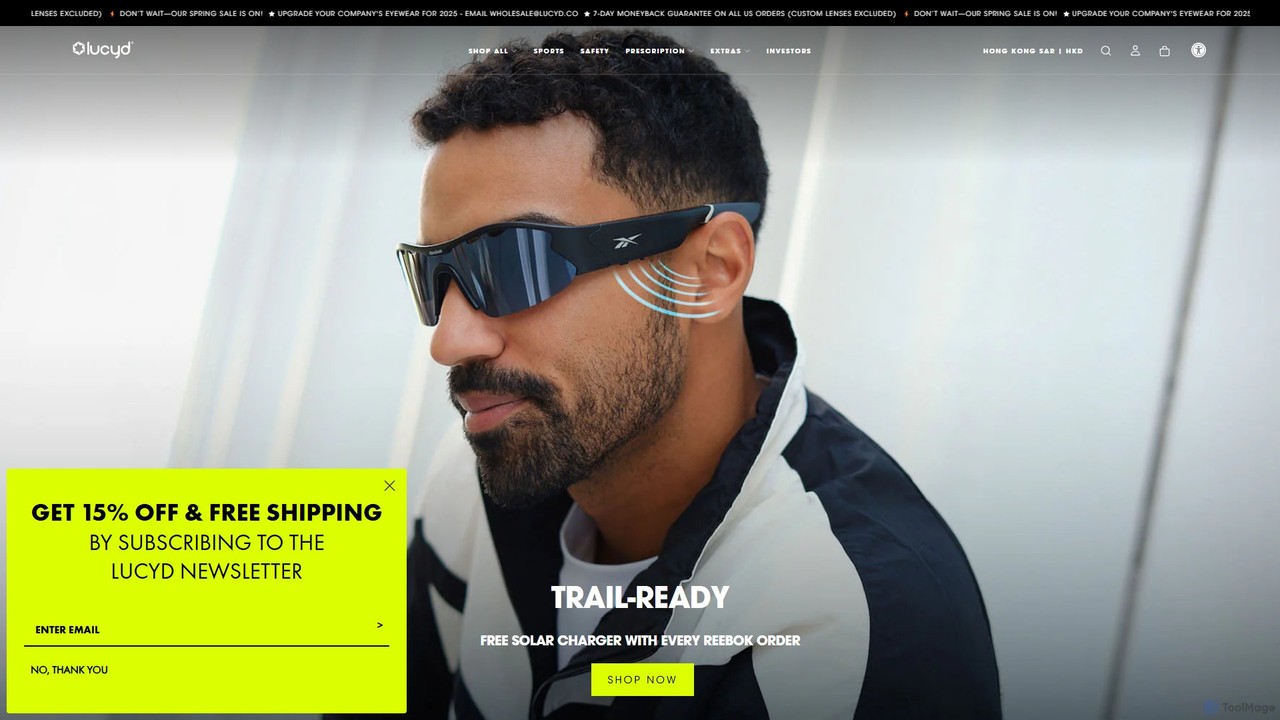
Lucyd offers a line of smart eyewear that integrates ChatGPT, allowing users to access the power of AI …

54.7K

About Visual Aids

AI Visual Aids are a specialized category of assistive technology that use artificial intelligence to interpret and describe the visual world for users. Leveraging computer vision, OCR, and natural language processing, these tools analyze images, text, and real-time video streams to provide audio descriptions or alternative visual representations. This empowers individuals with visual impairments, dyslexia, or other learning differences to access information, navigate environments, and interact with their surroundings with greater independence. They go beyond traditional screen readers by actively interpreting visual content that lacks pre-existing descriptions.

Core Features

  • Real-time Scene Description: Analyzes a live camera feed to describe objects, people, text, and the overall environment.
  • Advanced Text Recognition (OCR): Extracts and reads aloud text from images, documents, and physical objects with high accuracy.
  • Image & Object Identification: Provides detailed descriptions of photos, graphics, and specific items in the user's vicinity.
  • Text Simplification & Formatting: Modifies the presentation of text to improve readability for users with dyslexia or other reading challenges.
  • Color Recognition: Identifies and names colors of objects, useful for colorblind individuals or daily tasks like choosing clothes.

Applicable Scenarios

These tools are crucial in daily life, education, and professional settings. For instance, a student with low vision can use an app to read a textbook or a whiteboard from a distance. In a professional context, an employee with a visual impairment can access printed documents or navigate an unfamiliar office. For personal independence, they assist with tasks like grocery shopping by reading product labels or identifying currency.

Selection Criteria

When choosing an AI Visual Aid, consider the primary need: is it for text reading, scene navigation, or image description? Evaluate the tool's accuracy and speed, especially for real-time tasks. Check for offline capabilities, as internet access may not always be available. Also, consider platform compatibility (iOS/Android/wearables), battery consumption, and the user interface's simplicity and accessibility.

Visual AidsUse Cases

1

Navigating Public Spaces Independently

For a visually impaired individual, navigating unfamiliar public spaces like a transit station or a shopping mall can be challenging. Using an AI Visual Aid app on their smartphone, they can point the camera forward to get real-time audio feedback. The AI identifies key elements such as 'Entrance Door Ahead', 'Stairs to the left', or reads overhead signs for platforms and exits. This transforms a potentially stressful experience into a manageable one, significantly boosting confidence and independence without relying on a human guide.

2

Making Digital Content Readable for Dyslexic Users

A student with dyslexia often struggles with dense blocks of text on websites or in digital documents. A browser extension powered by AI visual aid technology can transform their reading experience. With a single click, the tool can:

  • Simplify the page layout by removing ads and clutter.
  • Adjust fonts to a dyslexia-friendly typeface like OpenDyslexic.
  • Increase line spacing and letter spacing for better clarity.
  • Highlight text as it's being read aloud by a text-to-speech engine.
This allows the student to focus on the content itself, improving comprehension and reducing reading fatigue.

3

Identifying Groceries and Reading Labels

A person with low vision is in a supermarket trying to distinguish between similar-looking cans or read the fine print on nutrition labels. They use an AI visual aid app, which activates their phone's camera. By pointing the camera at a can of soup, the app's OCR and object recognition capabilities work together. It audibly announces, 'Campbell's Tomato Soup, 10.75 ounces' and can proceed to read the ingredients or allergy warnings if prompted. This empowers the user to shop independently, make informed dietary choices, and ensure product safety.

4

Understanding Social Media Images

A blind user is scrolling through their social media feed, which is filled with images shared by friends and family. A traditional screen reader might only say 'image' or read a user-provided caption. By using an AI visual aid, the user can get a rich, detailed description of the photo. The AI might describe it as: 'A group of three people smiling on a sunny beach. A woman in a red dress is in the center.' This allows the user to participate more fully in social interactions and understand the visual context that they would otherwise miss.

5

Accessing Printed Menus and Documents

When dining out or at a business meeting, a person with a visual impairment is often handed a printed menu or document they cannot read. Instead of needing to ask for assistance, they can discreetly use their phone. By hovering the camera over the page, the AI visual aid tool instantly recognizes the text, regardless of columns or formatting. It then reads the content aloud, allowing them to review menu options or meeting agendas independently and efficiently, preserving their privacy and autonomy.

6

Assisting with Color Coordination

A colorblind individual is getting dressed and wants to ensure their outfit matches. They can use an AI visual aid app with a color recognition feature. By pointing their phone's camera at a shirt, the app will announce, 'Dark blue shirt.' They can then point it at a pair of pants, and the app might say, 'Khaki pants.' This simple, immediate feedback allows them to confidently choose coordinating clothes. This feature is also useful for artists, designers, or anyone needing to identify specific colors for a project, such as differentiating between shades of wire for electrical work.

Visual AidsFrequently Asked Questions