
ToolMage
Sign in

Best 1 Virtual Servers AI tools for Web Hosting

Popular Virtual Servers AI tools in Web Hosting include BrainHost, helping you work more efficiently.

BrainHost
Paid

BrainHost

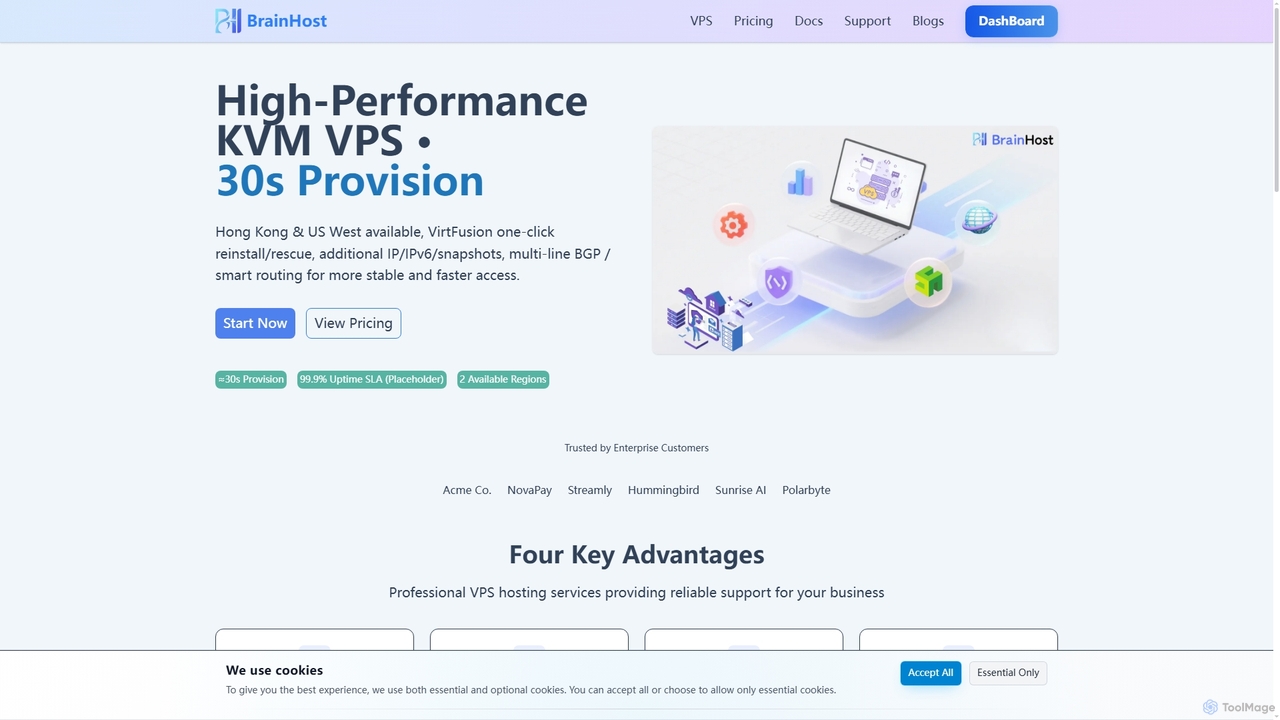
BrainHost offers high-performance KVM VPS hosting with NVMe storage, designed for speed and reliability. Featuring 30-second provisioning, global data centers in Hong Kong and US West, and the intuitive VirtFusion control panel, it provides a robust infrastructure for websites, e-commerce, AI inference, and gaming applications. Flexible scaling and advanced network routing ensure stable and fast access worldwide.

Vps Hosting
Visits 9.9KFavorites 134Likes 146

About Virtual Servers

Virtual Servers (VPS) are a type of web hosting that provides users with a virtualized operating system and dedicated resources on a physical server. They offer an isolated environment, granting users root access and greater control over their server configuration, making them a flexible and cost-effective solution for various online projects. This approach bridges the gap between shared hosting's affordability and dedicated servers' power.

Core Features

  • Resource Isolation: Dedicated CPU, RAM, and storage ensure consistent performance, unaffected by other users on the same physical machine.
  • Root Access: Full administrative control allows users to install custom software, configure settings, and manage the operating system as needed.
  • Scalability: Resources can often be easily upgraded or downgraded to match changing demands, providing flexibility for growing projects.
  • Operating System Choice: Users can select and install their preferred operating system (e.g., Linux distributions, Windows Server), tailoring the environment to specific application requirements.

Use Cases

Virtual Servers are ideal for developers needing a customizable environment for testing and deploying applications, small to medium-sized businesses hosting e-commerce sites with moderate traffic, and individuals running resource-intensive web applications or game servers. They provide the necessary power and flexibility without the high cost of a dedicated machine.

How to Choose

When selecting a Virtual Server, consider your specific resource needs (CPU, RAM, storage) for current and future growth. Evaluate the provider's uptime guarantees, customer support, and the availability of desired operating systems. Also, compare pricing models, including managed vs. unmanaged options, and the ease of scaling resources.

Virtual Servers use cases

1

Hosting a Scalable E-commerce Website

An online retailer needs a reliable and scalable platform for their growing e-commerce store. By deploying their website on a Virtual Server, they gain dedicated resources that prevent performance degradation during peak traffic, ensuring a smooth shopping experience for customers. The ability to easily upgrade CPU and RAM allows them to scale resources as their business expands, avoiding costly downtime.

2

Developing and Testing Web Applications

A software developer requires an isolated environment to build, test, and deploy new web applications without interfering with other projects. A Virtual Server provides full root access, allowing them to install specific operating systems, databases, and development tools (e.g., Docker, Kubernetes) tailored to their project's requirements, mimicking a production environment for robust testing.

3

Running a High-Traffic Blog or Content Platform

A popular content creator or media company hosts a blog that receives significant daily traffic and frequently publishes rich media content. A Virtual Server offers the necessary bandwidth and processing power to handle concurrent users and dynamic content delivery, ensuring fast page load times and a responsive user experience, crucial for audience engagement and SEO.

4

Deploying a Private VPN Server

An individual or small team wants to enhance their online security and privacy by routing their internet traffic through a private Virtual Private Network (VPN). By setting up a VPN server on a Virtual Server, they gain full control over their network configuration, encryption protocols, and data routing, providing a secure and personalized browsing experience, especially when using public Wi-Fi.

5

Hosting Multiplayer Game Servers

Gamers or game communities need a stable and low-latency server to host multiplayer online games (e.g., Minecraft, Valheim). A Virtual Server provides dedicated CPU and RAM resources, minimizing lag and ensuring a smooth gaming experience for all players. Root access allows for custom game server configurations, mod installations, and robust security settings.

6

Managing a Custom CRM or ERP System

A small to medium-sized enterprise requires a dedicated and secure environment to host their custom Customer Relationship Management (CRM) or Enterprise Resource Planning (ERP) system. A Virtual Server offers the isolation and control needed to meet specific compliance requirements, install proprietary software, and manage sensitive business data with enhanced security measures, ensuring system stability and data integrity.

Virtual Servers FAQ

What are Virtual Servers (VPS)?

Virtual Servers, often known as Virtual Private Servers (VPS), are a form of web hosting where a physical server is divided into multiple isolated virtual environments. Each VPS operates as an independent server with its own dedicated resources (CPU, RAM, storage) and operating system, providing users with root access and greater control than shared hosting, while being more affordable than a dedicated server. They are ideal for projects requiring flexibility and performance.

How do Virtual Servers differ from Shared Hosting and Dedicated Servers?

Virtual Servers offer a middle ground. Shared Hosting places many websites on one server, sharing all resources, which is cost-effective but lacks control and can suffer from "noisy neighbors." Dedicated Servers provide an entire physical server to one user, offering maximum power and control but at a much higher cost. Virtual Servers give you dedicated resources and root access within a virtualized environment on a shared physical server, balancing cost, performance, and control.

What are the main advantages of using a Virtual Server?

The primary advantages of using a Virtual Server include resource isolation, meaning your performance isn't affected by other users; root access, giving you full control over the server environment; scalability, allowing easy upgrades or downgrades of resources; and cost-effectiveness, offering dedicated resources at a fraction of the price of a dedicated server. They provide a robust and flexible platform for various applications.

What types of operating systems can I run on a Virtual Server?

One of the key benefits of Virtual Servers is the flexibility to choose your operating system. Common choices include various Linux distributions such as Ubuntu, CentOS, Debian, and Fedora, which are popular for web hosting and application development. Windows Server editions are also available for those requiring a Microsoft-centric environment. This choice allows users to tailor their server to specific software and application requirements.

Who should consider using a Virtual Server?

Virtual Servers are suitable for a wide range of users. They are an excellent choice for developers needing custom environments, small to medium-sized businesses with growing websites or e-commerce platforms, content creators running high-traffic blogs, and individuals or teams requiring a private VPN, game server, or a platform for resource-intensive applications. Anyone needing more control and dedicated resources than shared hosting, but not the full expense of a dedicated server, will benefit.