ToolMage
Sign in

AI TOOL COMPARISON

Aidbase vs DocUp

What is the difference, and which fits your workflow? Compare features, usage, pricing models and traffic side by side.

Jump to key differences

Product overview

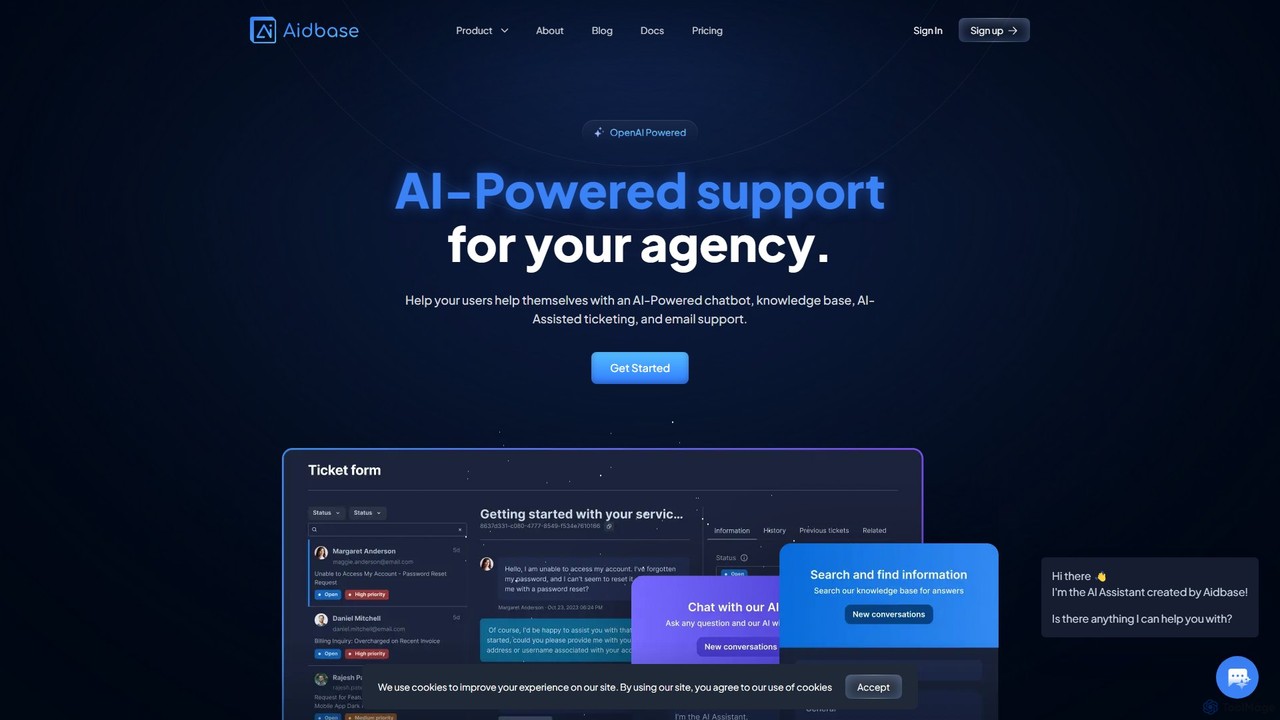
Aidbase Product overview

Aidbase is an all-in-one AI-powered support ecosystem for SaaS and eCommerce businesses. It provides an AI chatbot, knowledge base, AI-assisted ticketing, and a unified email inbox to automate customer service, reduce response times, and help users self-serve around the clock.

Preview

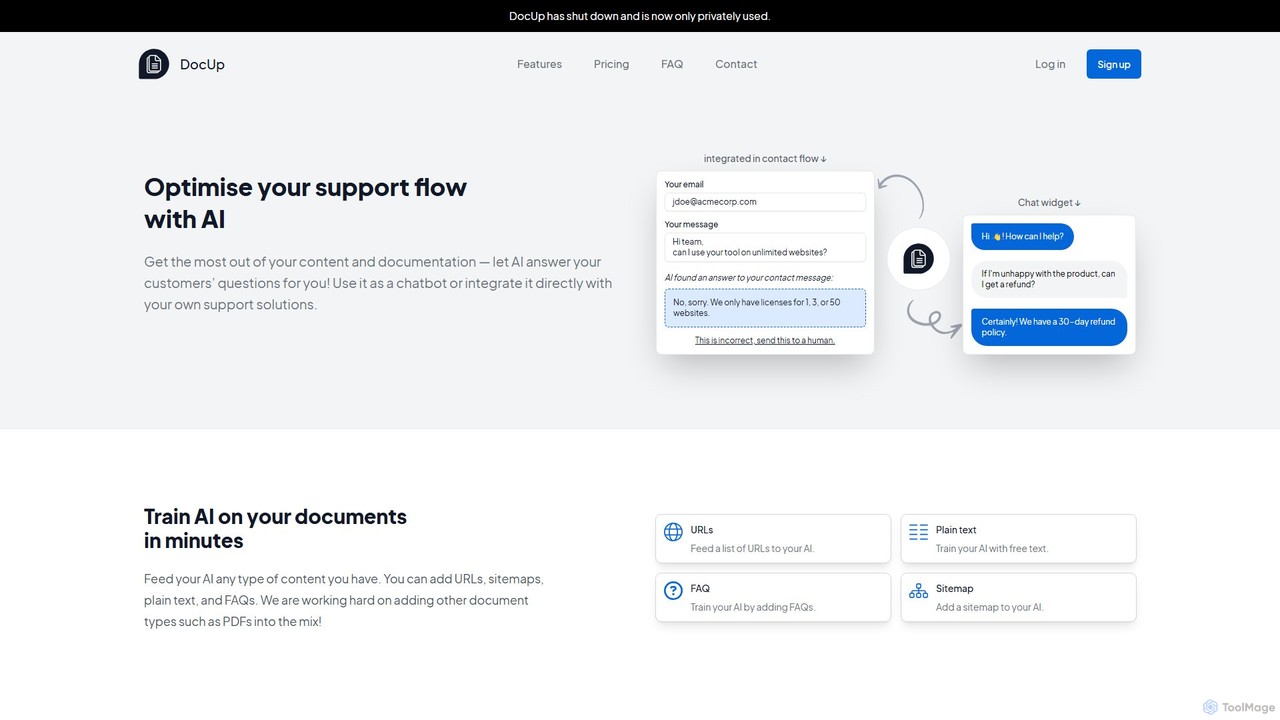
DocUp Product overview

DocUp is an AI-powered platform that transforms your documentation into an intelligent chatbot and Q&A system. Instantly answer customer questions, reduce support tickets, and improve user self-service by deploying an AI assistant trained on your knowledge base, FAQs, and manuals. Offers both a customizable widget and a flexible API for seamless integration.

Preview

Quick facts

Compare product focus, pricing models and audiences. Highlighted rows indicate different listed information; unknown pricing does not mean free.

Aidbase VS DocUp — Quick facts
Quick factsAidbaseDocUp
Pricing modelFreemiumFreemium
Product typeWebWeb
Primary focusChatbotChatbot
Audience and rolesNo data availableNo data available
CategoriesChatbot · Api · Lead Generation · Knowledge ManagementChatbot · Api · Knowledge Management
AddedAug 9, 2025Aug 4, 2025
UpdatedNov 19, 2026Nov 19, 2026

Features, usage and use cases

Explore the listed product descriptions, features and workflows. Taxonomy labels alone are not feature evaluations.

Aidbase

Aidbase is a comprehensive, AI-powered support solution designed specifically for SaaS startups, eCommerce businesses, and agencies. It serves as a complete support ecosystem, integrating multiple tools to streamline customer interactions and reduce the manual workload on support teams. By leveraging OpenAI's technology, Aidbase empowers businesses to provide instant, human-like support 24/7, significantly improving user satisfaction and operational efficiency.

The platform's core is an intelligent AI chatbot that can be trained on a company's specific data, including websites, documents (PDFs), videos, and knowledge bases. This allows the chatbot to become an expert on the business, accurately answering user questions and resolving issues without human intervention. This automation helps businesses save time and money, allowing teams to focus on growth rather than repetitive support tasks.

How to use Aidbase

Getting started with Aidbase is designed to be simple and intuitive, even for non-technical users.

  1. Sign Up & Connect Data: Create an account and start a free trial. Connect your data sources, such as your website URL, PDFs, Notion pages, or even YouTube videos, to train your AI model.
  2. Customize Your Tools: Tailor the appearance of the AI chatbot and ticket forms to match your brand. Adjust colors, logos, and the tone of voice to ensure a seamless user experience.
  3. Deploy with Ease: Embed the chatbot and ticket forms onto your website or application in minutes. Aidbase offers no-code deployment via CDN, npm packages for React/Next.js developers, and simple hosted website links.
  4. Manage Support in One Place: Use the unified inbox to handle all incoming support emails and tickets that require human attention. The AI provides smart suggestions based on past tickets and knowledge base articles to help agents respond faster.
  5. Collaborate and Improve: Invite your team members to collaborate on tickets, manage the knowledge base, and analyze performance. Use the platform's analytics to identify knowledge gaps where the chatbot struggled, then retrain and improve the AI for future interactions.

Core Features of Aidbase

  • AI-Powered Chatbot: A live AI chat trained on your specific business data for accurate, 24/7 automated support.
  • AI-Assisted Ticketing: A smart ticketing system with a unified inbox that learns from previous tickets to provide AI-generated response suggestions.
  • Knowledge Base & FAQ: Create and manage a centralized knowledge base for both customers and internal support staff, with features for instant FAQ page generation.
  • Unified Email Inbox: Handle all support emails from a single, collaborative inbox integrated with the AI and ticketing system.
  • Seamless Integrations: Connects with popular tools like Shopify, WordPress, Slack, Discord, Zapier, and Notion to fit into your existing workflow.
  • Developer-Friendly: Offers SDKs, APIs, and Webhooks for deep integration and customization within your own applications.
  • Full Customization: Extensive options to customize branding, colors, logos, and support personas to match your brand identity.
  • Knowledge Gap Identification: Analytics to pinpoint questions the AI couldn't answer, allowing you to improve your knowledge base and retrain the model.
  • GDPR Compliant: All data is securely encrypted and stored within the EU, ensuring compliance with data protection regulations.

Use Cases for Aidbase

Aidbase is versatile and benefits a wide range of businesses:

  • SaaS Startups: Provide instant technical support, answer feature questions, and onboard new users automatically, freeing up developers and support staff.
  • eCommerce Businesses: Assist shoppers with product questions, track orders, and handle return queries, reducing cart abandonment and improving the customer journey.
  • Agencies: Offer a value-added service to clients by implementing a sophisticated, automated support system on their websites.
  • Content Creators: Manage large volumes of questions from followers by creating a chatbot trained on their content (videos, blogs, courses).

Advantages of Aidbase

Aidbase offers significant advantages over traditional support solutions. Testimonials highlight a reduction in response time by over 70%, leading to substantial cost savings. Its primary strength lies in its all-in-one nature, combining a chatbot, ticketing, and knowledge base into one cohesive platform. The system is designed for ease of use with no-code options, but also provides the depth needed for developers via its API and SDKs. The continuous learning capability ensures the AI becomes more effective over time, providing a scalable and increasingly valuable support asset for any growing business.

Pricing and Plans

Aidbase offers a freemium model with a 7-day free trial on all paid plans. Payments are handled via Stripe.

  • Standard Plan: €29/month. Ideal for individuals and small startups. Includes 2,500 messages/month, 2 chatbots, 2 ticket forms, and 5 team members.
  • Pro Plan: €99/month. Perfect for growing businesses and small teams. Includes 10,000 messages/month, 5 chatbots, 5 ticket forms, and 25 team members. Also includes removal of branding on chatbots and tickets.
  • Expert Plan: €399/month. Suited for large teams and agencies. Includes 100,000 messages/month, 50 chatbots, 50 ticket forms, and 100 team members. Includes full branding removal, webhooks, integrations, and API access.

An annual payment option is available, offering a 30% discount. Users can upgrade, downgrade, or cancel their subscription at any time.

DocUp

DocUp is an advanced AI-powered service designed to revolutionize customer support and knowledge management. It transforms your existing company documentation—such as knowledge bases, FAQs, product manuals, and guides—into an intelligent, interactive Q&A system. By leveraging sophisticated AI, DocUp can understand user queries and provide instant, accurate answers, significantly enhancing the customer self-service experience and reducing the burden on human support teams.

The platform is built for flexibility, allowing businesses to integrate its powerful AI capabilities directly into their existing workflows. Whether you want to add a smart chatbot to your website or incorporate automated responses into your contact forms, DocUp provides the tools to do so seamlessly. This proactive approach helps resolve customer issues before they even become support tickets, leading to higher customer satisfaction and operational efficiency.

How to use DocUp

Using DocUp is a straightforward process designed for ease of implementation:

  1. Connect Your Knowledge Sources: Begin by providing DocUp with your documentation. You can do this by crawling your website, uploading files (like PDFs or Markdown), or connecting to existing knowledge base platforms. The system ingests and processes all the provided content.
  2. Train the AI Model: Once the data is ingested, DocUp's AI automatically trains a model based on your specific content. This process creates a custom knowledge brain for your business, capable of understanding the nuances of your products and services.
  3. Deploy the AI Assistant: Choose your preferred deployment method. You can embed a pre-built, customizable chatbot widget directly onto your website or help center. The widget can be styled to match your brand's look and feel.
  4. Integrate via API: For more advanced use cases, leverage the powerful REST API. This allows you to integrate DocUp's Q&A functionality into any application, such as your support desk software, contact forms, or internal tools. The API provides a direct line to the AI's brain, returning structured answers with source citations.
  5. Monitor and Improve: Use the analytics dashboard to gain insights into what your customers are asking. Track query volumes, see the AI's responses, and identify common questions that may indicate gaps in your documentation. Use this data to continuously improve your knowledge base and the AI's performance.

Core Features of DocUp

  • AI-Powered Q&A: Delivers instant, context-aware answers to user questions based on your documentation.
  • Multi-Source Data Ingestion: Supports various data sources including websites, PDFs, text files, and other document formats.
  • Flexible API Integration: A robust REST API allows for deep integration into any support flow, contact form, or custom application.
  • Customizable Chatbot Widget: An easy-to-embed chatbot that can be tailored to your website's design and branding.
  • Source Citation: Builds user trust by providing links to the original documentation from which the answer was derived.
  • Analytics and Insights: A comprehensive dashboard to monitor user interactions, understand customer needs, and identify areas for documentation improvement.
  • Scalable Infrastructure: Built to handle high volumes of queries, making it suitable for businesses of all sizes.

Use Cases for DocUp

DocUp is versatile and can be applied in various scenarios:

  • 24/7 Customer Self-Service: Deploy a chatbot on your website to provide round-the-clock support, answering common questions instantly without human intervention.
  • Support Ticket Deflection: Integrate DocUp into your contact form or helpdesk portal. As a user types their question, DocUp suggests an answer, resolving the issue before a ticket is created.
  • Employee Onboarding and Training: Use DocUp internally to help new hires quickly find information from training manuals, HR policies, and internal wikis.
  • Sales Enablement: Equip your sales team with an internal tool that can instantly answer product-related questions during client calls.

Advantages of DocUp

By implementing DocUp, businesses can achieve significant benefits. It dramatically improves the customer experience by providing immediate resolutions. This leads to a significant reduction in support ticket volume, freeing up human agents to focus on more complex and high-value interactions. The result is a more efficient, cost-effective support operation and a more satisfied customer base. The API-first approach also offers unparalleled flexibility, ensuring the tool can adapt to your specific technical and business requirements.

Pricing and Plans

DocUp likely offers a tiered pricing structure to cater to different business needs, following a freemium model. While specific details should be confirmed on the official website, a typical structure would include:

  • Free Plan: A basic plan ideal for small projects or testing, offering a limited number of questions per month and one knowledge base.
  • Starter Plan: A paid plan for small to medium-sized businesses, offering a higher query limit, more knowledge bases, and basic customization options.
  • Pro/Business Plan: Designed for growing businesses, this tier typically includes full API access, advanced analytics, removal of DocUp branding, and priority support.
  • Enterprise Plan: A custom plan for large organizations with specific needs, offering unlimited usage, dedicated support, SSO integration, and advanced security features.

Positioning

Their taxonomy shows where the products overlap and where each one has a more distinct focus. Unknown fields are shown explicitly and are never filled with assumptions.

Categories

Shared
ChatbotApiKnowledge Management
Only Aidbase
Lead Generation
Only DocUp
No listed items

Tags

Shared
AI assistantAPIchatbotcustomer supportknowledge baseSaaS
Only Aidbase
ecommercehelp desklead generationticketing system
Only DocUp
documentationhelpdesk automationself-serviceticket deflection

Audience and roles

Shared
No listed items
Only Aidbase
No listed items
Only DocUp
No listed items

Traffic comparison

Traffic is shown on the same scale so differences in market visibility are not visually understated.

How to interpret the traffic data

Both charts share the same months and vertical scale. Each tool identifies its latest reporting month; missing months are left blank, not counted as zero. Regional and source visit counts are estimates calculated from the reported shares.

Aidbase monthly traffic:

Latest traffic · 2026-05

Monthly visits
7.2K
Avg. visit duration
0:04
Pages per visit
1.48
Bounce rate
52.39%
Data updated 2026-06-15

Monthly traffic trend

  • 2025-07: No data available
  • 2025-08: No data available
  • 2025-09: 24K
  • 2026-01: 13.1K
  • 2026-02: 9.1K
  • 2026-03: 14.3K
  • 2026-04: 11.4K
  • 2026-05: 7.2K

Top regions

Top 5 countries/regions
Country/regionPercentageEstimated visits
🇨🇭Switzerland58.36%4.2K
🇻🇳Vietnam16.88%1.2K
🇺🇸United States15.2%1.1K
🇮🇳India9.56%691

Search keywords

aidbaseaidbase pricingchatbasechatboxcrisp

DocUp monthly traffic:

Latest traffic · 2026-05

Monthly visits
244
Avg. visit duration
0:00
Pages per visit
1.22
Bounce rate
34.84%
Data updated 2026-06-15

Monthly traffic trend

  • 2025-07: 781
  • 2025-08: 0
  • 2025-09: 2.8K
  • 2026-01: No data available
  • 2026-02: No data available
  • 2026-03: 0
  • 2026-04: 0
  • 2026-05: 244

Search keywords

doc up

Community signals

Ratings, comments, favorites, and likes are community signals—not a substitute for product fit.

Aidbase

Rating
No data available
Comments
0
Favorites
182
Likes
200

DocUp

Rating
No data available
Comments
0
Favorites
156
Likes
148

Aidbase vs DocUp · Comparison FAQ

What do Aidbase and DocUp have in common?
Both tools are listed under Chatbot、Api、Knowledge Management. These categories indicate overlapping use cases; compare their detailed descriptions for workflows, capabilities and limitations.
Are Aidbase and DocUp free?
Listed pricing models: Aidbase — Freemium; DocUp — Freemium. Missing pricing is not proof of a free plan, and freemium does not mean every feature is free. Check official sites for current plans, limits and trials.
How should I choose between Aidbase and DocUp?
The primary listed category is Chatbot for Aidbase, and Chatbot for DocUp. Compare features, steps and use cases, then verify pricing, data permissions and deployment needs. This page does not include hands-on testing and does not declare a winner from traffic or tags.

Sources and comparison methodology

This page is assembled from ToolMage product listings, taxonomy, traffic statistics and on-site user feedback. It is not a hands-on test or an independent review.

  • Feature and plan descriptions reflect information in the listings, not real-time guarantees. Verify pricing, quotas, availability and privacy terms on the official sites.
  • Traffic uses the reporting months shown. Missing statistics do not mean zero visits, and different periods do not establish growth or superiority. Regional and source visit counts are estimates based on shares.
  • Different tags indicate differences in the listings, not proof that the other product lacks a capability. Ratings, favorites and visits are not used to declare a winner.

Related comparisons