ToolMage
Sign in

AI TOOL COMPARISON

alphamoon vs DocsLoop

What is the difference, and which fits your workflow? Compare features, usage, pricing models and traffic side by side.

Jump to key differences

Product overview

alphamoon Product overview

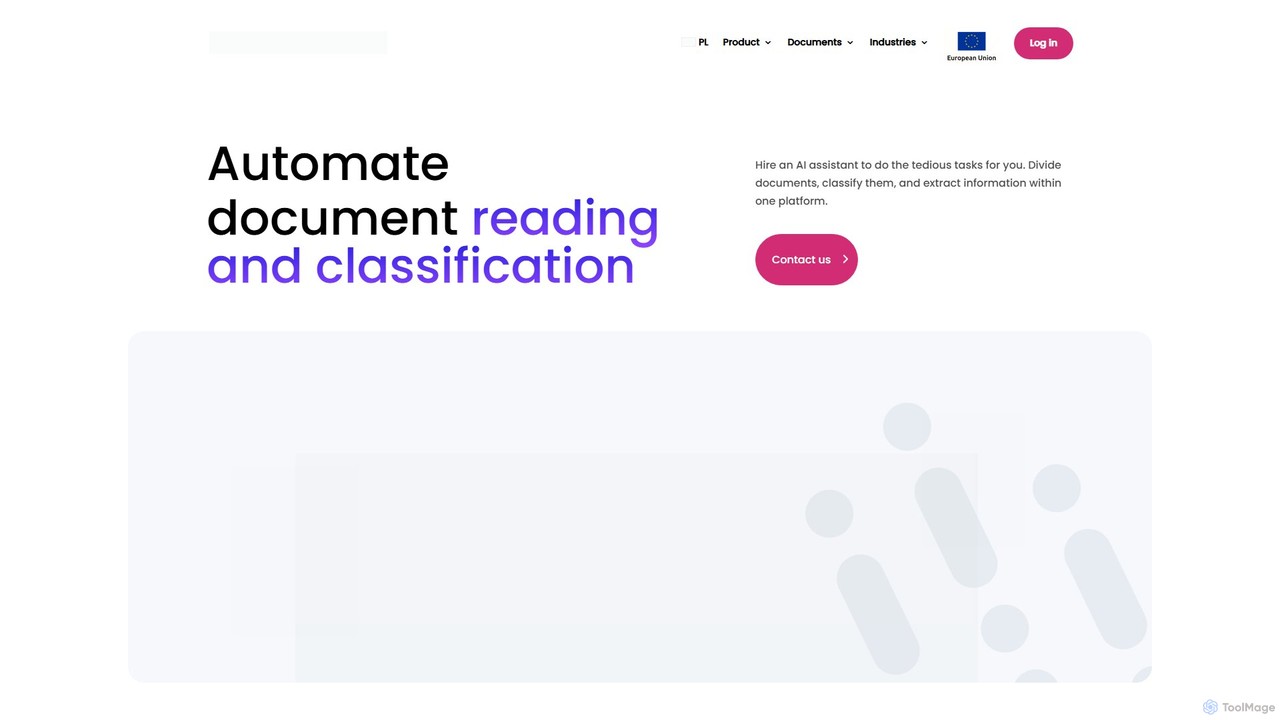
Alphamoon is an AI-powered Intelligent Document Processing (IDP) platform that automates document reading, classification, and data extraction. It transforms unstructured documents like invoices, legal files, and financial statements into structured, actionable data. With advanced OCR, customizable workflows, and seamless integrations, Alphamoon helps businesses in finance, legal, and debt recovery to reduce manual work, improve accuracy, and streamline operations.

Preview

DocsLoop Product overview

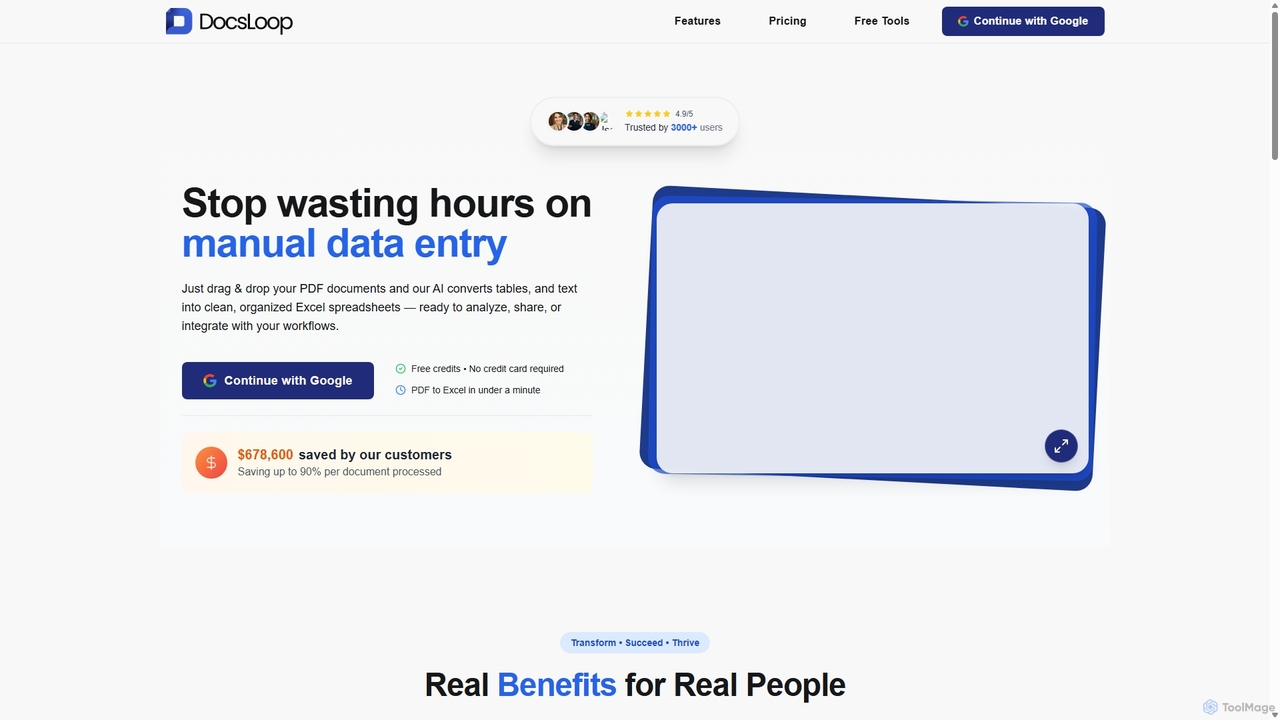
DocsLoop is an AI-powered document processing tool that automates data extraction from PDF documents. Simply drag and drop files like invoices, bank statements, and receipts, and DocsLoop converts tables and text into clean, organized Excel spreadsheets with 99% accuracy. It eliminates manual data entry, saving hours of work and reducing costs for businesses and individuals.

Preview

Quick facts

Compare product focus, pricing models and audiences. Highlighted rows indicate different listed information; unknown pricing does not mean free.

alphamoon VS DocsLoop — Quick facts
Quick factsalphamoonDocsLoop
Pricing modelFreemiumFreemium
Product typeWebWeb
Primary focusData ExtractionData Extraction
Audience and rolesNo data availableAccountant · Administrative Assistant · Data Analyst · Financial Analyst · Freelancer · HR Manager · Operations Manager · Small Business Owner
CategoriesData Extraction · Accounting · Automation · Document ManagementData Extraction · Accounting · Document Management
AddedAug 9, 2025Sep 10, 2025
UpdatedNov 19, 2026Nov 19, 2026

Features, usage and use cases

Explore the listed product descriptions, features and workflows. Taxonomy labels alone are not feature evaluations.

alphamoon

Alphamoon is a sophisticated AI-based Intelligent Document Automation platform designed to transform how businesses handle their paperwork. It acts as a digital assistant, taking over the tedious and error-prone tasks of document processing. By leveraging advanced machine learning, Alphamoon can read, understand, classify, and extract critical information from a wide variety of documents, including low-quality scans, complex tables, and even handwritten notes. This turns static documents into dynamic, structured data sources, ready for analysis and integration into other business systems. The platform is built for scalability and is particularly effective in data-heavy industries such as finance, legal, and debt collection, enabling organizations to optimize workflows, reduce operational costs, and empower employees to focus on more strategic, high-value tasks.

How to use alphamoon

Using Alphamoon involves a straightforward, five-step workflow designed for maximum efficiency:

  1. Ingest Documents: Begin by feeding your documents into the platform. You can upload files directly (PDFs, images, scans) or set up automated ingestion from sources like email inboxes or cloud storage.
  2. AI-Powered Processing: Once ingested, Alphamoon's AI engine gets to work. Its powerful OCR (Optical Character Recognition) technology digitizes text from any document. The platform then automatically classifies the documents based on their content and layout (e.g., separating invoices from contracts).
  3. Data Extraction: Utilize pre-built models for common document types like invoices, receipts, and IDs, or create your own custom extraction workflows in minutes. The AI identifies and pulls specific data fields you need, from single data points to entire tables.
  4. Human-in-the-Loop Validation: For mission-critical data, you can supervise the entire process. An intuitive interface allows a human user to review, edit, and approve the extracted data. The platform learns from these corrections, continuously improving its accuracy over time.
  5. Export & Integrate: Export the verified, structured data in your preferred format (like JSON, CSV, or XML). Alternatively, use the robust API or ready-to-go integrations like Zapier to send the data directly to your existing ERP, CRM, or other business applications, completing the automation loop.

Core Features of alphamoon

  • AI-Powered OCR: High-accuracy text recognition that handles various languages (based on the Latin alphabet), low-quality scans, complex layouts, tables, stamps, and handwriting.
  • Automatic Document Classification: Intelligently sorts and categorizes incoming documents, eliminating the need for manual sorting and routing.
  • Advanced Data Extraction: Precisely pulls structured data from unstructured documents. It offers pre-trained models for immediate use and a no-code interface to build custom extraction rules.
  • Table & Line Item Extraction: Specialized capability to accurately capture data from complex tables and line items, a common requirement for invoices and financial statements.
  • Human-in-the-Loop (HITL): A collaborative interface for human verification and correction, ensuring 100% data accuracy and enabling the AI to learn and improve continuously.
  • End-to-End Workflow Automation: Design and deploy complete document processing workflows, from initial document receipt to final data export.
  • Seamless Integrations: Features a powerful API and pre-built connectors (like Zapier) to easily integrate with your existing software stack.

Use Cases for alphamoon

Alphamoon provides significant value across various industries:

  • Finance and Accounting: Automate the entire accounts payable process by extracting data from invoices, purchase orders, and receipts. Process bank statements and financial reports to accelerate reconciliation and analysis.
  • Debt Collection: Streamline operations by automatically classifying court notices and bailiff documents. Enhance skip tracing by rapidly extracting debtor contact information and case details from various legal files.
  • Legal Tech: Empower law firms and legal departments to process vast quantities of documents for e-discovery, contract management, and case preparation. Quickly extract clauses, dates, names, and other critical data from legal briefs, contracts, and notarial deeds.
  • Logistics and Supply Chain: Automate the extraction of data from shipping documents, bills of lading, delivery notes, and customs forms to improve tracking and operational efficiency.

Advantages of alphamoon

  • Increased Efficiency: Drastically reduces the time and effort spent on manual data entry and document handling, freeing up employee time for more valuable activities.
  • Enhanced Data Accuracy: The AI engine minimizes human errors, leading to higher quality, more reliable data for decision-making.
  • Significant Cost Savings: Optimizes operational costs by automating repetitive labor-intensive tasks and improving process speed.
  • Scalability: Effortlessly handles fluctuating volumes of documents, allowing your business to scale without a proportional increase in back-office staff.
  • Faster Decision-Making: Provides quick access to structured, actionable data, enabling faster insights and more informed business strategies.

Pricing and Plans

Alphamoon offers a customized pricing model tailored to the specific needs and scale of each business. Pricing is typically based on factors such as monthly document volume, the complexity of the required workflows, and the level of integration. The platform offers a free trial, including the ability to process up to 20 documents for free to test its capabilities. For a detailed quote and a personalized plan, potential customers are encouraged to contact the Alphamoon sales team for a consultation.

DocsLoop

DocsLoop is an advanced, AI-driven platform designed to eliminate the tedious and time-consuming task of manual data entry. By leveraging cutting-edge AI technology without relying on traditional OCR, DocsLoop offers a seamless and highly accurate solution for extracting data from various PDF documents. Users can simply drag and drop their files, such as invoices, bank statements, receipts, and purchase orders, and the system automatically converts complex tables and text into structured, ready-to-use Excel spreadsheets. This process is fully automated, requiring zero human intervention and no technical expertise, making it accessible to everyone from small business owners to large enterprise teams.

The platform is trusted by thousands of users for its simplicity, speed, and precision. It boasts a 99% accuracy rate, ensuring that the extracted data is reliable for critical business decisions, analysis, and integration into other workflows. DocsLoop is designed to save users several hours per week, significantly boosting productivity and cutting operational costs by up to 90% per document processed.

How to use DocsLoop

Getting started with DocsLoop is incredibly straightforward and designed for efficiency. The entire process takes less than a minute and involves just three simple steps:

  1. Choose Document Type: Select the type of document you want to process from a list of specialized formats, including invoices, bank statements, and more. This helps the AI apply the correct extraction model for optimal results.
  2. Upload Documents: Drag and drop one or multiple PDF files into the secure platform. The system supports bulk processing, handling numerous documents in parallel to maximize efficiency.
  3. Export Data: Almost instantly, DocsLoop processes the files and makes the structured data available. You can then export it into a clean Excel (XLSX) or CSV file, ready for analysis, reporting, or integration with other software.

Core Features of DocsLoop

  • AI-Powered Extraction: Utilizes advanced AI models for human-like understanding of document content, bypassing the limitations of traditional OCR for higher accuracy.
  • Fully Automated Workflow: Offers true end-to-end automation with zero human intervention required, from upload to export.
  • PDF to Excel Conversion: Specializes in converting unstructured data from PDF files, including complex tables, into organized and clean Excel spreadsheets.
  • High Accuracy: Delivers an exceptional 99% accuracy rate, minimizing errors and the need for manual verification or costly rework.
  • Bulk Processing: Allows users to upload and process multiple documents simultaneously, saving significant time.
  • Intuitive Interface: Features a simple drag-and-drop mechanism that requires no technical skills or training.
  • Secure and Private: Prioritizes data security by not storing any user documents on its servers. Extracted data can be deleted by the user at any time.
  • API Access: Provides a comprehensive REST API for Enterprise plan users to integrate DocsLoop's capabilities directly into their existing applications and workflows.

Use Cases for DocsLoop

DocsLoop is versatile and provides significant value across various roles and industries:

  • Small Business Owners: Automate the processing of invoices and receipts, turning hours of weekly administrative work into minutes and freeing up time to focus on growing the business.
  • Accountants and Financial Analysts: Quickly extract transactional data from hundreds of bank statements or financial reports for reconciliation, auditing, and financial analysis.
  • Operations Managers: Streamline data entry from purchase orders, delivery notes, and other logistical documents to improve operational efficiency and reduce processing costs.
  • HR Directors: Simplify the management of HR documents by automating data extraction from employee records, applications, and expense reports, saving on temporary staffing costs.

Advantages of DocsLoop

DocsLoop stands out from competitors with several key advantages:

  • Significant Cost Savings: Offers a much more affordable solution compared to alternatives like Docsumo, with pricing plans that can save businesses over 89% on document processing costs.
  • Superior Simplicity: The platform is designed for ease of use, allowing anyone to start processing documents immediately without a steep learning curve or complex setup.
  • Time Efficiency: Drastically reduces the time spent on manual data entry, allowing teams to reallocate their efforts to more strategic tasks.
  • No Human-in-the-Loop Required: Unlike other services that rely on manual validation, DocsLoop's AI achieves high accuracy autonomously, providing a truly automated experience.
  • Flexible and Scalable Pricing: With a pay-as-you-go model and credits that never expire on business plans, it offers a flexible solution that scales with your needs.

Pricing and Plans

DocsLoop offers simple, transparent, pay-as-you-go pricing with a free trial that includes free credits and requires no credit card.

  • Individual: $19 for 300 credits (pages). Ideal for occasional users. Credits expire in 3 months.
  • Small Team: $49 for 900 credits (pages). Best for freelancers and small businesses. Credits expire in 6 months.
  • Agency: $99 for 3,000 credits (pages). Designed for teams and agencies, this plan includes priority support and credits that never expire.
  • Enterprise: Custom packages are available for businesses with high-volume needs, offering the lowest cost per page and API access.

Positioning

Their taxonomy shows where the products overlap and where each one has a more distinct focus. Unknown fields are shown explicitly and are never filled with assumptions.

Categories

Shared
Data ExtractionAccountingDocument Management
Only alphamoon
Automation
Only DocsLoop
No listed items

Tags

Shared
data extractionOCR
Only alphamoon
accounts payableAI for businessdebt collectiondocument automationfinance automationIDPintelligent document processinglegal techworkflow automation
Only DocsLoop
automationbank statement analysisbusiness intelligencedata entry automationdocument processinginvoice processingpdf to excel

Audience and roles

Shared
No listed items
Only alphamoon
No listed items
Only DocsLoop
AccountantAdministrative AssistantData AnalystFinancial AnalystFreelancerHR ManagerOperations ManagerSmall Business Owner

Traffic comparison

Traffic is shown on the same scale so differences in market visibility are not visually understated.

How to interpret the traffic data

Both charts share the same months and vertical scale. Each tool identifies its latest reporting month; missing months are left blank, not counted as zero. Regional and source visit counts are estimates calculated from the reported shares.

alphamoon monthly traffic:

Latest traffic · 2026-05

Monthly visits
3.5K
Avg. visit duration
0:04
Pages per visit
1.64
Bounce rate
36.63%
Data updated 2026-06-15

Monthly traffic trend

  • 2025-09: 5.3K
  • 2026-01: 2.7K
  • 2026-02: 1.5K
  • 2026-03: 1.9K
  • 2026-04: 1.3K
  • 2026-05: 3.5K

Top regions

Top 5 countries/regions
Country/regionPercentageEstimated visits
🇺🇸United States65.81%2.3K
🇮🇳India31.25%1.1K
🇵🇱Poland2.94%103

Search keywords

extract data from imageimage feature extractionmoon ainotarial deedtooles used prfforeme data

DocsLoop monthly traffic:

Latest traffic · 2026-05

Monthly visits
695
Avg. visit duration
0:00
Pages per visit
1.03
Bounce rate
32.97%
Data updated 2026-06-15

Monthly traffic trend

  • 2025-09: 527
  • 2026-01: 867
  • 2026-02: 128
  • 2026-03: 1.2K
  • 2026-04: 118
  • 2026-05: 695

Search keywords

bank statement for a 48 year old women that makes 2200 a monthdocx openereasiest alternative to opening a word documentmd viewer onlineopen docx online

Community signals

Ratings, comments, favorites, and likes are community signals—not a substitute for product fit.

alphamoon

Rating
No data available
Comments
0
Favorites
206
Likes
196

DocsLoop

Rating
No data available
Comments
0
Favorites
183
Likes
160

alphamoon vs DocsLoop · Comparison FAQ

What do alphamoon and DocsLoop have in common?
Both tools are listed under Data Extraction、Accounting、Document Management. These categories indicate overlapping use cases; compare their detailed descriptions for workflows, capabilities and limitations.
Are alphamoon and DocsLoop free?
Listed pricing models: alphamoon — Freemium; DocsLoop — Freemium. Missing pricing is not proof of a free plan, and freemium does not mean every feature is free. Check official sites for current plans, limits and trials.
How should I choose between alphamoon and DocsLoop?
The primary listed category is Data Extraction for alphamoon, and Data Extraction for DocsLoop. Compare features, steps and use cases, then verify pricing, data permissions and deployment needs. This page does not include hands-on testing and does not declare a winner from traffic or tags.

Sources and comparison methodology

This page is assembled from ToolMage product listings, taxonomy, traffic statistics and on-site user feedback. It is not a hands-on test or an independent review.

  • Feature and plan descriptions reflect information in the listings, not real-time guarantees. Verify pricing, quotas, availability and privacy terms on the official sites.
  • Traffic uses the reporting months shown. Missing statistics do not mean zero visits, and different periods do not establish growth or superiority. Regional and source visit counts are estimates based on shares.
  • Different tags indicate differences in the listings, not proof that the other product lacks a capability. Ratings, favorites and visits are not used to declare a winner.

Related comparisons