ToolMage
Sign in

AI TOOL COMPARISON

alphamoon vs DocumentPro

What is the difference, and which fits your workflow? Compare features, usage, pricing models and traffic side by side.

Jump to key differences

Product overview

alphamoon Product overview

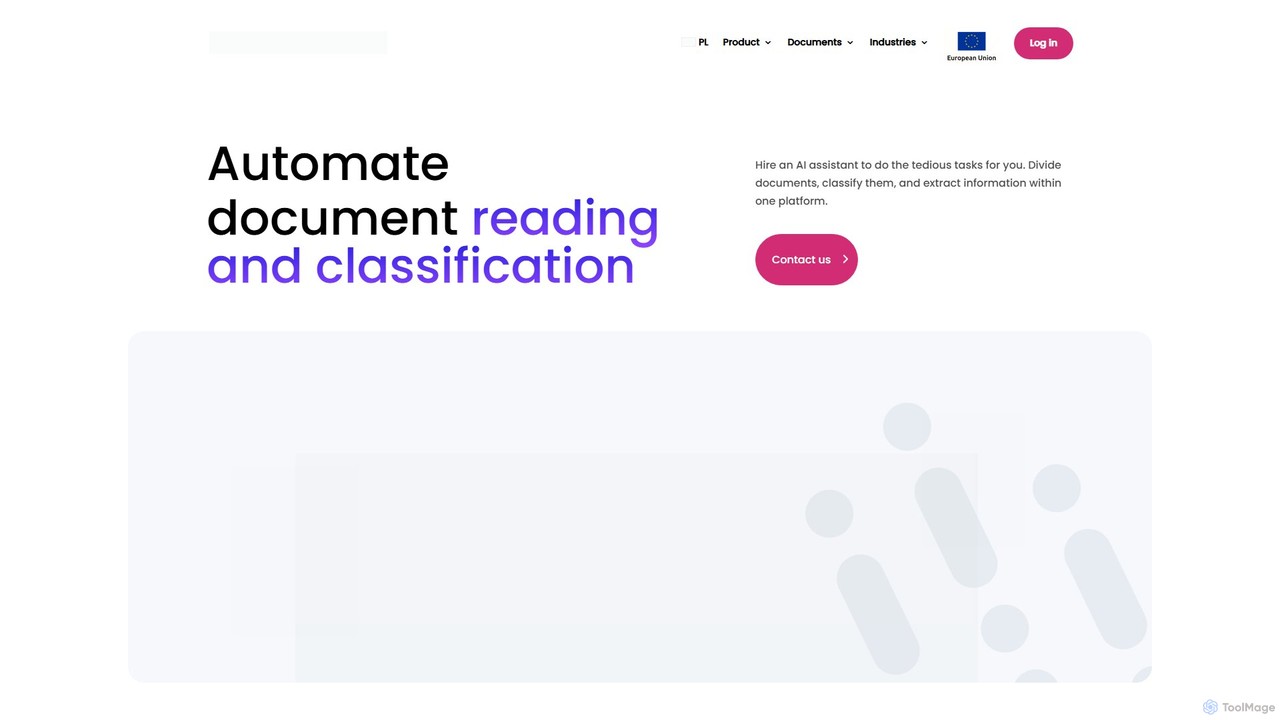
Alphamoon is an AI-powered Intelligent Document Processing (IDP) platform that automates document reading, classification, and data extraction. It transforms unstructured documents like invoices, legal files, and financial statements into structured, actionable data. With advanced OCR, customizable workflows, and seamless integrations, Alphamoon helps businesses in finance, legal, and debt recovery to reduce manual work, improve accuracy, and streamline operations.

Preview

DocumentPro Product overview

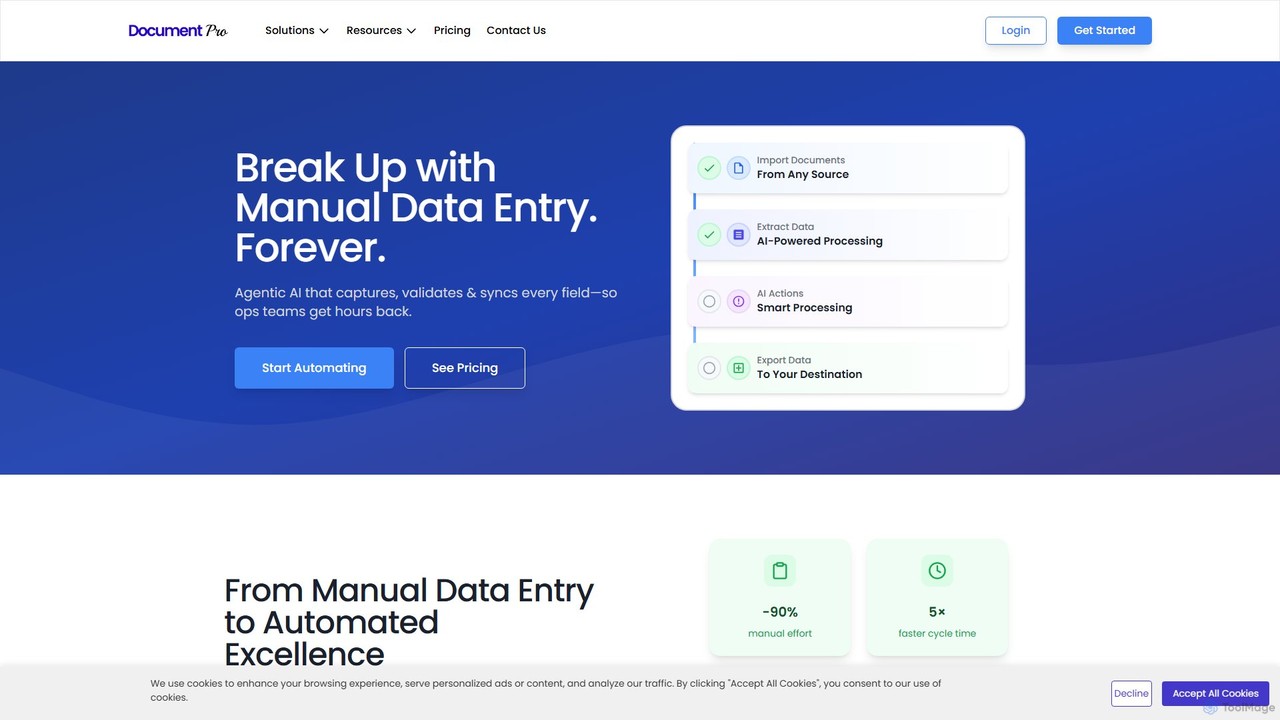
DocumentPro is an AI-powered platform that automates document processing and data extraction. It uses agentic AI and leading LLMs to capture, validate, and sync data from various documents like invoices and purchase orders, aiming to eliminate manual data entry, reduce errors by 90%, and accelerate workflows by 5x.

Preview

Quick facts

Compare product focus, pricing models and audiences. Highlighted rows indicate different listed information; unknown pricing does not mean free.

alphamoon VS DocumentPro — Quick facts
Quick factsalphamoonDocumentPro
Pricing modelFreemiumFreemium
Product typeWebWeb
Primary focusData ExtractionData Extraction
Audience and rolesNo data availableNo data available
CategoriesData Extraction · Accounting · Automation · Document ManagementData Extraction · Accounting · Document Management
AddedAug 9, 2025Aug 9, 2025
UpdatedNov 19, 2026Nov 19, 2026

Features, usage and use cases

Explore the listed product descriptions, features and workflows. Taxonomy labels alone are not feature evaluations.

alphamoon

Alphamoon is a sophisticated AI-based Intelligent Document Automation platform designed to transform how businesses handle their paperwork. It acts as a digital assistant, taking over the tedious and error-prone tasks of document processing. By leveraging advanced machine learning, Alphamoon can read, understand, classify, and extract critical information from a wide variety of documents, including low-quality scans, complex tables, and even handwritten notes. This turns static documents into dynamic, structured data sources, ready for analysis and integration into other business systems. The platform is built for scalability and is particularly effective in data-heavy industries such as finance, legal, and debt collection, enabling organizations to optimize workflows, reduce operational costs, and empower employees to focus on more strategic, high-value tasks.

How to use alphamoon

Using Alphamoon involves a straightforward, five-step workflow designed for maximum efficiency:

  1. Ingest Documents: Begin by feeding your documents into the platform. You can upload files directly (PDFs, images, scans) or set up automated ingestion from sources like email inboxes or cloud storage.
  2. AI-Powered Processing: Once ingested, Alphamoon's AI engine gets to work. Its powerful OCR (Optical Character Recognition) technology digitizes text from any document. The platform then automatically classifies the documents based on their content and layout (e.g., separating invoices from contracts).
  3. Data Extraction: Utilize pre-built models for common document types like invoices, receipts, and IDs, or create your own custom extraction workflows in minutes. The AI identifies and pulls specific data fields you need, from single data points to entire tables.
  4. Human-in-the-Loop Validation: For mission-critical data, you can supervise the entire process. An intuitive interface allows a human user to review, edit, and approve the extracted data. The platform learns from these corrections, continuously improving its accuracy over time.
  5. Export & Integrate: Export the verified, structured data in your preferred format (like JSON, CSV, or XML). Alternatively, use the robust API or ready-to-go integrations like Zapier to send the data directly to your existing ERP, CRM, or other business applications, completing the automation loop.

Core Features of alphamoon

  • AI-Powered OCR: High-accuracy text recognition that handles various languages (based on the Latin alphabet), low-quality scans, complex layouts, tables, stamps, and handwriting.
  • Automatic Document Classification: Intelligently sorts and categorizes incoming documents, eliminating the need for manual sorting and routing.
  • Advanced Data Extraction: Precisely pulls structured data from unstructured documents. It offers pre-trained models for immediate use and a no-code interface to build custom extraction rules.
  • Table & Line Item Extraction: Specialized capability to accurately capture data from complex tables and line items, a common requirement for invoices and financial statements.
  • Human-in-the-Loop (HITL): A collaborative interface for human verification and correction, ensuring 100% data accuracy and enabling the AI to learn and improve continuously.
  • End-to-End Workflow Automation: Design and deploy complete document processing workflows, from initial document receipt to final data export.
  • Seamless Integrations: Features a powerful API and pre-built connectors (like Zapier) to easily integrate with your existing software stack.

Use Cases for alphamoon

Alphamoon provides significant value across various industries:

  • Finance and Accounting: Automate the entire accounts payable process by extracting data from invoices, purchase orders, and receipts. Process bank statements and financial reports to accelerate reconciliation and analysis.
  • Debt Collection: Streamline operations by automatically classifying court notices and bailiff documents. Enhance skip tracing by rapidly extracting debtor contact information and case details from various legal files.
  • Legal Tech: Empower law firms and legal departments to process vast quantities of documents for e-discovery, contract management, and case preparation. Quickly extract clauses, dates, names, and other critical data from legal briefs, contracts, and notarial deeds.
  • Logistics and Supply Chain: Automate the extraction of data from shipping documents, bills of lading, delivery notes, and customs forms to improve tracking and operational efficiency.

Advantages of alphamoon

  • Increased Efficiency: Drastically reduces the time and effort spent on manual data entry and document handling, freeing up employee time for more valuable activities.
  • Enhanced Data Accuracy: The AI engine minimizes human errors, leading to higher quality, more reliable data for decision-making.
  • Significant Cost Savings: Optimizes operational costs by automating repetitive labor-intensive tasks and improving process speed.
  • Scalability: Effortlessly handles fluctuating volumes of documents, allowing your business to scale without a proportional increase in back-office staff.
  • Faster Decision-Making: Provides quick access to structured, actionable data, enabling faster insights and more informed business strategies.

Pricing and Plans

Alphamoon offers a customized pricing model tailored to the specific needs and scale of each business. Pricing is typically based on factors such as monthly document volume, the complexity of the required workflows, and the level of integration. The platform offers a free trial, including the ability to process up to 20 documents for free to test its capabilities. For a detailed quote and a personalized plan, potential customers are encouraged to contact the Alphamoon sales team for a consultation.

DocumentPro

DocumentPro is a sophisticated AI-powered platform designed to revolutionize document processing and workflow automation for businesses. It addresses the time-consuming and error-prone task of manual data entry by leveraging agentic AI and advanced Large Language Models (LLMs) like OpenAI's GPT-4, Google's Gemini, and Anthropic's Claude. The platform is built to capture, validate, and sync every field from a wide array of documents, effectively giving operations teams countless hours back. It supports over 50 languages and can process documents from any source, including PDFs, images, and scans.

The core mission of DocumentPro is to transform manual data entry into a fully automated, efficient, and accurate process. It promises to cut manual effort by up to 90%, increase processing speed by 5 times, and reduce data entry errors by 90%. This makes it an invaluable tool for various departments, especially finance, accounting, and supply chain management.

How to use DocumentPro

DocumentPro streamlines document workflow automation into a simple, four-step process:

  1. Import: Users can easily upload documents from multiple sources. This includes direct uploads, forwarding documents via email, or connecting to cloud storage services like Google Drive. The platform also offers a robust API for seamless integration into existing systems.
  2. Extract: Once imported, DocumentPro's AI engine gets to work. It utilizes powerful LLMs to intelligently extract data from both structured and unstructured documents. This goes beyond simple OCR, as the AI understands context to accurately capture specific fields from invoices, receipts, purchase orders, and more.
  3. Actions: The platform allows for the creation of automated actions to process the extracted data. This can include looking up information in a database (e.g., matching a supplier), flagging documents for manual review based on certain criteria, or allowing users to edit and approve the data directly within the platform.
  4. Export: Finally, the structured, validated data can be exported to its final destination. DocumentPro supports exporting to webhooks for real-time integration, direct sync with accounting software like QuickBooks, or downloading the results as an Excel file for further analysis or record-keeping.

Core Features of DocumentPro

  • AI-Powered Data Extraction: Leverages top-tier LLMs (GPT-4, Gemini, Claude) for highly accurate data capture from any document format.
  • Multi-Source Import: Ingests documents via email, API, Google Drive, and other connectors.
  • Workflow Automation Actions: Enables custom actions like database lookups, data validation, flagging for review, and manual editing/approval.
  • Seamless Integration & Export: Connects with your existing systems through Webhooks and API, with direct exports to QuickBooks and Excel.
  • Broad Document Support: Processes various document types including invoices, receipts, bank statements, purchase orders, and custom formats.
  • Multi-language Capability: Supports data extraction from documents in over 50 languages.
  • High Accuracy and Speed: Reduces manual effort by up to 90% and accelerates cycle times by 5x.
  • Custom Model Fine-Tuning: Enterprise plans offer the ability to train the AI model specifically for your unique documents and needs.

Use Cases for DocumentPro

DocumentPro is versatile and can be applied across various industries:

  • Finance & Accounting: Automate the entire accounts payable process. Extract data from supplier invoices, match them with purchase orders, and sync the information directly into ERP or accounting systems like QuickBooks.
  • Supply Chain Management: Streamline order management by automatically processing customer purchase orders. The AI can extract order details, look up customer codes and shipping addresses, and auto-create sales orders in your ERP, reducing errors and fulfillment time.
  • Healthcare: Securely extract patient data from medical records, lab reports, and insurance forms, ensuring compliance and improving administrative efficiency.
  • Insurance: Automate the processing of insurance claims, policy applications, and other related documents to speed up decision-making and improve customer service.
  • General Data Processing: Transform any manual data entry task into a structured, automated workflow. Convert large volumes of scanned documents or PDFs into organized data in Excel or other systems.

Advantages of DocumentPro

Businesses using DocumentPro gain a significant competitive edge through:

  • Drastic Time Savings: Frees up teams from hours of tedious, repetitive data entry, allowing them to focus on higher-value tasks.
  • Enhanced Accuracy: AI-driven extraction minimizes the costly human errors common in manual processes.
  • Increased Operational Efficiency: By automating workflows from import to export, businesses can process documents faster, shorten payment cycles, and fulfill orders more quickly.
  • Scalability: Effortlessly handles fluctuating volumes of documents, from a few hundred to many thousands per month.
  • Flexibility and Customization: Integrates with existing software stacks and can be fine-tuned to understand specific document layouts and requirements.

Pricing and Plans

DocumentPro offers a simple, credit-based pricing model to suit businesses of all sizes.

  • Free Plan: $0/month. Includes 20 credits per month, perfect for testing the platform or for very low-volume needs.
  • Standard Plan: $49/month. Includes 1,000 credits per month, suitable for small to medium-sized businesses with regular document processing needs.
  • Enterprise Plan: Custom pricing. Offers custom credit volume, dedicated support, and advanced features like model fine-tuning, data retention agreements (DRAs), and custom integrations.

All plans include access to the API and webhooks, unlimited workflows, and all standard integrations. Credits are used for parsing documents and emails, and they do not roll over to the next month. Professional services for onboarding and setup are also available.

Positioning

Their taxonomy shows where the products overlap and where each one has a more distinct focus. Unknown fields are shown explicitly and are never filled with assumptions.

Categories

Shared
Data ExtractionAccountingDocument Management
Only alphamoon
Automation
Only DocumentPro
No listed items

Tags

Shared
accounts payabledata extractionOCR
Only alphamoon
AI for businessdebt collectiondocument automationfinance automationIDPintelligent document processinglegal techworkflow automation
Only DocumentPro
automationdata entrydocument processinginvoice processingllmpdf to excelworkflow

Audience and roles

Shared
No listed items
Only alphamoon
No listed items
Only DocumentPro
No listed items

Traffic comparison

Traffic is shown on the same scale so differences in market visibility are not visually understated.

How to interpret the traffic data

Both charts share the same months and vertical scale. Each tool identifies its latest reporting month; missing months are left blank, not counted as zero. Regional and source visit counts are estimates calculated from the reported shares.

alphamoon monthly traffic:

Latest traffic · 2026-05

Monthly visits
3.5K
Avg. visit duration
0:04
Pages per visit
1.64
Bounce rate
36.63%
Data updated 2026-06-15

Monthly traffic trend

  • 2025-09: 5.3K
  • 2026-01: 2.7K
  • 2026-02: 1.5K
  • 2026-03: 1.9K
  • 2026-04: 1.3K
  • 2026-05: 3.5K

Top regions

Top 5 countries/regions
Country/regionPercentageEstimated visits
🇺🇸United States65.81%2.3K
🇮🇳India31.25%1.1K
🇵🇱Poland2.94%103

Search keywords

extract data from imageimage feature extractionmoon ainotarial deedtooles used prfforeme data

DocumentPro monthly traffic:

Latest traffic · 2026-05

Monthly visits
416
Avg. visit duration
0:00
Pages per visit
1.02
Bounce rate
36.52%
Data updated 2026-06-15

Monthly traffic trend

  • 2025-09: 1.1K
  • 2026-01: 152
  • 2026-02: 873
  • 2026-03: 858
  • 2026-04: 664
  • 2026-05: 416

Top regions

Top 5 countries/regions
Country/regionPercentageEstimated visits
🇮🇳India100%416

Search keywords

ai parsing meaninginformation extraction from fiscal documents using llmsmanual extraction vs machine extractionparseris aizoo pro webhook

Community signals

Ratings, comments, favorites, and likes are community signals—not a substitute for product fit.

alphamoon

Rating
No data available
Comments
0
Favorites
206
Likes
196

DocumentPro

Rating
No data available
Comments
0
Favorites
194
Likes
196

alphamoon vs DocumentPro · Comparison FAQ

What do alphamoon and DocumentPro have in common?
Both tools are listed under Data Extraction、Accounting、Document Management. These categories indicate overlapping use cases; compare their detailed descriptions for workflows, capabilities and limitations.
Are alphamoon and DocumentPro free?
Listed pricing models: alphamoon — Freemium; DocumentPro — Freemium. Missing pricing is not proof of a free plan, and freemium does not mean every feature is free. Check official sites for current plans, limits and trials.
How should I choose between alphamoon and DocumentPro?
The primary listed category is Data Extraction for alphamoon, and Data Extraction for DocumentPro. Compare features, steps and use cases, then verify pricing, data permissions and deployment needs. This page does not include hands-on testing and does not declare a winner from traffic or tags.

Sources and comparison methodology

This page is assembled from ToolMage product listings, taxonomy, traffic statistics and on-site user feedback. It is not a hands-on test or an independent review.

  • Feature and plan descriptions reflect information in the listings, not real-time guarantees. Verify pricing, quotas, availability and privacy terms on the official sites.
  • Traffic uses the reporting months shown. Missing statistics do not mean zero visits, and different periods do not establish growth or superiority. Regional and source visit counts are estimates based on shares.
  • Different tags indicate differences in the listings, not proof that the other product lacks a capability. Ratings, favorites and visits are not used to declare a winner.

Related comparisons