ToolMage
Sign in

AI TOOL COMPARISON

Amp vs Grok 4 Code

What is the difference, and which fits your workflow? Compare features, usage, pricing models and traffic side by side.

Jump to key differences

Product overview

Amp Product overview

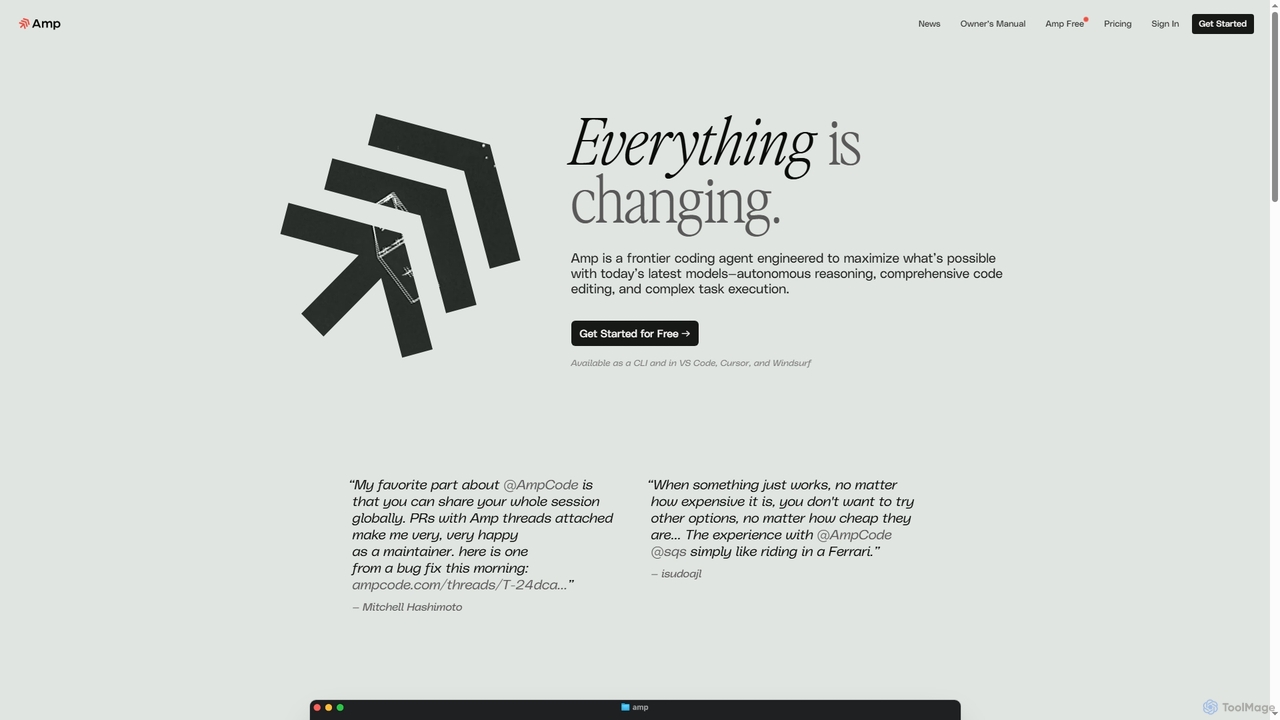
Amp is a frontier AI coding agent designed for developers. It operates as a CLI and within IDEs like VS Code, automating complex tasks such as code editing, debugging, and refactoring. Amp leverages the latest AI models to provide autonomous reasoning and execution, enhancing developer productivity through features like subagents, an Oracle for complex analysis, and deep IDE integration.

Preview

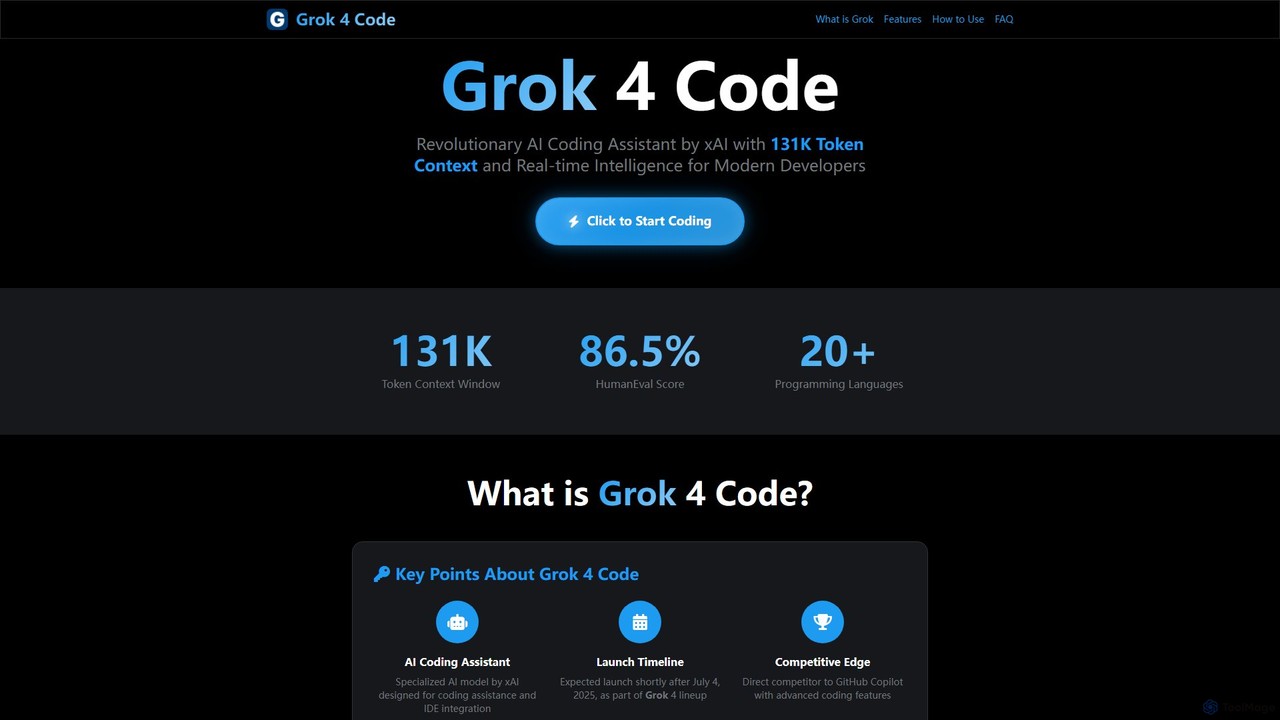
Grok 4 Code Product overview

Grok 4 Code is a revolutionary AI coding assistant from xAI, designed for modern developers. It features a massive 131K token context window, real-time web intelligence, and deep IDE integration. Supporting over 20 programming languages, it understands entire codebases, offers advanced reasoning, and provides less-censored, direct technical assistance to enhance productivity and solve complex programming challenges.

Preview

Quick facts

Compare product focus, pricing models and audiences. Highlighted rows indicate different listed information; unknown pricing does not mean free.

Amp VS Grok 4 Code — Quick facts
Quick factsAmpGrok 4 Code
Pricing modelFreemiumFreemium
Product typeWebWeb
Primary focusCode AssistantCode
Audience and rolesData Scientist · DevOps Engineer · Software Developer · Software EngineerNo data available
CategoriesCode Assistant · Developer ToolsCode · Code Assistant · Developer Tools
AddedOct 22, 2025Aug 12, 2025
UpdatedNov 19, 2026Nov 19, 2026

Features, usage and use cases

Explore the listed product descriptions, features and workflows. Taxonomy labels alone are not feature evaluations.

Amp

Amp is a sophisticated, frontier coding agent developed by Sourcegraph to maximize developer capabilities using the latest AI models. It functions as both a command-line interface (CLI) and an extension for popular code editors like VS Code, Cursor, and Windsurf. Amp is engineered for autonomous reasoning, comprehensive code editing, and executing complex programming tasks. It aims to act as a powerful pair programmer, capable of understanding codebase context, fixing errors, implementing features, and refactoring code with minimal guidance. By always using the best available models and providing unconstrained token usage, Amp delivers raw AI power directly into the developer's workflow.

How to use Amp

To get started with Amp, users first sign in on the official website and install the tool, either as a VS Code extension or a CLI for macOS, Linux, and Windows (via WSL). Once authenticated, you can interact with Amp using natural language prompts. For example, you can ask it to "Fix all the TypeScript errors in this file" or "Add a dark mode toggle to this React component." Amp can be guided using `AGENTS.md` files for project-specific instructions, and users can mention files with `@` to provide context. The CLI allows for both interactive sessions and non-interactive execution of commands for scripting and automation.

Core Features of Amp

  • Autonomous Coding Agent: Capable of independent reasoning, complex code editing, and task execution across the entire codebase.
  • Multi-Platform Support: Available as a powerful command-line interface (CLI) and an integrated extension for VS Code and compatible editors (Cursor, Windsurf).
  • Advanced AI Model Access: Automatically uses the best and latest models (like Claude Sonnet 4.5 and GPT-5 for the Oracle) without requiring user selection, ensuring top performance.
  • Extensible Tooling: Supports built-in tools, custom tools via Model Context Protocol (MCP) servers, and simple scripts through Toolboxes.
  • Subagents & Oracle: Can spawn subagents for parallel tasks and consult an 'Oracle' (a powerful secondary model like GPT-5) for complex reasoning, planning, and code review.
  • Librarian for Code Search: A specialized subagent that can search and read code from public and private GitHub repositories to provide context and examples.
  • Amp Tab: An in-editor code completion engine that suggests multi-line edits and changes across multiple files based on semantic context and diagnostics.
  • Collaboration Features: Supports workspaces for teams, with shared conversation threads to provide context for code reviews and collaborative development.
  • Deep IDE Integration: The CLI can connect directly with VS Code, Neovim, and JetBrains IDEs to view open files, access diagnostics, and edit code directly.

Use Cases for Amp

Amp is ideal for a wide range of software development tasks. Developers can use it for rapid debugging by asking it to identify and fix errors in files or entire projects. It excels at code refactoring, such as converting CSS to Tailwind or improving code structure. It can also be used to implement new features from high-level descriptions, like adding a UI component or setting up an API endpoint. For codebase exploration, Amp can quickly find where specific logic is handled or explain the relationship between different parts of the code. It's also a valuable tool for automating tests, writing documentation, and reviewing API designs.

Advantages of Amp

Amp's primary advantage is its focus on providing raw, unconstrained AI power to developers. Its principle of always using the best models ensures users benefit from cutting-edge AI without manual configuration. The ability to use subagents, the Oracle, and the Librarian allows it to tackle highly complex problems that are beyond the scope of typical AI assistants. Its deep integration into the developer's existing workflow via CLI and IDE extensions minimizes friction. Furthermore, its collaborative features and extensibility with custom tools make it a powerful asset for both individual developers and entire engineering teams.

Pricing and Plans

Amp offers a freemium pricing model with three main tiers:

  • Free: This plan is free of charge and supported by ads. It uses a mix of top open-source and frontier models with some limitations on context windows and tool usage. Use of this plan requires opting into sharing training data.
  • Paid Usage (Smart Mode): This is the default pay-as-you-go plan. Usage is billed based on credits consumed by LLM interactions and other tools. Costs are passed through directly from providers with no markup for individual and non-enterprise workspaces. New users typically receive $10 in free credits to start.
  • Enterprise: This plan is priced 50% higher than the standard paid plan and is designed for organizations. It includes features like SSO, zero data retention for inputs, advanced thread visibility controls, and managed user settings. Upgrading to Enterprise requires a one-time $1,000 purchase, which is converted into usage credits.

Grok 4 Code

Grok 4 Code is a specialized AI coding assistant developed by Elon Musk's xAI, engineered to be the ultimate programming companion for developers. Positioned as a direct and powerful competitor to tools like GitHub Copilot, Grok 4 Code represents a significant leap in AI-assisted programming. Its core philosophy, "Engineering Intelligence Unleashed," is built upon an unprecedented ability to understand vast amounts of code context. Unlike traditional tools that focus on line-by-line completions, Grok 4 Code leverages a massive 131,072 token context window, allowing it to analyze and comprehend entire projects, including relationships across multiple files and modules. This deep understanding enables it to provide holistic, architecturally-aware suggestions and solutions.

Developed as part of xAI's ambitious Grok series, Grok 4 Code is built on a foundation known for excellence in natural language processing, mathematics, and reasoning. It integrates real-time web search capabilities, ensuring that developers receive assistance based on the latest documentation, API references, and community solutions from platforms like Stack Overflow. This makes it an exceptionally current and relevant tool in the fast-evolving tech landscape. The tool is designed to embed seamlessly into popular development environments, enhancing productivity without disrupting workflows.

How to use Grok 4 Code

Using Grok 4 Code is designed to be an intuitive and integrated experience for developers. Here’s a typical workflow:

  1. Access the Platform: Begin by visiting the xAI developer console. From there, you can select the Grok 4 Code model. For a tightly integrated experience, you can use the "Use on Cursor" button for direct integration with the Cursor IDE.
  2. Integrate with Your IDE: Install the official Grok extensions for your preferred Integrated Development Environment (IDE), such as Visual Studio Code or Cursor. Alternatively, use the xAI API to build custom integrations into your existing toolchains and CI/CD pipelines.
  3. Start Conversational Coding: Once integrated, you can interact with Grok 4 Code conversationally. Feed it your entire project's context by opening the relevant files. You can then ask it to perform complex tasks like debugging, refactoring code, generating new features, or explaining complex logic in a step-by-step manner.
  4. Execute and Test: Utilize the integrated code execution environment to run and test the generated code in real-time. This allows for immediate feedback and rapid iteration, creating a seamless cycle of development, testing, and debugging within a single environment.

Core Features of Grok 4 Code

  • Massive 131K Token Context Window: Allows the AI to analyze entire codebases, understanding complex interdependencies between files and modules for more accurate and context-aware suggestions.
  • Real-time Web Search: Integrates live web search to fetch the most current documentation, Stack Overflow solutions, and up-to-date API references, ensuring the information provided is always relevant.
  • Multi-language Support: Natively supports over 20 programming languages, including Python, JavaScript/TypeScript, Java, C++, Go, Swift, and more, with a deep understanding of their syntax and ecosystems.
  • Integrated Code Execution Environment: Features a built-in environment to run, test, and debug code in real-time, functioning like a complete IDE experience.
  • Less Censored Responses: Provides more direct and open answers, which is particularly useful for complex technical discussions and exploring unconventional solutions.
  • Competitive Programming Ready: Excels at solving complex algorithmic challenges from platforms like Codeforces and LeetCode, making it a powerful tool for competitive programmers.
  • Direct IDE Integration: Seamlessly embeds into development environments like Cursor and VS Code, enhancing developer productivity without context switching.

Use Cases for Grok 4 Code

Grok 4 Code is versatile and can be applied in various development scenarios:

  • Large-Scale Codebase Refactoring: Analyze an entire application to suggest and implement performance improvements or architectural changes consistently across all affected files.
  • Complex Debugging: Identify and fix bugs by understanding the full project context, even when the root cause is spread across multiple services or modules.
  • Rapid Prototyping: Build functional application prototypes from scratch by describing the requirements in natural language. For instance, creating a web app with HTML, CSS, and JavaScript through conversational prompts.
  • Learning New Technologies: Get up to speed with new programming languages, frameworks, or libraries quickly by asking Grok for explanations, examples, and best practices, all backed by real-time web data.
  • Automated Documentation: Generate comprehensive and accurate documentation for existing codebases by having the AI analyze the functions, classes, and their relationships.

Advantages of Grok 4 Code

Grok 4 Code offers several key advantages over existing AI coding assistants:

  • Superior Contextual Understanding: Its 131K token window is a game-changer, providing a deep, holistic understanding of projects that smaller-context models cannot match.
  • Up-to-Date Knowledge: The real-time web search capability prevents the model from providing outdated or deprecated solutions, a common limitation of other tools.
  • All-in-One Development Environment: The combination of coding assistance, conversational interaction, and a code execution environment reduces the need for multiple tools and streamlines the development workflow.
  • Advanced Reasoning: Built on the powerful Grok 4 foundation, it goes beyond simple code completion to offer sophisticated problem-solving and architectural advice.

Pricing and Plans

Grok 4 Code is offered through a freemium model designed to be accessible to a wide range of users:

  • Free Access: Basic access to Grok's capabilities is available for free to all users via the X (formerly Twitter) platform and a web interface with limited features.
  • Premium Subscription (SuperGrok): A premium plan, "SuperGrok," is available for users who need enhanced capabilities. This includes higher API usage quotas, priority access to servers, advanced IDE integration features, and early access to new model versions.
  • Developer API Access: Developers can access Grok 4 Code through the xAI API, allowing for custom integrations into applications and workflows. Pricing is competitive with other leading AI model providers.

Note: As of early July 2025, Grok 4 Code has been identified in the xAI developer console but has not been officially released to the public. The information is based on credible reports and pre-release data.

Positioning

Their taxonomy shows where the products overlap and where each one has a more distinct focus. Unknown fields are shown explicitly and are never filled with assumptions.

Categories

Shared
Code AssistantDeveloper Tools
Only Amp
No listed items
Only Grok 4 Code
Code

Tags

Shared
ai pair programmercode assistantcode generationdebugging
Only Amp
autonomous agentclicoding agentdeveloper toolrefactoringVS Code
Only Grok 4 Code
developer toolsIDE integrationjavascriptpythonreal-time searchxai

Audience and roles

Shared
No listed items
Only Amp
Data ScientistDevOps EngineerSoftware DeveloperSoftware Engineer
Only Grok 4 Code
No listed items

Traffic comparison

Traffic is shown on the same scale so differences in market visibility are not visually understated.

How to interpret the traffic data

Both charts share the same months and vertical scale. Each tool identifies its latest reporting month; missing months are left blank, not counted as zero. Regional and source visit counts are estimates calculated from the reported shares.

Amp monthly traffic:

Latest traffic · 2026-05

Monthly visits
301.2K
Avg. visit duration
1:14
Pages per visit
2.58
Bounce rate
42.19%
Data updated 2026-06-15

Monthly traffic trend

  • 2025-09: 221K
  • 2026-01: 688.5K
  • 2026-02: 568.9K
  • 2026-03: 460.2K
  • 2026-04: 385.9K
  • 2026-05: 301.2K

Top regions

Top 5 countries/regions
Country/regionPercentageEstimated visits
🇺🇸United States40.72%122.6K
🇨🇳China27.13%81.7K
🇹🇼Taiwan12.58%37.9K
🇭🇰Hong Kong11.4%34.3K
🇻🇳Vietnam8.17%24.6K

Traffic sources

Source typePercentageEstimated visits
Direct82.01%247K
Referral16.72%50.4K
Email1.27%3.8K

Search keywords

ampamp agentamp aiamp codeampcode

Grok 4 Code

No data available

Community signals

Ratings, comments, favorites, and likes are community signals—not a substitute for product fit.

Amp

Rating
No data available
Comments
0
Favorites
179
Likes
171

Grok 4 Code

Rating
No data available
Comments
0
Favorites
212
Likes
211

Amp vs Grok 4 Code · Comparison FAQ

What do Amp and Grok 4 Code have in common?
Both tools are listed under Code Assistant、Developer Tools. These categories indicate overlapping use cases; compare their detailed descriptions for workflows, capabilities and limitations.
Are Amp and Grok 4 Code free?
Listed pricing models: Amp — Freemium; Grok 4 Code — Freemium. Missing pricing is not proof of a free plan, and freemium does not mean every feature is free. Check official sites for current plans, limits and trials.
How should I choose between Amp and Grok 4 Code?
The primary listed category is Code Assistant for Amp, and Code for Grok 4 Code. Compare features, steps and use cases, then verify pricing, data permissions and deployment needs. This page does not include hands-on testing and does not declare a winner from traffic or tags.

Amp · Comparison FAQ

What is Amp and who is it for?

Amp is a frontier coding agent built by Sourcegraph, designed for software developers. It functions as a command-line tool (CLI) and an extension for code editors like VS Code, Cursor, and Windsurf. Its purpose is to assist with complex coding tasks through autonomous reasoning, code editing, and task execution.

How does Amp's pricing work?

Amp has a multi-tiered pricing structure:

  • Free Mode: Free of charge, supported by ads and the sharing of training data. It uses a mix of different models with some limitations.
  • Paid Usage (Smart Mode): A pay-as-you-go model where you purchase credits. Usage is based on LLM and tool costs, which are passed through directly with no markup for individuals. Most new users receive $10 in free credits.
  • Enterprise Plan: Costs 50% more than the paid plan and includes advanced features like SSO, zero data retention, and managed settings. It requires a $1,000 initial purchase, which is converted to usage credits.
Which AI models does Amp use?

Amp follows the principle of always using the best models available for the task, rather than letting users choose. Currently, it uses Claude Sonnet 4.5 for most tasks. For more complex reasoning and analysis, it utilizes a tool called 'Oracle,' which is powered by GPT-5.

What platforms and IDEs does Amp support?

Amp is available as a command-line interface (CLI) for macOS, Linux, and Windows (via WSL). It also has an editor extension for VS Code and compatible forks like Cursor, Windsurf, and VSCodium. Additionally, the Amp CLI can integrate directly with Neovim and JetBrains IDEs (like IntelliJ and WebStorm) to access file context and perform edits.

How can I provide project-specific context to Amp?

You can guide Amp by creating `AGENTS.md` files in your project's repository. Amp looks for these files in the current directory, parent directories, and subtrees to get guidance on codebase structure, build/test commands, and other conventions. You can also @-mention specific files in your prompts to include them as context.

Sources and comparison methodology

This page is assembled from ToolMage product listings, taxonomy, traffic statistics and on-site user feedback. It is not a hands-on test or an independent review.

  • Feature and plan descriptions reflect information in the listings, not real-time guarantees. Verify pricing, quotas, availability and privacy terms on the official sites.
  • Traffic uses the reporting months shown. Missing statistics do not mean zero visits, and different periods do not establish growth or superiority. Regional and source visit counts are estimates based on shares.
  • Different tags indicate differences in the listings, not proof that the other product lacks a capability. Ratings, favorites and visits are not used to declare a winner.

Related comparisons