ToolMage
Sign in

AI TOOL COMPARISON

Apify vs UseScraper

What is the difference, and which fits your workflow? Compare features, usage, pricing models and traffic side by side.

Jump to key differences

Product overview

Apify Product overview

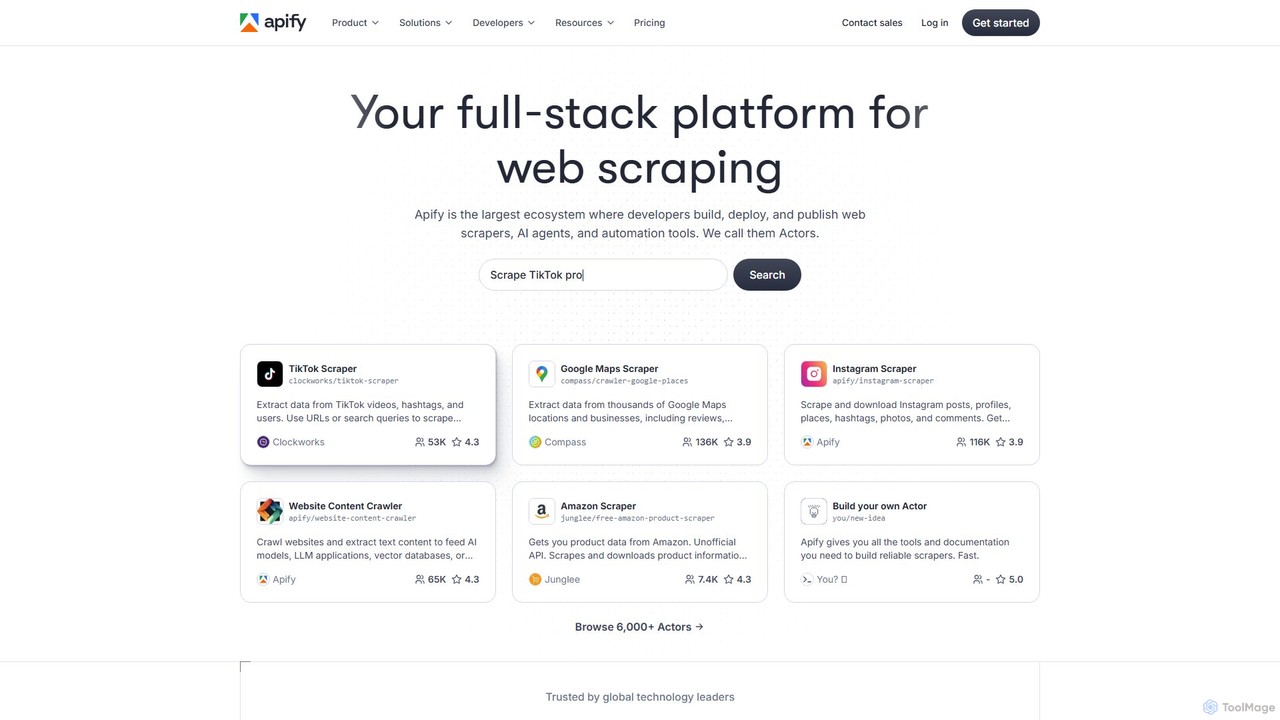
Apify is a full-stack web scraping and automation platform that enables developers to build, deploy, and publish data extraction tools, known as 'Actors'. It offers a vast marketplace of pre-built scrapers for popular websites like Google Maps, Instagram, and TikTok, alongside a robust cloud infrastructure for creating custom solutions. With support for Python and JavaScript, open-source libraries, and seamless integrations, Apify simplifies collecting web data at any scale.

Preview

UseScraper Product overview

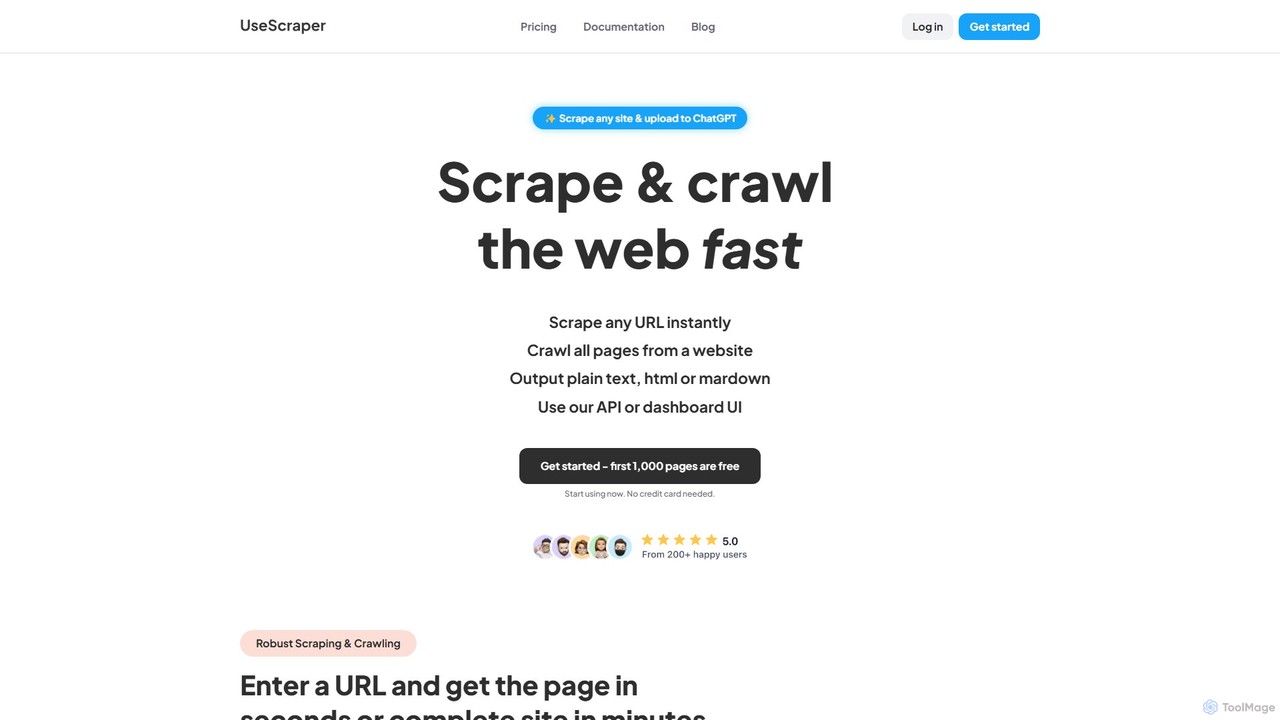
UseScraper is a powerful web crawler and scraper API designed for developers and AI applications. It efficiently extracts data from any website, featuring full JavaScript rendering, auto-scaling infrastructure, and clean output formats like Markdown, ideal for feeding data into LLMs like ChatGPT.

Preview

Quick facts

Compare product focus, pricing models and audiences. Highlighted rows indicate different listed information; unknown pricing does not mean free.

Apify VS UseScraper — Quick facts
Quick factsApifyUseScraper
Pricing modelFreemiumFreemium
Product typeWebWeb
Primary focusData CollectionData Extraction
Audience and rolesNo data availableNo data available
CategoriesData Collection · Data Extraction · Web Scraping · AutomationData Extraction · Api · Automation
AddedAug 16, 2025Aug 5, 2025
UpdatedNov 19, 2026Nov 19, 2026

Features, usage and use cases

Explore the listed product descriptions, features and workflows. Taxonomy labels alone are not feature evaluations.

Apify

Apify is a comprehensive cloud platform designed for web scraping, data extraction, and process automation. It provides a complete ecosystem where developers and businesses can build, deploy, manage, and publish web scrapers and automation tools, which are called 'Actors'. Apify caters to a wide range of users, from individual developers needing to extract data for a small project to large enterprises requiring reliable, scalable data pipelines for business intelligence and AI applications.

The platform's core is the Apify Store, a marketplace featuring over 6,000 pre-built Actors for scraping popular websites like Google, Instagram, TikTok, and Amazon. This allows users to get structured data instantly without writing any code. For more specific needs, Apify provides a powerful development environment with all the necessary tools to build custom Actors from scratch using popular programming languages and libraries.

How to use Apify

Using Apify involves a straightforward workflow that can be adapted to your technical skill level:

  1. Choose Your Method: You can either select a ready-made 'Actor' from the Apify Store for a specific task (e.g., 'Google Maps Scraper') or decide to build your own custom scraper.
  2. Configure the Actor: If using a pre-built Actor, you simply provide the necessary inputs, such as URLs, search keywords, or location data, through a user-friendly interface.
  3. Build a Custom Actor (Optional): For custom needs, developers can use the Apify SDK with Python or JavaScript (Node.js). The platform supports popular libraries like Crawlee, Playwright, Puppeteer, and Scrapy. You can write your code locally and deploy it to the Apify cloud.
  4. Run and Monitor: Execute your Actor on Apify's cloud infrastructure. The platform handles proxies, scaling, and compute resources automatically. You can monitor the progress of your scraping jobs in real-time through the dashboard.
  5. Access and Export Data: Once the run is complete, the extracted data is stored and can be viewed in various formats like JSON, CSV, or Excel. You can download the data directly or access it via the Apify API.
  6. Integrate and Automate: Schedule your Actors to run at regular intervals for continuous data monitoring. Integrate the data flow with other applications and services like Zapier, Google Sheets, Pinecone, LangChain, or your own database.

Core Features of Apify

  • Apify Store: A vast marketplace of over 6,000 pre-built web scrapers and automation tools (Actors) for immediate use.
  • Developer Platform: A full-stack environment to build, test, and deploy custom scrapers with robust cloud infrastructure, supporting Python and JavaScript.
  • Open-Source Libraries: Deep integration with powerful open-source libraries like Crawlee (Apify's own), Playwright, Puppeteer, Selenium, and Scrapy.
  • Integrated Proxies: Access to a large pool of datacenter and residential proxies to manage IP rotation, bypass blocking, and ensure successful data extraction.
  • Scalable Cloud Infrastructure: Automatically scales resources based on demand. Users don't need to manage servers, storage, or compute.
  • Scheduling and Monitoring: Built-in tools to schedule scraping jobs to run periodically and monitor their status, performance, and resource consumption.
  • Data Integration & API: A powerful API to run Actors and access data programmatically, plus seamless integrations with tools like Zapier, Airbyte, LangChain, and LlamaIndex.
  • AI Data Solutions: Specialized Actors like the 'Website Content Crawler' are designed to extract and clean text content to feed AI models, vector databases, and RAG pipelines.

Use Cases for Apify

Apify is versatile and can be used for a wide array of data-driven tasks:

  • Lead Generation: Extracting contact information and business details from Google Maps, LinkedIn, or industry directories.
  • Market & Competitor Analysis: Scraping product prices, reviews, and descriptions from e-commerce sites like Amazon to monitor market trends.
  • Social Media Intelligence: Gathering data from platforms like TikTok, Instagram, and Twitter for sentiment analysis, influencer tracking, and campaign monitoring.
  • AI and Machine Learning: Crawling websites to collect large datasets of text and images for training AI models and powering RAG (Retrieval-Augmented Generation) systems.
  • Brand Monitoring: Tracking mentions of a brand, product, or service across news sites, blogs, and forums.
  • Financial and Real Estate Data Aggregation: Collecting stock market data, property listings, and pricing information from various sources.

Advantages of Apify

Apify stands out with several key advantages:

  • All-in-One Solution: It combines a marketplace of ready-to-use tools with a powerful development platform and managed cloud infrastructure.
  • Efficiency and Speed: Pre-built Actors save hundreds of development hours, allowing users to get data in minutes.
  • Developer-Centric: It supports the languages and tools developers already know and love, backed by extensive documentation, code templates, and a strong community.
  • Reliability and Scalability: Built for performance at scale, offering enterprise-grade reliability with 99.95% uptime and SOC2 compliance.
  • Monetization for Developers: Developers can publish their Actors on the Apify Store and earn a recurring income, while Apify handles billing, infrastructure, and marketing.

Pricing and Plans

Apify operates on a freemium, usage-based pricing model, making it accessible for projects of all sizes.

  • Free Plan: Includes a generous amount of free monthly platform credits ($5/month), which is sufficient for small projects, testing, and learning. New creators also get a significant credit bonus to start.
  • Personal Plan ($49/month): Designed for individuals and freelancers, offering a larger pool of platform credits and access to more features.
  • Team Plan ($499/month): Aimed at small to medium-sized businesses, this plan includes even more credits, collaborative features, longer data retention, and priority support.
  • Enterprise Plan (Custom Pricing): Tailored for large organizations with specific needs, offering custom credit amounts, premium security features (SOC2), dedicated support, and custom service level agreements (SLAs).

All plans operate on a pay-as-you-go basis for usage beyond the included credits, covering compute units, proxy usage, and data storage.

UseScraper

UseScraper is a robust and scalable web scraping and crawling service provided through a simple yet powerful API. It is engineered from the ground up for speed and reliability, enabling users to extract data from any webpage in seconds or crawl entire websites in minutes. This tool is particularly valuable for developers, data scientists, and businesses who need to gather web data for market research, lead generation, price monitoring, or for training AI models.

The platform is designed to handle the complexities of the modern web. It utilizes a real Chrome browser for full JavaScript rendering, ensuring that content on dynamic, single-page applications (SPAs) is accurately captured. This capability makes it superior to many traditional scrapers that only fetch static HTML. The output can be delivered in several formats, including raw HTML, plain text, and, most notably, clean, well-structured Markdown, which is the ideal format for processing by AI systems and Large Language Models (LLMs).

How to use UseScraper

Using UseScraper is straightforward for developers of all skill levels. The process involves a few simple steps:

  1. Sign Up: Create a free account to get started. No credit card is required, and you receive 1,000 free page scrapes and $25 in credits upon signing up.
  2. Choose Your Tool: Decide whether you need to scrape a single URL or crawl an entire website. UseScraper offers dedicated APIs for both tasks (Scraper API and Crawler API).
  3. Make an API Request: Use your preferred programming language (Python, JavaScript, C#, etc.) to make a request to the UseScraper API endpoint. You simply need to provide the target URL(s).
  4. Configure Options: You can customize your request with advanced options, such as excluding specific URLs or CSS elements, setting up webhooks for notifications, and choosing your desired output format (markdown, text, or html).
  5. Receive Data: The scraped content is returned in the API response. For larger crawl jobs, the results are stored in a dedicated data store, which can be accessed via the API. You can also set data to auto-expire to manage storage.

Core Features of UseScraper

  • Scraper & Crawler APIs: Dedicated APIs for scraping single pages instantly or crawling thousands of pages from a website.
  • Full JavaScript Rendering: Uses a real Chrome browser to render JavaScript, ensuring accurate data extraction from dynamic websites and SPAs.
  • AI-Ready Markdown Output: Provides clean, structured Markdown output, which is perfect for use in AI applications, RAG systems, and feeding knowledge to LLMs like ChatGPT. Plain text and HTML are also available.
  • High-Speed, Scalable Infrastructure: Built on an auto-scaling infrastructure that allows for super-fast, parallel scraping and crawling of thousands of pages per minute.
  • Advanced Crawling Control: Features include multi-site crawling in a single job, excluding specific URLs with glob patterns, and removing repetitive content (like headers/footers) using CSS selectors.
  • Automatic Proxy Rotation: (Coming Soon) Automatically rotates proxies to bypass anti-scraping measures and prevent rate limiting, ensuring high success rates.
  • Webhook Notifications: Get real-time updates on the status and completion of your crawl jobs through webhooks.
  • Integrated Data Store: Scraped data is saved to a data store that is accessible via API, with options for setting auto-expiry on the data.

Use Cases for UseScraper

UseScraper is versatile and can be applied to a wide range of data extraction tasks:

  • AI Model Training: Scrape vast amounts of web content to create datasets for training machine learning models or to build a knowledge base for Retrieval-Augmented Generation (RAG) with LLMs.
  • Market and Competitor Analysis: Aggregate product information, pricing, reviews, and news from competitor websites to inform business strategy.
  • Lead Generation: Extract contact details and business information from online directories and professional networks.
  • Content Aggregation: Power news portals, job boards, or real estate listing sites by automatically gathering data from multiple sources.
  • SEO and Marketing: Monitor search engine rankings, track brand mentions, and analyze backlink profiles by crawling SERPs and websites.

Advantages of UseScraper

UseScraper stands out due to its focus on performance, modern web compatibility, and developer experience. Its key advantages include its ability to handle JavaScript-heavy sites effortlessly, the provision of clean Markdown output tailored for AI, and its scalable, high-speed architecture. The flexible pricing model, including a generous free tier, makes it accessible for projects of all sizes, from small scripts to large-scale enterprise data operations.

Pricing and Plans

UseScraper offers a transparent and scalable pricing structure:

  • Pay as you go Plan: $0/month. You only pay for what you use at a rate of $1 per 1,000 web pages. This plan includes 10 concurrent jobs, Scraper & Crawler APIs, JavaScript rendering, and is perfect for smaller projects. The first 1,000 pages are free.
  • Pro Plan: $99/month, plus usage costs at $1 per 1,000 web pages. This plan is designed for large-scale operations and includes everything in the free plan, plus unlimited concurrent jobs, crawling of unlimited pages per website, advanced proxies (coming soon), and priority support.

New users receive $25 in free credits upon signing up, providing a substantial starting point for testing and development.

Positioning

Their taxonomy shows where the products overlap and where each one has a more distinct focus. Unknown fields are shown explicitly and are never filled with assumptions.

Categories

Shared
Data ExtractionAutomation
Only Apify
Data CollectionWeb Scraping
Only UseScraper
Api

Tags

Shared
AI dataAPIautomationdata extractiondeveloper toolsRAGweb crawlerweb scraping
Only Apify
data miningjavascriptlead generationpython
Only UseScraper
chatgptdata collectionJavaScript renderingmarkdown

Audience and roles

Shared
No listed items
Only Apify
No listed items
Only UseScraper
No listed items

Traffic comparison

Traffic is shown on the same scale so differences in market visibility are not visually understated.

How to interpret the traffic data

Both charts share the same months and vertical scale. Each tool identifies its latest reporting month; missing months are left blank, not counted as zero. Regional and source visit counts are estimates calculated from the reported shares.

Apify monthly traffic:

Latest traffic · 2026-05

Monthly visits
4.4M
Avg. visit duration
4:48
Pages per visit
7.65
Bounce rate
36.29%
Data updated 2026-06-15

Monthly traffic trend

  • 2025-09: 1.9M
  • 2026-01: 2.5M
  • 2026-02: 2.5M
  • 2026-03: 3.8M
  • 2026-04: 4.1M
  • 2026-05: 4.4M

Top regions

Top 5 countries/regions
Country/regionPercentageEstimated visits
🇺🇸United States40.31%1.8M
🇮🇳India31.99%1.4M
🇧🇷Brazil10.35%457.4K
🇬🇧United Kingdom8.77%387.5K
🇩🇪Germany8.58%379.1K

Traffic sources

Source typePercentageEstimated visits
Direct84.73%3.7M
Referral11.9%525.9K
Email3.37%148.9K

Search keywords

apifyepornerfacebookthisvidxvideos

UseScraper

No data available

Community signals

Ratings, comments, favorites, and likes are community signals—not a substitute for product fit.

Apify

Rating
No data available
Comments
0
Favorites
156
Likes
173

UseScraper

Rating
No data available
Comments
0
Favorites
188
Likes
166

Apify vs UseScraper · Comparison FAQ

What do Apify and UseScraper have in common?
Both tools are listed under Data Extraction、Automation. These categories indicate overlapping use cases; compare their detailed descriptions for workflows, capabilities and limitations.
Are Apify and UseScraper free?
Listed pricing models: Apify — Freemium; UseScraper — Freemium. Missing pricing is not proof of a free plan, and freemium does not mean every feature is free. Check official sites for current plans, limits and trials.
How should I choose between Apify and UseScraper?
The primary listed category is Data Collection for Apify, and Data Extraction for UseScraper. Compare features, steps and use cases, then verify pricing, data permissions and deployment needs. This page does not include hands-on testing and does not declare a winner from traffic or tags.

Sources and comparison methodology

This page is assembled from ToolMage product listings, taxonomy, traffic statistics and on-site user feedback. It is not a hands-on test or an independent review.

  • Feature and plan descriptions reflect information in the listings, not real-time guarantees. Verify pricing, quotas, availability and privacy terms on the official sites.
  • Traffic uses the reporting months shown. Missing statistics do not mean zero visits, and different periods do not establish growth or superiority. Regional and source visit counts are estimates based on shares.
  • Different tags indicate differences in the listings, not proof that the other product lacks a capability. Ratings, favorites and visits are not used to declare a winner.

Related comparisons