ToolMage
Sign in

AI TOOL COMPARISON

Applitools vs mabl

What is the difference, and which fits your workflow? Compare features, usage, pricing models and traffic side by side.

Jump to key differences

Product overview

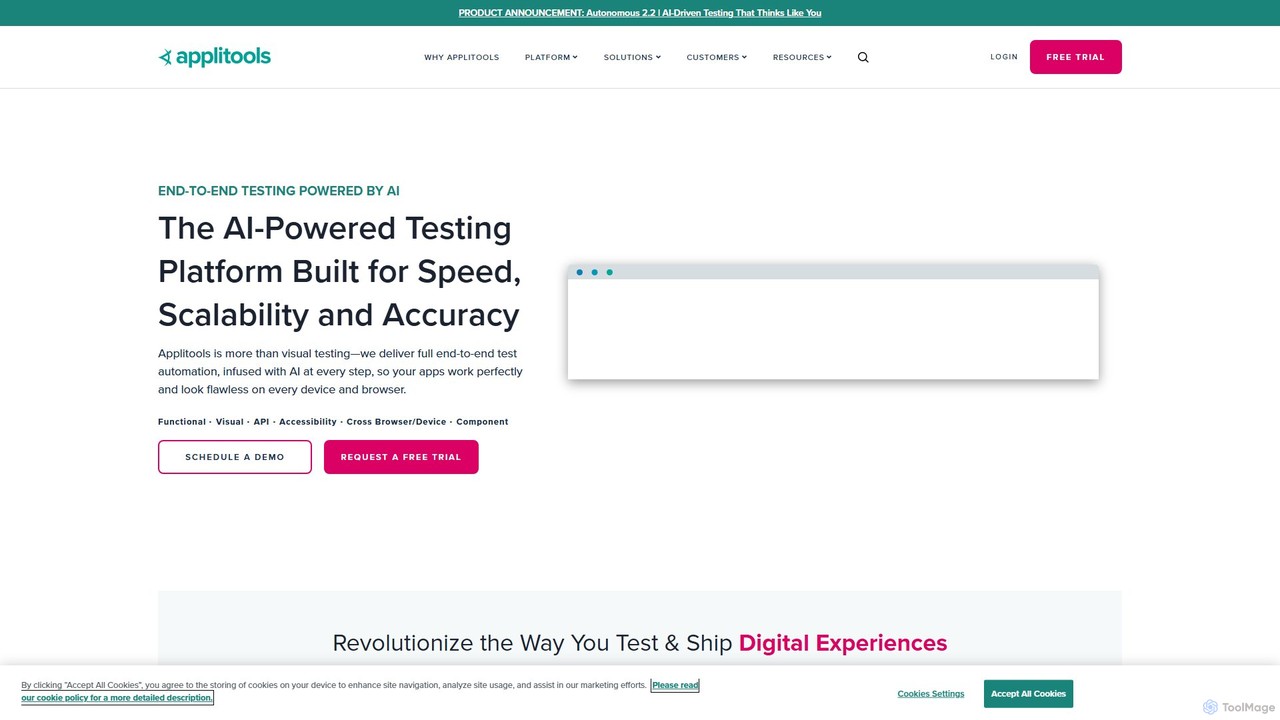
Applitools Product overview

Applitools is an AI-powered, end-to-end test automation platform designed to help teams ship flawless applications. It uses Visual AI to automate functional, visual, API, and accessibility testing across all devices, browsers, and screen sizes, dramatically increasing test coverage and reducing maintenance.

Preview

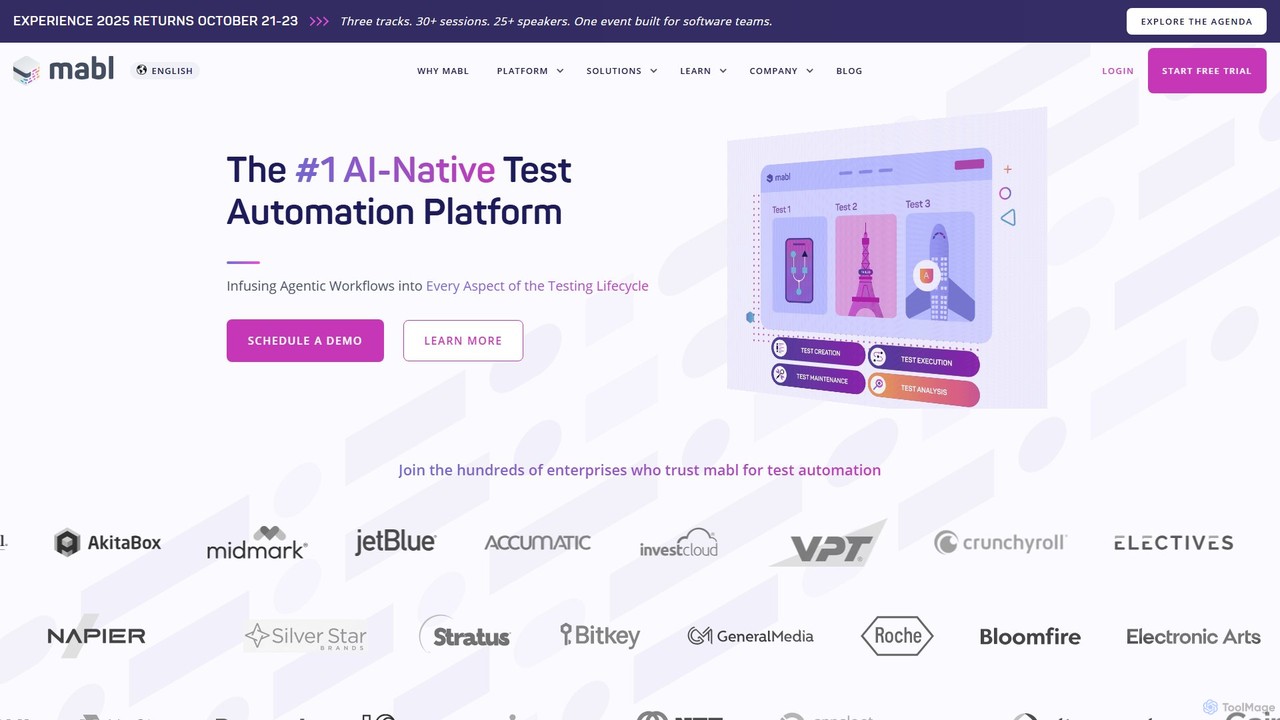
mabl Product overview

mabl is an AI-powered test automation platform that simplifies end-to-end testing for web applications. It uses AI to accelerate test creation, execution, and maintenance, enabling agile and DevOps teams to deliver high-quality software faster. With features like self-healing tests and AI-driven root cause analysis, mabl reduces the effort of maintaining brittle test suites.

Preview

Quick facts

Compare product focus, pricing models and audiences. Highlighted rows indicate different listed information; unknown pricing does not mean free.

Applitools VS mabl — Quick facts
Quick factsApplitoolsmabl
Pricing modelFreemiumPaid
Product typeWebWeb
Primary focusLow Code No CodeTesting
Audience and rolesNo data availableNo data available
CategoriesLow Code No Code · Testing · AutomationTesting · Continuous Integration · Automation
AddedAug 15, 2025Aug 10, 2025
UpdatedNov 19, 2026Nov 19, 2026

Features, usage and use cases

Explore the listed product descriptions, features and workflows. Taxonomy labels alone are not feature evaluations.

Applitools

Applitools is a revolutionary intelligent testing platform that leverages the power of AI to transform software testing. It provides a comprehensive, all-in-one solution for end-to-end test automation, covering functional, visual, API, and accessibility testing. By infusing AI into every step of the testing lifecycle, Applitools helps development and QA teams to build, run, and analyze tests with unprecedented speed, accuracy, and scale. The platform is designed to ensure that digital experiences not only work perfectly but also look flawless on every device, browser, and operating system.

The core of Applitools is its proprietary Visual AI, which has been trained on over a billion images to mimic the human eye and brain. This technology allows it to instantly validate thousands of UI elements on a screen, detecting meaningful changes while ignoring insignificant, dynamic ones. This approach moves beyond brittle, locator-based assertions, leading to more stable, self-healing tests that require significantly less maintenance.

How to use Applitools

Using Applitools is designed to be flexible and integrate seamlessly into existing development workflows. The process generally follows four key stages:

  1. Test Creation: Teams have multiple options for creating tests. They can integrate Applitools SDKs into their existing test frameworks like Selenium, Cypress, Playwright, or WebdriverIO. For those who prefer a low-code/no-code approach, Applitools offers a browser recorder to capture user flows and a generative AI feature that allows writing tests in plain English.
  2. Test Execution: Tests can be executed on the Applitools Ultrafast Test Grid, a modern cross-browser testing cloud that runs tests in parallel at massive scale, significantly reducing execution time. Alternatively, tests can be run on the Execution Cloud, which provides self-healing infrastructure, or on-premise for maximum security. Execution can be triggered on-demand, scheduled, or integrated into any CI/CD pipeline (e.g., Jenkins, GitHub Actions, CircleCI).
  3. Test Validation: During a test run, instead of writing dozens of assertions, a developer simply adds a single command: `eyes.check()`. Applitools captures a snapshot of the UI and its Visual AI compares it to an approved baseline image. It intelligently highlights any functional or visual regressions, such as broken layouts, incorrect colors, overlapping elements, or missing content.
  4. Analysis and Maintenance: Test results are displayed in an intuitive dashboard. All differences are highlighted for review. The platform automatically groups similar changes across different browsers and devices, allowing teams to accept or reject a change once for all instances. This dramatically simplifies test maintenance and accelerates the review process. Root Cause Analysis helps pinpoint the exact code changes that caused a failure.

Core Features of Applitools

  • Visual AI Engine: Industry-leading AI that validates the entire UI, catching both functional and visual bugs that traditional tools miss.
  • Ultrafast Test Grid: A next-generation cross-browser and cross-device testing cloud for massive parallel execution, ensuring comprehensive coverage in minutes, not hours.
  • Code & No-Code Test Authoring: Flexibility for all team members, from developers using SDKs in their favorite language to QA professionals and business analysts using a no-code recorder or plain English.
  • Self-Healing Tests: Reduces test flakiness and maintenance by relying on visual elements rather than unstable locators.
  • Comprehensive Integrations: Seamlessly integrates with over 60 development tools, including all major test frameworks, CI/CD systems, SCMs, and bug trackers.
  • Accessibility Testing: Includes features like Contrast Advisor to automatically detect accessibility issues related to color contrast.
  • Root Cause Analysis: Quickly identifies the underlying code and DOM changes responsible for visual differences, speeding up debugging.

Use Cases for Applitools

Applitools is versatile and supports a wide range of testing scenarios across various industries:

  • Functional Testing: Validating that interactive elements, forms, and user flows work as expected by detecting unexpected changes in text, data, or UI state.
  • Visual Testing: Ensuring visual perfection by catching UI bugs like misaligned elements, incorrect fonts, color mismatches, and layout issues.
  • Cross-Browser/Device Testing: Guaranteeing a consistent and flawless user experience across all web and mobile platforms.
  • Localization Testing: Verifying that translated content fits correctly within the UI layout and is displayed properly across different languages.
  • PDF & Document Validation: Automating the testing of PDFs, reports, and other documents to ensure their content and layout are correct.
  • Component Library Testing: Validating UI components in isolation across all their states and variations to shift testing left.

Advantages of Applitools

The platform offers significant benefits that revolutionize the testing process:

  • Increased Efficiency: Drastically reduces test creation and maintenance time, allowing teams to release faster.
  • Expanded Test Coverage: Achieves near-100% test coverage by validating the entire UI with a single line of code, something impractical with traditional methods.
  • Superior Quality: Catches more bugs earlier in the development cycle, leading to a higher quality product and better user satisfaction.
  • Reduced Costs: Saves hundreds of hours of manual testing and minimizes the cost associated with fixing bugs in production.
  • Democratized Testing: Enables collaboration between developers, QA, product managers, and designers on a single, easy-to-use platform.

Pricing and Plans

Applitools offers flexible pricing tailored to different team sizes and needs. While specific pricing is not publicly listed, they provide the following options:

  • Free Trial: A 14-day free trial is available for new users to experience the full capabilities of the platform.
  • Custom Plans: Pricing is typically customized based on factors like the number of users, test volume, and required features (e.g., Eyes for visual testing integration or Autonomous for a full no-code solution).
  • Demo: Prospective customers are encouraged to schedule a demo to discuss their specific requirements and receive a custom quote.

Deployment options include a multi-tenant public cloud (SaaS), a dedicated cloud on AWS, Azure, or GCP, or an on-premise installation for enterprises with strict security requirements.

mabl

mabl is a pioneering intelligent test automation platform designed for the modern era of software development. It addresses the core challenges of traditional testing, such as script brittleness, high maintenance costs, and slow feedback loops, by infusing artificial intelligence into every stage of the quality engineering lifecycle. Recognized by Gartner and a multi-time winner of the AI Breakthrough Award, mabl empowers development, QA, and DevOps teams to build and ship high-quality applications with speed and confidence.

The platform provides a unified solution for creating, executing, and maintaining reliable end-to-end tests for web applications, APIs, and mobile web experiences. By abstracting away the complexities of code-based frameworks, mabl makes test automation accessible to all team members, regardless of their technical expertise, fostering a culture of quality across the organization.

How to use mabl

The workflow in mabl is designed to be intuitive and efficient, seamlessly integrating into existing development processes.

  1. Test Creation: Users can create tests in minutes using multiple AI-assisted methods. The mabl Trainer, a browser extension, allows you to simply record user actions and workflows, which mabl automatically converts into a robust, automated test. For an even faster approach, the new Test Creation Agent can generate complete end-to-end test suites from plain language descriptions, such as user stories or manual test cases.
  2. Test Execution: Tests can be executed on-demand, on a schedule, or triggered automatically as part of your CI/CD pipeline (integrations with Jenkins, GitHub Actions, Azure DevOps, etc.). mabl runs these tests in the cloud across all major browsers (Chrome, Firefox, Safari, Edge), providing scalable and parallel execution without any infrastructure setup.
  3. Maintenance and Analysis: This is where mabl's AI truly shines. Its auto-healing capability automatically detects UI changes and updates the tests accordingly, dramatically reducing maintenance time. When a test does fail, the Auto Test Failure Analysis (Auto TFA) feature autonomously investigates the failure, providing immediate root cause insights, screenshots, logs, and actionable recommendations to help developers fix bugs faster.

Core Features of mabl

  • AI-Powered Test Creation Agent: Generates structured, end-to-end tests from plain language requirements or user stories.
  • Low-Code Automation with mabl Trainer: An intuitive browser extension for recording user journeys to create tests without writing code.
  • Auto-Healing Tests: AI algorithms automatically adapt tests to changes in the application's UI, significantly reducing flakiness and maintenance overhead.
  • Auto Test Failure Analysis (TFA): Provides autonomous root cause analysis for every test failure, accelerating defect resolution.
  • Visual Assist: Enhances test reliability by visually identifying UI elements, ensuring tests run successfully even with unstable locators.
  • Cross-Browser Cloud Execution: Run tests in parallel across Chrome, Firefox, Safari, and Edge on a scalable cloud platform.
  • Comprehensive CI/CD Integration: Natively integrates with popular tools like Jenkins, CircleCI, GitHub Actions, Bitbucket Pipelines, and more.
  • API & Mobile Web Testing: Extend testing coverage beyond the UI to include API validation and ensure responsive design on mobile web browsers.
  • Rich Reporting and Insights: Provides detailed dashboards on test coverage, application quality trends, and performance metrics.

Use Cases for mabl

mabl is versatile and valuable for various teams and scenarios:

  • Agile and DevOps Teams: Integrating automated testing directly into CI/CD pipelines to achieve continuous quality and faster release cycles.
  • QA Automation Engineers: Building and scaling robust regression and end-to-end test suites far more efficiently than with traditional frameworks like Selenium.
  • Manual QA Teams: Transitioning to automation and contributing to quality engineering efforts without needing to learn complex programming languages.
  • Enterprise Application Development: Ensuring the reliability and functionality of large-scale, business-critical web applications through comprehensive testing.

Advantages of mabl

The key advantages of adopting mabl include:

  • Increased Velocity: Dramatically accelerates test creation and execution, enabling teams to keep pace with rapid development cycles.
  • Reduced Maintenance: AI-powered self-healing saves countless hours previously spent fixing broken tests.
  • Improved Software Quality: Catches bugs earlier in the development process, reducing the cost and impact of defects.
  • Enhanced Collaboration: The low-code interface allows product managers, developers, and QA to collaborate effectively on testing.
  • Scalability and Reliability: Provides a robust, cloud-native platform that scales with your needs and delivers reliable test results.

Pricing and Plans

mabl offers customized pricing plans tailored to the specific needs of different teams and organizations. Pricing is typically based on factors such as the volume of test runs, the number of parallel executions, and access to advanced enterprise features. To get a detailed quote, prospective customers are encouraged to contact the mabl sales team. A free trial is available, providing an excellent opportunity for teams to evaluate the platform and its AI capabilities firsthand before making a purchase decision.

Positioning

Their taxonomy shows where the products overlap and where each one has a more distinct focus. Unknown fields are shown explicitly and are never filled with assumptions.

Categories

Shared
TestingAutomation
Only Applitools
Low Code No Code
Only mabl
Continuous Integration

Tags

Shared
ai testingCI/CDend-to-end testingtest automationvisual testing
Only Applitools
cross-browser testingcypressfunctional testingno-code testingPlaywrightseleniumsoftware quality
Only mabl
devopslow-codeQ&Aregression testingself-healing testssoftware testing

Audience and roles

Shared
No listed items
Only Applitools
No listed items
Only mabl
No listed items

Traffic comparison

Traffic is shown on the same scale so differences in market visibility are not visually understated.

How to interpret the traffic data

Both charts share the same months and vertical scale. Each tool identifies its latest reporting month; missing months are left blank, not counted as zero. Regional and source visit counts are estimates calculated from the reported shares.

Applitools monthly traffic:

Latest traffic · 2026-05

Monthly visits
187.6K
Avg. visit duration
1:42
Pages per visit
3.49
Bounce rate
46.96%
Data updated 2026-06-15

Monthly traffic trend

  • 2025-09: 187.6K
  • 2026-01: 245.9K
  • 2026-02: 193K
  • 2026-03: 158.5K
  • 2026-04: 158.8K
  • 2026-05: 187.6K

Top regions

Top 5 countries/regions
Country/regionPercentageEstimated visits
🇺🇦Ukraine33.75%63.3K
🇺🇸United States20.47%38.4K
🇲🇩Moldova20.28%38K
🇩🇴Dominican Republic14.45%27.1K
🇮🇳India11.05%20.7K

Traffic sources

Source typePercentageEstimated visits
Direct82.35%154.5K
Referral11.87%22.3K
Email5.78%10.8K

Search keywords

ai testing toolsapplitoolsapplitools eyesiframe testertest automation university

mabl monthly traffic:

Latest traffic · 2026-05

Monthly visits
108.5K
Avg. visit duration
1:02
Pages per visit
1.98
Bounce rate
42.96%
Data updated 2026-06-15

Monthly traffic trend

  • 2025-09: 126.4K
  • 2026-01: 130.9K
  • 2026-02: 157K
  • 2026-03: 161.2K
  • 2026-04: 118.9K
  • 2026-05: 108.5K

Top regions

Top 5 countries/regions
Country/regionPercentageEstimated visits
🇯🇵Japan35.25%38.3K
🇺🇸United States25.96%28.2K
🇮🇳India20.4%22.1K
🇬🇧United Kingdom13.55%14.7K
🇳🇬Nigeria4.84%5.3K

Traffic sources

Source typePercentageEstimated visits
Direct95.03%103.1K
Referral2.83%3.1K
Email2.14%2.3K

Search keywords

json 配列mablmabl helpswathubяк користуватись mabl

Community signals

Ratings, comments, favorites, and likes are community signals—not a substitute for product fit.

Applitools

Rating
No data available
Comments
0
Favorites
181
Likes
157

mabl

Rating
No data available
Comments
0
Favorites
181
Likes
174

Applitools vs mabl · Comparison FAQ

What do Applitools and mabl have in common?
Both tools are listed under Testing、Automation. These categories indicate overlapping use cases; compare their detailed descriptions for workflows, capabilities and limitations.
Are Applitools and mabl free?
Listed pricing models: Applitools — Freemium; mabl — Paid. Missing pricing is not proof of a free plan, and freemium does not mean every feature is free. Check official sites for current plans, limits and trials.
How should I choose between Applitools and mabl?
The primary listed category is Low Code No Code for Applitools, and Testing for mabl. Compare features, steps and use cases, then verify pricing, data permissions and deployment needs. This page does not include hands-on testing and does not declare a winner from traffic or tags.

Sources and comparison methodology

This page is assembled from ToolMage product listings, taxonomy, traffic statistics and on-site user feedback. It is not a hands-on test or an independent review.

  • Feature and plan descriptions reflect information in the listings, not real-time guarantees. Verify pricing, quotas, availability and privacy terms on the official sites.
  • Traffic uses the reporting months shown. Missing statistics do not mean zero visits, and different periods do not establish growth or superiority. Regional and source visit counts are estimates based on shares.
  • Different tags indicate differences in the listings, not proof that the other product lacks a capability. Ratings, favorites and visits are not used to declare a winner.

Related comparisons