ToolMage
Sign in

AI TOOL COMPARISON

Applitools vs BrowserStack

What is the difference, and which fits your workflow? Compare features, usage, pricing models and traffic side by side.

Jump to key differences

Product overview

Applitools Product overview

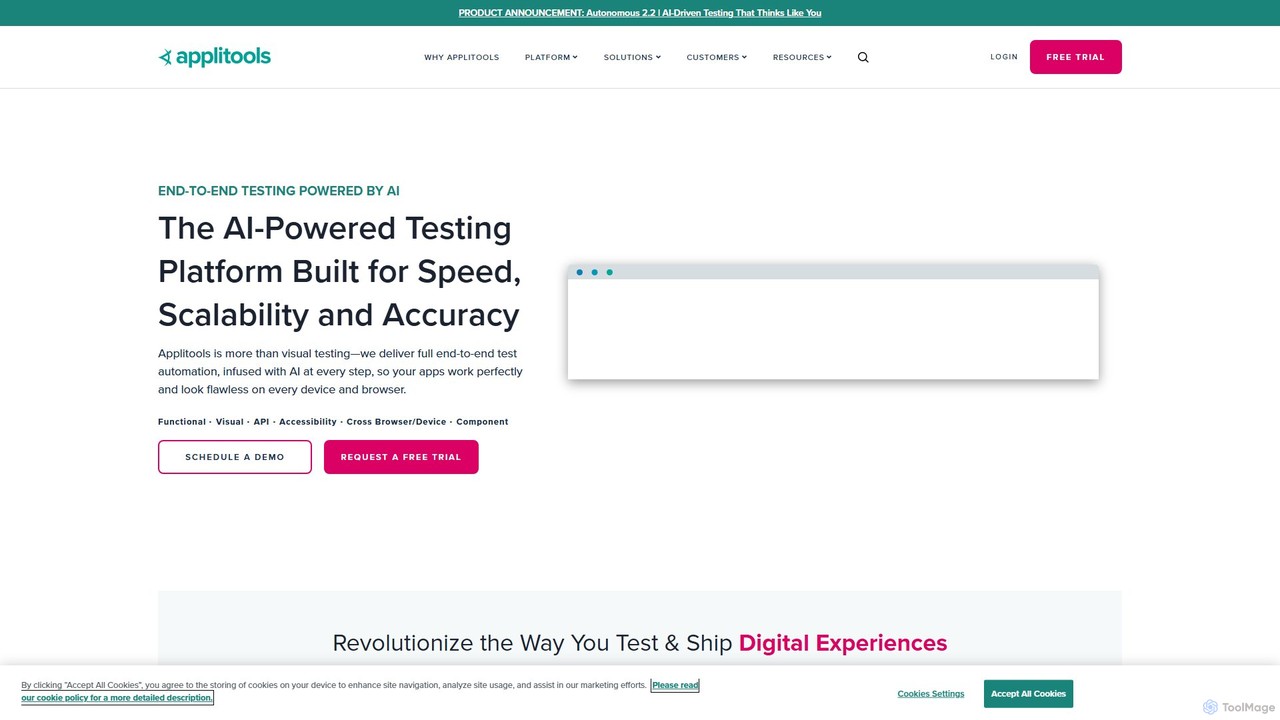
Applitools is an AI-powered, end-to-end test automation platform designed to help teams ship flawless applications. It uses Visual AI to automate functional, visual, API, and accessibility testing across all devices, browsers, and screen sizes, dramatically increasing test coverage and reducing maintenance.

Preview

BrowserStack Product overview

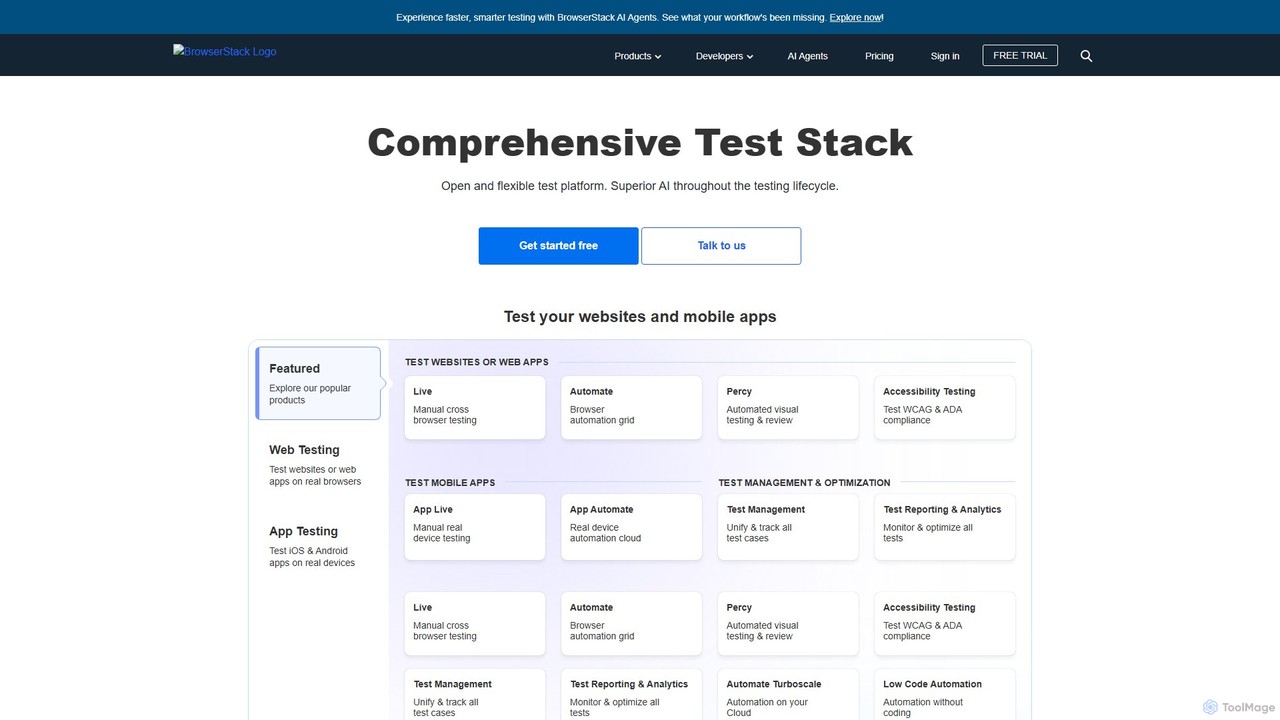
BrowserStack is a leading AI-powered cloud platform for comprehensive app and cross-browser testing. It provides instant access to over 30,000 real mobile devices and desktop browsers, enabling developers and QA teams to test their websites and mobile apps in real-world conditions. With features like automated testing, visual testing, and accessibility checks, BrowserStack accelerates release cycles and ensures a flawless user experience across all platforms.

Preview

Quick facts

Compare product focus, pricing models and audiences. Highlighted rows indicate different listed information; unknown pricing does not mean free.

Applitools VS BrowserStack — Quick facts
Quick factsApplitoolsBrowserStack
Pricing modelFreemiumFreemium
Product typeWebWeb
Primary focusLow Code No CodeMobile Development
Audience and rolesNo data availableNo data available
CategoriesLow Code No Code · Testing · AutomationMobile Development · Testing · Automation
AddedAug 15, 2025Aug 8, 2025
UpdatedNov 19, 2026Nov 19, 2026

Features, usage and use cases

Explore the listed product descriptions, features and workflows. Taxonomy labels alone are not feature evaluations.

Applitools

Applitools is a revolutionary intelligent testing platform that leverages the power of AI to transform software testing. It provides a comprehensive, all-in-one solution for end-to-end test automation, covering functional, visual, API, and accessibility testing. By infusing AI into every step of the testing lifecycle, Applitools helps development and QA teams to build, run, and analyze tests with unprecedented speed, accuracy, and scale. The platform is designed to ensure that digital experiences not only work perfectly but also look flawless on every device, browser, and operating system.

The core of Applitools is its proprietary Visual AI, which has been trained on over a billion images to mimic the human eye and brain. This technology allows it to instantly validate thousands of UI elements on a screen, detecting meaningful changes while ignoring insignificant, dynamic ones. This approach moves beyond brittle, locator-based assertions, leading to more stable, self-healing tests that require significantly less maintenance.

How to use Applitools

Using Applitools is designed to be flexible and integrate seamlessly into existing development workflows. The process generally follows four key stages:

  1. Test Creation: Teams have multiple options for creating tests. They can integrate Applitools SDKs into their existing test frameworks like Selenium, Cypress, Playwright, or WebdriverIO. For those who prefer a low-code/no-code approach, Applitools offers a browser recorder to capture user flows and a generative AI feature that allows writing tests in plain English.
  2. Test Execution: Tests can be executed on the Applitools Ultrafast Test Grid, a modern cross-browser testing cloud that runs tests in parallel at massive scale, significantly reducing execution time. Alternatively, tests can be run on the Execution Cloud, which provides self-healing infrastructure, or on-premise for maximum security. Execution can be triggered on-demand, scheduled, or integrated into any CI/CD pipeline (e.g., Jenkins, GitHub Actions, CircleCI).
  3. Test Validation: During a test run, instead of writing dozens of assertions, a developer simply adds a single command: `eyes.check()`. Applitools captures a snapshot of the UI and its Visual AI compares it to an approved baseline image. It intelligently highlights any functional or visual regressions, such as broken layouts, incorrect colors, overlapping elements, or missing content.
  4. Analysis and Maintenance: Test results are displayed in an intuitive dashboard. All differences are highlighted for review. The platform automatically groups similar changes across different browsers and devices, allowing teams to accept or reject a change once for all instances. This dramatically simplifies test maintenance and accelerates the review process. Root Cause Analysis helps pinpoint the exact code changes that caused a failure.

Core Features of Applitools

  • Visual AI Engine: Industry-leading AI that validates the entire UI, catching both functional and visual bugs that traditional tools miss.
  • Ultrafast Test Grid: A next-generation cross-browser and cross-device testing cloud for massive parallel execution, ensuring comprehensive coverage in minutes, not hours.
  • Code & No-Code Test Authoring: Flexibility for all team members, from developers using SDKs in their favorite language to QA professionals and business analysts using a no-code recorder or plain English.
  • Self-Healing Tests: Reduces test flakiness and maintenance by relying on visual elements rather than unstable locators.
  • Comprehensive Integrations: Seamlessly integrates with over 60 development tools, including all major test frameworks, CI/CD systems, SCMs, and bug trackers.
  • Accessibility Testing: Includes features like Contrast Advisor to automatically detect accessibility issues related to color contrast.
  • Root Cause Analysis: Quickly identifies the underlying code and DOM changes responsible for visual differences, speeding up debugging.

Use Cases for Applitools

Applitools is versatile and supports a wide range of testing scenarios across various industries:

  • Functional Testing: Validating that interactive elements, forms, and user flows work as expected by detecting unexpected changes in text, data, or UI state.
  • Visual Testing: Ensuring visual perfection by catching UI bugs like misaligned elements, incorrect fonts, color mismatches, and layout issues.
  • Cross-Browser/Device Testing: Guaranteeing a consistent and flawless user experience across all web and mobile platforms.
  • Localization Testing: Verifying that translated content fits correctly within the UI layout and is displayed properly across different languages.
  • PDF & Document Validation: Automating the testing of PDFs, reports, and other documents to ensure their content and layout are correct.
  • Component Library Testing: Validating UI components in isolation across all their states and variations to shift testing left.

Advantages of Applitools

The platform offers significant benefits that revolutionize the testing process:

  • Increased Efficiency: Drastically reduces test creation and maintenance time, allowing teams to release faster.
  • Expanded Test Coverage: Achieves near-100% test coverage by validating the entire UI with a single line of code, something impractical with traditional methods.
  • Superior Quality: Catches more bugs earlier in the development cycle, leading to a higher quality product and better user satisfaction.
  • Reduced Costs: Saves hundreds of hours of manual testing and minimizes the cost associated with fixing bugs in production.
  • Democratized Testing: Enables collaboration between developers, QA, product managers, and designers on a single, easy-to-use platform.

Pricing and Plans

Applitools offers flexible pricing tailored to different team sizes and needs. While specific pricing is not publicly listed, they provide the following options:

  • Free Trial: A 14-day free trial is available for new users to experience the full capabilities of the platform.
  • Custom Plans: Pricing is typically customized based on factors like the number of users, test volume, and required features (e.g., Eyes for visual testing integration or Autonomous for a full no-code solution).
  • Demo: Prospective customers are encouraged to schedule a demo to discuss their specific requirements and receive a custom quote.

Deployment options include a multi-tenant public cloud (SaaS), a dedicated cloud on AWS, Azure, or GCP, or an on-premise installation for enterprises with strict security requirements.

BrowserStack

BrowserStack is an industry-leading, AI-enhanced cloud web and mobile testing platform, trusted by over 50,000 customers globally, including major companies like Optimizely, GoodRx, and OLX. It empowers development and QA teams to build and release high-quality software with speed and confidence. The platform provides a comprehensive test stack, offering instant access to a vast real device cloud of over 30,000 real iOS and Android devices and desktop browser combinations. This eliminates the need for expensive in-house device labs and allows for testing in real-world user conditions.

Recently, BrowserStack has integrated superior AI capabilities across the entire testing lifecycle. These AI agents enhance productivity, enabling faster, smarter testing and providing actionable insights to optimize workflows. From manual interactive testing to large-scale automation, BrowserStack covers every aspect of the testing process, including functional, visual, and accessibility testing.

How to use BrowserStack

Using BrowserStack is designed to be intuitive and seamlessly integrate into your existing development workflow:

  1. Sign Up & Choose a Product: Start with a free trial or select a plan. Choose from a suite of products like Live (manual testing), Automate (automated testing), or Percy (visual testing).
  2. Manual Testing (Live & App Live): For interactive testing, simply select your desired operating system, browser version, or real mobile device from the dashboard. An interactive session will launch instantly, giving you access to developer tools for real-time debugging.
  3. Automated Testing (Automate & App Automate): Configure your existing automation scripts (using frameworks like Selenium, Cypress, Playwright, Appium) to run on BrowserStack's cloud grid. This involves a minor change in the configuration file to point to the BrowserStack hub URL.
  4. Integrate with CI/CD: Connect BrowserStack to your CI/CD pipeline (e.g., Jenkins, GitLab, Travis CI). This allows you to run your test suite automatically on every code commit, catching bugs early in the development cycle.
  5. Debug and Report: Utilize comprehensive logs, video recordings, and screenshots for every test run to quickly identify and debug issues. Report bugs directly to integrated tools like Jira or Trello with a single click.
  6. Leverage Advanced Features: Test for specific conditions by using features like IP Geolocation, network simulation, biometric authentication, and accessibility scanning.

Core Features of BrowserStack

  • Real Device Cloud: Instant access to over 30,000 real desktop browsers (Windows, macOS) and mobile devices (iOS, Android) for accurate testing.
  • Comprehensive Test Automation: High-speed, parallel testing on a scalable grid for frameworks like Selenium, Cypress, Playwright, and Appium.
  • AI-Powered Testing: AI agents are integrated throughout the testing lifecycle to boost productivity, provide smarter insights, and accelerate test cycles.
  • Visual Testing with Percy: Automate visual testing and reviews to catch visual bugs and ensure UI consistency with every release.
  • Accessibility Testing: Scan and test for WCAG and ADA compliance to ensure your applications are accessible to all users.
  • Advanced Device Features: Simulate real-world conditions with features like GPS and IP geolocation, network throttling, biometric authentication (Face ID, Fingerprint), physical SIM testing, and camera/microphone injection.
  • Seamless Integrations: Works with all major CI/CD tools, project management software, and automation frameworks, including Jira, Slack, GitHub, Jenkins, and more.
  • Test Management & Analytics: Unify, track, and manage all test cases in one place. Gain deep insights from test reporting and analytics to monitor and optimize test performance.

Use Cases for BrowserStack

BrowserStack is versatile and caters to various testing needs:

  • Cross-Browser Compatibility: Ensure your website functions and appears correctly across all major browsers and their versions on both desktop and mobile.
  • Mobile App Testing: Test native and hybrid iOS and Android apps on a wide range of real devices to check for performance, functionality, and UI issues.
  • Regression Testing: Automate your regression suite to run on every build, preventing new code changes from breaking existing functionality.
  • Localization and Geolocation Testing: Verify that your application works as expected for users in different geographical locations by simulating IP addresses and GPS coordinates from over 100 countries.
  • End-to-End User Flow Testing: Test complex user journeys that involve multiple steps, such as user registration, in-app purchases, and OTP authentication.
  • Performance Under Poor Network Conditions: Simulate various network profiles (e.g., slow 3G, unstable Wi-Fi) to see how your app or website performs for users with poor connectivity.

Advantages of BrowserStack

Using BrowserStack offers significant advantages:

  • Improved Test Coverage: Drastically increase your test coverage by testing on a massive range of real devices and browsers without the overhead of maintaining them.
  • Accelerated Release Cycles: By running tests in parallel on a high-speed cloud grid, teams can reduce testing time from hours to minutes, enabling faster releases. GoodRx, for example, cut testing time by 90%.
  • Reduced Costs: Eliminates the high cost associated with purchasing, maintaining, and updating an in-house lab of physical devices.
  • Enhanced Collaboration: Centralized dashboards, shareable test sessions, and integrations with tools like Slack and Jira improve collaboration between developers and QA engineers.
  • Higher Quality Software: Catching bugs earlier and testing in real-world conditions leads to a more stable, reliable, and user-friendly final product.

Pricing and Plans

BrowserStack offers a flexible pricing structure to suit individuals, teams, and enterprises.

  • Free Trial: A free trial is available to explore the platform's features.
  • Open Source Plan: Free, unlimited access for qualifying open-source projects.
  • Freelancer Plan: Starts at $12.50/month (billed annually) for individual users with limited testing minutes.
  • Live Plans: For manual testing, plans start at $29/month (billed annually) for Desktop testing and $39/month for Desktop & Mobile.
  • Team Plans: Designed for collaboration, starting at $150/month (billed annually) for 5 users.
  • Enterprise Plan: Custom pricing for large organizations, offering advanced features like Single Sign-On (SSO), IP whitelisting, dedicated support, and higher security compliance.
  • Other Products: Products like Automate, Percy, and Test Management are priced separately with their own plans. Payments can be made via credit card, and invoices are available for annual plans.

Positioning

Their taxonomy shows where the products overlap and where each one has a more distinct focus. Unknown fields are shown explicitly and are never filled with assumptions.

Categories

Shared
TestingAutomation
Only Applitools
Low Code No Code
Only BrowserStack
Mobile Development

Tags

Shared
ai testingcross-browser testingtest automationvisual testing
Only Applitools
CI/CDcypressend-to-end testingfunctional testingno-code testingPlaywrightseleniumsoftware quality
Only BrowserStack
accessibility testingcypress testingdeveloper toolsmobile app testingQA toolsreal device cloudselenium grid

Audience and roles

Shared
No listed items
Only Applitools
No listed items
Only BrowserStack
No listed items

Traffic comparison

Traffic is shown on the same scale so differences in market visibility are not visually understated.

How to interpret the traffic data

Both charts share the same months and vertical scale. Each tool identifies its latest reporting month; missing months are left blank, not counted as zero. Regional and source visit counts are estimates calculated from the reported shares.

Applitools monthly traffic:

Latest traffic · 2026-05

Monthly visits
187.6K
Avg. visit duration
1:42
Pages per visit
3.49
Bounce rate
46.96%
Data updated 2026-06-15

Monthly traffic trend

  • 2025-09: 187.6K
  • 2026-01: 245.9K
  • 2026-02: 193K
  • 2026-03: 158.5K
  • 2026-04: 158.8K
  • 2026-05: 187.6K

Top regions

Top 5 countries/regions
Country/regionPercentageEstimated visits
🇺🇦Ukraine33.75%63.3K
🇺🇸United States20.47%38.4K
🇲🇩Moldova20.28%38K
🇩🇴Dominican Republic14.45%27.1K
🇮🇳India11.05%20.7K

Traffic sources

Source typePercentageEstimated visits
Direct82.35%154.5K
Referral11.87%22.3K
Email5.78%10.8K

Search keywords

ai testing toolsapplitoolsapplitools eyesiframe testertest automation university

BrowserStack monthly traffic:

Latest traffic · 2026-05

Monthly visits
1.3M
Avg. visit duration
5:05
Pages per visit
7.49
Bounce rate
40.23%
Data updated 2026-06-15

Monthly traffic trend

  • 2025-09: 2.5M
  • 2026-01: 2.4M
  • 2026-02: 1.9M
  • 2026-03: 1.9M
  • 2026-04: 1.6M
  • 2026-05: 1.3M

Top regions

Top 5 countries/regions
Country/regionPercentageEstimated visits
🇮🇳India53.23%713.3K
🇺🇸United States26.38%353.5K
🇩🇪Germany8.8%117.9K
🇬🇧United Kingdom6.52%87.4K
🇪🇹Ethiopia5.07%67.9K

Traffic sources

Source typePercentageEstimated visits
Direct84.8%1.1M
Referral9.71%130.1K
Email5.49%73.6K

Search keywords

apkbrowser stackbrowserstackbrowserstack careersrandom address generator

Community signals

Ratings, comments, favorites, and likes are community signals—not a substitute for product fit.

Applitools

Rating
No data available
Comments
0
Favorites
181
Likes
157

BrowserStack

Rating
No data available
Comments
0
Favorites
175
Likes
181

Applitools vs BrowserStack · Comparison FAQ

What do Applitools and BrowserStack have in common?
Both tools are listed under Testing、Automation. These categories indicate overlapping use cases; compare their detailed descriptions for workflows, capabilities and limitations.
Are Applitools and BrowserStack free?
Listed pricing models: Applitools — Freemium; BrowserStack — Freemium. Missing pricing is not proof of a free plan, and freemium does not mean every feature is free. Check official sites for current plans, limits and trials.
How should I choose between Applitools and BrowserStack?
The primary listed category is Low Code No Code for Applitools, and Mobile Development for BrowserStack. Compare features, steps and use cases, then verify pricing, data permissions and deployment needs. This page does not include hands-on testing and does not declare a winner from traffic or tags.

Sources and comparison methodology

This page is assembled from ToolMage product listings, taxonomy, traffic statistics and on-site user feedback. It is not a hands-on test or an independent review.

  • Feature and plan descriptions reflect information in the listings, not real-time guarantees. Verify pricing, quotas, availability and privacy terms on the official sites.
  • Traffic uses the reporting months shown. Missing statistics do not mean zero visits, and different periods do not establish growth or superiority. Regional and source visit counts are estimates based on shares.
  • Different tags indicate differences in the listings, not proof that the other product lacks a capability. Ratings, favorites and visits are not used to declare a winner.

Related comparisons