ToolMage
Sign in

AI TOOL COMPARISON

BrowserStack vs Meticulous

What is the difference, and which fits your workflow? Compare features, usage, pricing models and traffic side by side.

Jump to key differences

Product overview

BrowserStack Product overview

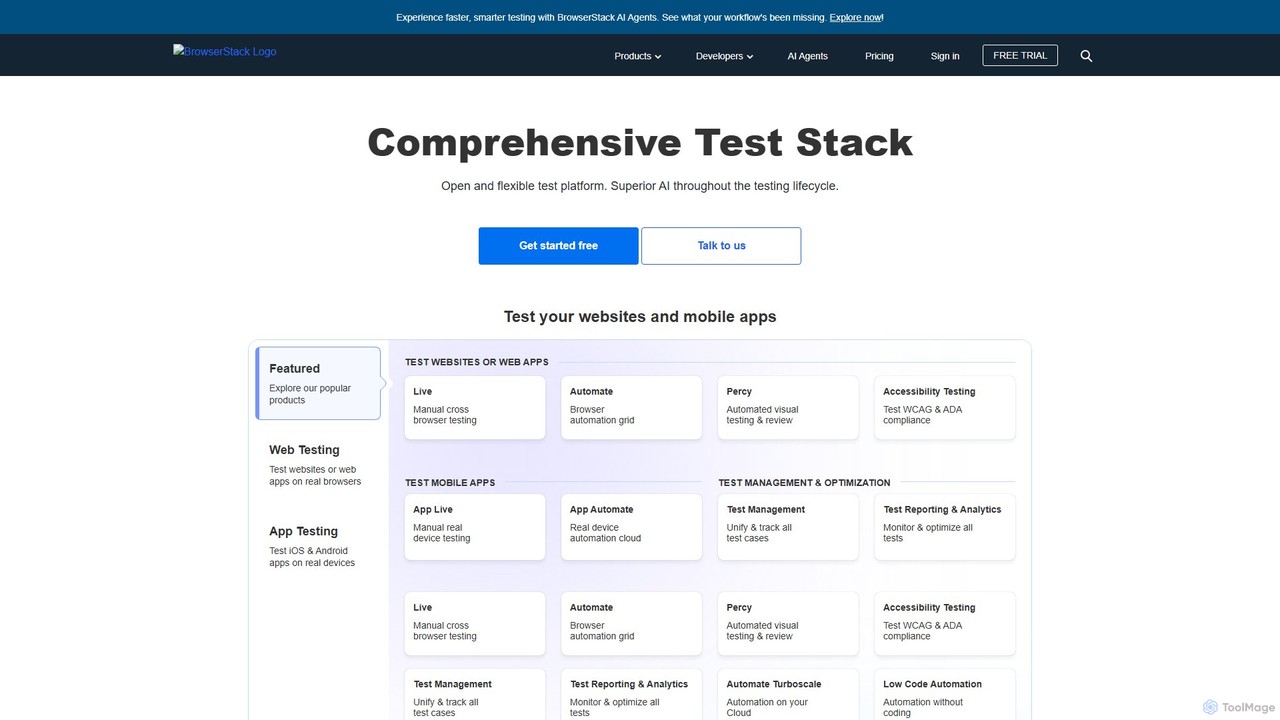
BrowserStack is a leading AI-powered cloud platform for comprehensive app and cross-browser testing. It provides instant access to over 30,000 real mobile devices and desktop browsers, enabling developers and QA teams to test their websites and mobile apps in real-world conditions. With features like automated testing, visual testing, and accessibility checks, BrowserStack accelerates release cycles and ensures a flawless user experience across all platforms.

Preview

Meticulous Product overview

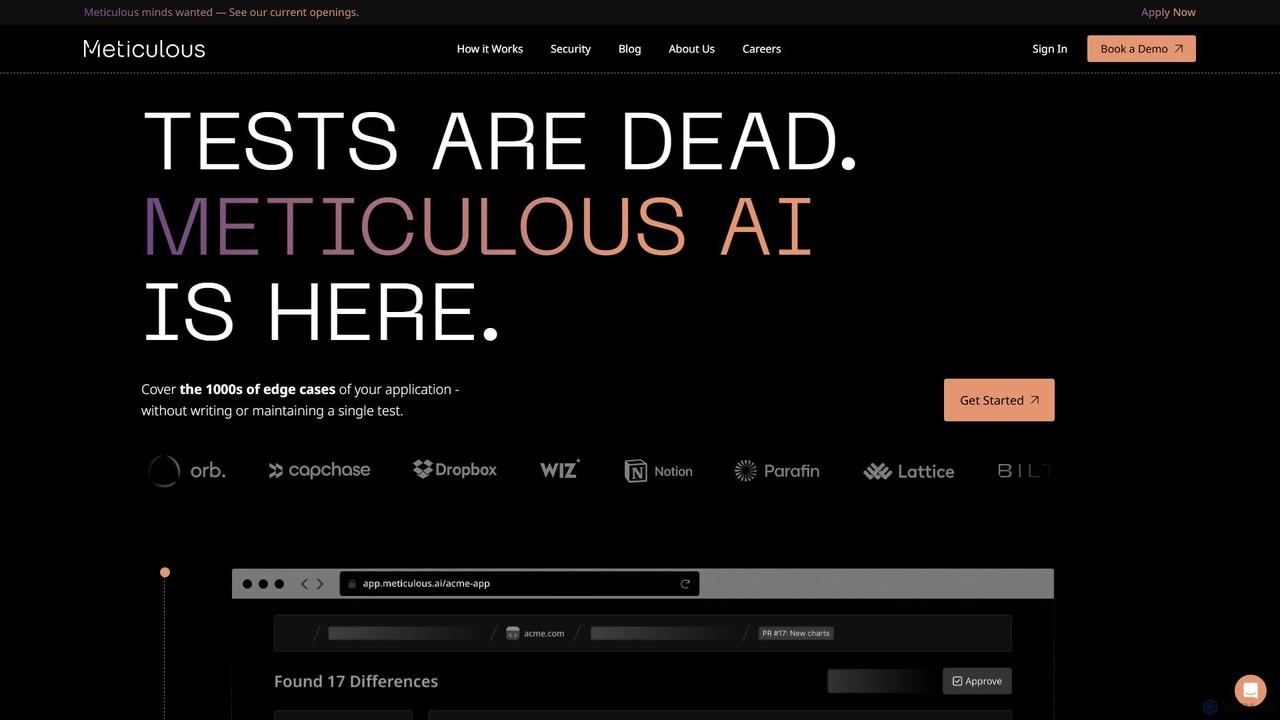
Meticulous is an AI-powered tool that revolutionizes front-end testing. It automatically generates and maintains visual end-to-end tests by recording user interactions, eliminating the need for manual test scripting. This helps development teams catch regressions, cover edge cases, and ship code faster with confidence, without the hassle of flaky or high-maintenance tests.

Preview

Quick facts

Compare product focus, pricing models and audiences. Highlighted rows indicate different listed information; unknown pricing does not mean free.

BrowserStack VS Meticulous — Quick facts
Quick factsBrowserStackMeticulous
Pricing modelFreemiumFreemium
Product typeWebWeb
Primary focusMobile DevelopmentCode Quality
Audience and rolesNo data availableNo data available
CategoriesMobile Development · Testing · AutomationCode Quality · Testing · Automation
AddedAug 8, 2025Aug 17, 2025
UpdatedNov 19, 2026Nov 19, 2026

Features, usage and use cases

Explore the listed product descriptions, features and workflows. Taxonomy labels alone are not feature evaluations.

BrowserStack

BrowserStack is an industry-leading, AI-enhanced cloud web and mobile testing platform, trusted by over 50,000 customers globally, including major companies like Optimizely, GoodRx, and OLX. It empowers development and QA teams to build and release high-quality software with speed and confidence. The platform provides a comprehensive test stack, offering instant access to a vast real device cloud of over 30,000 real iOS and Android devices and desktop browser combinations. This eliminates the need for expensive in-house device labs and allows for testing in real-world user conditions.

Recently, BrowserStack has integrated superior AI capabilities across the entire testing lifecycle. These AI agents enhance productivity, enabling faster, smarter testing and providing actionable insights to optimize workflows. From manual interactive testing to large-scale automation, BrowserStack covers every aspect of the testing process, including functional, visual, and accessibility testing.

How to use BrowserStack

Using BrowserStack is designed to be intuitive and seamlessly integrate into your existing development workflow:

  1. Sign Up & Choose a Product: Start with a free trial or select a plan. Choose from a suite of products like Live (manual testing), Automate (automated testing), or Percy (visual testing).
  2. Manual Testing (Live & App Live): For interactive testing, simply select your desired operating system, browser version, or real mobile device from the dashboard. An interactive session will launch instantly, giving you access to developer tools for real-time debugging.
  3. Automated Testing (Automate & App Automate): Configure your existing automation scripts (using frameworks like Selenium, Cypress, Playwright, Appium) to run on BrowserStack's cloud grid. This involves a minor change in the configuration file to point to the BrowserStack hub URL.
  4. Integrate with CI/CD: Connect BrowserStack to your CI/CD pipeline (e.g., Jenkins, GitLab, Travis CI). This allows you to run your test suite automatically on every code commit, catching bugs early in the development cycle.
  5. Debug and Report: Utilize comprehensive logs, video recordings, and screenshots for every test run to quickly identify and debug issues. Report bugs directly to integrated tools like Jira or Trello with a single click.
  6. Leverage Advanced Features: Test for specific conditions by using features like IP Geolocation, network simulation, biometric authentication, and accessibility scanning.

Core Features of BrowserStack

  • Real Device Cloud: Instant access to over 30,000 real desktop browsers (Windows, macOS) and mobile devices (iOS, Android) for accurate testing.
  • Comprehensive Test Automation: High-speed, parallel testing on a scalable grid for frameworks like Selenium, Cypress, Playwright, and Appium.
  • AI-Powered Testing: AI agents are integrated throughout the testing lifecycle to boost productivity, provide smarter insights, and accelerate test cycles.
  • Visual Testing with Percy: Automate visual testing and reviews to catch visual bugs and ensure UI consistency with every release.
  • Accessibility Testing: Scan and test for WCAG and ADA compliance to ensure your applications are accessible to all users.
  • Advanced Device Features: Simulate real-world conditions with features like GPS and IP geolocation, network throttling, biometric authentication (Face ID, Fingerprint), physical SIM testing, and camera/microphone injection.
  • Seamless Integrations: Works with all major CI/CD tools, project management software, and automation frameworks, including Jira, Slack, GitHub, Jenkins, and more.
  • Test Management & Analytics: Unify, track, and manage all test cases in one place. Gain deep insights from test reporting and analytics to monitor and optimize test performance.

Use Cases for BrowserStack

BrowserStack is versatile and caters to various testing needs:

  • Cross-Browser Compatibility: Ensure your website functions and appears correctly across all major browsers and their versions on both desktop and mobile.
  • Mobile App Testing: Test native and hybrid iOS and Android apps on a wide range of real devices to check for performance, functionality, and UI issues.
  • Regression Testing: Automate your regression suite to run on every build, preventing new code changes from breaking existing functionality.
  • Localization and Geolocation Testing: Verify that your application works as expected for users in different geographical locations by simulating IP addresses and GPS coordinates from over 100 countries.
  • End-to-End User Flow Testing: Test complex user journeys that involve multiple steps, such as user registration, in-app purchases, and OTP authentication.
  • Performance Under Poor Network Conditions: Simulate various network profiles (e.g., slow 3G, unstable Wi-Fi) to see how your app or website performs for users with poor connectivity.

Advantages of BrowserStack

Using BrowserStack offers significant advantages:

  • Improved Test Coverage: Drastically increase your test coverage by testing on a massive range of real devices and browsers without the overhead of maintaining them.
  • Accelerated Release Cycles: By running tests in parallel on a high-speed cloud grid, teams can reduce testing time from hours to minutes, enabling faster releases. GoodRx, for example, cut testing time by 90%.
  • Reduced Costs: Eliminates the high cost associated with purchasing, maintaining, and updating an in-house lab of physical devices.
  • Enhanced Collaboration: Centralized dashboards, shareable test sessions, and integrations with tools like Slack and Jira improve collaboration between developers and QA engineers.
  • Higher Quality Software: Catching bugs earlier and testing in real-world conditions leads to a more stable, reliable, and user-friendly final product.

Pricing and Plans

BrowserStack offers a flexible pricing structure to suit individuals, teams, and enterprises.

  • Free Trial: A free trial is available to explore the platform's features.
  • Open Source Plan: Free, unlimited access for qualifying open-source projects.
  • Freelancer Plan: Starts at $12.50/month (billed annually) for individual users with limited testing minutes.
  • Live Plans: For manual testing, plans start at $29/month (billed annually) for Desktop testing and $39/month for Desktop & Mobile.
  • Team Plans: Designed for collaboration, starting at $150/month (billed annually) for 5 users.
  • Enterprise Plan: Custom pricing for large organizations, offering advanced features like Single Sign-On (SSO), IP whitelisting, dedicated support, and higher security compliance.
  • Other Products: Products like Automate, Percy, and Test Management are priced separately with their own plans. Payments can be made via credit card, and invoices are available for annual plans.

Meticulous

Meticulous is a groundbreaking AI-powered platform designed to radically accelerate the pace of software development by automating front-end testing. It addresses a core pain point for developers: the time-consuming and often brittle nature of writing and maintaining end-to-end tests. Instead of manual scripting, Meticulous records actual user sessions from your development, staging, or even production environments to automatically generate a comprehensive and continuously evolving test suite.

The platform's core mission is to allow engineering teams to focus on building features rather than fixing tests. By monitoring user interactions and tracking the code branches executed, its AI engine curates a suite of visual tests that cover every corner of an application, from common user flows to obscure edge cases. This ensures robust coverage without any manual intervention from developers. Esteemed companies like Dropbox, Notion, and Lattice have integrated Meticulous into their workflows, praising its ability to prevent regressions and boost developer confidence.

How to use Meticulous

Getting started with Meticulous is designed to be a seamless, three-step process that integrates directly into your existing development workflow:

  1. Install the Recorder Script: Add a simple script tag to your web application's HTML head. This is supported for all major front-end frameworks like Next.js, React, Vue, Angular, and SvelteKit. This script runs in your local development, staging, or preview environments to non-intrusively record user interaction sessions.
  2. Automatic Test Generation: As you and your team interact with the application, Meticulous records these sessions. Its AI engine analyzes these recordings, identifies unique user flows and code paths, and automatically generates a suite of visual end-to-end tests.
  3. Integrate with CI/CD: Install the Meticulous integration for your CI provider (e.g., GitHub Actions). When a developer opens a pull request, Meticulous automatically runs the relevant tests against the proposed changes. It provides a clear report showing any visual regressions or unexpected changes, allowing teams to catch bugs before they are merged into the main branch.

Core Features of Meticulous

  • AI-Powered Test Generation: Automatically creates a comprehensive test suite from recorded user sessions, eliminating the need to write a single line of test code.
  • Self-Maintaining Test Suite: The test suite evolves with your application. Meticulous adds new tests for new features and removes outdated ones, ensuring your tests are always up-to-date.
  • Flake-Free Testing: Built from the Chromium level up with a deterministic scheduling engine, it eliminates the flaky, inconsistent results that plague traditional testing tools.
  • Visual Regression Detection: Compares screenshots before and after code changes to pinpoint any UI bugs, style inconsistencies, or layout issues with pixel-perfect accuracy.
  • Mocked Backend Responses: Automatically records and replays backend API responses from the original session, creating side-effect-free tests that run reliably without complex test data setup.
  • High-Speed Parallel Execution: Tests are heavily parallelized across a cloud compute cluster, delivering results for thousands of screens in under two minutes.
  • Seamless CI/CD Integration: Integrates effortlessly with popular CI/CD pipelines to act as a quality gate, preventing regressions before they reach production.

Use Cases for Meticulous

Meticulous is invaluable for any team building modern web applications:

  • Rapidly Growing Startups: Enables small teams to move fast and ship features without sacrificing quality or accumulating testing debt.
  • Large-Scale Enterprises: Provides a reliable safety net for complex applications with numerous contributors, ensuring that changes in one part of the app don't break another.
  • UI/UX Refreshes & Refactoring: Guarantees visual consistency and functional integrity during large-scale code refactors or design system updates.
  • Component Library Maintenance: Automatically verifies that changes to shared components do not introduce visual regressions across all the applications that use them.

Advantages of Meticulous

The primary advantage of Meticulous is the massive productivity boost it offers engineering teams. By automating the most tedious parts of testing, it allows developers to reclaim hours spent writing, debugging, and maintaining tests. This leads to a faster development cycle, higher confidence in deployments, and a better quality end-product. Its flake-free architecture builds trust in the testing process, while its AI-driven approach ensures test coverage grows organically with the application, preventing blind spots.

Pricing and Plans

Meticulous offers tailored plans to fit different team sizes and needs. While specific pricing tiers are not publicly listed, you can get started for free to experience the core functionality. For detailed pricing information, enterprise features, and a personalized walkthrough, the company encourages booking a demo with their engineering team. This approach ensures you get a plan that is optimized for your specific workflow and scale.

Positioning

Their taxonomy shows where the products overlap and where each one has a more distinct focus. Unknown fields are shown explicitly and are never filled with assumptions.

Categories

Shared
TestingAutomation
Only BrowserStack
Mobile Development
Only Meticulous
Code Quality

Tags

Shared
ai testingdeveloper tools
Only BrowserStack
accessibility testingcross-browser testingcypress testingmobile app testingQA toolsreal device cloudselenium gridtest automationvisual testing
Only Meticulous
automated testingCI/CDfront-end testingjavascriptno-code testingregression testingsoftware developmentvisual regression

Audience and roles

Shared
No listed items
Only BrowserStack
No listed items
Only Meticulous
No listed items

Traffic comparison

Traffic is shown on the same scale so differences in market visibility are not visually understated.

How to interpret the traffic data

Both charts share the same months and vertical scale. Each tool identifies its latest reporting month; missing months are left blank, not counted as zero. Regional and source visit counts are estimates calculated from the reported shares.

BrowserStack monthly traffic:

Latest traffic · 2026-05

Monthly visits
1.3M
Avg. visit duration
5:05
Pages per visit
7.49
Bounce rate
40.23%
Data updated 2026-06-15

Monthly traffic trend

  • 2025-09: 2.5M
  • 2026-01: 2.4M
  • 2026-02: 1.9M
  • 2026-03: 1.9M
  • 2026-04: 1.6M
  • 2026-05: 1.3M

Top regions

Top 5 countries/regions
Country/regionPercentageEstimated visits
🇮🇳India53.23%713.3K
🇺🇸United States26.38%353.5K
🇩🇪Germany8.8%117.9K
🇬🇧United Kingdom6.52%87.4K
🇪🇹Ethiopia5.07%67.9K

Traffic sources

Source typePercentageEstimated visits
Direct84.8%1.1M
Referral9.71%130.1K
Email5.49%73.6K

Search keywords

apkbrowser stackbrowserstackbrowserstack careersrandom address generator

Meticulous monthly traffic:

Latest traffic · 2026-05

Monthly visits
55.7K
Avg. visit duration
0:29
Pages per visit
1.66
Bounce rate
43.06%
Data updated 2026-06-15

Monthly traffic trend

  • 2025-09: 69.4K
  • 2026-01: 66.1K
  • 2026-02: 46.1K
  • 2026-03: 51.8K
  • 2026-04: 42.4K
  • 2026-05: 55.7K

Top regions

Top 5 countries/regions
Country/regionPercentageEstimated visits
🇺🇸United States41.73%23.2K
🇧🇷Brazil22.83%12.7K
🇻🇳Vietnam20.07%11.2K
🇨🇦Canada8.76%4.9K
🇳🇬Nigeria6.61%3.7K

Traffic sources

Source typePercentageEstimated visits
Referral73.33%40.8K
Direct25.33%14.1K
Email1.34%746

Search keywords

gabriel spencer-harperlovable devmeticulousmeticulous aimeticulous frontend testing

Community signals

Ratings, comments, favorites, and likes are community signals—not a substitute for product fit.

BrowserStack

Rating
No data available
Comments
0
Favorites
175
Likes
181

Meticulous

Rating
No data available
Comments
0
Favorites
146
Likes
159

BrowserStack vs Meticulous · Comparison FAQ

What do BrowserStack and Meticulous have in common?
Both tools are listed under Testing、Automation. These categories indicate overlapping use cases; compare their detailed descriptions for workflows, capabilities and limitations.
Are BrowserStack and Meticulous free?
Listed pricing models: BrowserStack — Freemium; Meticulous — Freemium. Missing pricing is not proof of a free plan, and freemium does not mean every feature is free. Check official sites for current plans, limits and trials.
How should I choose between BrowserStack and Meticulous?
The primary listed category is Mobile Development for BrowserStack, and Code Quality for Meticulous. Compare features, steps and use cases, then verify pricing, data permissions and deployment needs. This page does not include hands-on testing and does not declare a winner from traffic or tags.

Sources and comparison methodology

This page is assembled from ToolMage product listings, taxonomy, traffic statistics and on-site user feedback. It is not a hands-on test or an independent review.

  • Feature and plan descriptions reflect information in the listings, not real-time guarantees. Verify pricing, quotas, availability and privacy terms on the official sites.
  • Traffic uses the reporting months shown. Missing statistics do not mean zero visits, and different periods do not establish growth or superiority. Regional and source visit counts are estimates based on shares.
  • Different tags indicate differences in the listings, not proof that the other product lacks a capability. Ratings, favorites and visits are not used to declare a winner.

Related comparisons