ToolMage
Sign in

AI TOOL COMPARISON

Assembo vs Pebblely

What is the difference, and which fits your workflow? Compare features, usage, pricing models and traffic side by side.

Jump to key differences

Product overview

Assembo Product overview

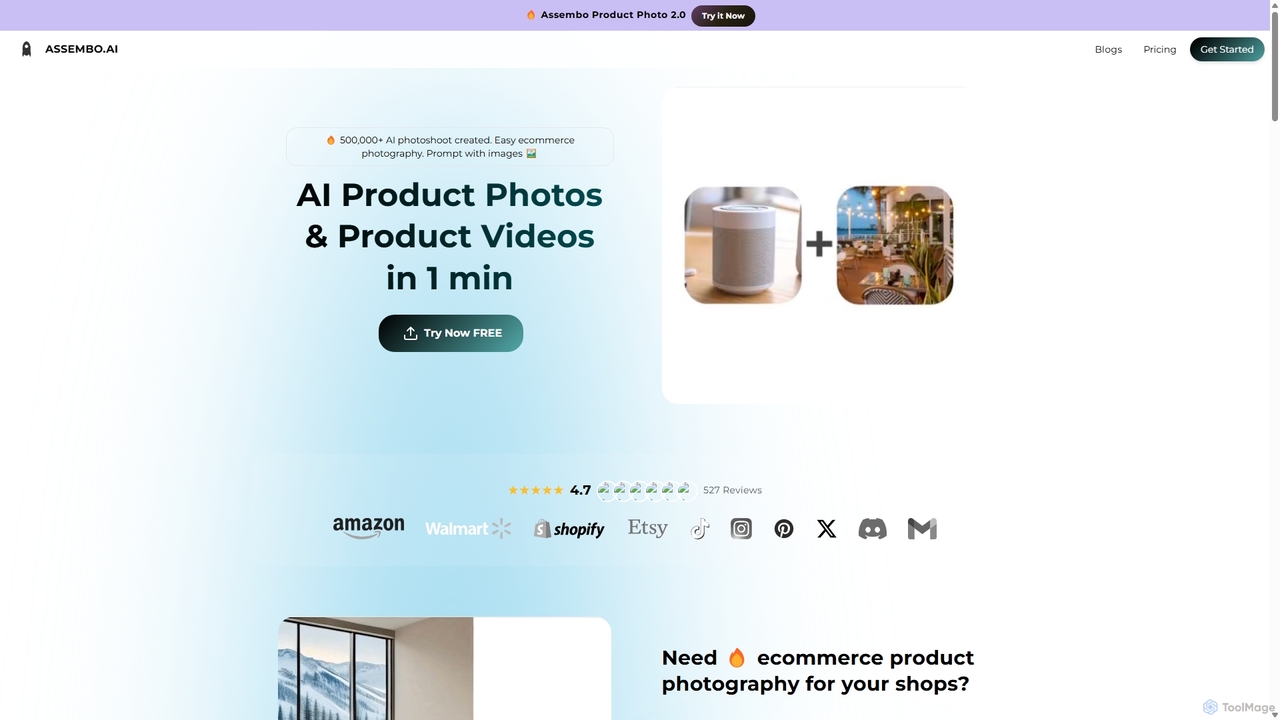
Assembo is an AI-powered platform that generates professional e-commerce product photos and animated videos in minutes. It allows users to create stunning visuals with custom backgrounds, AI-generated human models, and dynamic animations, eliminating the need for traditional photoshoots.

Preview

Pebblely Product overview

Pebblely is an AI-powered product photography tool that instantly transforms plain product images into stunning, professional-grade photos. Simply upload your product, describe the desired background, and generate dozens of beautiful, on-brand images for e-commerce, social media, and marketing campaigns in seconds.

Preview

Quick facts

Compare product focus, pricing models and audiences. Highlighted rows indicate different listed information; unknown pricing does not mean free.

Assembo VS Pebblely — Quick facts
Quick factsAssemboPebblely
Pricing modelFreemiumFreemium
Product typeWebWeb
Primary focusImage EditingProduct Listing
Audience and rolesContent Creator · E-commerce Manager · Graphic Designer · Marketing Manager · Product Manager · Small Business Owner · Social Media ManagerContent Creator · E-commerce Manager · Graphic Designer · Marketing Manager · Product Manager · Small Business Owner · Social Media Manager
CategoriesImage Editing · E Commerce · Content Creation · Video GenerationProduct Listing · Product Photography · Social Media Marketing
AddedSep 14, 2025Sep 18, 2025
UpdatedNov 19, 2026Nov 19, 2026

Features, usage and use cases

Explore the listed product descriptions, features and workflows. Taxonomy labels alone are not feature evaluations.

Assembo

Assembo is a revolutionary AI tool designed to transform e-commerce product photography and videography. It empowers online sellers, marketers, and brands to create high-quality, studio-grade visual content effortlessly and affordably. By simply uploading a product image, users can generate a wide array of professional photos and animated videos tailored for platforms like Shopify, Amazon, Instagram, and TikTok. The platform leverages advanced AI to place products in realistic scenes, add virtual human models for lifestyle context, and create engaging animations that capture customer attention.

With over 500,000 AI photoshoots created, Assembo has proven to be a game-changer for businesses of all sizes. It replaces the time-consuming and expensive process of traditional photography with a streamlined, three-step workflow. Users can use simple text prompts or upload reference images to dictate the style, background, and overall aesthetic of their visuals. This flexibility allows for endless creative possibilities, from clean studio shots to vibrant lifestyle scenes, ensuring that every product is showcased in the best possible light.

How to use Assembo

Creating professional product visuals with Assembo is a simple and intuitive process that takes only a minute:

  1. Upload Your Product Image: Start by uploading an existing photo of your product. You can use a professional shot or even a quick picture taken with your smartphone. The AI is designed to work with various image qualities.
  2. Customize and Generate: This is where the magic happens. Use text prompts (e.g., "Chair in a minimalistic living room with plants") or upload a style reference image to guide the AI. You can also choose from a library of pre-designed studio or lifestyle templates. Add AI-generated fashion models to showcase apparel, shoes, or accessories. For videos, select an animation style to bring your product to life. The platform also offers preset sizes and styles optimized for specific e-commerce and social media platforms.
  3. Download and Use: Once you are satisfied with the result, export your AI-generated photos and videos. The visuals are optimized for your chosen platform and ready to be used in your online store, ad campaigns, or social media feeds. You can also save your favorite styles as templates for future use.

Core Features of Assembo

  • AI Product Photoshoot: Instantly generate high-resolution product photos with any background imaginable using text or image prompts.
  • AI Human Models: Add realistic, AI-generated models to your photos to create compelling lifestyle images for fashion, apparel, and accessories without hiring real models.
  • Animated Product Videos: Automatically create short, eye-catching product videos and animations from a single static image to boost engagement on social media.
  • Prompt-Based Customization: Describe the scene you want in plain text or upload a reference image to get precisely the style you need.
  • Template Library: Access a wide range of professional studio and lifestyle templates for quick and easy scene creation.
  • Platform Optimization: One-click optimization for popular platforms like Amazon, Shopify, Instagram, and TikTok with preset aspect ratios and styles.
  • Magic Eraser Tool: Easily edit and refine your generated images by erasing any unwanted objects or imperfections with a simple brush tool.

Use Cases for Assembo

Assembo is versatile and caters to a wide range of e-commerce needs:

  • E-commerce Store Owners: Create primary product listings and lifestyle images for Shopify, Amazon, Etsy, and Wayfair stores to increase click-through rates and conversions.
  • Fashion and Apparel Brands: Showcase clothing, shoes, and bags on AI models for social media campaigns on Instagram and TikTok, saving on model and studio costs.
  • Food and Beverage Companies: Generate appetizing photos of drinks and food items in various settings, such as on a beach or in a cozy café, for menus and promotional materials.
  • Electronics and Gadget Sellers: Place products in realistic lifestyle contexts, like a speaker at a party or a laptop in a modern office, to help customers visualize usage.
  • Jewelry and Accessory Designers: Create elegant and high-end photoshoots that highlight the intricate details of their products against luxurious backdrops.

Advantages of Assembo

Using Assembo provides a significant competitive edge:

  • Cost-Effective: Drastically reduces expenses by eliminating the need for photographers, models, studios, and expensive equipment.
  • Time-Saving: Generates a complete set of professional visuals in minutes, compared to the days or weeks required for a traditional photoshoot.
  • Increased Sales: High-quality, engaging visuals have been shown to improve customer engagement, click-through rates, and ultimately, sales.
  • Creative Freedom: Offers limitless possibilities for backgrounds and scenes, allowing brands to perfectly match their aesthetic and campaign themes.
  • Ease of Use: No technical or photography skills are required. The platform is designed for anyone to create professional-grade content.

Pricing and Plans

Assembo operates on a freemium model. Users can start with a free trial to experience the core features and generate a limited number of images. For more advanced needs, such as higher resolution downloads, unlimited generations, and access to premium features like AI models and video animations, Assembo offers several paid subscription plans. Custom services are also available for businesses with specific, large-scale requirements. For the most current pricing information, please visit the official Assembo website.

Pebblely

Pebblely is a revolutionary AI tool designed to eliminate the complexities and high costs associated with traditional product photography. It empowers e-commerce store owners, marketers, and designers to create stunning, studio-quality product images effortlessly. By simply uploading a picture of a product, users can leverage artificial intelligence to automatically remove the background and generate an infinite variety of beautiful, realistic, and on-brand scenes. This allows businesses to showcase their products in the best possible light, enhancing online listings, social media posts, and advertising materials without the need for physical photoshoots, expensive equipment, or professional photographers.

How to use Pebblely

Using Pebblely is a simple and intuitive four-step process:

  1. Upload Your Image: Start by uploading a standard image of your product. Pebblely's AI will automatically and precisely remove the background, isolating the product perfectly.
  2. Describe Your Desired Scene: Tell the AI what kind of background or setting you envision. You can be specific, like "on a marble countertop next to a plant," or more abstract, like "a minimalist, sunlit scene." You can also choose from a variety of pre-made themes for inspiration.
  3. Generate Images: Click the generate button. Within seconds, Pebblely will produce a range of high-quality images based on your description, each offering a unique take on your concept.
  4. Select and Download: Browse through the generated options, select your favorites, make any minor adjustments if needed, and download the high-resolution images ready for use on your website, social media, or marketing campaigns.

Core Features of Pebblely

  • AI Background Generation: Instantly create custom backgrounds from simple text descriptions.
  • Automatic Background Removal: Flawlessly removes the background from any product photo.
  • Pre-set Themes: A collection of popular and effective themes to get you started quickly.
  • Smart Resizing: Automatically resize and adapt images for various platforms like Instagram, Shopify, and Amazon.
  • High-Resolution Outputs: Generate and download images in high resolution suitable for both digital and print use.
  • Add Reflections and Shadows: The AI intelligently adds realistic lighting, shadows, and reflections to make the product look natural in its new environment.
  • API Access: Integrate Pebblely's capabilities directly into your own applications or e-commerce workflow for automated image creation.

Use Cases for Pebblely

Pebblely is versatile and can be used across various marketing channels:

  • E-commerce Stores: Create clean, consistent, and appealing product listings for platforms like Shopify, Amazon, and Etsy to increase conversion rates.
  • Social Media Marketing: Generate eye-catching lifestyle shots and creative visuals for Instagram, Facebook, and Pinterest to boost engagement.
  • Email Campaigns: Enhance your newsletters and promotional emails with professional product images that capture attention.
  • Advertising Creatives: Quickly produce a multitude of ad variations for A/B testing on platforms like Google Ads and Facebook Ads.
  • Website Banners & Hero Images: Design beautiful hero images and banners for your website homepage or landing pages.

Advantages of Pebblely

Pebblely offers significant advantages over traditional methods:

  • Cost-Effective: Drastically reduces the high costs of professional photoshoots, studio rentals, and photographers.
  • Time-Saving: Generates dozens of unique images in seconds, compared to the hours or days required for a traditional shoot.
  • Unlimited Creativity: Explore endless creative possibilities without physical limitations. Place your product anywhere you can imagine.
  • Brand Consistency: Easily maintain a consistent visual style across all your marketing materials.
  • Increased Conversions: High-quality product images are proven to build trust and increase sales.

Pricing and Plans

Pebblely operates on a freemium model, making it accessible for everyone.

  • Free Plan: Perfect for trying out the tool, this plan offers 40 free image generations per month.
  • Starter Plan: Aimed at small businesses and creators, offering a higher number of credits (e.g., 1,000 images/month), high-resolution downloads, and commercial usage rights.
  • Business Plan: Designed for larger teams and agencies, this plan includes even more credits, API access, and priority support.

(Note: Specific pricing details can be found on the official Pebblely website.)

Positioning

Their taxonomy shows where the products overlap and where each one has a more distinct focus. Unknown fields are shown explicitly and are never filled with assumptions.

Categories

Shared
No listed items
Only Assembo
Image EditingE CommerceContent CreationVideo Generation
Only Pebblely
Product ListingProduct PhotographySocial Media Marketing

Tags

Shared
background generatore-commercemarketingproduct photography
Only Assembo
AI modelAI photoshootamazonlifestyle imagesShopifysocial media contentvideo generator
Only Pebblely
advertisingAI backgroundAI image generatorproduct imagessocial media

Audience and roles

Shared
Content CreatorE-commerce ManagerGraphic DesignerMarketing ManagerProduct ManagerSmall Business OwnerSocial Media Manager
Only Assembo
No listed items
Only Pebblely
No listed items

Traffic comparison

Traffic is shown on the same scale so differences in market visibility are not visually understated.

How to interpret the traffic data

Both charts share the same months and vertical scale. Each tool identifies its latest reporting month; missing months are left blank, not counted as zero. Regional and source visit counts are estimates calculated from the reported shares.

Assembo monthly traffic:

Latest traffic · 2026-05

Monthly visits
6.7K
Avg. visit duration
0:26
Pages per visit
1.71
Bounce rate
39.11%
Data updated 2026-06-15

Monthly traffic trend

  • 2025-09: 25K
  • 2026-01: 24.8K
  • 2026-02: 12.6K
  • 2026-03: 8.7K
  • 2026-04: 8.4K
  • 2026-05: 6.7K

Top regions

Top 5 countries/regions
Country/regionPercentageEstimated visits
🇺🇸United States43.57%2.9K
🇫🇷France25.17%1.7K
🇮🇳India19.8%1.3K
🇻🇳Vietnam8.54%575
🇧🇪Belgium2.92%197

Search keywords

assembo seoassembo-webappmost expensive jewels storephoto insta en grandwebrotate 360 alternative

Pebblely monthly traffic:

Latest traffic · 2026-05

Monthly visits
19.5K
Avg. visit duration
1:02
Pages per visit
4.45
Bounce rate
21.15%
Data updated 2026-06-15

Monthly traffic trend

  • 2025-09: 52.9K
  • 2026-01: 59.5K
  • 2026-02: 47K
  • 2026-03: 39.3K
  • 2026-04: 21.2K
  • 2026-05: 19.5K

Top regions

Top 5 countries/regions
Country/regionPercentageEstimated visits
🇮🇳India26.83%5.2K
🇺🇿Uzbekistan23.29%4.5K
🇨🇦Canada19.87%3.9K
🇺🇸United States15.77%3.1K
🇧🇷Brazil14.24%2.8K

Traffic sources

Source typePercentageEstimated visits
Referral54.7%10.7K
Direct43.78%8.5K
Email1.52%296

Search keywords

claid ai

Community signals

Ratings, comments, favorites, and likes are community signals—not a substitute for product fit.

Assembo

Rating
No data available
Comments
0
Favorites
161
Likes
151

Pebblely

Rating
No data available
Comments
0
Favorites
165
Likes
164

Assembo vs Pebblely · Comparison FAQ

What do Assembo and Pebblely have in common?
The current listings have no shared category. Appearing on the same comparison page does not make the products interchangeable; check each tool against your task.
Are Assembo and Pebblely free?
Listed pricing models: Assembo — Freemium; Pebblely — Freemium. Missing pricing is not proof of a free plan, and freemium does not mean every feature is free. Check official sites for current plans, limits and trials.
How should I choose between Assembo and Pebblely?
The primary listed category is Image Editing for Assembo, and Product Listing for Pebblely. Compare features, steps and use cases, then verify pricing, data permissions and deployment needs. This page does not include hands-on testing and does not declare a winner from traffic or tags.

Sources and comparison methodology

This page is assembled from ToolMage product listings, taxonomy, traffic statistics and on-site user feedback. It is not a hands-on test or an independent review.

  • Feature and plan descriptions reflect information in the listings, not real-time guarantees. Verify pricing, quotas, availability and privacy terms on the official sites.
  • Traffic uses the reporting months shown. Missing statistics do not mean zero visits, and different periods do not establish growth or superiority. Regional and source visit counts are estimates based on shares.
  • Different tags indicate differences in the listings, not proof that the other product lacks a capability. Ratings, favorites and visits are not used to declare a winner.

Related comparisons